Freedom251 › AI Object Removal Tools

Aragon Magic Eraser
What Aragon Magic Eraser is
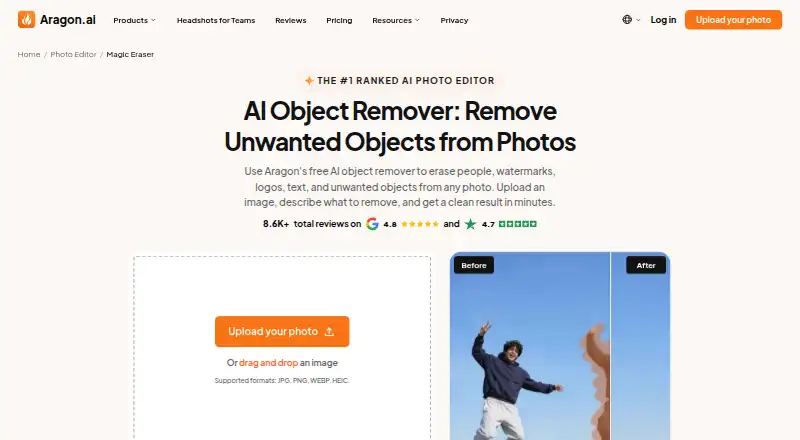
Aragon Magic Eraser removes described objects or people from photos and reconstructs the affected area from surrounding pixels. To use it, upload a photo, describe what should be removed, review the edit, and download the result. It accepts JPG, PNG, WEBP, and HEIC files. Cleanup targets listed by Aragon include people, photobombers, watermarks, dates, text overlays, logos, props, signs, power lines, and clutter. The browser-based tool works on phones, laptops, and desktops without requiring an installation. A free plan provides daily credits and requires a free Aragon account; paid plans add credits and higher-resolution outputs. A free trial is also listed. The tool may be useful for travelers, sellers, real-estate agents, and people refining profile photos. Edits around busy patterns, hair edges, or large people can be difficult, so results may need another review or pass. Commercial use is subject to the user's plan and Aragon's Terms.
Who it suits
It may suit travelers, sellers, real-estate agents, and people polishing profile photos who want to remove unwanted elements from an image. It runs in a browser on phones, laptops, and desktops.
What it does well
- Accepts JPG, PNG, WEBP, and HEIC uploads.
- Removes people, text, watermarks, logos, and clutter.
- Browser access requires no app installation.
- Free plan includes daily credits.
What to know first
- Free plan requires an Aragon account.
- Busy patterns and hair edges can be hard to clean.
- Commercial use depends on the plan and Terms.
Limits
The free plan costs nothing and provides daily credits; it requires a free Aragon account. Paid plans add credits and higher-resolution outputs. Results can be harder to clean up around busy patterns, hair edges, and large people.
Plans
| Plan | Billed and limits | Price |
|---|---|---|
| Free | Free daily credits · free Aragon account required · paid plans add credits and higher-resolution outputs | Free |
As aragon.ai lists them, read 4 Oct 2026. The maker's own page has the final word.
Getting started
- Open https://www.aragon.ai/photo-editor/magic-eraser in a browser.
- Create a free Aragon account to use the free plan.
- Upload a JPG, PNG, WEBP, or HEIC photo.
- Describe what you want removed.
- Review the result and download the edited image.
Overview
Aragon Magic Eraser is a browser-based tool for removing unwanted people and objects from photos. It is best suited to travelers, sellers, real-estate agents, and anyone polishing a profile picture who needs occasional cleanup without installing an app. Its focused removal workflow and free daily credits are appealing, but tricky edges and complex backgrounds can make results less dependable.
Key features
Upload a JPG, PNG, WEBP, or HEIC photo, describe what should be removed, review the result, and download the edit. The tool reconstructs the cleared area from surrounding pixels, making it useful for removing photobombers, watermarks, dates, text overlays, logos, props, signs, power lines, and clutter. That range covers many common distractions, though it remains a cleanup tool rather than a full photo-editing suite.
Generative reconstruction can struggle with busy patterns, hair edges, and large people. Review prominent edits closely and try another pass if the result looks uneven. Face enhancement is supported, but enhancement modes are basic; there is no old-photo restoration or API access. It is a poor fit for restoration work or automated editing workflows.
The service runs in a browser on phones, laptops, and desktops, avoiding an app installation. Aragon says its AI providers are contractually barred from using user data to train generalized models. User content is generally retained while an account is active and for 30 days after account closure; users can request deletion. The company states it is SOC 2 Type II compliant, audited by Prescient Security.
Pricing
Aragon uses a freemium model. The Free plan costs nothing and provides daily credits, but requires a free Aragon account. That makes it suitable for occasional edits, though daily credits constrain regular use. Paid plans add credits and higher-resolution outputs, which matter if you edit more often or need larger files; their pricing and terms are custom pricing.
Edited results may be used commercially subject to the user's plan and Aragon's Terms, so sellers and agents should check those terms before relying on the tool for client or business work.
Platforms
Aragon Magic Eraser is available on web, Android, and iOS. The browser tool works on phones, laptops, and desktops without an app installation, which is useful for quick edits across devices. Aragon identifies its service provider as Aragon AI, Inc. Support is available from live agents 7am–11pm PT, Sunday through Thursday, with [email protected] listed for contact.
Who it's for
This is a sensible choice for people who occasionally need to remove a distraction from a travel shot, listing photo, or profile picture and want to do so in a browser. It is less suitable for frequent high-resolution work on the free plan, precise removal around difficult edges, restoration of old photos, or integrations that require API access.
Pros and cons
- Pros: Supports JPG, PNG, WEBP, and HEIC, so common photos can be edited without first changing formats.
- Pros: Daily free credits and browser access make occasional cleanup possible without a paid plan or app installation.
- Cons: Hair edges, busy patterns, and large people can be difficult to erase cleanly, so important edits may need another pass.
- Cons: The free plan requires an account and paid plans are needed for more credits and higher-resolution outputs.
- Cons: Basic enhancement modes, no old-photo restoration, and no API limit its usefulness beyond straightforward cleanup.
Alternatives
For a broader comparison, browse AI Object Removal Tools or AI Photo Enhancer Software.
- PhotoBoost is worth considering if you need editing tools across more platforms; its free offer is limited to two introductory credits and cloud output up to 3 MP.
- ImageColorizer may suit users seeking a monthly-credit option: its free plan includes 50 credits per month, single processing, all AI features, and ads.
- PicWish Photo Enhancer is an alternative for users who want API access as well as desktop and mobile platforms; its free plan limits non-HD downloads and includes five standard enhancements per day.
- HeyStar AI Image Enhancer offers core enhancement and upscaling free, making it a better fit when those tasks matter more than object removal.
- YouCam Enhance may be preferable for batch processing or higher-quality output, which its premium subscription unlocks.
- Hotpot AI Photo Restorer is a more relevant choice for restoration-focused work; its free plan allows two images daily.
- HueFold is another freemium option for Android and web users.
- LetsEnhance may fit API-oriented workflows; its free plan includes 10 credits, 24-megapixel input, and 8-megapixel output.
Verdict
Choose Aragon Magic Eraser for occasional browser-based removal of people or objects, especially when daily free credits and broad image-format support cover your needs. Look elsewhere for reliable fine-edge cleanup, restoration, API automation, or regular high-resolution editing.
Verdict
Aragon Magic Eraser offers browser-based photo cleanup with broad file support and a free plan. Review difficult edits carefully, and check plan terms before commercial use.
Questions
How much does the free plan cost?
The Free plan is listed as free. It provides daily credits and requires a free Aragon account.
Is a free trial available?
Yes. Aragon lists a free trial as available.
Which platforms can I use?
Aragon lists Android, iOS, and web. The tool runs in a browser on phones, laptops, and desktops without requiring an app installation.
Which image formats can I upload?
Magic Eraser accepts JPG, PNG, WEBP, and HEIC uploads.
Can I use edited photos commercially?
Aragon says commercial use is subject to the user's plan and Aragon's Terms.
Who provides Magic Eraser?
The service provider is Aragon AI, Inc.
Facts from Aragon Magic Eraser's own pages
- AI data handling
- Aragon says it contractually prohibits its AI service providers from using user data to train generalized AI models. · aragon.ai, 4 Oct 2026
- Browser access
- The tool runs in a browser on phones, laptops, and desktops without requiring an app installation. · aragon.ai, 4 Oct 2026
- Commercial use
- The page says edited results may be used commercially subject to the user's plan and Aragon's Terms. · aragon.ai, 4 Oct 2026
- Company identity
- Aragon identifies the service provider as Aragon AI, Inc. · aragon.ai, 4 Oct 2026
- Compliance
- Aragon's pricing page states that the company is SOC 2 Type II compliant, audited by Prescient Security. · aragon.ai, 4 Oct 2026
- Headquarters
- USA · aragon.ai, 28 Sept 2026
- How to use it
- Users upload a photo, describe what to remove, review the result, and download the edited image. · aragon.ai, 4 Oct 2026
- Other cleanup tasks
- The page says it can remove people, photobombers, watermarks, dates, text overlays, logos, props, signs, power lines, and clutter. · aragon.ai, 4 Oct 2026
- Output limits
- Busy patterns, hair edges, and large people can be harder to erase cleanly, and the page recommends reviewing results or trying another pass. · aragon.ai, 4 Oct 2026
- Privacy and deletion
- Aragon's privacy policy says user content is generally retained for the active account plus 30 days after account closure, and users may request deletion. · aragon.ai, 4 Oct 2026
- Support
- Aragon says live agents are available 7am–11pm PT, Sunday through Thursday, and lists [email protected] for contact. · aragon.ai, 4 Oct 2026
- Supported image formats
- It accepts JPG, PNG, WEBP, and HEIC uploads. · aragon.ai, 4 Oct 2026
- What it does
- Magic Eraser removes described objects or people from a photo and rebuilds the area using surrounding pixels. · aragon.ai, 4 Oct 2026
- Who it is for
- The page highlights travelers, sellers, real-estate agents, and people polishing profile photos as users who may benefit from the tool. · aragon.ai, 4 Oct 2026
Where Aragon Magic Eraser stands on Freedom251
- AI Object Removal Tools#1 of 24