Freedom251 › AI Object Removal Tools
ClickRemoval
What ClickRemoval is
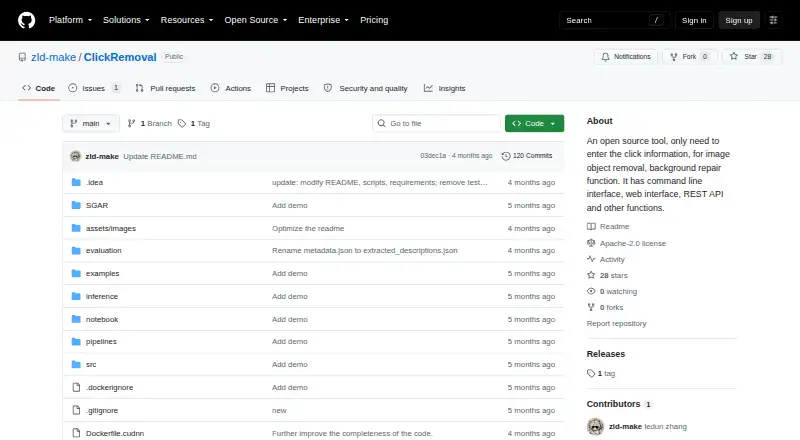
ClickRemoval is an open-source tool for removing objects from images and repairing the background through user clicks. Positive clicks mark what to remove, while negative clicks protect areas to keep; the workflow does not require hand-drawn masks or text descriptions. It supports Stable Diffusion 1.5, 2.1, SDXL, and compatible fine-tuned models. A Gradio web interface accepts an uploaded image and click placements, then returns a restored image. Command-line inference scripts support repeatable testing and batch-style use, and the repository description lists a REST API. The README documents Docker and local installation, with the demo available at localhost:7860. A shell script downloads model weights from author-maintained Hugging Face repositories. For GPU inference, the README recommends an NVIDIA GPU with at least 24GB VRAM, especially for SDXL at 1024 resolution. Lower-VRAM systems may run SD1.5 or SD2.1; SDXL may need Low VRAM mode, which uses less memory but runs more slowly. The project is Apache-2.0 licensed and lists v1.0.0 as a pre-release.
Who it suits
ClickRemoval suits people who want click-based object removal and background repair, including those using command-line batch workflows. Users choosing SDXL should consider the stated GPU memory recommendation.
What it does well
- Positive clicks remove objects; negative clicks protect areas
- Supports SD1.5, SD2.1, SDXL, and compatible fine-tunes
- Includes Gradio and command-line interfaces
- Apache-2.0 licensed
What to know first
- README recommends an NVIDIA GPU with at least 24GB VRAM
- SDXL Low VRAM mode runs more slowly
- Repository lists v1.0.0 as a pre-release
Limits
The README recommends an NVIDIA GPU with at least 24GB VRAM for GPU inference, especially for SDXL at 1024 resolution. SDXL Low VRAM mode uses less memory but slows inference; lower-VRAM GPUs may run SD1.5 or SD2.1.
Getting started
- Open the project website on GitHub.
- Follow the README's local installation or Docker instructions.
- Use the shell script to download SD1.5, SD2.1, SDXL, or all supported model weights.
- Open the Gradio demo at localhost:7860.
- Upload an image and place positive clicks on objects to remove and negative clicks on areas to protect.
Verdict
ClickRemoval offers click-driven image repair through a web interface and command-line scripts, with several diffusion model options. Its hardware guidance and pre-release status are worth weighing before adoption.
Questions
Is ClickRemoval free?
Yes. It is listed as free and open source.
What models does it support?
It supports Stable Diffusion 1.5, 2.1, SDXL, and compatible fine-tuned models.
What interfaces are available?
The project provides a Gradio web demo and command-line inference scripts. The repository description also lists a REST API.
What license does ClickRemoval use?
The repository is distributed under the Apache-2.0 license.
What hardware does it recommend?
For GPU inference, the README recommends an NVIDIA GPU with at least 24GB VRAM, particularly for SDXL at 1024 resolution.
Facts from ClickRemoval's own pages
- API
- The repository description says ClickRemoval has a REST API, though the README's quick-start instructions describe the Gradio demo and command-line scripts. · github.com, 9 Oct 2026
- Audience
- The README presents SD1.5 as a lightweight option for resource-constrained devices and SDXL for higher-quality removal and restoration. · github.com, 9 Oct 2026
- Click controls
- Positive clicks mark objects for removal, while negative clicks protect areas to keep. · github.com, 9 Oct 2026
- Click interaction
- Users can mark objects to remove with positive clicks and protect areas with negative clicks, without masks or prompts. · github.com, 9 Oct 2026
- Command line
- Inference scripts support reproducible testing and batch-style use. · github.com, 9 Oct 2026
- Deployment
- The README documents Docker and local installation, with the Gradio demo opened at localhost:7860. · github.com, 9 Oct 2026
- Diffusion models
- It supports SD1.5, SD2.1, SDXL, and compatible fine-tuned models. · github.com, 9 Oct 2026
- Hardware
- The README recommends an NVIDIA GPU with at least 24GB VRAM for GPU inference, especially for SDXL at 1024 resolution. · github.com, 9 Oct 2026
- Interaction
- The README describes ClickRemoval as training-free and says it removes objects by user clicks without hand-drawn masks or text descriptions. · github.com, 9 Oct 2026
- Interfaces
- The project provides an interactive Gradio web demo and command-line inference scripts for batch-style use. · github.com, 9 Oct 2026
- License
- The repository is distributed under the Apache-2.0 license. · github.com, 9 Oct 2026
- Model downloads
- A shell script downloads SD1.5, SD2.1, SDXL, or all supported model weights from author-maintained Hugging Face repositories. · github.com, 9 Oct 2026
- Models
- It supports Stable Diffusion 1.5, 2.1, and SDXL backbones, along with compatible fine-tuned models. · github.com, 9 Oct 2026
- Purpose
- ClickRemoval is an open-source, training-free tool for click-driven object removal and background repair in images. · github.com, 9 Oct 2026
- Release status
- The repository lists v1.0.0 as a pre-release. · github.com, 9 Oct 2026
- Resource limits
- Lower-VRAM GPUs may run SD1.5 or SD2.1; SDXL may need Low VRAM mode, which reduces memory use but slows inference. · github.com, 9 Oct 2026
- REST API
- The repository description lists a REST API among the tool's functions. · github.com, 9 Oct 2026
- Security
- The README reports that an April 23, 2026 update fixed multiple bugs and vulnerabilities in inference code. · github.com, 9 Oct 2026
- Support
- The project README provides installation and usage instructions and a Jupyter Notebook tutorial; it does not state a support service. · github.com, 9 Oct 2026
- Web interface
- The project provides a Gradio demo that accepts an uploaded image and clicks, then returns a restored image. · github.com, 9 Oct 2026
Where ClickRemoval stands on Freedom251
- AI Object Removal Tools#7 of 24