Freedom251 › Market Intelligence Software
Appfigures
by Appfigures
What Appfigures is
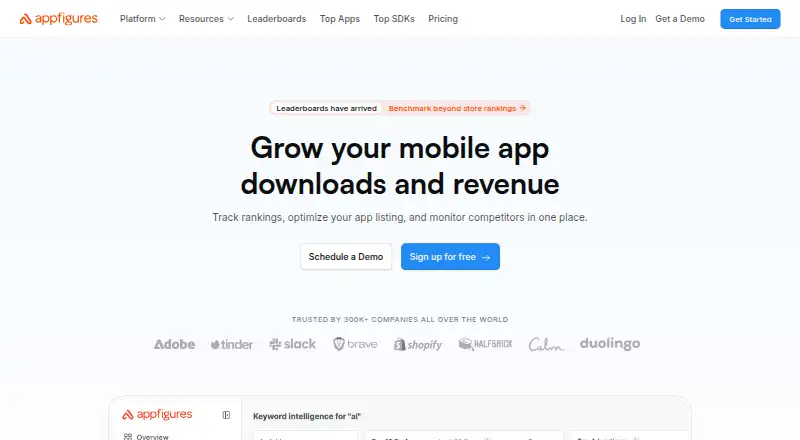
Appfigures is a reporting and research platform for mobile app developers. It brings app store sales, advertising data, worldwide reviews, and ranking updates into one place. Universal Analytics combines app downloads, revenue, subscriptions, and reviews in a dashboard. App Intelligence provides estimated downloads and revenue, rankings, keyword information, SDK details, and competitor research. Its app store optimization tools cover keyword discovery, rank tracking, and app metadata updates.
The platform gathers reviews across apps, with tools for translation and filtering, and lets users reply from within Appfigures. Listed integrations include Apple App Store Connect, Google Play, Firebase, Stripe, ad networks such as AdMob and AppLovin, and dashboard services such as Power BI and Databox. An API can connect to Appfigures data for reports and automated workflows. The free plan costs nothing and supports five connected apps. A free trial opens Optimize plan features without a credit card, then moves the account to the free plan when it expires. Appfigures Mobile is free for members and displays revenue, ad spend, reviews, downloads, ratings, and subscriptions. The company was founded in 2009 and is headquartered in New York, New York, United States.
Who it suits
Appfigures suits mobile app developers who want app store sales, advertising, reviews, and rankings in a reporting platform. Its research and keyword tools can also serve growth marketers, analysts, researchers, and app publishers, from indie teams to large organizations.
What it does well
- Combines downloads, revenue, subscriptions, and reviews in one dashboard.
- Provides app download and revenue estimates, rankings, keywords, and SDK information.
- Review tools support translation, filtering, and replies within the platform.
- Integrates with app stores, Firebase, Stripe, ad networks, and dashboard services.
- An API supports automated reports and workflows.
- Free plan supports five connected apps.
What to know first
- The free plan is limited to five connected apps.
- Connect has zero keywords and zero competitors.
Limits
The free plan supports five connected apps. The free trial unlocks Optimize plan features and moves the account to the free plan when it expires; no trial length is stated in these facts.
Plans
| Plan | Billed and limits | Price |
|---|---|---|
| Free | 5 connected apps | Free |
| Connect | Monthly billing · 5 connected apps · 0 keywords · 0 competitors · unified downloads/revenue · rankings, ratings and reviews · keyword tracking · review replies | $9.99 a month |
| Monitor | Monthly billing · 5 connected apps then $1.99 each · 100 keywords · 0 competitors · subscription analytics · ad performance · campaign spend · payments tracker | $44.99 a month |
| Optimize | Monthly billing · 5 connected apps then $1.99 each · 500 keywords · ASO and Apple Ads tools · keyword insights · competitor intelligence | $149.99 a month |
| Boost | Monthly billing · Organic and paid optimization · store performance · review management · competitor intelligence | $599.99 a month |
| Amplify | Monthly billing · 2,500 keywords · unlimited competitors · unlimited app intelligence · hourly ranks · review translation and replies | $999.99 a month |
| Starter | 5 connected apps | Free |
| Pathfinder | Contact sales · Scout features · SDK and permission discovery · audience demographics · company directory and contact information | $1,249.99 a month |
The first 8 of 10 plans, as appfigures.com lists them, read 20 Sept 2026. The maker's own page has the final word. Every plan
Getting started
- Go to https://appfigures.com/.
- Create an account on the free plan, or start the free trial without a credit card.
- Connect up to five apps on the free plan.
- Connect supported services such as Apple App Store Connect, Google Play, Firebase, Stripe, or listed ad networks.
- Use Universal Analytics, App Intelligence, ASO, or review tools for the relevant reporting and research.
- Use the API to connect Appfigures data to reports and workflows.
- Install Appfigures Mobile for mobile views if you are an Appfigures member.
Appfigures brings app-store performance, advertising data, reviews, and rankings into one workspace. It is best suited to developers and growth teams that want reporting alongside app intelligence, ASO, and review management. Its range is a strength, but the plan ladder makes keyword and competitor capacity a key buying constraint.
Overview
Founded in 2009 and based in New York, Appfigures combines store data with connections to services such as Firebase, Stripe, AdMob, AppLovin, Power BI, and Databox. An API lets teams use its data in their own reports and workflows. That breadth makes it more compelling for teams coordinating app growth than for those looking only for a narrow analytics tool.
Appfigures says linked credentials are encrypted and used only to import data, and that private imported data is not shared or sold. Users can delete reports and credentials; closing an account removes account information and linked credentials. Sharing anonymous data is optional.
Key features
Analytics and app intelligence
Universal Analytics combines downloads, revenue, subscriptions, and reviews in one dashboard. Revenue tracking and retention reports are supported, but funnel analysis, session replay, and crash insights are not. App Intelligence adds download and revenue estimates, rankings, keywords, SDK information, and competitor research, giving teams market context alongside their own results. This is a broader app-store view, not a substitute for product-behavior tools centered on funnels or crash diagnosis.
ASO and review management
ASO tools cover keyword discovery, rank tracking, and metadata optimization. Review management consolidates reviews, with translation and filtering, and lets teams reply in the platform. These features can reduce the need to switch between separate store consoles, although keyword and competitor allowances depend on the plan.
Mobile access and support
Appfigures Mobile is free for members and provides mobile views of revenue, ad spend, reviews, downloads, ratings, and subscriptions. Pricing-page support options include email and live chat; Enterprise adds account managers, invoice billing, and custom MSAs.
Pricing
Appfigures is freemium. Free costs nothing and connects five apps, a useful starting point for a small portfolio but a meaningful cap for publishers managing more. Starter is also free with five connected apps.
The paid tiers are Connect, Monitor, Optimize, Boost, and Amplify, each with custom pricing. Their keyword and competitor allowances rise by tier: Connect has 0 keywords and 0 competitors; Monitor has 100 keywords and 0 competitors; Optimize has 500 keywords and 0 competitors; Boost has 1,000 keywords and 2 competitors; Amplify has 2,500 keywords and unlimited competitors. Connect therefore offers no keyword or competitor capacity, while teams seeking competitive tracking need Boost or Amplify. The larger allowances may suit active ASO programs, but the custom pricing means buyers must weigh those limits against their budget before choosing.
A free trial unlocks Optimize features without requiring a credit card. It moves to the free plan when it expires, though no duration is stated. That makes it a low-commitment way to assess the advanced feature set, but not a basis for estimating the time available to evaluate it.
Platforms
Appfigures supports Android, iOS, web, and API access. The API is useful for teams that need to automate reports or connect Appfigures data to internal workflows, while the mobile app provides at-a-glance access for members.
Who it's for
The company describes customers ranging from indie developers to large publishers, plus analysts, growth marketers, researchers, and other app-industry roles. The product is a particularly sensible fit for teams that need store reporting, review replies, and ASO in one place. It is less suitable when funnel analysis, session replay, or crash insights are central requirements, or when a buyer needs to know paid-plan costs before exploring the tiers.
Pros and cons
- Broad app-store coverage: downloads, revenue, subscriptions, reviews, ad data, and rankings can sit in one reporting workflow.
- Actionable growth tools: ASO, market estimates, competitor research, and review replies extend the product beyond reporting.
- Useful data safeguards: linked credentials are encrypted, private imported data is not shared or sold, and anonymous sharing is optional.
- Free entry is capped: five connected apps limits how far the free plan goes for a growing portfolio.
- Competitive research requires higher tiers: Connect, Monitor, and Optimize include no competitors; keyword capacity also varies substantially by tier.
- Product analytics gaps: funnel analysis, session replay, and crash insights are absent.
- Paid-tier costs are custom pricing: buyers cannot compare those tiers by price alone from the plan amounts.
Alternatives
GameAnalytics is worth considering for game teams that want a free plan with no MAU limits and dashboards, events, funnels, cohorts, retention, and real-time reporting.
PostHog may suit teams prioritizing an open-source product licensed under MIT; its free plan costs nothing.
Zoho Apptics offers a Free Forever plan with one project, five applications per project, 5K errors per month, and 25K engagements per month.
Aptabase is an option for teams seeking a free tier with up to 20,000 events per month, unlimited apps, and EU or US data residency.
devtodev may be a better fit for teams whose needs align with its free allowance of up to 25k MAU, 30 custom events, five team members, and raw data stored for up to three months.
HUAWEI Analytics Kit is another alternative.
Kochava is another alternative.
TelemetryDeck is another alternative.
For broader category browsing, see Mobile App Analytics Software and Review Management Software.
Verdict
Appfigures is a strong choice for app teams that want store reporting, ASO, market intelligence, and review handling together, with an API and mobile views to extend access. Its main drawbacks are the five-app free cap, no competitor allowance until Boost, and missing funnel, replay, and crash analysis. Choose it for an integrated app-store growth workspace; look elsewhere if product analytics depth or clearly priced paid plans matters more.
Verdict
Choose Appfigures if you need a single platform for app store reporting, review management, app intelligence, and optimization tools. Its free plan covers five connected apps, while the Connect tier has no keywords or competitors; the listed tiers with larger keyword allowances have no prices provided here.
Questions
Is Appfigures free?
Yes. Its free plan is listed as free and supports five connected apps.
Does Appfigures offer a free trial?
Yes. The trial unlocks Optimize plan features, requires no credit card, and moves the account to the free plan when it expires.
Which platforms does Appfigures support?
The listed platforms are Android, API, iOS, and web. Appfigures Mobile is free for Appfigures members.
What services does Appfigures integrate with?
Listed integrations include Apple App Store Connect, Google Play, Firebase, Stripe, AdMob, AppLovin, Power BI, and Databox.
What do the paid plan tiers include?
The listed tiers range from Connect with zero keywords and zero competitors to Amplify with 2,500 keywords and unlimited competitors. Prices are not provided for these tiers.
Who makes Appfigures?
Appfigures is made by Appfigures, founded in 2009 and headquartered in New York, New York, United States.
Facts from Appfigures's own pages
- Analytics
- Universal Analytics combines downloads, revenue, subscriptions, and reviews from app stores in one dashboard. · appfigures.com, 4 Oct 2026
- API
- The REST API is available at api.appfigures.com/v2 and exposes sales, advertising, app, in-app-purchase, book, rank, review and featuring data. · docs.appfigures.com, 15 Oct 2026
- API authentication
- API authentication supports personal access tokens, OAuth 2.0 and HTTP authentication with client keys; requests must use HTTPS. · docs.appfigures.com, 15 Oct 2026
- API limits
- Every account includes 1,000 API requests per day, with paid request-limit add-ons from 2,500 to 50,000 daily requests. · help.appfigures.com, 15 Oct 2026
- App intelligence
- App intelligence provides competitor download and revenue estimates, screenshots, audience demographics, organic and paid keywords, SDKs and permissions. · appfigures.com, 15 Oct 2026
- ASO
- ASO tools support keyword discovery, rank tracking, and app metadata optimization. · appfigures.com, 4 Oct 2026
- ASO tools
- ASO features include keyword rank tracking, keyword insights, automatic translation, related-keyword discovery and Apple Ads analysis. · appfigures.com, 15 Oct 2026
- Audience
- The company describes users ranging from indie developers to large publishers, as well as analysts, growth marketers, researchers, and other app industry roles. · appfigures.com, 4 Oct 2026
- CLI and MCP
- The official CLI and hosted MCP server expose app searches, metrics, store rankings, reviews, audience data and explorer catalog queries. · github.com, 15 Oct 2026
- Company headquarters
- LinkedIn lists headquarters at 133 Chrystie Street, 3rd Floor, New York, NY 10002. · linkedin.com, 15 Oct 2026
- Company size
- LinkedIn lists Appfigures as a privately held business with 11–50 employees. · linkedin.com, 15 Oct 2026
- Core analytics
- The platform combines downloads, revenue, subscriptions, advertising performance, campaign spend, payments and usage analytics. · appfigures.com, 15 Oct 2026
- Data control
- Users can delete reports and credentials, and the policy says account information and linked credentials are removed when an account is closed. · appfigures.com, 4 Oct 2026
- Documentation
- Documentation includes API basics, authentication, OAuth, scopes, endpoint references, ratings, terms and a knowledge base with operational guides. · docs.appfigures.com, 15 Oct 2026
- Founded
- LinkedIn lists Appfigures as founded in 2009. · linkedin.com, 15 Oct 2026
- Free plan
- Yes · appfigures.com, 20 Sept 2026
- Headquarters
- New York, New York, United States · appfigures.com, 28 Sept 2026
- Integrations
- Named integrations include Apple Ads, Facebook Audience, Instagram, Google Ads, AppLovin, Unity Ads, Mintegral, Slack, Dropbox, Microsoft Flow, Power BI, Looker Studio and other dashboard tools. · appfigures.com, 15 Oct 2026
- iOS system requirement
- The Appfigures iPhone app requires iOS 13 or later; Mac use requires macOS 11 or later with an Apple M1-or-newer Mac. · apps.apple.com, 15 Oct 2026
- Limit: advertising integrations
- A Capterra reviewer says the product supports too few ad networks for apps that monetize through advertising. · capterra.com, 15 Oct 2026
- Limit: beginner complexity
- G2’s review summary notes that some users find the interface overwhelming when they are beginners. · g2.com, 15 Oct 2026
- Limit: cancellation and billing complaint
- The sole Trustpilot reviewer alleges the account was locked during cancellation and the card continued to be charged. · trustpilot.com, 15 Oct 2026
- Limit: data accuracy
- A G2 reviewer reports that some overview download charts and Amazon Appstore rating data were inaccurate. · g2.com, 15 Oct 2026
- Limit: keyword workflow
- A Capterra reviewer reports difficulty finding some downloadable revenue lists and describes the location as unintuitive. · capterra.com, 15 Oct 2026
Where Appfigures stands on Freedom251
- Market Intelligence Software#1 of 21
- Review Management Software#14 of 164
- Technology Review Platforms#2 of 16
- Mobile App Analytics Software#6 of 37