Freedom251 › Terminal Emulators

Alacritty
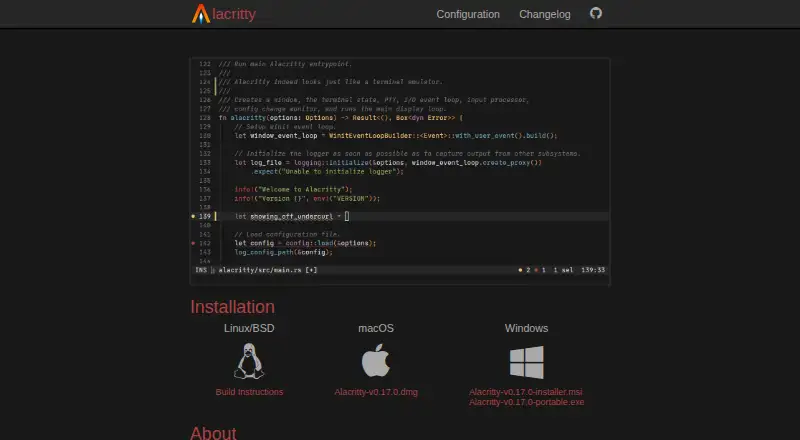
What Alacritty is
Alacritty is a free, cross-platform terminal emulator built around OpenGL acceleration and extensive configuration. It is available for Linux, macOS, Windows, and BSD, and is aimed at people who spend a lot of time in a terminal. Vi mode supports keyboard navigation through the viewport and scrollback, text selection, and copying; users can also search forward or backward through scrollback. Configurable regular-expression hints can recognize visible text or links and pass them to another application or trigger a built-in action. A single instance can run multiple terminal windows. Alacritty is designed to integrate with other applications rather than reimplement their functions, and users can configure which application opens URLs. Settings use a TOML file that the program does not create automatically. The project describes the software as beta, with missing features and bugs still to address. It has no tabs, split panes, or graphical configuration editor. It requires OpenGL ES 2.0; Windows requires ConPTY support on Windows 10 version 1809 or higher. It is released under Apache License 2.0 and MIT licenses.
Who it suits
Alacritty may suit people who spend substantial time in a terminal and want keyboard-based navigation and configuration. Users who need tabs, split panes, or a graphical configuration editor should note those omissions.
What it does well
- Free and available for Linux, macOS, Windows, and BSD.
- Vi mode supports navigation, selection, and copying.
- Searches forward and backward through scrollback.
- One instance can run multiple terminal windows.
What to know first
- The project describes it as beta.
- It does not include tabs or split panes.
- It has no graphical configuration editor.
- The TOML configuration file is not created automatically.
Plans
| Plan | Billed and limits | Price |
|---|---|---|
| Alacritty | Open-source terminal emulator · BSD, Linux, macOS, Windows | Free |
As alacritty.org lists them, read 4 Oct 2026. The maker's own page has the final word.
Getting started
- Visit https://alacritty.org/ and select the build for Linux, macOS, Windows, or BSD.
- Install Alacritty for your platform.
- Create and configure its TOML configuration file if you need custom settings.
- On Windows, use a system with ConPTY support on Windows 10 version 1809 or higher.
- Run Alacritty and open additional terminal windows as needed.
Alacritty is a free, cross-platform terminal emulator built around OpenGL acceleration and extensive configuration. It suits people who spend much of their time in a terminal and prefer keyboard-driven controls over a graphical settings editor. Its speed-oriented design and focused feature set are appealing, but beta status and missing tabs and splits make it a less complete everyday workspace for some users.
Overview
Alacritty is designed to keep terminal work responsive while leaving features such as URL handling to other applications. That focused approach can suit users who want a configurable terminal that fits into an existing toolchain. The trade-off is that it does not try to be an all-in-one terminal workspace: there are no tabs, split panes, or graphical configuration editor.
The project describes Alacritty as beta, with missing features and bugs still to address. That caveat matters for anyone who needs a mature, feature-complete terminal as a dependable daily environment. Its Apache License 2.0 and MIT licensing make it open-source software.
Key features
Keyboard navigation and search
Vi mode provides keyboard bindings for moving around the viewport and scrollback, selecting text, and copying it. Search works in either direction through scrollback, including while vi mode is active. These tools make a keyboard-centered workflow practical without requiring a separate navigation mode for finding earlier output.
Hints, windows, and integrations
Configurable regular-expression hints can recognize visible text or hyperlinks, then pass them to an external application or invoke a built-in action. URL-opening applications can be configured, reflecting Alacritty’s choice to integrate with other tools rather than reproduce their functions. Multiple windows can run from one instance, including by using the alacritty msg create-window command. That is useful for separate terminal windows, but it is not a substitute for tabs or split panes.
Configuration and clipboard
Alacritty is configured through a TOML file, which it does not create automatically. That gives users a text-based route to customization, but newcomers must be comfortable creating and editing configuration themselves. Clipboard access through OSC 52 can be controlled in configuration; by default, copying is allowed and pasting is not.
Pricing
Alacritty is free, with a listed price of $0. There is no paid tier or free-trial period to weigh. Its free plan is the open-source terminal emulator for BSD, Linux, macOS, and Windows; it does not reserve core features for a paid plan.
Platforms
Alacritty supports Linux, macOS, Windows, and BSD. It requires OpenGL ES 2.0. On Windows, it requires ConPTY support, available on Windows 10 version 1809 or higher. Those requirements are worth checking before choosing it, particularly on older Windows installations or systems without the required graphics support.
Who it's for
Alacritty is best suited to people who spend a lot of time in a terminal, want keyboard-based scrollback navigation and search, and are comfortable maintaining a TOML configuration file. Its multiple-window support and configurable hints are useful for users who already rely on other applications for surrounding workflow tasks.
Look elsewhere if tabs or split panes are central to how you organize terminal sessions, or if you want to configure the application through a graphical editor. The beta designation is also a reason to consider a more mature alternative when missing features and bugs are not an acceptable trade-off.
Pros and cons
- Pro: Vi mode and forward-or-backward scrollback search support keyboard-focused navigation, including searching while vi mode is active.
- Pro: Configurable hints can route recognized text and links to external applications or built-in actions, rather than requiring Alacritty to duplicate those tools.
- Pro: The free, open-source release covers BSD, Linux, macOS, and Windows.
- Con: There are no tabs or split panes, limiting how much session organization can happen inside the terminal.
- Con: There is no graphical configuration editor, and the TOML file is not created automatically; users must be willing to set up configuration themselves.
- Con: Beta status means missing features and bugs remain a stated concern for users seeking a finished, dependable feature set.
Alternatives
For a broader set of terminal options, browse Terminal Emulators.
- Termalin is a freemium option with a free plan and trial, spanning desktop, mobile, web, and API platforms. Its free plan includes SSH and SFTP, an encrypted local vault, session recording and replay, and a watch grid; choose it if those capabilities or wider platform coverage matter more than Alacritty’s focused design.
- Contour is another free terminal for Linux, macOS, and Windows. Consider it if you want a cross-platform free alternative without Alacritty’s BSD support being a deciding factor.
- gitsome is a free, open-source CLI for Linux, macOS, Windows, and self-hosted use. It may suit readers looking specifically for a CLI rather than Alacritty’s terminal-emulator approach.
- Warp offers a free monthly plan for developers, with core terminal features and Warp Agent CLI access. Pick it if those developer-oriented inclusions are a priority.
- Hyper is a free terminal for Linux, macOS, and Windows. It is an option for readers comparing free cross-platform terminals.
- Konsole is a free, open-source terminal application for Linux, macOS, and Windows. Consider it as another free open-source option.
- Tabby offers a free FOSS plan for Linux, macOS, and Windows. It is an alternative for readers seeking a free open-source terminal.
- WezTerm offers open-source software for Linux, macOS, and Windows, including an MIT-licensed option. It is another free open-source alternative to compare.
Verdict
Choose Alacritty if you want a free, configurable terminal with GPU acceleration, keyboard-driven scrollback tools, and support across major desktop platforms. Its strongest case is a focused terminal that integrates with other applications rather than trying to replace them. Look elsewhere if you need tabs, splits, a graphical configuration editor, or a more settled release than a beta project.
Verdict
Alacritty offers terminal navigation, search, and multiple windows, with configuration kept in a TOML file. Its beta status and lack of tabs, splits, and a graphical editor are important to weigh.
Questions
Is Alacritty free?
Yes. Alacritty is listed as a free terminal emulator.
Which platforms does Alacritty support?
It supports Linux, macOS, Windows, and BSD.
Is Alacritty open source?
Yes. The project is released under the Apache License 2.0 and MIT licenses.
Does Alacritty include tabs or split panes?
No. The project says it does not include tabs or split panes.
Does Alacritty have a graphical settings editor?
No. It uses a TOML configuration file and does not create that file automatically.
What does Alacritty require?
The project lists OpenGL ES 2.0 as a requirement. Windows use requires ConPTY support on Windows 10 version 1809 or higher.
Facts from Alacritty's own pages
- Clipboard control
- Configuration controls OSC 52 clipboard access, which defaults to allowing copy but not paste. · alacritty.org, 4 Oct 2026
- Configuration
- Alacritty uses a TOML configuration file and does not create that file automatically. · alacritty.org, 4 Oct 2026
- Feature limits
- The project says Alacritty does not include tabs, splits, or a graphical configuration editor. · github.com, 4 Oct 2026
- Free plan
- Yes · alacritty.org, 20 Sept 2026
- GPU acceleration
- Yes · alacritty.org, 20 Sept 2026
- Integrations
- Alacritty integrates with other applications instead of reimplementing their functionality, and URL opening applications can be configured. · alacritty.org, 4 Oct 2026
- Intended users
- The project describes Alacritty as suited to people who spend a lot of time in a terminal. · alacritty.org, 4 Oct 2026
- License
- The project is released under the Apache License 2.0 and MIT licenses. · github.com, 4 Oct 2026
- Multiple windows
- Alacritty can run multiple terminal windows from one instance, including through the `alacritty msg create-window` command. · github.com, 4 Oct 2026
- Platform requirements
- The project lists OpenGL ES 2.0 as a requirement and requires ConPTY support on Windows 10 version 1809 or higher. · github.com, 4 Oct 2026
- Purpose
- Alacritty is a modern, cross-platform OpenGL terminal emulator designed for high performance and extensive configuration. · alacritty.org, 4 Oct 2026
- Readiness
- The project describes the software as beta, with some missing features and bugs still to be fixed. · alacritty.org, 4 Oct 2026
- Scripting API
- Yes · alacritty.org, 20 Sept 2026
- Search
- Users can search forward or backward through the scrollback buffer, including while in vi mode. · github.com, 4 Oct 2026
- Split panes
- No · alacritty.org, 20 Sept 2026
- Support
- The project README points users to the `#alacritty` channel on Libera.Chat for questions or quick help. · github.com, 4 Oct 2026
- Supported platforms
- Linux,macOS,Windows,BSD · alacritty.org, 20 Sept 2026
- Terminal hints
- Configurable regex hints can detect visible text or hyperlinks and send them to an external application or trigger a built-in action. · github.com, 4 Oct 2026
- Vi mode
- Vi mode lets users navigate the viewport and scrollback, select text, and copy it using keyboard bindings. · github.com, 4 Oct 2026
Where Alacritty stands on Freedom251
- Terminal Emulators#2 of 40
- Terminal apps#5 of 41