Freedom251 › Terminal Emulators

Hyper
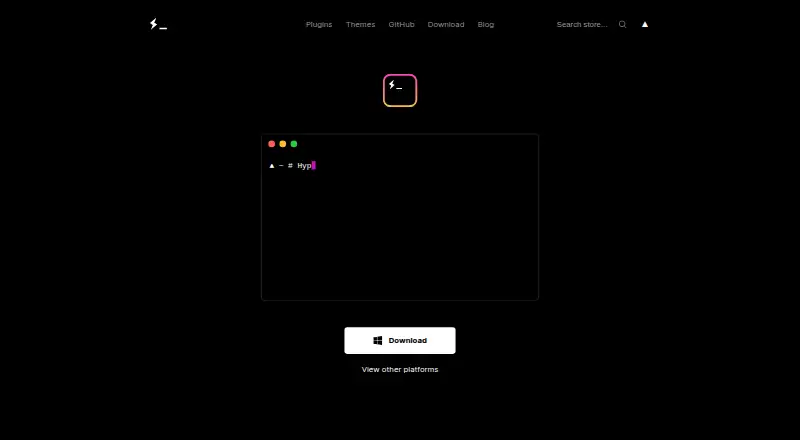
What Hyper is
Hyper is a terminal application for command-line users, available for Linux, macOS, and Windows. It includes split panes, GPU acceleration, SSH support, and a scripting API. The project’s initial priorities include speed and stability, and Hyper uses xterm.js as its terminal engine.
Users can configure the terminal’s appearance, shell, environment variables, window size, scrollback, and other settings in .hyper.js. Command key bindings are configurable there too. Themes work as plugins that can change settings such as CSS and colors. Extensions are Node.js modules available on npm; the extension API lets plugins compose or intercept terminal functions through React components and Redux actions. Plugins can be hot-loaded or reloaded with Command+R, and Hyper also loads them periodically, after configuration changes, or through the Plugins menu.
Hyper is free. Listed downloads include macOS, Windows, Debian, Fedora, and AppImage; the displayed latest version is v3.4.1.
Who it suits
Hyper suits command-line users on Linux, macOS, or Windows who want configurable terminal settings and plugin support. Its split panes, SSH support, and scripting API may also suit users who need those capabilities.
What it does well
- Available for Linux, macOS, and Windows
- Includes split panes and GPU acceleration
- SSH support and scripting API
- Appearance and key bindings are configurable
- Plugins can be hot-reloaded with Command+R
What to know first
- Displayed latest version is v3.4.1
- No security or compliance certifications are stated
Plans
| Plan | Billed and limits | Price |
|---|---|---|
| Hyper | Not stated | Free |
As hyper.is lists them, read 3 Oct 2026. The maker's own page has the final word.
Getting started
- Visit https://hyper.is/.
- Choose a download for macOS, Windows, Debian, Fedora, or AppImage.
- Configure terminal settings in .hyper.js.
- Find extensions on npm and manage plugin updates through Hyper.
Hyper is a cross-platform terminal emulator for command-line users who want deep visual and behavioral control without leaving a familiar shell workflow. It suits developers and power users who are comfortable editing configuration files and, potentially, extending an application with JavaScript. The trade-off is a developer-oriented customization model rather than a tightly managed, security-certified product.
Its combination of split panes, GPU acceleration, SSH, and an extension API makes Hyper more than a basic terminal window. The strongest reason to choose it is the breadth of customization; the main reason to look elsewhere is that its plugin and configuration workflow demands more involvement than a minimal terminal needs.
Overview
Hyper is built on open web standards and uses xterm.js as its terminal engine, with the project emphasizing speed and stability as initial priorities. It runs through Electron and treats extensions as Node.js modules loaded by the application and its renderer process. That architecture gives developers a familiar ecosystem, but it also means the product is aimed at users willing to work with web technologies and configuration code.
Everyday terminal work is covered by split panes and SSH support. GPU acceleration is included for rendering, while a scripting API allows behavior to be extended beyond the built-in interface. Hyper is therefore a good fit for people who want one configurable terminal across desktop operating systems, less so for anyone seeking a deliberately spare, fixed-function console.
Key features
Configuration and themes
The .hyper.js file controls terminal appearance, shell, environment variables, window size, scrollback, and other settings. This is powerful and portable for users who already maintain dotfiles; newcomers must learn where settings live and how to edit JavaScript configuration safely. Key bindings are changed through the same file's keymaps setting, so command behavior can be aligned with an established workflow instead of forcing default shortcuts.
Themes are plugins rather than a separate cosmetic layer. A theme can use the decorateConfig hook to alter configuration, including CSS and colors. That makes substantial visual changes possible, but it also ties appearance to the extension system and its update cycle.
Extensions and development
Hyper's extension API lets plugins compose or intercept terminal functionality with React components and Redux actions. Plugins are distributed through npm, can be hot-loaded or hot-reloaded with Command+R, and are refreshed periodically, after configuration changes, or through Plugins > Update all now. Developers get a clear path to tailor the terminal; ordinary users may find the need to choose, update, and troubleshoot Node.js modules an unnecessary layer.
Pricing
Hyper has one free plan, named Hyper, priced at $0. There are no paid tiers, seat charges, usage quotas, renewal terms, or trial conditions attached to the plan. It is the straightforward choice for individuals and teams that need a no-cost desktop terminal and are comfortable with the product's self-directed configuration model.
Platforms
Hyper supports Linux, macOS, and Windows. Downloads are provided for macOS, Windows, Debian, Fedora, and AppImage packaging, with the displayed latest version at v3.4.1. The range of package formats is useful on Linux, while the three-platform support makes it practical for mixed desktop environments.
Who it's for
Choose Hyper if you want split-pane terminal work, SSH access, GPU-accelerated rendering, and an extensible interface that can be reshaped with JavaScript, npm modules, React, and Redux. It is particularly suitable for developers who already manage configuration files or want to build terminal plugins.
Look elsewhere if you want a minimal terminal with little maintenance, or if formal security and compliance assurances are a purchase requirement. Hyper's opened pages do not state security or compliance certifications, so regulated deployments should evaluate alternatives with explicit assurances.
Pros and cons
Pros
- Broad desktop support: Linux, macOS, and Windows coverage helps standardize terminal workflows across operating systems.
- Extensible architecture: npm-based Node.js modules and the React/Redux extension API allow functionality to be composed or intercepted.
- Deep configuration: Shell, environment, appearance, window dimensions, scrollback, and key bindings are controllable in .hyper.js.
- Useful terminal essentials: Split panes, SSH support, and GPU acceleration cover common developer needs.
- No-cost access: The entire product is free, with no paid-plan or seat commitment.
Cons
- Configuration overhead: The file-based and plugin-driven approach is more demanding than a terminal designed for immediate defaults.
- Extension maintenance: Plugins require npm-based management and periodic or manual updates, which can add upkeep.
- No stated certifications: Organizations requiring published security or compliance credentials may need another product.
Alternatives
For a broader directory of terminal software, browse Terminal Emulators.
Termalin is the better choice when you want a freemium terminal spanning desktop, mobile, web, and API platforms, with a free tier that includes SSH and SFTP, an encrypted vault, session recording and replay, and a watch grid.
Pick Contour for a free terminal on Linux, macOS, and Windows when you prefer a simpler alternative with no paid plans stated.
gitsome suits users seeking a free, open-source CLI with Linux, macOS, self-hosted, and Windows support.
Choose Warp if you want a freemium terminal whose free monthly plan targets developers and includes core terminal features plus Warp Agent CLI access.
Alacritty, Konsole, Tabby, and WezTerm are other free terminal options for Linux, macOS, and Windows; their individual approaches and licensing differ.
Verdict
Hyper is a strong choice for developers who want a free terminal that can be extensively restyled, remapped, and extended, with split panes, SSH, GPU acceleration, and broad desktop coverage. Choose it for that programmable flexibility; choose another terminal when low-maintenance simplicity or explicit security certifications matters more than an extensible web-based architecture.
Verdict
Hyper combines configurable terminal settings with an extension system and support for three desktop platforms. It is free, with listed downloads for several operating systems and package formats.
Questions
How much does Hyper cost?
Hyper is free.
Which operating systems does Hyper support?
Hyper runs on Linux, macOS, and Windows. Listed downloads include macOS, Windows, Debian, Fedora, and AppImage.
Can I customize the terminal?
Yes. The .hyper.js file can configure appearance, shell, environment variables, window size, scrollback, and other settings. Key bindings can also be changed there.
Does Hyper support extensions?
Yes. Extensions are Node.js modules available on npm, and the extension API lets plugins compose or intercept terminal functionality through React components and Redux actions.
Can plugins be reloaded?
Yes. Press Command+R to hot-load or hot-reload plugins. Hyper also loads plugins periodically, after configuration changes, or through Plugins > Update all now.
Facts from Hyper's own pages
- Customization
- Users can configure terminal appearance, shell, environment variables, window size, scrollback, and other settings in .hyper.js. · hyper.is, 3 Oct 2026
- Downloads
- The site lists macOS, Windows, Debian, Fedora, and AppImage downloads; the displayed latest version is v3.4.1. · hyper.is, 3 Oct 2026
- Extensions
- Extensions are Node.js modules loaded by Electron and the renderer process, and are available on npm. · hyper.is, 3 Oct 2026
- Free plan
- Yes · hyper.is, 20 Sept 2026
- GPU acceleration
- Yes · hyper.is, 20 Sept 2026
- Keymaps
- Hyper lets users change command key bindings through the keymaps setting in .hyper.js. · hyper.is, 3 Oct 2026
- Plugin development
- The extension API lets plugins compose or intercept terminal functionality through React components and Redux actions. · hyper.is, 3 Oct 2026
- Plugin management
- Hyper loads plugins periodically, after plugin configuration changes, or when the user selects Plugins > Update all now. · hyper.is, 3 Oct 2026
- Plugin reload
- Users can hot-load and hot-reload plugins by pressing Command+R. · hyper.is, 3 Oct 2026
- Product
- Hyper aims to provide a beautiful, extensible experience for command-line interface users, built on open web standards. · hyper.is, 3 Oct 2026
- Scripting API
- Yes · hyper.is, 20 Sept 2026
- Security
- The opened Hyper pages do not state security or compliance certifications. · hyper.is, 3 Oct 2026
- Speed
- The project says its initial focus includes speed and stability. · hyper.is, 3 Oct 2026
- Split panes
- Yes · hyper.is, 20 Sept 2026
- SSH support
- Yes · hyper.is, 20 Sept 2026
- Supported platforms
- macos,windows,linux · hyper.is, 20 Sept 2026
- Terminal engine
- Hyper says it uses xterm.js for speed and functionality. · hyper.is, 3 Oct 2026
- Themes
- The site describes themes as plugins, with a decorateConfig hook for changing configuration such as CSS and colors. · hyper.is, 3 Oct 2026
Where Hyper stands on Freedom251
- Terminal Emulators#6 of 40
- Terminal apps#13 of 41