Freedom251 › Terminal Emulators

Cmder
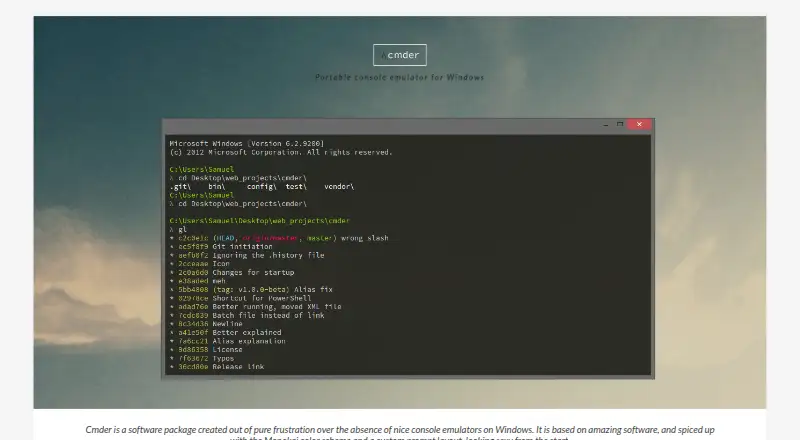
What Cmder is
Cmder is a portable console emulator package for Windows, built on ConEmu with enhancements from Clink, a Monokai color scheme, and a custom prompt layout. Its tabs can run cmd.exe, PowerShell, Bash, and Mintty, and it supports split panes, scripting, and SSH. Settings, aliases, and history can travel with the package on a USB stick or in the cloud, according to its maker. The Full edition includes Git for Windows, which adds Unix commands to PATH; Mini leaves out the vendored Git binaries. Users can configure simple aliases with the alias command, store them in config/aliases, and add executable files to PATH by placing them in the bin folder. Registering Cmder with /REGISTER ALL adds a “Cmder Here” option to File Explorer’s directory context menu. The documentation describes starting the included SSH agent with start-ssh-agent. Cmder is free and the repository identifies its license as MIT. Mini is about 7.8 MB; Full is about 100 MB or 52 MB as a 7z archive.
Who it suits
Cmder suits Windows users who want a portable console package with multiple shell choices, split panes, and SSH support. Choose Full for included Git for Windows, or Mini if you do not need those bundled binaries.
What it does well
- Tabs support cmd.exe, PowerShell, Bash, and Mintty.
- Settings, aliases, and history can travel with Cmder.
- Full includes Git for Windows.
- Supports split panes, scripting, and SSH.
What to know first
- Available for Windows only.
- Preconfigured Bash tabs may need extra setup in Mini.
- Building from the repository requires PowerShell 3.0+ and 7z.
Limits
Mini excludes vendored Git binaries, and its preconfigured Bash tabs may not work without additional configuration. Full includes Git for Windows; both editions are free.
Plans
| Plan | Billed and limits | Price |
|---|---|---|
| Cmder Mini | Download ~7.8MB · excludes vendored Git binaries | Free |
| Cmder Full | Download ~100MB or ~52MB 7z · includes Git for Windows | Free |
As cmder.app lists them, read 8 Oct 2026. The maker's own page has the final word.
Getting started
- Visit the Cmder website.
- Choose the free Mini or Full edition.
- Use Mini for a smaller download or Full for bundled Git for Windows.
- Run the package on Windows.
- Optionally register it with /REGISTER ALL to add “Cmder Here” to File Explorer.
Verdict
Cmder combines a portable Windows console with multiple shells and customization options. The choice between Mini and Full mainly affects whether Git for Windows binaries are included.
Questions
How much does Cmder cost?
Cmder Mini and Cmder Full are both free.
What is the difference between Mini and Full?
Mini excludes vendored Git binaries. Full includes Git for Windows, which provides Unix commands in PATH.
Which shells can its tabs run?
Tabs can run cmd.exe, PowerShell, Bash, and Mintty shells.
Does Cmder support SSH and split panes?
Yes. SSH support and split panes are listed capabilities.
Which platforms does Cmder support?
Windows is the listed platform.
What license does the project use?
The project repository identifies the license as MIT.
Facts from Cmder's own pages
- Aliases
- Cmder supports simple aliases, configured with the alias command and stored in config/aliases. · cmder.app, 8 Oct 2026
- Build requirements
- The maker says building from the repository requires PowerShell 3.0 or later and 7z. · cmder.app, 8 Oct 2026
- Built on
- Cmder uses ConEmu with enhancements from Clink, plus a Monokai color scheme and a custom prompt layout. · cmder.app, 8 Oct 2026
- Customization
- Users can place executable files in the bin folder to have them added to PATH. · cmder.app, 8 Oct 2026
- Free plan
- Yes · cmder.app, 20 Sept 2026
- Git and Unix tools
- The Full edition includes Git for Windows, which provides Unix commands in PATH; Mini excludes vendored Git binaries. · cmder.app, 8 Oct 2026
- Integration
- Registering Cmder with /REGISTER ALL adds a “Cmder Here” option to File Explorer's directory context menu. · github.com, 8 Oct 2026
- License
- The project repository identifies the license as MIT. · github.com, 8 Oct 2026
- Limits
- Preconfigured Bash tabs may not work in the Mini edition without additional configuration. · github.com, 8 Oct 2026
- Portability
- The maker says settings, aliases, and history can travel with Cmder on a USB stick or in the cloud. · cmder.app, 8 Oct 2026
- Product
- Cmder is a portable console emulator package for Windows. · cmder.app, 8 Oct 2026
- Scripting API
- Yes · cmder.app, 20 Sept 2026
- Shells
- Tabs can run cmd.exe, PowerShell, Bash, and Mintty shells. · github.com, 8 Oct 2026
- Split panes
- Yes · cmder.app, 20 Sept 2026
- SSH
- The documentation describes starting the vendored SSH agent with start-ssh-agent. · github.com, 8 Oct 2026
- SSH support
- Yes · cmder.app, 20 Sept 2026
- Support
- The maker directs users to GitHub issues and notes that upstream ConEmu, Clink, and Git for Windows may be better places to find solutions. · cmder.app, 8 Oct 2026
- Supported platforms
- Windows · cmder.app, 20 Sept 2026
Where Cmder stands on Freedom251
- Terminal Emulators#7 of 40
- Terminal apps#22 of 41