Freedom251 › Meeting Management Software
AgreeDo
by AgreeDo
What AgreeDo is
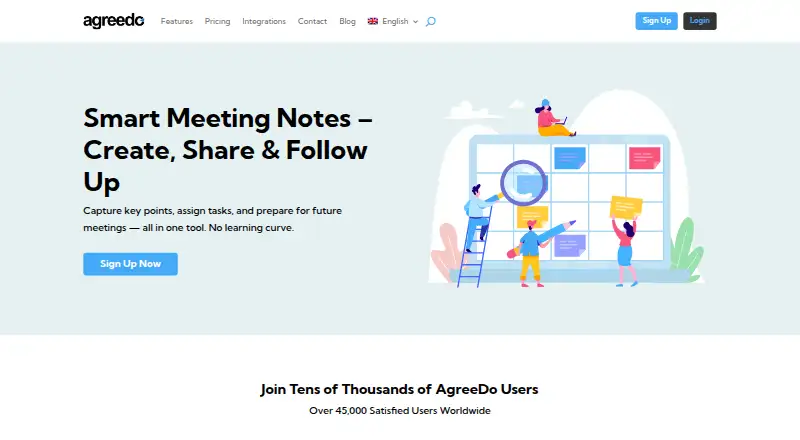
AgreeDo helps teams create, share and follow up on meeting agendas and minutes. Participants can add ideas, comments and results before a meeting, and an agenda can become minutes with one click. Users can assign and schedule tasks in the minutes, then filter to check progress. For a follow-up, AgreeDo can prepare an agenda from the minutes and carry ongoing tasks forward. Meeting minutes can link participants directly to Microsoft Teams, Webex or GoToMeeting sessions. ICS integration supports calendar apps including Outlook and Google Calendar, and an Outlook plugin can add and access minutes from appointments. AgreeDo says access uses HTTPS and is controlled by participant permissions; public meetings can be password protected. In moderated meetings, only the creator can edit, while closed meetings become read-only. The service says it does not use AI or recordings to take notes. The free Basic plan allows 4 meetings per month, 3 participants per meeting and 1 attachment per meeting. Premium costs $7.90 a month; annual billing is offered at a 10% discount compared with monthly billing.
Who it suits
AgreeDo may suit teams, small businesses, NGOs and clubs that want collaborative agendas, structured notes and task follow-up. Its free Basic plan fits small meeting volumes and groups of up to three participants per meeting.
What it does well
- Participants can contribute before meetings.
- Agendas convert into minutes with one click.
- Ongoing tasks can carry into follow-up agendas.
- Links to three named meeting services.
- Calendar support includes Outlook and Google Calendar.
What to know first
- Basic allows four meetings per month.
- Basic limits meetings to three participants.
- Basic allows one attachment per meeting.
Limits
AgreeDo Basic allows 4 meetings per month, 3 participants per meeting, and 1 attachment per meeting. Premium costs $7.90 a month and offers unlimited meetings, participants, and attachments; annual billing is offered at a 10% discount compared with monthly billing.
Plans
| Plan | Billed and limits | Price |
|---|---|---|
| AgreeDo Premium | $7.9/mo; annual billing gets 10% discount · unlimited meetings · unlimited participants · unlimited attachments · advanced search · custom print layout · moderated meetings · Excel/CSV export · move/copy items | $7.90 a month |
| AgreeDo Basic | permanently free · 4 meetings/month · 3 participants/meeting · 1 attachment/meeting · limited search | Free |
| Teams/Enterprise | contact sales · unlimited meetings · unlimited participants · unlimited attachments · advanced search · custom print layout · moderated meetings · Excel/CSV export · move/copy items | On request |
As agreedo.com lists them, read 15 Oct 2026. The maker's own page has the final word.
Getting started
- Visit https://www.agreedo.com/.
- Choose the free Basic plan or a paid plan.
- Use AgreeDo on Android, iOS, macOS, web, or Windows.
- Create an agenda and invite participants to contribute ideas, comments, and results.
- Turn the agenda into minutes and assign or schedule tasks.
AgreeDo is meeting-management software for groups that want agendas, minutes and follow-up work to stay connected. It is best suited to teams, small businesses, NGOs and clubs that need a structured shared record without AI-generated notes. Its advantage is continuity from preparation through task review; its Basic plan is restrictive for regular group use.
Overview
AgreeDo turns meeting preparation, documentation and follow-through into a linked workflow. Participants can add ideas, comments and results before a meeting, then convert the agenda into minutes with one click. Tasks assigned in those minutes can carry into a follow-up agenda automatically, keeping continuing work attached to the discussion that produced it.
That makes AgreeDo more compelling for groups that need decisions and action items to remain visible than for people who only want a place to store notes. Agenda templates, recurring meetings and decision tracking support repeatable processes. Basic’s four-meeting monthly cap and three-person limit can be a quick obstacle for a team meeting often or involving wider groups.
Key features
Agendas, minutes and action items
Participants can contribute before the meeting, while tasks can be assigned and scheduled in the minutes. Filters let users review task progress. This structure gives follow-up work a place in the meeting record, though Basic’s participant cap limits how broadly a group can collaborate without upgrading.
For the next meeting, AgreeDo can carry ongoing tasks forward from the minutes into a new agenda. That is useful for recurring discussions where unfinished work needs to remain in view rather than be recreated manually.
Meeting access and connected tools
AgreeDo supports joining Microsoft Teams, Webex and GoToMeeting sessions from meeting minutes. ICS integration works with calendar apps including Outlook and Google Calendar, and an Outlook plugin can add and access minutes from appointments. These connections suit teams already using those meeting and calendar tools.
Access is over HTTPS, and participant permissions control meeting access; public meetings can be password protected. In moderated meetings, only the creator can edit while others can view and comment. Closed meetings become read-only. AgreeDo says it does not use AI or recordings to take notes, a clear fit for groups that prefer notes created without those methods.
Pricing
AgreeDo uses a freemium model and offers a 30-day trial. Basic has no published price and allows four meetings per month, three participants per meeting and one attachment per meeting. Those caps can work for occasional, small-group use, but constrain a standing team’s routine.
Premium costs $7.90 a month, billed monthly; annual billing is offered at a 10% discount compared with monthly billing. It removes the meeting, participant and attachment limits and adds advanced search, custom print layout, moderated meetings, Excel/CSV export and the ability to move or copy items between meetings. It is the more practical plan for teams that meet regularly or need these controls and exports.
Teams/Enterprise includes unlimited meetings, participants and attachments, with custom pricing. It may suit larger deployments that need those unlimited allowances; the published plan details do not establish a basis for comparing it with Premium beyond that.
Platforms
AgreeDo is available on Android, iOS, macOS, web and Windows. Its calendar and meeting-service connections extend the workflow into supported tools, while the Outlook plugin offers a route to meeting minutes from appointments.
Who it's for
Teams, small businesses, NGOs and clubs that want collaborative agendas, accountable minutes and action-item follow-up are the clearest fit. Basic is best kept to low-volume use with small attendance. Groups that meet frequently, need more than three participants or attach more than one file per meeting will find Premium’s higher limits more suitable. AgreeDo is less suitable for someone seeking AI-produced or recording-based notes.
Pros and cons
Pros
- Agendas can become minutes, and ongoing tasks can roll into a follow-up agenda, keeping meeting work connected across sessions.
- Task assignment, scheduling and progress filters make follow-through part of the meeting record.
- Moderated and read-only meeting modes provide distinct controls for editing and closure.
- Calendar integration and direct joining for Microsoft Teams, Webex and GoToMeeting connect meetings with common scheduling and conferencing tools.
Cons
- Basic allows only four meetings per month, three participants per meeting and one attachment per meeting, limiting routine team use.
- Premium’s price is per month, and regular users must weigh its recurring cost against Basic’s tight caps.
- AgreeDo does not use AI or recordings for note-taking, so it is not a choice for groups seeking those methods.
Alternatives
Fellow is worth considering for someone who wants a freemium meeting tool with a free plan that includes five AI notes per user for the lifetime of the account.
Decisions may suit a user looking for an AI-credit-based free plan: it includes 100 AI credits per month, while its Basic plan is $8 a month per user when billed annually and includes 200 AI credits per month.
Geekbot offers a Starter plan for 10 users and a Basic — Standups plan priced at $2.50 a month on annual billing, at $3 per participant/month; consider it when those plan terms fit your needs.
Magic Minutes has a web-based free plan for meeting attendees to view and download minutes, upload reports, access meeting packs and comment or close off actions.
BoardPAC is another paid option for readers comparing board-oriented software.
Decisions is a paid alternative with free access and Foundation and Growth plans whose prices are not published.
Diligent Audit is a paid option with custom pricing and no free plan.
Board Intelligence Portal is another paid option to compare.
Browse Meeting Management Software or Meeting Notes Software for more choices in these categories.
Verdict
Choose AgreeDo if your group needs a connected process for preparing agendas, recording minutes and carrying action items into the next meeting, with controls for moderated and closed sessions. Its task continuity and collaboration are the strongest reasons to choose it. Look elsewhere if you need a generous free tier, AI-generated notes or a Basic plan that can accommodate frequent meetings and larger attendance.
Verdict
AgreeDo connects agenda preparation, minutes, tasks and follow-up, with controls for moderated and closed meetings. The free Basic plan has tight meeting, participant and attachment limits; Premium raises those limits to unlimited.
Questions
Is there a free plan?
Yes. AgreeDo Basic is free and allows 4 meetings per month, 3 participants per meeting, and 1 attachment per meeting.
How much does Premium cost?
AgreeDo Premium costs $7.90 a month, billed monthly. Annual billing is offered at a 10% discount compared with monthly billing.
Which platforms does AgreeDo support?
AgreeDo is available on Android, iOS, macOS, web, and Windows.
Which meeting services can participants join from minutes?
AgreeDo supports direct joining of Microsoft Teams, Webex, and GoToMeeting sessions from meeting minutes.
Which calendars does AgreeDo integrate with?
ICS integration supports calendar apps including Outlook and Google Calendar. An Outlook plugin can add and access minutes from appointments.
Who makes AgreeDo?
AgreeDo is run by Siehec GmbH, whose contact page lists an address in Munich, Germany.
Facts from AgreeDo's own pages
- 2023 product update
- A November 12, 2023 update announced faster search, safer multi-selection deletion and a toggle for task-progress email notifications. · agreedo.com, 15 Oct 2026
- 2025 product update
- The updates page records a revised custom print-layout article dated April 30, 2025 and a Webex integration tutorial updated January 27, 2025. · agreedo.com, 15 Oct 2026
- Action-item tracking
- Yes · agreedo.com, 22 Sept 2026
- AI and recording
- AgreeDo says it does not use AI or recordings for taking notes. · agreedo.com, 30 Sept 2026
- API and SDKs
- The public documentation reviewed describes an Outlook plugin but does not provide a public API or SDK reference. · agreedo.com, 15 Oct 2026
- Attachments
- Files, images and PowerPoint documents can be attached to meeting items. · agreedo.com, 15 Oct 2026
- Automated reminders
- The service sends reminders about task due dates. · agreedo.com, 15 Oct 2026
- Calendar
- ICS integration supports calendar apps including Outlook and Google Calendar, and the Outlook plugin can add and access minutes from appointments. · agreedo.com, 30 Sept 2026
- Collaborative agendas
- Participants can add ideas, comments, and results to an agenda before a meeting. · agreedo.com, 30 Sept 2026
- Company legal entity
- The service is operated by Siehec GmbH, a German Gesellschaft mit beschränkter Haftung. · agreedo.com, 15 Oct 2026
- Company registration
- AgreeDo's contact page lists Amtsgericht München HRB 180658 and VAT ID DE266910625. · agreedo.com, 15 Oct 2026
- Documentation
- Public documentation includes an 11-page Outlook plugin manual with installation, login and known-issue guidance. · agreedo.com, 15 Oct 2026
- Follow-up
- AgreeDo can prepare a follow-up meeting agenda from meeting minutes, carrying forward ongoing tasks automatically. · agreedo.com, 30 Sept 2026
- Follow-up meetings
- Ongoing tasks can be carried automatically into the agenda of a follow-up meeting. · agreedo.com, 15 Oct 2026
- Free plan
- Yes · agreedo.com, 22 Sept 2026
- Headquarters
- Munich, Germany · agreedo.com, 28 Sept 2026
- Integrations
- Named integrations include Microsoft Teams, Cisco Webex, GoToMeeting, Outlook, Google Calendar and Lotus Notes through ICS or plugins. · agreedo.com, 15 Oct 2026
- Intended users
- AgreeDo describes itself as suited to teams, small businesses, NGOs, and clubs seeking structured collaborative notes. · agreedo.com, 30 Sept 2026
- Licence status
- AgreeDo is proprietary software: its terms reserve copyright and prohibit copying, modifying or reselling the service. · agreedo.com, 15 Oct 2026
- Limit: domain accounts
- A Software Advice reviewer reports that AgreeDo was not connected to company domain users. · softwareadvice.com, 15 Oct 2026
- Limit: formatting
- A Software Advice review reports limited formatting and awkward extra lines when copying text. · softwareadvice.com, 15 Oct 2026
- Limit: integrations
- A Software Advice reviewer says broader or better integrations would improve the product. · softwareadvice.com, 15 Oct 2026
- Limit: pricing perception
- One Software Advice reviewer considered AgreeDo too expensive for their actual use, although the vendor replied that Basic is free. · softwareadvice.com, 15 Oct 2026
- Limit: user interface
- A GetApp reviewer says the user interface and user experience need improvement. · getapp.com, 15 Oct 2026
Where AgreeDo stands on Freedom251
- Meeting Management Software#1 of 36
- Meeting Notes Software#28 of 112