Freedom251 › Action Item Tracking Software

4Minitz
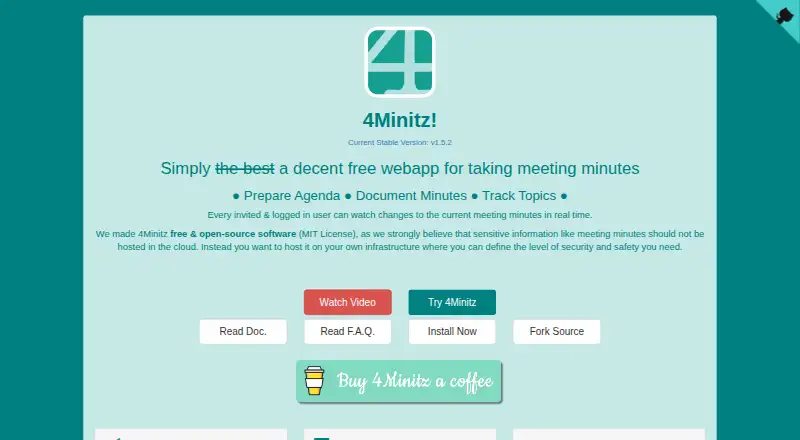
What 4Minitz is
4Minitz is a free, open-source web app for preparing meeting agendas, recording minutes, and following topics and action items across meetings. Teams can create meeting series, invite participants, assign roles, and build agendas with recurring topics. During meetings, users can record attendance, add information, and assign actions to responsible people. Logged-in invitees can see changes to current minutes in real time. Unfinished actions and topics can carry forward to the next meeting, and users can search topic history and full text. Meeting series roles determine who can edit, upload, or view material. Re-finalizing a meeting adds a version number, while older finalized minutes cannot be changed through the normal workflow. Agendas, minutes, and action items can be emailed; finalized protocols can be exported as HTML, PDF, or PDF/A depending on administrator settings. The app is self-hosted and supports Docker deployment. It uses Meteor JS, Node.js, and MongoDB, and offers LDAP and Active Directory support for user import and authentication. Its responsive browser interface supports desktop, tablet, and smartphone use.
Who it suits
It suits teams that want to manage recurring meeting agendas, minutes, topics, and assigned actions on infrastructure they host. Administrators who need control over security and attachment settings may appreciate its self-hosted approach.
What it does well
- Free and open-source under the MIT License
- Tracks actions and topics across meetings
- Searches topic history and full text
- Supports Docker deployment
What to know first
- Requires self-hosting
- Closing a tab before offline changes sync can lose them
- Attachment size and file types depend on administrator settings
Plans
| Plan | Billed and limits | Price |
|---|---|---|
| 4Minitz | Free and open-source · MIT License · self-hosted | Free |
As 4minitz.com lists them, read 5 Oct 2026. The maker's own page has the final word.
Getting started
- Open the 4Minitz website
- Deploy the app on your own infrastructure, using Docker if suitable
- Provide the required Node.js and MongoDB dependencies
- Configure meeting series, roles and participants
- Set up SMTP, LDAP or Active Directory if needed
Overview
4Minitz is a self-hosted web app for preparing agendas, recording meeting minutes and tracking topics through follow-up. It best suits teams that want a structured meeting record under their own administration. Its connected agenda-to-action workflow is a strong fit for recurring meetings, provided the team can manage the deployment and take care with offline syncing.
Key features
Meeting series let organizers invite participants, assign moderators and uploaders, build agendas and mark recurring topics. During meetings, teams can record attendance, add notes and assign action items to responsible people. Labels help organize those items, and minutes and actions can be emailed. Keeping responsibility attached to the meeting record makes follow-up less detached from the discussion that produced it.
Open actions and unresolved topics can carry forward to the next meeting. Search across topic history and full text gives teams a way to retrieve context from older discussions, while real-time updates let logged-in invitees follow changes to current minutes. These tools are particularly useful where meetings recur and work spans multiple sessions.
Meeting-series roles separate moderators, uploaders, invited participants and informed users, with different permissions to edit, upload and view. Finalized meetings receive a version number when re-finalized, and older finalized minutes cannot be changed through the normal workflow. That supports a clearer record of changes, though the normal-workflow restriction is not a substitute for an organization's own recordkeeping practices.
4Minitz is open source under the MIT License and can be hosted on an organization's own infrastructure. The maker recommends self-hosting because minutes may contain sensitive information; in practice, that shifts security and safety decisions to the hosting organization. Deployment uses Meteor JS, Node.js and MongoDB, with Docker support. LDAP and Active Directory can support user import and authentication, and SMTP can send agendas, minutes and actions. Administrators can configure finalized protocols for HTML, PDF or PDF/A export, and set attachment size limits and allowed or denied file extensions.
The client can work offline temporarily and sync when the server returns, but unsynced changes can be lost if the browser or tab is closed first. That caveat matters for anyone relying on offline work: keep the session open until changes have synced.
Pricing
The 4Minitz plan costs nothing and is free and open-source under the MIT License, with self-hosting. It is the clear fit for teams able to provide and administer their own infrastructure. The plan is not a hosted-service option; organizations choosing it take on deployment and administration themselves. No per-seat or usage cap is stated for the plan.
Platforms
4Minitz is self-hosted and accessed on the web. The site lists current Chrome, Firefox, Safari and Edge compatibility, with a responsive interface for desktops, tablets and smartphones. It supports Docker deployment and depends on Node.js and MongoDB, so using it requires infrastructure capable of running those components.
Who it's for
Choose 4Minitz if your team holds recurring meetings, needs searchable minutes and action tracking, and wants control over where the records are hosted. Its agenda templates, recurring-meeting support and decision tracking reinforce that structured workflow. It is a weaker fit for teams seeking a managed service or unable to take responsibility for deployment, security and administration.
Pros and cons
- Pro: Agendas, minutes, decisions and responsible action items connect preparation to follow-up across meetings.
- Pro: Searchable topic history, carry-forward items and real-time minute updates help teams maintain continuity.
- Pro: Self-hosting, role permissions, directory integrations and protocol exports offer useful control for organizations with administrators.
- Con: Self-hosting and the Node.js and MongoDB dependencies make infrastructure and ongoing administration the team's responsibility.
- Con: Closing the browser or tab before offline edits sync can lose those changes, making the offline workflow risky if users leave prematurely.
Alternatives
For a different meeting workflow, HyNote has a free plan with sessions up to 120 minutes, audio recording and transcription, professional templates and file uploads; its listed platforms include mobile, desktop, web and a browser extension.
Route5 AI may suit readers focused on commitments: its free tier is view-only and capped at three commitments, while capture, agents and enforcement require its Classic plan, priced at 24.99 USD.
ActFlux offers a free web plan capped at five meetings per month, making it an option for teams with a limited meeting volume.
AfterTheCall is aimed at client-call follow-up: its free plan covers three client calls, one follow-up email per call, Notion and Google Docs integration, and manual recording.
imeetly has a free web plan with five meetings per month, a 100 MB maximum file size, five AI memory searches per day and snippets only; its Pro plan is $15 a month.
Insolla Meeting Notes Analyzer is an option for analyzing meeting notes, with a free plan of 25 rows per month across all tools and a Pro plan at $49 a month for 500 rows, priority processing, downloadable results and email support.
MeetingBull has a free plan for five meetings, with action items, decisions and risks per meeting, a per-meeting health score, and transcript paste or upload.
Notepik offers a free web and API plan with one hour of meetings per month, up to three seats and every feature included; its Starter plan is $14 a month.
Compare more options in Action Item Tracking Software, Meeting Management Software and Meeting Notes Software.
Verdict
4Minitz is a sound choice for teams that want searchable, structured meeting records and action tracking on infrastructure they control. Its main advantage is the continuity from agenda through minutes to follow-up; its main trade-off is that hosting and administration are yours, with care required to avoid losing unsynced offline edits. Look elsewhere if you need a managed option or cannot support that operational responsibility.
Verdict
4Minitz brings agendas, minutes, and follow-up actions into a self-hosted meeting workflow. Teams should account for deployment and administration, as well as the risk of losing unsynced offline edits if they close the browser or tab.
Questions
Is 4Minitz free?
Yes. Its plan is listed as free, and the app is free and open-source under the MIT License.
Which platforms does it support?
It supports web and self-hosted deployments. Its responsive interface works on desktops, tablets and smartphones in current Chrome, Firefox, Safari and Edge.
Can teams track action items between meetings?
Yes. Action items can be assigned to responsible people, and open actions and unresolved topics can carry forward to the next meeting.
Can meeting records be exported or emailed?
Agendas, minutes and action items can be sent by email. Depending on administrator settings, finalized protocols can be generated as HTML, PDF or PDF/A.
Can I host meeting minutes myself?
Yes. The app supports self-hosting and Docker deployment. It uses Meteor JS and depends on Node.js and MongoDB.
Facts from 4Minitz's own pages
- Action-item tracking
- Yes · 4minitz.com, 22 Sept 2026
- Agenda preparation
- Users can create meeting series, invite people, assign moderators and uploaders, add agenda topics and mark recurring topics. · 4minitz.com, 5 Oct 2026
- Attachment limits
- A server administrator may set a maximum file size and allow or deny file extensions for binary attachments. · github.com, 5 Oct 2026
- Browsers and devices
- The site lists current Chrome, Firefox, Safari and Edge compatibility and says the responsive interface works on desktops, tablets and smartphones. · 4minitz.com, 5 Oct 2026
- Directory integration
- The site lists LDAP and Active Directory support for user import and authentication. · 4minitz.com, 5 Oct 2026
- Email integration
- The site lists SMTP support for sending agendas, minutes and action items by email. · 4minitz.com, 5 Oct 2026
- Free plan
- Yes · 4minitz.com, 22 Sept 2026
- Minutes and actions
- Users can record attendance, add information and action items with responsible people, label items, and email minutes and action items. · 4minitz.com, 5 Oct 2026
- Offline limitation
- The client can temporarily work offline and sync when the server returns, but closing the browser or tab before unsaved changes sync can lose those changes. · github.com, 5 Oct 2026
- Privacy approach
- The maker says meeting minutes can contain sensitive information and recommends hosting the open-source app on your own infrastructure to control security and safety. · 4minitz.com, 5 Oct 2026
- Protocol exports
- Depending on administrator settings, finalized meeting protocols can be generated as HTML, PDF or PDF/A. · github.com, 5 Oct 2026
- Purpose
- 4Minitz is a web app for preparing meeting agendas, documenting minutes and tracking topics. · 4minitz.com, 5 Oct 2026
- Real-time updates
- Invited users who are logged in can watch changes to current meeting minutes in real time. · 4minitz.com, 5 Oct 2026
- Roles
- Meeting series roles include moderator, uploader, invited and informed, with different permissions to edit, upload and view content. · 4minitz.com, 5 Oct 2026
- Searchable archive
- Yes · 4minitz.com, 22 Sept 2026
- Technology and deployment
- The app is built with Meteor JS, depends on Node.js and MongoDB, and supports Docker deployment. · 4minitz.com, 5 Oct 2026
- Topic tracking
- Open action items and non-closed topics can carry forward to the next meeting, and users can search topic history and full text. · 4minitz.com, 5 Oct 2026
- Version history
- Re-finalized meetings receive a version number, and older finalized minutes cannot be changed from the normal workflow. · 4minitz.com, 5 Oct 2026
Where 4Minitz stands on Freedom251
- Action Item Tracking Software#1 of 26
- Meeting Management Software#2 of 36
- Meeting Notes Software#44 of 112