Freedom251 › Subtitle Software

Aegisub
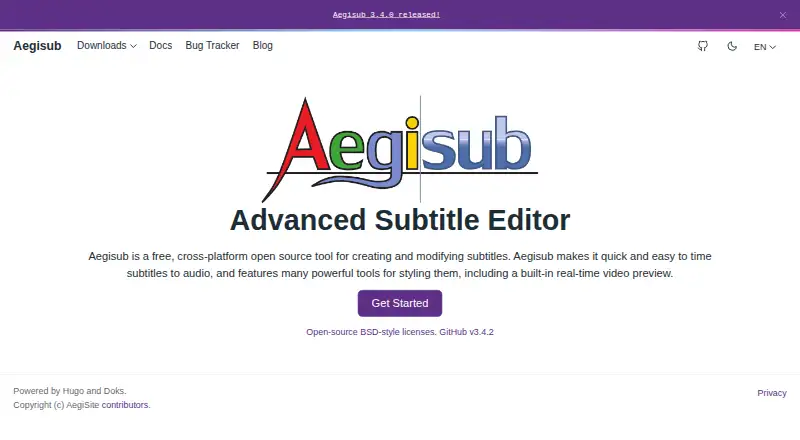
What Aegisub is
Aegisub is a free, open-source subtitle editor for Linux, macOS, and Windows. It helps users create and revise subtitles, time them to audio, and see how edits appear over video. Its audio interface includes waveform and spectrum views, while visual controls on the video frame let users position, rotate, scale, and clip subtitle text.
The editor supports subtitle translation and can import and export several formats, including MPEG-4 Timed Text and MicroDVD. Editing aids include spell checking, a thesaurus, a translation assistant, syntax highlighting, and macros. Its Automation module runs Lua scripts for macros and export filters. Aegisub also provides multi-level undo and redo, autosaving, backups, and emergency recovery saving.
SRT export is available through the Export dialog, though direct saving is blocked when override tags would lose information. Aegisub does not make DVD subtitles directly; its FAQ describes converting SSA to VOBSubs with an external program. The optional update checker sends anonymous operating-environment details, including an IP address, and can be left disabled. The downloads page lists version 3.5.0 for Windows and OS X, as well as a source archive.
Who it suits
Aegisub suits subtitle editors who need audio timing, video preview, and visual control over subtitle placement. It can also suit translators and users who want scriptable editing through Lua macros and export filters.
What it does well
- Free and open-source across Linux, macOS, and Windows.
- Waveform and spectrum views support subtitle timing to audio.
- Video preview and visual tools help adjust subtitle appearance.
- Translation assistant, spell checking, and thesaurus support editing.
- Autosaving, backups, and recovery saving help preserve work.
What to know first
- VTT export is not supported.
- DVD subtitles require an external conversion program.
- Direct SRT saving is blocked when override tags would lose information.
Limits
The free plan is the editor. It does not create DVD subtitles directly, and direct saving to SRT is blocked when override tags would cause information loss; the Export dialog can export to SRT.
Plans
| Plan | Billed and limits | Price |
|---|---|---|
| Aegisub | Free, open-source subtitle editor | Free |
As aegisub.org lists them, read 7 Oct 2026. The maker's own page has the final word.
Getting started
- Visit the Aegisub website.
- Choose a platform: Linux, macOS, or Windows.
- Use the downloads page to find the available Windows or OS X download, or the source archive.
- Create or edit subtitles, then use the Export dialog for SRT when needed.
Overview
Aegisub is a free, open-source subtitle editor for Linux, macOS and Windows. It is a strong fit for people who need precise audio timing, subtitle translation or visual control over text on video. Its specialist editing tools are the draw; DVD subtitle creation and VTT export are outside its scope.
Key features
A customizable audio interface with waveform and spectrum views helps editors time subtitles against sound. The live video preview makes it possible to see edits in context, and visual controls for positioning, rotating, scaling and clipping text give fine control over placement. That combination suits careful, line-by-line work, though the styling tools may be unnecessary for straightforward timing and text changes.
Aegisub supports translation and imports and exports multiple subtitle formats, including MPEG-4 Timed Text and MicroDVD. SRT export is supported, but direct saving is blocked when override tags would lose information; the Export dialog provides another route. VTT export is not supported, making Aegisub a poor fit when VTT is a required delivery format.
Spell checking, a thesaurus and a translation assistant support language work, while syntax highlighting and macros help with editing. The Lua-based Automation module can provide macros and export filters, a useful extension for users comfortable with scripts rather than a necessity for basic edits. Multi-level undo and redo, autosaving, backups and emergency recovery saving add several safeguards against lost work.
Aegisub does not create DVD subtitles directly. Its FAQ describes converting SSA to VOBSubs with an external program, so DVD output calls for another step. The optional update checker sends anonymous operating-environment information, including IP address, software version, operating system and interface language; users can avoid that collection by leaving the checker disabled. For questions, Aegisub recommends its Discord server and IRC channel, and directs bug reports to its tracker.
Pricing
Aegisub is free and open source. Its Free plan costs nothing and provides the subtitle editor without a paid tier or trial to weigh against it. That makes it accessible for occasional editing as well as sustained work, though the format limits still matter regardless of price.
Platforms
Aegisub runs on Linux, macOS and Windows. The downloads page lists version 3.5.0, released October 4, 2026, with Windows and OS X downloads and a source archive.
Who it's for
Choose Aegisub if you want a free desktop editor with detailed audio timing, video preview, translation aids and visual subtitle styling. It is less suitable if your workflow depends on direct DVD subtitle creation or VTT output, or if you need to save tagged subtitles directly as SRT without using the Export dialog.
Pros and cons
- Pros: Waveform and spectrum timing tools paired with live video preview support precise, context-aware editing.
- Pros: Translation aids, visual typesetting and Lua automation cover language work, placement and repeatable tasks in one editor.
- Pros: Autosaving, backups, emergency recovery saving and multi-level undo and redo offer multiple ways to recover edits.
- Cons: No VTT export, and SRT saving may require the Export dialog when override tags are present.
- Cons: DVD subtitles require conversion with an external program rather than direct creation in Aegisub.
Alternatives
Subtitle Software is a useful starting point for comparing subtitle editors. Consider Editsub if its web platform or freemium plan suits you; its free tier is limited to 10 subtitle files, while Pro is $48 a year with 1,500 credits per month (approximately 13 hours). Jubler is another free desktop editor, but its video preview and audio waveform require VLC. Subtitle Edit is a free, open-source alternative for Linux, macOS and Windows.
Gaupol is a free option for Linux and Windows users. For a web-based workflow with SRT, VTT and TXT export, SRTGen has a free tier capped at five-minute screen recordings, 2 GB of storage and 20 signup credits. Zubtitle may suit video creators who want web or mobile access; its free plan allows two videos per month, adds a watermark and limits resolution to 720p. GNOME Subtitles is a free subtitle editor for Linux. GNOME Remote Desktop is a free Linux and self-hosted remote desktop tool, rather than a subtitle editor.
Verdict
Aegisub is an easy recommendation for subtitle editors who want precise timing, translation support and control over on-screen styling without a subscription. Its free, cross-platform toolkit is substantial; look elsewhere if you need VTT, direct DVD subtitle output or a more direct SRT save path for files with override tags.
Verdict
Choose Aegisub for free subtitle editing with audio timing, video preview, translation aids, and Lua automation. Look elsewhere if you need direct DVD subtitle creation or VTT export; SRT export also requires the Export dialog when override tags are involved.
Questions
How much does Aegisub cost?
Aegisub is free, with a listed plan price of $0.
Which platforms does Aegisub support?
It supports Linux, macOS, and Windows.
Can Aegisub export SRT subtitles?
Yes. SRT export is available through the Export dialog. Direct saving is blocked when override tags would cause information loss.
Does Aegisub export VTT or create DVD subtitles?
VTT export is not supported. Aegisub does not create DVD subtitles directly; an external program can convert SSA to VOBSubs.
Is Aegisub open source?
Yes. It is a free, open-source subtitle editor.
Who can help with questions or bug reports?
The FAQ recommends the Aegisub Discord server and IRC channel for questions, and the bug tracker for bug reports.
Facts from Aegisub's own pages
- Audio timing
- It provides tools for timing subtitles to audio, including a customizable audio interface with waveform and spectrum views. · aegisub.org, 7 Oct 2026
- Automation
- The Automation module supports Lua scripts that provide macros and export filters. · aegisub.org, 7 Oct 2026
- Current release
- The downloads page lists version 3.5.0, released October 4, 2026, with Windows and OS X downloads and a source archive. · aegisub.org, 7 Oct 2026
- Editing aids
- Editing features include spell checking, a thesaurus, a translation assistant, syntax highlighting, and macros. · aegisub.org, 7 Oct 2026
- Free plan
- Yes · aegisub.org, 20 Sept 2026
- Limit: DVD subtitles
- Aegisub does not create DVD subtitles directly; its FAQ describes using an external program to convert SSA to VOBSubs. · aegisub.org, 7 Oct 2026
- Limit: SRT export
- Direct saving to SRT is blocked when override tags would cause information loss, though the FAQ describes exporting to SRT through the Export dialog. · aegisub.org, 7 Oct 2026
- Privacy
- The optional update checker sends anonymous operating-environment information, including IP address, Aegisub version, operating system, and interface language; users can avoid this collection by not enabling the checker. · aegisub.org, 7 Oct 2026
- Purpose
- Aegisub is a free, cross-platform open-source tool for creating and modifying subtitles. · aegisub.org, 7 Oct 2026
- Recovery
- Aegisub includes multi-level undo and redo, autosaving, backups, and emergency recovery saving. · aegisub.org, 7 Oct 2026
- SRT export
- Yes · aegisub.org, 20 Sept 2026
- Subtitle formats
- It supports importing and exporting several subtitle formats, including MPEG-4 Timed Text and MicroDVD. · aegisub.org, 7 Oct 2026
- Support
- The FAQ recommends the Aegisub Discord server and IRC channel for Aegisub questions and the bug tracker for bug reports. · aegisub.org, 7 Oct 2026
- Subtitle translation
- Yes · aegisub.org, 20 Sept 2026
- Typesetting
- Users can position, rotate, scale, and clip subtitles with visual tools on the video frame. · aegisub.org, 7 Oct 2026
- Video preview
- Its video mode provides a live preview of subtitles as they are edited. · aegisub.org, 7 Oct 2026
- VTT export
- No · aegisub.org, 20 Sept 2026
Where Aegisub stands on Freedom251
- Subtitle Software#3 of 31
- Subtitle tools#10 of 31