Freedom251 › AI Video Caption Generators

Checksub
by Checksub
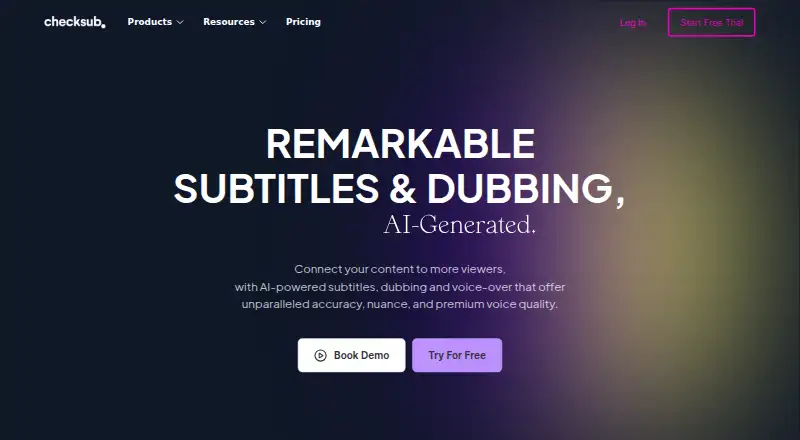
What Checksub is
Checksub is a video subtitling, translation, dubbing, and voice-over service available on the web, through an API, and as an extension. It can create subtitles automatically or synchronize subtitles from a script, then translate them into 200 languages. Its dubbing replaces the original voice while preserving the background audio; Checksub also says users can substitute a cloned voice in 30 languages. After generation, the online editor lets users revise and regenerate sentences. Subtitles can be burned into exported videos and styled with animations, including karaoke effects.
The service supports publishing translated videos to YouTube, and its Starter plan connects one channel. Listed integrations include YouTube, Twitch, Google Drive, Adobe Premiere Pro, DaVinci Resolve, and Final Cut Pro. Credit use varies by task: subtitles use one credit minute per video minute, dubbing uses three, and lip-sync uses five. Checksub also offers a free YouTube subtitle downloader and a Chrome extension for downloading subtitles. The company was founded in 2017 and is headquartered in France. A free plan and free trial are available; paid plans include email support, while Enterprise customers can request a demo or quote.
Who it suits
Checksub suits video creators and teams that need subtitles, translated captions, or dubbed voice-over, including workflows that publish translated videos to YouTube. Its web editor, API, extension, video-tool integrations, and support for cloned voices may fit projects that need both subtitle editing and voice replacement.
What it does well
- Generates subtitles automatically or from synchronized scripts.
- Translates subtitles into 200 languages.
- Dubbing preserves the background audio.
- Offers cloned voice replacement in 30 languages.
- Supports animated subtitle styling and video export.
- Lists integrations with major video and storage tools.
What to know first
- Credit use is three minutes per video minute for dubbing.
- Lip-sync uses five credit minutes per video minute.
- Starter connects one YouTube channel.
- Junior limits monthly credits to two hours.
Limits
The free plan's limits are not detailed in the listed facts. Junior includes two hours of credits per month, one translation per project, 20GB storage, a 4GB upload limit, and one user; Starter includes five credit hours per month and one YouTube channel, among its listed allowances.
Plans
| Plan | Billed and limits | Price |
|---|---|---|
| JUNIOR | Billed yearly ($144/year). · 24 hours of credits / year · Up to 1 translation per project · 20GB storage · 4Go upload size · 1 user · Email support | $144 a year |
| JUNIOR | Billed monthly. · 2 hours of credits / month · Up to 1 translation per project · 20GB storage · 4Go upload size · 1 user · Email support | $18 a month |
| STARTER | Billed yearly ($576/year). · 60 hours of credits / year · Up to 1 translation per project · 50GB storage · 4Go upload size · 1 YouTube channel · 1 user · Email support | $576 a year |
| STARTER | Billed monthly. · 5 hours of credits / month · Up to 1 translation per project · 50GB storage · 4Go upload size · 1 YouTube channel · 1 user · Email support | $59 a month |
| ENTERPRISE | From $299/month. (Billed Yearly) · Custom credits · Translation in 187 languages · Unlimited upload size · API Access · Connect YouTube Channels · Account manager | On request |
| ENTERPRISE | From $299/month. · Custom number of credits / year · Translation in 187 languages · Unlimited upload size · API Access · Connect YouTube Channels · Account manager | On request |
As checksub.com lists them, read 28 Sept 2026. The maker's own page has the final word.
Getting started
- Visit the Checksub website.
- Create an account and confirm your email address.
- Use the free plan or start a free trial, or choose a paid plan.
- Work in the web editor, API, or extension.
- Connect a YouTube channel on Starter if you want to publish translated videos there.
Verdict
Choose Checksub if your video workflow needs subtitling alongside translation, voice replacement, or animated subtitle styling. Look elsewhere if your expected dubbing or lip-sync volume does not fit the listed credit use or plan allowances.
Questions
Is Checksub free?
A free plan and a free trial are available. The Junior plan is listed at $18 a month, billed monthly, and Checksub's pricing note says pricing starts from $12/user/mo (annual).
What platforms does Checksub support?
The listed platforms are web, API, and extension. Checksub also offers a Chrome extension for subtitle downloading.
What does the Starter plan include?
Starter costs $59 a month, billed monthly. It includes five hours of credits per month, one translation per project, 50GB storage, a 4GB upload limit, one user, and one YouTube channel.
How are credits used?
Subtitles use one credit minute per video minute, dubbing uses three, and lip-sync uses five.
Which tools does Checksub integrate with?
The software page lists YouTube, Twitch, Google Drive, Adobe Premiere Pro, DaVinci Resolve, Final Cut Pro, and other video tools.
Facts from Checksub's own pages
- Account security
- Account creation requires email confirmation, which Checksub says is for security reasons. · support.checksub.com, 28 Sept 2026
- AI dubbing
- Its dubbing keeps the original audio background and replaces the original voice. · checksub.com, 28 Sept 2026
- Auto-captioning
- Yes · checksub.com, 20 Sept 2026
- Core product
- Checksub provides AI-powered subtitles, dubbing and voice-over for videos. · checksub.com, 28 Sept 2026
- Credit usage
- The pricing FAQ says subtitles use 1 credit minute per video minute, dubbing uses 3, and lip-sync uses 5. · checksub.com, 28 Sept 2026
- Downloader and extension
- Checksub offers a free YouTube subtitle downloader and says subtitles can also be downloaded faster with its Chrome extension. · download.checksub.com, 28 Sept 2026
- Editor
- The online editor lets users edit and regenerate sentences after AI subtitle or dubbing generation. · checksub.com, 28 Sept 2026
- Founded
- 2017 · checksub.com, 28 Sept 2026
- Free plan
- No · checksub.com, 20 Sept 2026
- Free trial
- The free trial provides credits allowing translation of 1 hour of video, and all features can be tested while credits remain. · checksub.com, 28 Sept 2026
- Headquarters
- France · checksub.com, 28 Sept 2026
- Software integrations
- The software page lists use with YouTube, Twitch, Google Drive, Adobe Premiere Pro, DaVinci Resolve, Final Cut Pro and other video tools. · checksub.com, 28 Sept 2026
- Speaker labels
- Yes · checksub.com, 20 Sept 2026
- SRT export
- Yes · checksub.com, 20 Sept 2026
- Paid from
- 12 · checksub.com, 20 Sept 2026
- Subtitle styling
- Users can burn subtitles into exported video and apply animated subtitle styles, including karaoke animation. · checksub.com, 28 Sept 2026
- Subtitling
- The platform offers automatic subtitles and converts scripts into subtitles synchronized with video. · checksub.com, 28 Sept 2026
- Support
- Paid plans include email support, and Enterprise customers can contact Checksub for a demo or quote. · checksub.com, 28 Sept 2026
- Translation
- Checksub says it can generate subtitle translations in 200 languages. · checksub.com, 28 Sept 2026
- Voice cloning
- Checksub says users can replace the original voice-over with a cloned voice in 30 languages. · checksub.com, 28 Sept 2026
- VTT export
- Yes · checksub.com, 20 Sept 2026
- YouTube publishing
- Checksub supports publishing translated videos to YouTube channels and the Starter plan connects one YouTube channel. · checksub.com, 28 Sept 2026
Where Checksub stands on Freedom251
- AI Video Caption Generators#10 of 99
- Subtitle Software#5 of 31
- Subtitle tools#9 of 31