Freedom251 › Receipt Scanner Apps

1tap receipts
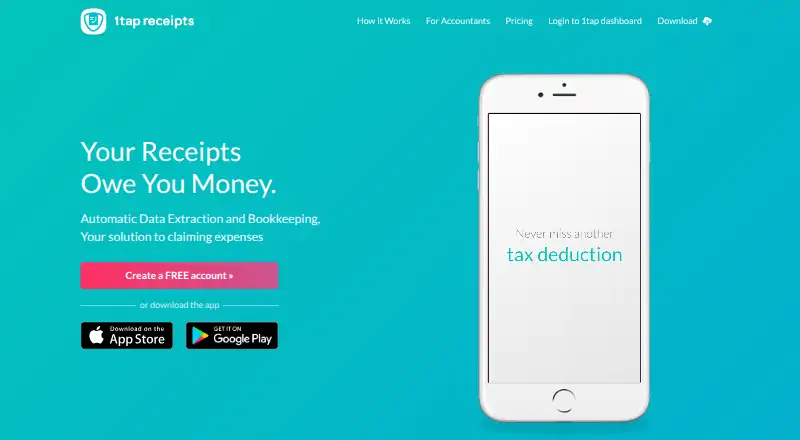
What 1tap receipts is
1tap receipts is a bookkeeping service that extracts receipt information for expense claims. Users can photograph receipts or forward them by email; extraction includes supplier, date, amount, and category, with human verification. Records can be sorted by tax year or upload date, edited, annotated, and divided between business and personal expenses. Users can export records as PDF or CSV for Self Assessment or an audit, and the service integrates with the Receipt Bank Practice Platform. It is available on web, Android, and iOS, with a free plan and paid plans from $2.99 per month. Prime Lite costs $2.99 per month for 100 auto-scans per year and 20GB of secure cloud storage; Prime Pro costs $4.99 per month for 10,000 scans per month and 50GB. Prime Max is $119.99 per year, with 10,000 scans per month and unlimited storage. The privacy policy says data is stored on AWS servers in the EEA, while some extraction team members outside the EEA may access uploaded content. The service is presented for self-employed people, including musicians, doctors, trainers, designers, photographers, and mechanics. Its headquarters are in London.
Who it suits
1tap receipts suits self-employed people who need to capture and organize receipts for expense claims. The listed user groups include musicians, doctors, trainers, designers, photographers, and mechanics.
What it does well
- Capture receipts by photo or email forwarding.
- Human verification is used for extracted data.
- Export records as PDF or CSV.
- Integrates with the Receipt Bank Practice Platform.
- Free plan is available.
What to know first
- Some extraction team members outside the EEA can access uploaded content.
- Prime Lite includes 100 auto-scans per year.
- Prime Max has no monthly price listed.
Limits
Prime Lite includes 100 auto-scans per year and 20GB of storage. Prime Pro and Prime Max each include 10,000 receipt scans per month; storage is 50GB for Pro and unlimited for Max.
Plans
| Plan | Billed and limits | Price |
|---|---|---|
| Prime Max | 10,000 receipt scans per month · Unlimited cloud storage · Page says “not available” for monthly price | $119.99 a year |
| Prime Lite | 100 auto-scans per year · 20GB secure cloud storage | $24.99 a year |
| Prime Lite | 100 auto-scans per year · 20GB secure cloud storage | $2.99 a month |
| Prime Pro | 10,000 receipt scans per month · 50GB secure cloud storage | $4.99 a month |
| Prime Pro | 10,000 receipt scans per month · 50GB secure cloud storage | $49.99 a year |
As 1tapreceipts.com lists them, read 3 Oct 2026. The maker's own page has the final word.
Getting started
- Visit https://1tapreceipts.com/.
- Create a free account through the US product page or choose a paid plan.
- Use the web, Android, or iOS service to photograph receipts or forward them from email.
- Review extracted receipt details and manage the records.
- Export receipt records and data as PDF or CSV when needed.
Overview
1tap receipts is an expense-record tool for self-employed people who want receipts turned into bookkeeping data without entering every field themselves. Its combination of mobile capture, email forwarding and exports makes it a practical fit for individual record-keeping; scan quotas and access to uploaded content are the main trade-offs to weigh.
Key features
Receipts can be photographed or forwarded from email. 1tap extracts supplier, date, amount and category, with human verification—a useful step for reducing manual entry, though the service does not remove the need to review and edit records. Users can sort receipts by tax year or upload date, add notes, and divide expenses between business and personal use.
PDF and CSV exports are intended for Self Assessment or an audit, giving users a way to take their receipt records beyond the app. The accountant page also describes integration with the Receipt Bank Practice Platform, which may suit users whose accountant works with that platform.
1tap says user information is stored on Amazon Web Services servers in the European Economic Area. Some data-extraction team members outside the EEA can access uploaded content, an important consideration for users with stricter location or access requirements. Its privacy policy says personal data is not disclosed, sold or shared with non-authorized third parties except as described in that policy.
Pricing
There is a free plan, and paid plans begin at $2.99/mo. Check those limits before relying on it for ongoing records.
- Prime Lite — $2.99 a month: 100 auto-scans per year and 20GB secure cloud storage. This is the lowest-cost paid option for modest receipt volumes; the annual scan cap makes it a poor fit for frequent scanning.
- Prime Pro — $4.99 a month: 10,000 receipt scans per month and 50GB secure cloud storage. Its much higher scan allowance better suits users with heavy monthly volume, while storage remains capped.
- Prime Max — $119.99 a year: 10,000 receipt scans per month and unlimited cloud storage. It suits users who need the larger storage allowance and can pay annually; a monthly price is not available.
Compare the quotas as well as the price: Lite measures scans per year, while Pro and Max allow up to 10,000 per month. No seat limits or trial terms are stated.
Platforms
1tap receipts supports Android, iOS and web, with mobile receipt capture and email forwarding. That mix works for users collecting receipts on the go as well as those organizing records from a browser.
Who it's for
The product is aimed at self-employed people. Its named users include musicians, doctors, street performers, trainers, designers, photographers and mechanics—occupations where receipts may need to be separated between personal and business spending and organized for tax records. It is less suitable for anyone who requires uploaded content to remain accessible only within the EEA.
Pros and cons
- Pros: Photo and email capture. Receipts can be collected from a phone or forwarded from an inbox.
- Pros: Human-verified extraction. Supplier, date, amount and category are extracted, reducing routine data entry.
- Pros: Useful record handling. Sorting, editing, notes, business/personal splits and PDF or CSV exports support ongoing expense organization.
- Cons: Lite has a tight annual allowance. Its 100 auto-scans per year can constrain regular users.
- Cons: Uploaded content may be accessed outside the EEA. This matters to users with geographic access restrictions or heightened privacy requirements.
- Cons: Max requires annual billing. Its $119.99 a year price has no monthly option.
Alternatives
Receipt Management Software and Receipt Scanner Apps are useful starting points for comparing the wider categories.
Choose ExpenseBot instead if free accountant or bookkeeper client management is the priority; client scanning requires the client’s own subscription or account. Receipt Reader AI offers a free plan with 10 AI scans per month, one account and PDF export, so it may suit users with very light needs. Receipt Wrangler is a free, open-source, self-hosted option for readers who want to run their own receipt-management software.
Veryfi Invoices OCR API is an alternative to consider for invoice OCR API needs, with a listed Starter plan at $500 a month and a minimum commitment. Parsio Receipt OCR offers API and web access, with a free tier of 30 credits per month and 30-day data retention. Finago eTasku, OCR Receipt and Saldo Receipt Scanner are other freemium alternatives.
Verdict
1tap receipts is a sensible choice for self-employed users who want photographed or emailed receipts converted into organized records and exportable bookkeeping data. Its capture options, human-verified extraction and flexible receipt organization are the strongest reasons to choose it. Look elsewhere if Lite’s annual scan cap is too restrictive, or if access to uploaded content by some team members outside the EEA is unacceptable.
Verdict
1tap receipts combines receipt capture, bookkeeping-data extraction, expense organization, and PDF or CSV exports. Check the scan and storage limits against your expected volume, and note the stated access to uploaded content by some team members outside the EEA.
Questions
Does 1tap receipts have a free plan?
Yes. The US product page invites visitors to create a free account.
How much do its paid plans cost?
Prime Lite is $2.99 a month, Prime Pro is $4.99 a month, and Prime Max is $119.99 a year.
Which platforms are supported?
1tap receipts is available on the web, Android, and iOS.
Can I forward receipts by email?
Yes. Users can forward receipts from email, as well as add them by photographing them.
Does it integrate with accounting software?
The accountant page says it integrates with the Receipt Bank Practice Platform.
Where is user information stored?
The privacy policy says information is stored on Amazon Web Services servers in the European Economic Area. Some data extraction team members outside the EEA can access uploaded content.
Facts from 1tap receipts's own pages
- Accounting integration
- The accountant page says 1tap receipts integrates with the Receipt Bank Practice Platform. · 1tapreceipts.com, 3 Oct 2026
- Business identity
- The privacy policy identifies the data controller as 1Tap App Limited at 99 Clifton Street, London EC2A 4LG. · 1tapreceipts.com, 3 Oct 2026
- Exports
- Users can export receipt records and their data as PDF and CSV files for Self Assessment or an audit. · 1tapreceipts.com, 3 Oct 2026
- Extracted data
- The product says it extracts details including supplier, date, amount, and category. · 1tapreceipts.com, 3 Oct 2026
- Free signup
- The US product page invites visitors to create a free account. · 1tapreceipts.com, 3 Oct 2026
- Headquarters
- London, UK · 1tapreceipts.com, 28 Sept 2026
- Privacy commitment
- The privacy policy says 1tap will not disclose, sell, or share personal data with non-authorized third parties except as described in that policy. · 1tapreceipts.com, 3 Oct 2026
- Product
- 1tap receipts describes itself as an automatic data extraction and bookkeeping solution for claiming expenses. · 1tapreceipts.com, 3 Oct 2026
- Receipt capture
- Users can add receipts by photographing them or forwarding them from email, and the product extracts bookkeeping data with human verification. · 1tapreceipts.com, 3 Oct 2026
- Receipt tools
- Users can sort receipts by tax year and upload date, view and edit them, add notes, and split expenses between business and personal. · 1tapreceipts.com, 3 Oct 2026
- Security and storage
- The privacy policy says user information is stored on Amazon Web Services servers in the European Economic Area, while some data extraction team members outside the EEA can access uploaded content. · 1tapreceipts.com, 3 Oct 2026
- Support
- The product site directs users to its Help Center and lists [email protected] for messages. · 1tapreceipts.com, 3 Oct 2026
- Who it serves
- The site presents 1tap as serving self-employed people and lists musicians, doctors, street performers, trainers, designers, photographers, and mechanics among its users. · 1tapreceipts.com, 3 Oct 2026
Where 1tap receipts stands on Freedom251
- Receipt Scanner Apps#2 of 30
- Receipt Management Software#2 of 27