Freedom251 › Receipt Management Software

Receipt Wrangler
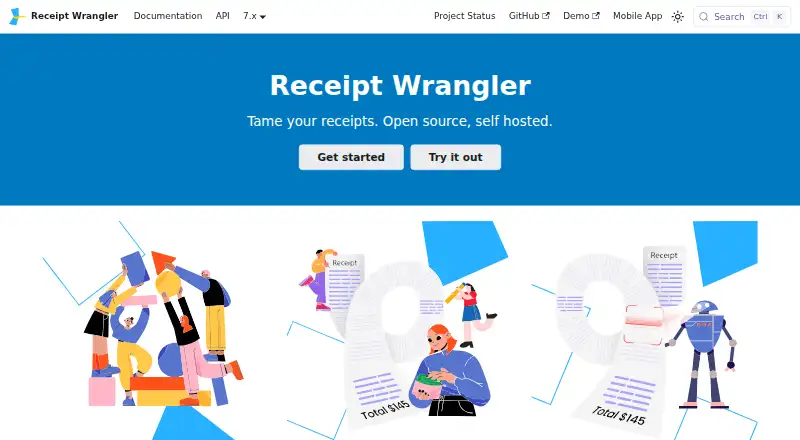
What Receipt Wrangler is
Receipt Wrangler is a free, self-hosted receipt management solution for organizing expenses and financial data. It uses OCR to read receipt images, then AI to turn extracted details into receipt records. Quick Scan handles one or multiple images as well as single- or multi-page PDFs, and can save parsed receipts immediately. Magic Fill uses an uploaded image to populate fields with extracted values that users can edit before saving. Users can share receipts and track expenses together; email integration can send image attachments into a group as separate receipts. Optional AI providers include OpenAI, Google Gemini, and self-hosted OpenAI-compatible models such as Ollama. The application is designed to run in Docker and Docker Compose alongside Redis and a supported database: SQLite, PostgreSQL, MySQL, or MariaDB. SQLite is not recommended for long-term use. API keys let external applications and services interact with access inherited from the associated user. When AI receipt features are enabled, potentially identifying information may be sent to OpenAI or Google Gemini. Mobile apps send anonymous crash and error reports by default, with an option to disable them in Profile → Privacy.
Who it suits
Receipt Wrangler suits people who want to organize receipts themselves and are comfortable running a Docker-based, self-hosted application. It also fits groups sharing expense records or users who want image, PDF, or email-based receipt capture.
What it does well
- Free and open-source, with self-hosted deployment.
- OCR and AI can convert receipt images into records.
- Quick Scan accepts images and single- or multi-page PDFs.
- Receipts can be shared and expenses tracked among users.
- API keys enable programmatic access for external applications.
What to know first
- Requires Docker, Docker Compose, Redis, and a supported database.
- SQLite is not recommended for long-term use.
- AI processing may send identifying details to OpenAI or Google Gemini.
- Mobile crash and error reporting is enabled by default.
Limits
The free plan is listed as free. The listed facts do not identify a free-plan quota or feature limit.
Plans
| Plan | Billed and limits | Price |
|---|---|---|
| Receipt Wrangler | Open-source · self-hosted | Free |
As receiptwrangler.io lists them, read 30 Sept 2026. The maker's own page has the final word.
Getting started
- Open the Receipt Wrangler website and consult its documentation.
- Prepare Docker and Docker Compose, a supported database, and Redis.
- Choose SQLite, PostgreSQL, MySQL, or MariaDB for the database.
- Run the application in Docker and Docker Compose.
- Use the web app or Android or iOS app to capture receipts.
- Optionally configure an AI provider or API keys for integrations.
Overview
Receipt Wrangler is a self-hosted system for collecting receipts, organizing expenses, and keeping financial records under your control. It fits individuals and teams prepared to operate their own Docker-based service rather than subscribe to a hosted app. The zero-cost license is attractive, but hosting, database administration, and privacy decisions become part of the product.
Its workflow combines OCR with AI-assisted interpretation: images are read, then converted into structured receipt information. That can cut data entry, while the self-hosted model favors technically capable users over anyone wanting an immediately managed account.
Key features
Capture and extraction
Quick Scan accepts a batch of images as well as one- or multi-page PDFs, then can store the resulting receipts without an intermediate editing step. Magic Fill takes a review-first approach, placing values extracted from an uploaded image into editable fields before saving. Quick Scan is better for rapid intake; Magic Fill is safer when you want to correct amounts or merchant details before they become records.
Mobile capture extends collection to Android and iOS, and line-item extraction supports more detailed expense records. Email forwarding can ingest attachments into a group, with every image attachment treated as its own receipt. There is no duplicate detection, so repeated uploads require manual attention, and there is no accounting synchronization for automatically transferring records into bookkeeping systems.
Groups, API, and AI choices
Receipt sharing and group expense tracking accommodate multiple users. API keys let scripts and external services authenticate and act with the permissions of the linked user, which is useful for automation but makes key management and account permissions important operational responsibilities.
AI can run through OpenAI, Google Gemini, or a self-hosted OpenAI-compatible model such as Ollama. Enabling cloud AI may send potentially identifiable data, including names or partial card numbers, to OpenAI or Google Gemini. A self-hosted model is the stronger option for organizations that cannot accept that transfer, provided they can maintain the model themselves.
The privacy policy says personal information is not collected and that non-personal information requested for enhanced functionality remains on the device. The mobile application sends anonymous crash and error reports by default; reporting can be disabled in Profile → Privacy. Documentation and a Reddit community provide support channels, but users remain responsible for installation and ongoing maintenance.
Pricing
| Plan | Price | What it means |
|---|---|---|
| Receipt Wrangler | free | Open-source, self-hosted access |
There is no free trial because the product itself is free, and no paid tier is presented. The trade-off is not a quota or seat charge; it is the infrastructure needed to run the application. Receipt Wrangler is designed for Docker and Docker Compose with a supported database and Redis. SQLite is supported but not recommended for long-term use; PostgreSQL, MySQL, and MariaDB are the more durable documented choices for a continuing deployment. This pricing suits users who can provide their own hosting and labor, not readers seeking vendor-managed uptime or support included in a subscription.
Platforms
Receipt Wrangler provides web access, Android and iOS mobile apps, an API, and self-hosted deployment. The combination supports desktop administration, phone-based capture, and programmatic integrations, but every route ultimately depends on your own hosted instance.
Who it's for
Choose it for a household, club, project team, or small organization that needs shared receipts and expense visibility while retaining control of storage and AI configuration. It is particularly suitable when a self-hosted OpenAI-compatible model is desirable or when recurring software fees are unacceptable. It is a weaker fit for businesses that require duplicate prevention, direct accounting export, or a turnkey service with no Docker, Redis, and database work.
Pros and cons
- Pros: free open-source self-hosting avoids subscription charges; OCR, line-item extraction, mobile capture, batch/PDF intake, and email forwarding cover varied collection workflows; shared groups and an API support collaboration and automation; self-hosted AI options can reduce reliance on external processors.
- Cons: deployment requires Docker Compose, Redis, and database administration; SQLite is discouraged for long-term operation; cloud AI may transmit names or partial card numbers; duplicate detection and accounting sync are absent; anonymous mobile diagnostics are enabled until manually turned off.
Alternatives
ExpenseBot is the better choice when you want Android, iOS, web, and API access with a freemium model and a free trial, rather than self-hosting.
OpenReceipts suits users wanting a free, no-subscription, no-limit, no-account product across desktop platforms and self-hosted web deployment.
Receipt Reader AI is preferable when a managed freemium service with a defined allowance—10 AI scans per month on its free plan—is enough.
Finago eTasku is an alternative for users who prefer a freemium Android, iOS, and web service with accountant-oriented document access.
OCR Receipt is a desktop alternative for Linux, macOS, and Windows.
ReceiptsAI is suited to users wanting a freemium mobile and web service with a one-time 30-credit starter allowance.
Saldo Receipt Scanner fits teams that prefer a freemium mobile/web service with a 10-expense free tier and a paid Business plan.
Starlog is a mobile-only option with a free company account and OCR-based receipt handling.
For a broader comparison, see Receipt Management Software.
Verdict
Receipt Wrangler is a strong pick for technically confident individuals and groups that want shared receipt management, flexible capture, and no subscription while controlling their hosting and AI choices. Look elsewhere if you need a managed deployment, automatic accounting synchronization, or duplicate detection without building those safeguards around the product.
Verdict
Receipt Wrangler offers receipt capture, editing, and group expense tracking in a self-hosted package. Consider its deployment requirements and the data transmission associated with optional AI processing before enabling those features.
Questions
How much does Receipt Wrangler cost?
The Receipt Wrangler plan is listed as free and is open-source and self-hosted.
Is there a free plan or trial?
A free plan is available. There is no free trial.
Which platforms does it support?
Receipt Wrangler supports web, Android, iOS, API access, and self-hosting.
Which databases can it use?
Documented options are SQLite, PostgreSQL, MySQL, and MariaDB. SQLite is not recommended for long-term use.
Can it connect to AI providers?
Optional providers include OpenAI, Google Gemini, and a self-hosted OpenAI-compatible LLM such as Ollama. With AI-powered receipts enabled, potentially identifiable details may be sent to OpenAI or Google Gemini for processing.
Does it support accounting sync or duplicate detection?
No. The listed facts say it has neither accounting sync nor duplicate detection.
Facts from Receipt Wrangler's own pages
- AI data transmission
- When AI-powered receipts are enabled, potentially identifiable information such as partial card numbers or names may be sent to OpenAI or Google Gemini for processing. · receiptwrangler.io, 30 Sept 2026
- AI providers
- The documented optional AI providers include OpenAI, Google Gemini, and a self-hosted OpenAI-compatible LLM such as Ollama. · receiptwrangler.io, 30 Sept 2026
- API
- API keys allow external applications, scripts, or services to authenticate and interact programmatically, with access inherited from the associated user. · receiptwrangler.io, 30 Sept 2026
- Collaboration
- Users can share receipts and track expenses among multiple users. · receiptwrangler.io, 30 Sept 2026
- Email integration
- Email integration can ingest receipt attachments into a group, treating each image attachment as a separate receipt. · receiptwrangler.io, 30 Sept 2026
- Hosting requirements
- The application is designed to run in Docker and Docker Compose alongside a supported database and Redis. · receiptwrangler.io, 30 Sept 2026
- Magic Fill
- Magic Fill uses an uploaded image to fill receipt fields with AI-extracted values and lets the user edit them before saving. · receiptwrangler.io, 30 Sept 2026
- Mobile diagnostics
- The mobile app sends anonymous crash and error reports by default, and users can turn reporting off in Profile → Privacy. · receiptwrangler.io, 30 Sept 2026
- Privacy
- The privacy policy says Receipt Wrangler does not collect personal information, and that non-personal information requested for enhanced functionality stays on the user's device. · receiptwrangler.io, 30 Sept 2026
- Purpose
- Receipt Wrangler is a self-hosted receipt management solution for organizing expenses and managing financial data. · receiptwrangler.io, 30 Sept 2026
- Quick Scan
- Quick Scan can process one or many uploaded images, plus single- or multi-page PDFs, and can save parsed receipts immediately. · receiptwrangler.io, 30 Sept 2026
- Receipt scanning
- It uses OCR to read receipt images and AI to parse the extracted data into a receipt. · receiptwrangler.io, 30 Sept 2026
- Support and community
- The site links to a Reddit community and documentation for users. · receiptwrangler.io, 30 Sept 2026
- Supported databases
- The documented database options are SQLite, PostgreSQL, MySQL, and MariaDB; SQLite is not recommended for long-term use. · receiptwrangler.io, 30 Sept 2026
Where Receipt Wrangler stands on Freedom251
- Receipt Management Software#7 of 27