Some links on this page are affiliate links: if you buy through them we may earn a commission, at no extra cost to you.
Apple’s Black Unity Collection is more than a theme—it’s a coordinated set of assets designed to carry a consistent look across your devices. In 2025, that includes a Black Unity Collection Sport Loop, a dedicated Apple Watch watch face, and matching iPhone and iPad wallpapers.
If you want the full package, the key is knowing where each asset lands: wallpapers typically download to your device, while watch faces are applied through your Apple Watch or the iPhone Watch app. Below is a complete, device-by-device walkthrough plus troubleshooting for the cases where the assets don’t show up.
As an Amazon Associate I earn from qualifying purchases.
What Apple’s 2025 Black Unity Collection includes
Apple’s announcement centers on three deliverables:
- Sport Loop band: A limited-style watch band designed for everyday wear.
- Black Unity Collection watch face: A themed Apple Watch face you can apply to your watch.
- iPhone and iPad wallpapers: Lock Screen and/or Home Screen images meant to match the collection’s design language.
Because Apple sometimes rolls assets out across multiple channels (Apple Store listings, a dedicated download page, and device UI), the “how to get it” steps matter as much as the announcement itself.
Popular on Amazon

- Soft, breathable, and lightweight, the Sport Loop features a hook-and-loop fastener for quick and easy adjustment.
- The double-layer nylon weave has dense loops on the skin side that provide soft cushioning while allowing moisture to escape. This weave is made with 82% recycled yarns, some of which contain material from discarded fishing nets.
- This band is carbon neutral. The Sport Loop contains 45% recycled content by weight, 100% of manufacturing electricity is covered by clean energy, and 50% or more of all carbon neutral Apple Watch products are shipped without airplanes.
- Band fits 145–220mm wrists
- Compatible with Apple Watch Models 44mm, 45mm, 46mm and 49mm
Before you start: prerequisites and compatibility
Before you download anything, confirm you can actually apply the watch face and set the wallpapers without format issues.
Device prerequisites
- iPhone or iPad with iOS or iPadOS installed and internet access for downloads.
- Apple Watch paired to your iPhone (Apple Watch changes generally flow through the Watch app).
- Current software sufficient for watch face availability (watchOS versions vary by model).
- Enough storage on iPhone/iPad for wallpaper images and downloads.
How to get the iPhone and iPad wallpapers
Wallpapers usually ship as downloadable image files. Your goal is to save the correct resolution for your device, then apply it to the Lock Screen and Home Screen.
Do these 3 things before closing this tab:
1Fix the driver behind crashes, sound loss and screen glitches2Repair Windows errors before they cause bigger problems3Scan for outdated or missing drivers - takes under a minuteMethod 1: Download and save from Apple’s wallpaper assets page
When Apple provides a collection page, it typically includes downloadable images. Do this on your iPhone/iPad so the files go into the right place.
- Open Safari on your iPhone or iPad.
- Navigate to Apple’s official Black Unity Collection wallpaper download page (use the URL from Apple’s announcement).
- Tap the wallpaper download link for the format/resolution Apple lists.
- When the image opens, use Share (square-with-arrow icon).
- Select Save to Photos or Save Image, depending on the prompt.
If the page offers multiple sizes (for example, Lock Screen vs Home Screen crops), download the ones explicitly labeled for your device orientation and model where possible.
Method 2: Use the image on your iPhone/iPad and save to Photos
If the wallpaper opens in a viewer instead of downloading immediately, saving is still straightforward.
- Open the wallpaper image in Safari.
- Tap Share.
- Choose Save to Photos.
On some iPad layouts, you’ll see Save Image instead. Either option results in the wallpaper landing in the Photos app.
Windows Errors? Fix Them Before They Spread
Repair common Windows errors and clear accumulated junk for a smoother, more stable PC - no reinstall needed.Free scan · no reinstallOutdated Drivers Are Slowing You Down
One free scan finds every outdated or missing driver and matches the right update for your exact hardware.Free scan · exact hardware matchMethod 3: Set wallpapers directly from the saved image
Once saved, set it using the iOS/iPadOS wallpaper picker so you can preview placement.
- Open Photos.
- Open the wallpaper image you saved.
- Tap Share.
- Tap Use as Wallpaper.
- Choose whether to apply to the Lock Screen, Home Screen, or both.
- Adjust framing if prompted, then tap Set.
If the crop looks wrong, reframe before tapping Set. Changing it afterward requires going back into the wallpaper editor anyway.
How to install the Apple Watch watch face (and where it appears)
Watch faces can be applied directly, or installed as part of a watchOS update or Watch app sync. Apple’s UI flow depends on how the face is delivered.
Also popular on Amazon
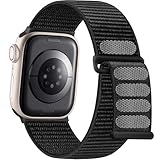
- 【Upgraded Closure, Durable & Secure】Getino sport loop Apple Watch band features a hook-and-loop fastener for quick and easy adjustment. The magic tape of Apple watch bands for women men is sturdy, tested over 3000+ times for durability against breakage. Its strong adhesion securely locks the smartwatch in place, with no worry about the strap coming off
- 【Skin-friendly & Breathable Woven Material】Crafted with velvety softness and hypoallergenic recycled nylon, our Apple Watch bands 40mm are smooth & lightweight, offering both comfort and a snug fit. The iphone watch bands for women feature dense loops on the bracelet that provide soft cushioning while allowing moisture to escape, keeping your wrist dry & non-sticky
- 【Multiple Vibrant Hot Colors】Getino stylish nylon Apple Watch band retain classic colors while incorporating vibrant and unique tones, making your smart watch more personalized and fashionable. Multiple options allow our Apple Watch sport band to help you match outfits for various occasions, such as daily life, swimming, running, gym, yoga, workouts and outdoor activities, etc
- 【Compatible with Apple Watch】Getino adjustable elastic woven wristbands fit for Apple watch band 40mm 41mm 38mm 42mm 46mm 44mm 45mm 49mm, a perfect accessories for Apple Watch Series 12, Apple Watch Series 11 band & iWatch Series 10, Series 9, Series 8, Series 7, Series 6, Series 5, Series 4, Series 3/2/1 and Apple watch Ultra SE 1st, 2nd, 3rd, 4th Generation. 38mm/40mm/41mm/42mm(Series 12/11/10) size for 5.1"-7.5" (130mm-190mm) wrists, 49mm/46mm/45mm/44mm/42mm(Series 3/2/1) size for 5.7" - 8.7" (145mm-220mm) wrists
- 【Buy These Straps with Confidence】 Our dressy solo loop Apple Watch nylon band is an adorable gift for your friends, family, wife or anyone you love on Birthday, Christmas, Valentine's Day, Thanksgiving or New Year. And we offer a 24/7 friendly support from professional Getino Team. Any problem with our fabric iWatch bands for women men, please text us immediately, we will promptly resolve it for you
Method 1: Apply from your Apple Watch
If your watch already recognizes the Black Unity Collection face, you can apply it in seconds.
Recommended Free Tools
- On your Apple Watch, press the Digital Crown to view the watch face.
- Press and hold the display.
- Swipe to find Face Gallery (or the watch face picker).
- Look for the Black Unity Collection watch face.
- Tap Add or Set as Current.
If the face doesn’t appear, go to the troubleshooting section or check watchOS compatibility and sync.
Method 2: Apply from the iPhone Watch app
For many users, the iPhone is the control center for watch face changes.
- On your iPhone, open the Watch app.
- Go to Face Gallery.
- Find the Black Unity Collection watch face.
- Select Add to add it to your watch.
- Confirm the face is synced to your Apple Watch.
If you see the face in Face Gallery but it won’t sync, focus on connectivity and watchOS version checks.
Method 3: If the watch face is delivered via a watchOS update
Some watch faces arrive only after the watchOS update that includes the face template. In that case, the Face Gallery entry won’t appear until you update.
What’s actually slowing this PC down?
Pick the symptom - the matching free tool is one click away.
- On your iPhone, open the Watch app.
- Go to General > Software Update.
- Download and install the available watchOS update.
- Re-open the Watch app and check Face Gallery.
During update, keep your iPhone and Apple Watch near each other and on power.
How to verify you have the right software versions
When Apple introduces new watch face templates, the most common blocker is a mismatch in software versions.
Check iPhone/iPad iOS or iPadOS version
- Open Settings.
- Tap General.
- Tap About.
- Review the Software Version.
Check Apple Watch watchOS version
- Open Settings on your Apple Watch.
- Tap General.
- Tap About.
- Look for the Version (watchOS).
If you’re unsure which watchOS builds support specific faces, update to the latest available for your model, then re-check Face Gallery.
Black Unity Collection Sport Loop band: what to expect and how to confirm fit
The Sport Loop is a fabric band designed for secure, comfortable wear. But band sizes still matter, so you’ll want to confirm compatibility with your Apple Watch model and case size.
Free tools Windows power users keep installed
One-click scans. No signup required.
Also popular on Amazon

- Designed by Black creatives and allies throughout Apple to celebrate and acknowledge Black history and culture, the Black Unity Sport Band is inspired by the colors of the Pan-African flag and pays homage to the rich tradition and craft of quilt-making.
- Three individual pieces of colored fluoroelastomer are assembled by hand and compression-molded as one. The innovative pin-and-tuck closure is laser-etched with “Truth. Power. Solidarity.”
- Apple supports organizations dedicated to advancing racial equity and justice
- Apple Watch Sport Band includes 3 straps that can be configured for either S/M or M/L length.
- Regular Bands fits 130–200mm wrists and are compatible with 38mm and 40mm Apple Watch Models
Band compatibility checklist
Use this quick checklist to avoid ordering the wrong band:
- Know your Apple Watch case size (commonly 41mm, 45mm, or SE/Series-specific sizing).
- Confirm the band listing specifies that size.
- Check whether the band uses the standard Apple Watch band connector style (most do, but listings clarify).
If you already own bands, compare connector style and sizing markings. When in doubt, stick to Apple’s compatibility guidance on the product listing page.
Care and comfort basics for Sport Loop
Sport Loop bands are meant for daily wear, including workouts. To keep them looking fresh:
- Rinse after heavy sweat and allow the band to dry fully.
- Avoid harsh solvents; use mild soap if needed.
- Don’t store the band while it’s still damp.
Comfort often improves once the band is properly seated and tightened to your wrist.
Troubleshooting: what to do when wallpapers or the watch face don’t show up
If something doesn’t work, don’t assume the collection is “missing.” There are a handful of predictable failure modes.
Wallpapers don’t download or won’t save
- Try another browser session: Refresh the page in Safari.
- Check download permissions: Some iOS versions block downloads if restrictions are enabled.
- Free storage: Low storage can prevent saving to Photos.
- Restart Photos: Close and reopen the Photos app, then search for the file.
If saving fails repeatedly, download on a different device and then transfer via AirDrop to Photos.
The watch face isn’t available in the Watch app
- Update watchOS to the latest version your watch supports.
- Reopen Face Gallery after the update finishes.
- Confirm pairing: In the Watch app, ensure your Apple Watch is connected.
- Sign out/in only if needed: If face templates don’t populate, reboot both devices first.
Also verify you’re using the official Apple Watch app on iPhone, not a device manager tool or a third-party interface.
Formatting looks off after setting wallpaper
- Reframe in the wallpaper editor before setting.
- Use the right asset version: Some collections provide different crops for Lock Screen vs Home Screen.
- Disable Live vs Still mismatch if the wallpaper editor offers animation options.
When the wallpaper is stored at the wrong resolution, iOS/iPadOS may stretch or crop it. Download the intended version if Apple offers multiple sizes.
Bluetooth or sync issues prevent watch face changes
- Ensure Bluetooth is enabled on iPhone.
- Keep iPhone and Apple Watch within a short distance.
- Try toggling Airplane Mode on iPhone briefly, then turn it off.
- Restart both devices if Face Gallery changes won’t apply.
After sync recovers, re-check the watch face picker on your watch.
Also popular on Amazon
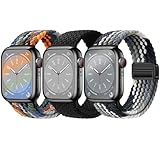
- Compatible Models:Specially designed Nylon Braided replacement bands with magnetic clasp for Apple Watch bands perfectly design for 38mm/40mm/41mm/42mm(Series 12 11 10);42mm(Series3)/44mm/45mm/46mm/49mm,Series 12 Series 11 Series 10 Series 9, Series 8, Series 7, Series SE, Series 6, Series 5, Series 4, Series 3, Ultra Series 4,3, 2 ,1
- Premium Braided Nylon Band:ALSMGGBPAF stretchy braided sport loop watch band is made of recycled polyamide with a fabric weave; which is skin-friendly, comfortable to wear, breathable, lightweight, durable, washable, sweat-resistant and quick-drying; Perfect for Fitness, Running, Yoga and daily workouts and regular wear
- New Magnetic Clasp: The Braided Stretchy Solo Loop for apple watch bands women men feature a upgraded magnetic clasp and reinforced; double magnetic buckle provide a more stable locking, Only need adjust the buckle Once, and it will stay fixed, no more adjustment any more; fits your wrist when you wear it. And you can quickly take off or wear the band within a few seconds, which is convenient and flexibly
- 3 Pack & Freely Adjustable: One size fit for most people, no need to measure your wrist to choose the size. Please choose the strap size you need according to the size of the watch dial;The watch lugs on both ends,can lock onto your securely and precisely. Easily direct installation and one-button removal. (How to adjust the watchband, please see the Product Description or watch the video )
- Our Service : We provides you the best product quality and customer service;Please kindly CONTACT US once you have any questions
Common mistakes to avoid
- Assuming download equals setup: Saved wallpapers still need to be applied in Settings or Photos.
- Skipping software updates: Many new faces depend on watchOS template support.
- Buying the wrong band size: Even if it fits physically, a mismatch can change the look and comfort.
- Using the wrong asset crop: Lock Screen layouts differ from Home Screen arrangements.
If you hit problems, solve them in order: versions → connectivity → asset availability → formatting.
Alternatives: similar ways to create the look
If the exact watch face isn’t available yet on your model, you can still approximate the collection’s look with built-in features.
Match wallpaper colors using iOS Focus and Lock Screen sets
Use multiple Lock Screens so you can switch the Black Unity wallpaper when you want the full theme:
- Create one Lock Screen with the collection wallpaper.
- Assign it to a Focus mode if you use Focus schedules.
This keeps your collection vibe consistent without depending on a specific complication layout.
Create a matching watch face using complications
If the themed face doesn’t appear, you can build a similar aesthetic using a watch face that supports similar colors and complication placement. Then match your daily data (Activity rings, calendar, weather) to complete the look.
FAQs
Where do I find the 2025 Black Unity Collection watch face?
Check Face Gallery in the Watch app on your iPhone or in the watch face picker on the Apple Watch. If it’s missing, update watchOS and try again.
How do I set the Black Unity Collection wallpaper on iPad?
Save the image to Photos, then use Use as Wallpaper from the Share menu. Choose Home Screen, Lock Screen, or both.
Quick wins for a faster PC:
Clear out junk files and repair common Windows errorsFree Scan →Fix the driver behind crashes, sound loss and screen glitchesFind Drivers →My wallpaper looks stretched after applying—what’s wrong?
You may be using a mismatched crop or resolution. Re-download the wallpaper asset if Apple offers multiple sizes, then use the wallpaper editor to reframe before tapping Set.
Can I use the Sport Loop band on any Apple Watch?
Not always. Band listings are size-specific. Confirm the connector style and case size (for example, 41mm vs 45mm) on the official product page before buying.
Bottom Line
The easiest way to get Apple’s 2025 Black Unity Collection look is to treat it as three separate jobs: download and apply iPhone/iPad wallpapers, apply the watch face through Face Gallery, and choose the correct Sport Loop band size for your Apple Watch case.
If anything doesn’t show up, the fastest fix is usually the boring one—update iOS/iPadOS and watchOS, verify pairing, then re-check Face Gallery and wallpaper placement.
The Tool Desk
Outbyte Driver Updater FREEFix the driver behind crashes, sound loss and screen glitchesFind Drivers →Outbyte PC Repair FREEClear out junk files and repair common Windows errorsFree Scan →
