Some links on this page are affiliate links: if you buy through them we may earn a commission, at no extra cost to you.
To stop an AI agent from doing something it shouldn’t, use the control that matches the problem: interrupt the active work, revoke the agent’s authority to make further calls, and separately recover any changes already made. These are three different jobs—not one universal kill switch. A stop may leave a tool call running, revocation may not invalidate every existing credential immediately, and neither action restores affected data.
What does an AI agent “kill switch” actually need to do?
A useful kill-switch plan answers three separate questions: how to halt work that is underway, how to prevent the agent from acting again, and how to deal with effects that have already occurred. A single button may address one or more of these, but its label is not proof of what it actually stops.
As an Amazon Associate I earn from qualifying purchases.
Free tools Windows power users keep installed
One-click scans. No signup required.
This distinction matters because agents can connect model decisions to tools, identities, workflows, and downstream systems. Interrupting a response does not necessarily cancel a workflow or a tool call already in progress. Removing access does not reverse a completed change. Restoring state is a recovery operation, not a side effect of pressing stop.
Microsoft’s guidance on autonomous agent systems calls for reliable system-level mechanisms to pause or stop agents, least privilege, and accessible logs. OWASP’s AI Agent Security guidance separates an agent’s decision from the execution component that validates whether an action is allowed. Claude’s Managed Agents documentation gives a concrete example of why product-specific behavior matters: an interrupt stops the model response, but a running tool call can complete first, and an open workflow run is not ended by the interrupt.
#1 Best Overall

- Product Name : Emergency Stop Push Button Switch ; Contact Type : 2 NC
- Ith:10A ; Ui:600V ; Type :Latching;
- Button Diameter : 40mm/1.6" ; Mount Hole Diameter : 22mm / 7/8";Fit Panel Thickness(adjustable) : 6mm / 15/64"(max.)
- Button size(Approx.) : 39 x 29 x 73mm/ 1.5" x 1.1" x 2.9"(L*W*H);
- Package Content : 2Pcs x Emergency Stop Push Button Switch.
What is the difference between stopping, revoking, and rolling back?
Use an emergency stop to interrupt execution, revocation to remove future authority, and rollback or recovery to correct effects already produced. Treat them as separate controls, even if your platform groups them under one incident workflow.
| Control | Main job | Questions to verify | Key limitation |
|---|---|---|---|
| Emergency stop or interrupt | Halt an active response or workflow within the control’s scope. | Does it cancel in-flight tool calls, queued work, child agents, and scheduled runs? Does it affect one run, one agent, or the deployment? | Behavior varies by product. An interrupt may leave a workflow or an already-started tool call active. |
| Permission revocation | Prevent further authorized calls by removing access. | Which identity, access or refresh token, grant, key, role, connector, and downstream permission need disabling or invalidation? | Existing tokens or downstream systems that do not re-check authorization can delay containment. |
| Rollback or recovery | Restore or correct affected data, configuration, accounts, code, or resources. | What changed? Is there a trustworthy prior state? Who approves restoration, and can it be reversed safely? | Some effects cannot be recalled. Stopping or revoking does not restore state. |
Claude’s documentation makes the final distinction explicit: “An interrupt does not undo what the agent already did or sent.” That is a product-specific statement about its Managed Agents behavior, but the underlying planning lesson is broader: do not assume that halting future execution erases completed effects.
How do I stop an AI agent that is acting right now?
Use an operator-controlled stop path outside the model’s own decision-making, then confirm what actually halted. A model saying it will stop, or a user prompt asking it to stop, is not an enforcement mechanism.
- Trigger the platform’s documented interrupt or pause control. Know whether the control targets a response, run, agent, or broader deployment. Do not infer scope from a button label.
- Check the run and tool status. Determine whether a tool call is still executing, whether work remains queued, and whether related workflow runs or child agents are active. Claude’s documented semantics show why this check matters: an in-flight tool call can finish before the interrupt takes effect, and an open workflow run can persist.
- Prevent new work from entering the same path. If the interrupt only affects one response or run, use the appropriate system-level pause or stop mechanism for the workflow or deployment as well. The correct choice depends on the product’s documented scope.
- Capture what happened before making recovery decisions. Preserve accessible records of actions, tools, outcomes, and the agent identity. These records help establish whether the stop preceded or followed a consequential action.
- Move to revocation if stopping the run is not enough. An interrupt can halt execution in its scope without removing the identity’s ability to start or authorize later calls.
Design the stop path so a responsible operator can reach it without relying on the agent to cooperate. Microsoft recommends reliable system-level pause or stop mechanisms and deterministic controls; the enforcement point should block prohibited actions regardless of what the model produces.
Rank #2

- HEAVY-DUTY INDUSTRIAL PROTECTION: Engineered for rapid response, this Emergency Stop Switch features a prominent Red Mushroom Head for instant identification. Designed to cut off power in critical situations, it is essential for protecting machinery and equipment. Press to stop, rotate clockwise to reset
- DUAL CONTACTS (1NO + 1NC): Equipped with 1 Normally Open (NO) and 1 Normally Closed (NC) contacts. Rated for AC 660V / 10A, it provides flexible wiring options for a wide range of control systems, from lighting to motor controls
- IP65 WATERPROOF & WEATHERPROOF: Built for harsh conditions, the IP65-rated enclosure resists dust, water, and oil. The included sealing gasket ensures a reliable, tight fit—ideal for outdoor equipment, automotive shops, or demanding industrial settings
- DURABLE & HIGH-VISIBILITY DESIGN: The high-contrast Yellow & Black enclosure ensures maximum visibility in busy workspaces. Crafted from rugged, impact-resistant materials, this switch is built for long-lasting performance in heavy-duty environments
- WIDE INDUSTRIAL APPLICATION: A versatile solution for Automotive, Construction, and Control Systems. Whether upgrading existing machinery or building new control panels, this professional-grade Emergency Cut-off Switch provides a simple and reliable integration
How do I revoke an AI agent’s permissions completely?
Revoke the full authorization chain, not just the agent’s visible account or one API key. A disabled identity may not be sufficient if a still-valid token, shared credential, grant, or downstream permission continues to authorize calls.
Microsoft’s identity guidance highlights persistent tokens, shared credentials, and downstream authorization checks as containment concerns. It recommends testing identity disablement, credential rotation, token invalidation, and stale-permission removal rather than assuming that one change takes effect everywhere.
Recommended Free Tools
Map the access path before an incident
Record which identity the agent uses, what credentials or tokens it can obtain, which grants and roles it holds, and which tools or downstream resources accept those credentials. Keep access attributable to the agent where possible. Microsoft recommends managed identities and least privilege, and warns that permissions aggregated across access paths can become broader than intended.
Use a tested revocation sequence
- Disable the agent identity or otherwise block it from obtaining new authorization.
- Invalidate relevant access and refresh tokens, where the identity system supports it.
- Rotate credentials that may have been exposed or shared, including keys used by connectors or tools.
- Remove grants, roles, and stale permissions that are no longer needed.
- Test the downstream resource directly and verify that it rejects further calls using the agent’s former access path.
This is a containment checklist, not a promise that every platform has identical controls or timing. Microsoft’s guidance emphasizes testing the end-to-end chain because a downstream system that does not re-check authorization may continue to accept an existing credential.
Rank #3
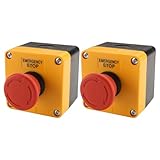
- HEAVY-DUTY INDUSTRIAL PROTECTION: Engineered for rapid response, this Emergency Stop Switch features a prominent Red Mushroom Head for instant identification. Designed to cut off power in critical situations, it is essential for protecting machinery and equipment. Press to stop, rotate clockwise to reset
- DUAL CONTACTS (1NO + 1NC): Equipped with 1 Normally Open (NO) and 1 Normally Closed (NC) contacts. Rated for AC 660V / 10A, it provides flexible wiring options for a wide range of control systems, from lighting to motor controls
- IP65 WATERPROOF & WEATHERPROOF: Built for harsh conditions, the IP65-rated enclosure resists dust, water, and oil. The included sealing gasket ensures a reliable, tight fit—ideal for outdoor equipment, automotive shops, or demanding industrial settings
- DURABLE & HIGH-VISIBILITY DESIGN: The high-contrast Yellow & Black enclosure ensures maximum visibility in busy workspaces. Crafted from rugged, impact-resistant materials, this switch is built for long-lasting performance in heavy-duty environments
- WIDE INDUSTRIAL APPLICATION: A versatile solution for Automotive, Construction, and Control Systems. Whether upgrading existing machinery or building new control panels, this professional-grade Emergency Cut-off Switch provides a simple and reliable integration
Can I roll back what an AI agent did?
Sometimes, but rollback depends on the action and the state you can reliably restore. First identify what changed; then determine whether the affected system has a safe prior state or another appropriate correction. Sending an interrupt or revoking permissions does not perform that recovery.
Separate actions by their practical reversibility before allowing them. A change to stored data or configuration may have a recoverable prior state if one was preserved, while a message already sent or another external consequence may not be recallable. Even where a system offers an undo operation, check what it restores and whether later changes would be overwritten.
The Tool Desk
Outbyte PC Repair FREEClear out junk files and repair common Windows errorsFree Scan →Outbyte Driver Updater FREEFix the driver behind crashes, sound loss and screen glitchesFind Drivers →- Identify the affected resources. Use logs and downstream records to determine which actions completed and their outcomes.
- Establish the intended prior state. Confirm that the state being restored is correct and that the recovery mechanism covers the actual change.
- Get an appropriate human decision. OWASP recommends explicit approval for high-impact or irreversible actions. Recovery itself can have consequences, so do not treat it as automatically safe.
- Verify the result. Check the affected resource and record what was restored or corrected.
OWASP recommends classifying actions by risk and using approvals, previews, and audit trails where appropriate. This is especially important when an action is difficult to reverse: a preview helps an approver understand the proposed effect, while an audit trail helps establish what was approved and what executed.
How should approvals and execution controls work?
An approval should authorize a particular proposed action, not grant the agent a general license to act. The component that executes an action should independently validate its scope, privilege, and approval state.
Rank #4

- Product Name : Emergency Stop Push Button Switch ;Contact Type : 1 NC 1 NO ;Terminal Quantity: 3
- Ith:3A ; Ui:12-220V ; Type :Latching;
- Button Diameter : 31.8mm / 1.25" ; Mount Hole Diameter : 22mm / 7/8";Fit Panel Thickness(adjustable) : 6mm / 15/64"(max.)
- Button size(Approx.) : 31.8 x 46.8mm /1.25" x 1.84"(Max.Dia x L);
- Package Content : 1pcs x Push Button Switch + Connection plug
OWASP’s AI Agent Security guidance puts the separation plainly: “Separate decision-making from execution. The agent can propose an action, but a policy service or execution component should independently validate scope, privilege, and approval state before execution.” This means the model’s output should not itself be the permission check.
- Require explicit human approval for high-impact or irreversible actions.
- Show an action preview that makes the intended target and effect understandable before approval.
- Bind approval to the action being reviewed, and have the execution component validate that approval independently.
- Apply deterministic policy checks that block prohibited actions regardless of the model’s response.
- Keep tools and data limited to what the agent needs; deny unnecessary operations by default.
Microsoft summarizes the least-privilege principle this way: “Apply least privilege and least action. Allow only the minimum tools, data, and operations required. Deny everything else by default.” This reduces the potential reach of an error and makes the revocation problem more manageable.
Crashes, No Sound, or Screen Glitches?
Random freezes, missing sound and display glitches usually trace back to one bad driver. Find and replace yours safely.Free scan · under a minuteWindows Errors? Fix Them Before They Spread
Repair common Windows errors and clear accumulated junk for a smoother, more stable PC - no reinstall needed.Free scan · no reinstallWhat should an AI agent incident runbook include?
A runbook should make the response executable under pressure: who can act, what each control affects, how access is revoked, what evidence is kept, and who decides whether recovery is safe. Write it for the deployed system, then test it against that system’s actual behavior.
- Control ownership: identify who may trigger an interrupt, pause a workflow, disable an identity, and approve recovery.
- Scope: specify whether the stop affects a response, run, agent, workflow, scheduled execution, or deployment.
- Revocation coverage: list identities, tokens, credentials, grants, roles, connectors, and downstream permissions to check.
- Evidence preservation: identify where logs and outcomes are available, and how to retain enough information to understand impact.
- Recovery decision: name who assesses the affected state and authorizes a correction or restoration.
- Re-enablement: define who can restore access and what must be verified before normal operation resumes.
Microsoft calls for accessible post-execution logs covering actions, tools, and outcomes for audit and incident response. A useful record should let responders connect an action to the agent and the tool involved, then determine its result. The platform and downstream systems both need to expose enough evidence to establish impact.
Best Value

- 【Premium Durability】:Crafted from corrosion-resistant aluminum alloy, this emergency stop switch ensures long-lasting performance. Features flame-retardant silver contacts for enhanced safety and reliability, making it a durable e-stop push button switch for demanding applications.
- 【Reliable E-Stop Function】:Engineered with a "push to lock, turn to release" latching mechanism, this e-stop button operates at 12V-440V/10A with 1NO+1NC contacts. Designed for 22mm panel mounting, it delivers precise emergency shutdown capability.
- 【Smooth Operation】:Experience seamless tactile feedback with our panic button. Its optimized spring mechanism enables quick response and resists deformation, ensuring reliable performance during critical moments.
- 【 IP65 Protection】:Built with complete dust and waterproof sealing, this emergency stop switch maintains functionality in harsh conditions. Ideal for wet, dirty, or humid industrial environments where reliability matters most.
- 【Versatile Applications】:Suitable for industrial machinery, medical equipment, vehicles, marine use, and home appliances. This multi-purpose emergency button provides safety across diverse scenarios as a trusted e stop switch.
How can I tell whether a kill switch is reliable?
Test the control by its demonstrated scope and outcome, not its name. The checks below are practical comparison axes drawn from the distinct control jobs described by Microsoft, OWASP, and Claude; they are not a standardized scoring framework.
- Scope: does it target one run, an agent, a tool, or a deployment?
- In-flight behavior: what happens to an executing tool call, queued task, child agent, or scheduled run?
- Latency: how quickly does the control take effect in the relevant system?
- Credential coverage: which identities, tokens, keys, roles, and grants are included in revocation?
- Downstream enforcement: does the target resource reject further calls after access changes?
- Audit evidence: can responders establish what was attempted, what completed, and what outcome followed?
- Reversibility and impact: what can be restored, and what consequences would remain?
- False-trigger impact: what business process is interrupted if the control is used unnecessarily?
Repeat relevant checks when the workflow, identity setup, or connected tools change. Platform behavior and revocation semantics can differ, so the documentation for the specific deployment—and a test of that deployment—should determine the runbook.
What’s actually slowing this PC down?
Pick the symptom - the matching free tool is one click away.
Frequently Asked Questions
Should an AI agent’s stop control be available to the agent itself?
The safety control should not depend on the agent deciding to obey a prompt. Keep an operator-accessible, system-level enforcement path that can block execution independently of model output.
What should I record in an AI agent incident ticket?
Record the affected run or agent, the actions and tools involved, outcomes that are known, the stop and revocation steps taken, and who approved any recovery. Preserve accessible logs from both the agent platform and affected downstream systems when available.
How often should I test an AI agent kill switch?
There is no universal test interval established by the cited guidance. Test it before relying on it operationally, and repeat relevant checks after changes to the workflow, connected tools, or identity and permission setup.
Quick Recap
Product prices and availability are accurate as of the date/time indicated and are subject to change. Any price and availability information displayed on Amazon at the time of purchase will apply.
Do these 3 things before closing this tab:
1Repair Windows errors before they cause bigger problems2Scan for outdated or missing drivers - takes under a minute3Clear out junk files and repair common Windows errors
