Some links on this page are affiliate links: if you buy through them we may earn a commission, at no extra cost to you.
Steam accounts are valuable targets because they can hold years of game purchases, saved payment details, rare inventory items, wallet balances, and active friend networks that scammers can exploit. Reports warning that as many as 89 million Steam accounts may be at risk should be treated as a prompt to review your security immediately, especially if you reuse passwords or have ever clicked a suspicious Steam-related link.
The most common danger is not someone “hacking Steam” directly, but attackers using phishing pages, stolen credentials, fake trade offers, malicious links, or reused passwords from other breaches to break into individual accounts. Once inside, they may change account details, drain inventories, send scam messages to friends, or attempt payment fraud.
As an Amazon Associate I earn from qualifying purchases.
What’s actually slowing this PC down?
Pick the symptom - the matching free tool is one click away.
The fastest protection is to enable Steam Guard two-factor authentication, preferably through the Steam Mobile Authenticator. It adds a second approval step for logins and trades, making it much harder for someone to access your account even if they know your password.
What happened and why Steam users should pay attention
Security researchers and media reports have warned that data tied to as many as 89 million Steam accounts may be circulating in criminal channels, raising concerns that attackers could use the information to target players with phishing, credential-stuffing, and account-takeover attempts. The exact source and freshness of the data may vary by report, and not every affected record necessarily means a Steam password has been exposed. Even so, a large collection of account-related details can still be valuable to criminals if it helps them identify real users, craft believable scams, or test reused passwords across services.
Popular on Amazon

- Both for Steam Deck LCD & OLED: JSAUX Full-screen coverage 7-inch tempered glass screen protector compatible with Steam Deck LCD & Steam Deck OLED. Edge to edge. 【NOTE】The tempered glass screen protector in this package is compatible with the new ROG Xbox Ally X20 screen. However, please note that the included Installation Guide Frame does NOT fit the Ally X20. You will need to align and install the screen protector manually.
- Easy to Install: Comes with a guiding frame that allows you to easily install the screen protector to your Steam Deck / Steam Deck OLED without having to repeatedly align the edges
- Ultra HD Clarity: With 99.99% Transparency, you can enjoy the original clarity without any additional blemish
- 5X Sturdier: Extra-reinforced at 500℃ for several hours, 5X Sturdier than other regular screen protectors that have been reinforced only once
- Anti-fingerprint: With the oleophobic coating, the JSAUX Steam Deck screen protector will keep your screen clean and tidy at all times
Steam accounts are attractive targets because they often contain more than just a game library. Many users have saved payment methods, valuable in-game items, tradeable skins, wallet balances, friends lists, and years of purchase history. A compromised account can be used to steal items, make fraudulent purchases, impersonate the owner, spread malicious links to friends, or lock the legitimate user out by changing recovery details. For players with rare Counter-Strike 2 skins, Dota 2 items, or other marketplace assets, the financial damage can happen quickly once an attacker gains access.
The biggest risk for most users is not a dramatic “hack” of Steam itself, but follow-on attacks that exploit leaked or scraped information. If your email address, username, phone number, partial account details, or old password appears in a breach collection, criminals can combine that data with automated login attempts and convincing messages. They may send emails or chat messages that look like Steam support alerts, fake trade confirmations, tournament invites, refund notices, or account suspension warnings. These messages usually push you to a fake login page designed to capture your Steam credentials and Steam Guard codes.
Steam users should pay attention now because account-takeover campaigns tend to move fast after large datasets become available. If you reuse passwords, have not enabled Steam Guard, or frequently click links from trading communities, Discord servers, Reddit posts, or direct messages, your risk is higher. The safest immediate response is to assume attackers may try to trick you, strengthen your login protections, and review your account for unfamiliar activity before a problem appears.
How hackers may target Steam accounts
Steam accounts are valuable because they can hold purchased games, saved payment methods, wallet balances, rare inventory items, trading cards, skins and access to connected communities. If attackers have access to a large set of phone numbers, older credentials, session data or other leaked account information, they can use it to make phishing attempts look more believable. Even if a Steam password was not exposed, criminals may still try to connect the dots across previous breaches and trick users into handing over the missing pieces.
The most common attack is a fake Steam login page. A message may arrive by email, SMS, Discord, Telegram, Reddit, X or Steam chat claiming there is a problem with your account, a pending ban, a free game, a tournament invite, a market sale or a trade offer. The link may open a page that closely copies Steam’s sign-in screen and asks for your username, password and Steam Guard code. If you enter those details, the attacker can attempt to sign in immediately, sometimes using automation to capture the two-factor code before it expires.
Credential stuffing is another major risk. This is where attackers take username and password combinations leaked from other sites and try them on Steam. Anyone who has reused a password across gaming forums, marketplaces, email accounts or old services is more exposed. Attackers may also try password-reset abuse, SIM-swap attacks against phone numbers, malware that steals browser cookies, or malicious “trade helper” extensions that monitor Steam sessions and redirect trades.
Recommended Free Tools
Common warning signs to watch for
- Urgent threats: messages claiming your Steam account will be banned, locked or deleted unless you sign in right away.
- Too-good-to-be-true rewards: free wallet funds, rare skins, beta access, giveaways or gift cards that require a login through an unfamiliar link.
- Suspicious trade activity: trade confirmations you did not request, inventory changes, or messages sent from your account that you do not recognize.
- Lookalike domains: URLs that include misspellings, extra words, unusual country domains or redirects instead of the official steampowered.com or steamcommunity.com domains.
- Unexpected Steam Guard prompts: login approval requests when you are not actively signing in.
Phishing attempts can also target people around major Steam events, such as seasonal sales, new game launches and esports tournaments. Attackers know users are more likely to click quickly when they expect discounts, gifts or community activity. Treat any link that asks you to sign in as suspicious, especially if it came from an unsolicited message. A safer approach is to open the Steam app directly or type the official address into your browser, then check notifications, trades and account alerts from there.
Also popular on Amazon
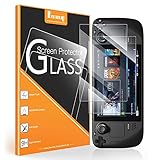
- [Compatibility]: Exclusively compatible with Steam Deck OLED 2023 and Steam Deck 2021. Not suitable for other models.
- [High-quality materials]: 33 mm ultra-thin 9H hardness tempered glass HD screen protector - anti-scratch/waterproof/anti-oil.
- [Anti-scratch]: The high-quality tempered glass with 9H high hardness in the industry effectively protects your Steam Deck from scratches, keep it clean by simply wiping.
- [High definition]: 99% HD clear transparent tempered glass retains original touch sensitivity and viewing experiences. Tempered glass provides the best view for your Steam Deck display and ensures maximum resolution.
- [What you get]: 2 x Benazcap tempered glass screen protectors, instructions and cleaning kit.
Attackers may also impersonate Steam Support, game developers, moderators or marketplace buyers. Real Steam Support will not ask for your password, Steam Guard code, recovery code, remote access to your PC or screenshots containing sensitive account details. If someone pressures you to “verify” your items, move your inventory to a “safe” account, install software or scan a QR code to avoid a ban, assume it is a scam. Those tactics are designed to bypass your caution and capture access before you have time to review what is happening.
Why Steam Guard is the security feature you should enable now
Steam Guard is the most effective protection to turn on immediately because it adds a second verification step between an attacker and your account. If someone gets your Steam password through phishing, malware, password reuse, or a leaked credential list, the password alone should not be enough to sign in. With Steam Guard enabled, Steam asks for an additional code or mobile confirmation before allowing access from a new device.
The strongest version is Steam Guard Mobile Authenticator in the Steam mobile app. It generates time-sensitive codes and can require confirmations for sensitive actions, including trades and Market activity. That matters because hijacked Steam accounts are often abused quickly: attackers may try to steal valuable skins, sell inventory items, change account details, or message friends with more phishing links. Mobile-based protection makes those attacks harder to complete, even if the attacker already knows your password.
Quick wins for a faster PC:
Clear out junk files and repair common Windows errorsFree Scan →Fix the driver behind crashes, sound loss and screen glitchesFind Drivers →Repair Windows errors before they cause bigger problemsFix Now →Steam Guard can also send codes by email, but the mobile authenticator is generally safer. Email-based codes depend on the security of your email inbox; if that email account is also compromised, an attacker may be able to intercept the Steam code. The mobile authenticator keeps the second factor tied to your phone and the Steam app, reducing the chance that a stolen email password or inbox forwarding rule can be used to take over your Steam account.
What Steam Guard helps protect against
- Stolen passwords: A reused or phished password is less useful without the second factor.
- New-device sign-ins: Unknown login attempts are challenged before access is granted.
- Inventory theft: Mobile confirmations add friction to trades and marketplace actions.
- Account changes: Extra verification can slow attempts to alter account credentials or settings.
- Friend-list scams: Keeping attackers out helps prevent your account from being used to trick others.
Enabling Steam Guard will not make an account invincible. You still need a unique password, a secure email account, and caution around links that claim to offer free games, tournament invites, item giveaways, or urgent account warnings. However, two-factor authentication is the fastest security upgrade with the biggest immediate effect. It turns a single stolen secret into an incomplete login attempt.
If you hold valuable game inventories, have payment details saved, or use the same username across gaming platforms, Steam Guard should be treated as essential rather than optional. Once it is active, keep your recovery codes in a safe place, make sure your phone number and email address are current, and never enter Steam Guard codes into a website you reached through a chat message, ad, or unsolicited email. Real Steam sign-ins should happen only through the official Steam app, the Steam client, or steampowered.com.
How to turn on Steam Guard two-factor authentication
Steam Guard is available in two main forms: email-based verification and the stronger Steam Guard Mobile Authenticator in the Steam app. If you only use email codes, a stolen email inbox can put your Steam account at risk. The mobile authenticator is the better option because sign-ins, trades, and marketplace actions require approval from a device you control.
Also popular on Amazon

- [UPDATED VERSION]iVoler specifically designed Compatible With Steam Deck OLED 7.4 '' 2023 /Steam Deck 7inch‘’.Not for any other models.
- Ultra-clear High Definition with 99.9% transparency to allow an optimal, natural viewing experience
- Ultra thin-0.3mm thickness is reliable and resilient, and promises full compatibility with touchscreen sensitivity
- Highly durable, and scratch resistant - 9H Tempered glass screen protector will fit your steam deck perfectly. Precise laser cutting size provides maximum protection for the entire touchscreen surface of your steam deck , scratch-resistant and blowout-resistant.
- Includes: 2 x Tempered GLASS Screen Protector,1x Easy Install Frame,Dry&Wet Wipes,Squeeze Card,Easy Installation Use Guide.Includes: 2 x Tempered GLASS Screen Protector,1x Easy Install Frame,Dry&Wet Wipes,Squeeze Card,Easy Installation Use Guide.
Enable Steam Guard in the Steam mobile app
- Install the official Steam Mobile app from the Apple App Store or Google Play Store.
- Open the app and sign in with your Steam username and password.
- Tap the shield icon or open the menu and select Steam Guard.
- Select Add Authenticator.
- Enter a phone number if prompted, then verify it using the SMS code Valve sends you.
- Save your recovery code somewhere secure, such as a password manager. This code helps you regain access if your phone is lost or replaced.
- After setup, the app will generate rotating Steam Guard codes and may also show approval prompts for sign-ins.
Once the mobile authenticator is active, new login attempts will require a code from your phone. If Steam asks you to approve a sign-in you did not initiate, deny it immediately and change your password from a trusted device. Do not share Steam Guard codes with anyone, including people claiming to be Steam support, tournament organizers, item traders, or moderators. Real support staff will not ask for your one-time code.
Check Steam Guard on desktop
- Open Steam on your PC or Mac.
- Click Steam in the top-left corner, then select Settings.
- Go to Security or Account, depending on your Steam client version.
- Look for Steam Guard and confirm that the mobile authenticator is enabled.
- If it is not enabled, choose the option to manage Steam Guard and follow the prompts to activate it.
You can also manage Steam Guard through a browser by signing in at store.steampowered.com, opening your account details, and reviewing the account security section. Before entering your password, make sure the address is spelled correctly and uses HTTPS. Fake Steam login pages are common in phishing campaigns, and many are designed to capture both your password and your one-time Steam Guard code in real time.
After turning it on
- Keep your recovery code private: Store it offline or in a trusted password manager, not in a public cloud note or screenshot folder.
- Do not approve unexpected prompts: A surprise login request is a warning sign that someone may have your password.
- Update your phone number and email: Make sure Steam can reach you if you need to recover the account.
- Expect trade holds during changes: Adding or moving an authenticator can temporarily affect trading and Marketplace activity.
Steam Guard is not a replacement for a strong, unique password, but it is the fastest way to put a barrier between attackers and your games, wallet balance, inventory, and personal details. Set it up from the official Steam app, save the recovery code, and treat every unexpected verification request as suspicious.
Other steps to lock down your Steam account
Steam Guard two-factor authentication is the biggest immediate upgrade, but it should not be the only defense on your account. Attackers often rely on reused passwords, fake login pages, malicious browser extensions, compromised email inboxes, and social engineering through Steam chat or Discord. Once Steam Guard is active, the next priority is to reduce the number of ways someone could get your password, intercept a login, or trick you into approving access.
Change your Steam password and make it unique
Use a password that you do not use on any other website or app. If your Steam password is shared with an old forum account, game mod site, marketplace, or email service, a breach elsewhere could put your Steam library and wallet at risk. A strong Steam password should be long, random, and stored in a reputable password manager. Avoid passwords based on gamer tags, favorite games, birthdays, pet names, keyboard patterns, or small variations of old passwords.
Secure the email account linked to Steam
Your Steam account is only as safe as the email address attached to it. If an attacker controls your email, they may be able to reset passwords, intercept account alerts, or hide security messages. Turn on two-factor authentication for your email account, review recovery phone numbers and backup addresses, and remove anything you do not recognize. If your email provider shows recent sign-in activity, check it for unfamiliar devices, locations, or failed login attempts.
- Update your recovery details: Make sure your Steam email address and phone number are current so you can recover the account quickly if something goes wrong.
- Review authorized devices: In Steam settings, deauthorize devices you no longer use, especially old PCs, shared computers, or machines you sold or repaired.
- Watch for fake trade or marketplace links: Do not sign in through links sent in chat, Discord, social media, or email. Open Steam directly in the app or by typing the address yourself.
- Be careful with browser extensions: Remove extensions you do not need, especially ones that claim to improve trading, skins, prices, inventory management, or marketplace deals.
- Avoid “free game” and “vote for my team” scams: These campaigns commonly lead to phishing pages that mimic Steam login screens.
It is also worth checking third-party sites connected to your Steam profile. Many legitimate services let you sign in with Steam, but old or unknown connections can increase your exposure if you used them during a phishing attempt. Visit your Steam account page and review API key access; if you do not actively use Steam Web API features, revoke any key you did not create or do not recognize. A malicious API key can be abused in some trade scams, especially when attackers try to redirect or manipulate trade confirmations.
Also popular on Amazon

- Perfect Compatibility: Specifically designed for the Steam Deck/Steam Deck Oled, ensuring a precise fit that covers the entire screen without obstructing any features or buttons.
- Eye Protection Technology: Features a specialized blue light filter that reduces harmful blue light emissions, helping to minimize eye strain and fatigue during extended gaming sessions.
- Ultra-Thin & Durable: Crafted with premium 0.33mm ultra-thin tempered glass, offering a sleek design while maintaining robust protection. The 9H hardness rating ensures resistance against scratches, impacts, and daily wear.
- Crystal-Clear Clarity & Premium Quality: Despite its blue light filtering properties, the screen protector maintains high transparency and vibrant color accuracy. The oleophobic coating resists fingerprints and smudges, keeping your screen clean and clear. A high-quality, must-have accessory for Switch users who prioritize eye comfort and screen protection.
- Package Includes: 3x Tempered Glass Screen Protectors, 3x Cleaning tool kit, 3x Dust Removal Stickers.
Keep your devices clean and up to date
Malware on your PC can steal session cookies, capture passwords, or alter trade pages in the browser. Install operating system updates, update your browser, and run a scan with trusted security software if you recently clicked a suspicious link or downloaded a tool advertised through chat. Avoid installing cracked games, cheat tools, inventory bots, or “skin changer” apps, as these are common delivery methods for credential theft and session hijacking.
Outdated Drivers Are Slowing You Down
One free scan finds every outdated or missing driver and matches the right update for your exact hardware.Free scan · exact hardware matchPC Slower Than It Used to Be?
A free scan shows the junk files, broken settings and background clutter dragging Windows down - then fixes them in one click.Free scan · Windows 10 & 11Finally, slow down whenever Steam asks you to approve a login, trade, marketplace listing, or account change. If you receive a Steam Guard code or mobile confirmation you did not request, do not approve it. Change your password immediately, deauthorize other devices, and check your email security. Most account theft attempts depend on speed and pressure; taking a few seconds to verify the domain, the request, and the device can prevent a stolen account.
Independent reader supportYour contribution helps us test, update, and keep practical guides available for everyone.How to check whether your account has been compromised
If you think your Steam account may have been targeted, start by looking for changes you did not make. Common warning signs include new friends you do not recognize, messages sent from your account, items missing from your inventory, games purchased or gifted without your permission, or changes to your profile name, avatar, email address, phone number, or password. You may also see Steam Guard emails or mobile notifications about sign-ins from unfamiliar locations or devices.
Open Steam and review your recent account activity. In the Steam client or on the Steam website, go to your account details and check your purchase history, wallet balance, market activity, trade history, and authorized devices where available. Pay close attention to small transactions, canceled trades, or listings on the Community Market that you do not remember creating. Attackers often try to move valuable items quickly, so unusual trade confirmations or inventory changes should be treated seriously.
Signs that require immediate action
- You cannot sign in even though you are using the correct password.
- Your email address or phone number was changed without your approval.
- Steam Guard codes are arriving unexpectedly, especially repeatedly.
- Your inventory, wallet, or purchase history shows activity you do not recognize.
- Friends report suspicious messages from your account, such as links to free items, tournaments, giveaways, or fake login pages.
- Your account has joined groups, added friends, or posted comments that you did not create.
If any of these signs appear, change your Steam password immediately from a trusted device. Do not use a link from an email, chat message, Discord post, or search ad; type steampowered.com directly into your browser or open the official Steam app. After changing the password, revoke access from unfamiliar devices if that option is available, confirm that your email address and phone number are yours, and make sure Steam Guard is enabled on the Steam Mobile App.
Free tools Windows power users keep installed
One-click scans. No signup required.
You should also secure the email account connected to Steam. A compromised email inbox can let an attacker reset your Steam password, approve account changes, or hide security alerts. Change the email password, enable two-factor authentication on that email account, and review forwarding rules, recovery addresses, and connected apps. Remove anything you do not recognize, especially mail filters that archive or delete messages from Steam.
If items, funds, or access are already missing, contact Steam Support through the official support site. Gather details before submitting a request: the account name, email address, approximate date of suspicious activity, screenshots of unauthorized trades or purchases, and any relevant payment information used to prove ownership. Avoid “recovery” services or people claiming they can get your account back through third-party tools; they are often scams designed to steal more information.
Also popular on Amazon
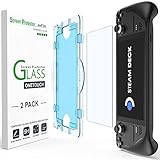
- Compatible with Steam Deck: Specifically designed for the 7 inch Steam Deck model with no compatibility issues.
- Auto-Alignment Technology: Perfectly fits over your device with a quick 60 second installation process.
- Thin and Durable: Ultra thin 0.3mm thickness provides full touchscreen sensitivity.
- Scratch Resistant: 9H hardness protects against scratches and fingerprints.
- Complete Kit: Includes 2 pre-installed screen protectors and easy installation tool.
After regaining control, warn your Steam friends not to click recent links sent from your account. Then do a final cleanup: scan your PC for malware, remove suspicious browser extensions, sign out of Steam on shared computers, and replace reused passwords on other accounts. If the same password was used for email, Discord, game marketplaces, or payment services, change those as well, starting with the accounts that can reset or access your Steam profile.
Frequently Asked Questions
Were 89 million Steam passwords actually leaked?
The reported risk involves a large set of Steam-related account data allegedly being offered or circulated, but that does not automatically mean every password was exposed. Steam users should treat the situation seriously because attackers can use leaked emails, phone numbers, old passwords, or session-related data in phishing and credential-stuffing attacks. The safest response is to change your password, enable Steam Guard, and review recent account activity.
The Tool Desk
Outbyte Driver Updater FREEScan for outdated or missing drivers - takes under a minuteDriver Scan →Outbyte PC Repair FREEClear out junk files and repair common Windows errorsFree Scan →What is Steam Guard and how does it protect my account?
Steam Guard is Steam’s two-factor authentication system, usually enabled through the Steam mobile app. When it is active, signing in from a new device requires a temporary code or mobile confirmation in addition to your password. This makes it much harder for someone to take over your account even if they know your login details.
How do I turn on Steam Guard two-factor authentication?
Install the Steam mobile app, sign in, open the Steam Guard section, and choose to add the Mobile Authenticator. Steam will walk you through verifying your phone number and saving a recovery code. Keep that recovery code somewhere safe because you may need it if you lose access to your phone.
How can I tell if someone has accessed my Steam account?
Check your Steam account details for recent login history, unfamiliar devices, changed contact information, unexpected trades, market listings, or purchases you did not make. Also look for emails from Steam about password changes, new device sign-ins, or Steam Guard changes. If anything looks wrong, change your password immediately, revoke access from other devices, and contact Steam Support.
What else should I do besides enabling Steam Guard?
Use a strong, unique password for Steam that you do not use on any other site, preferably stored in a password manager. Be cautious of links sent through Discord, email, chat, or fake tournament and giveaway pages that ask you to sign in with Steam. You should also secure the email account linked to Steam with its own two-factor authentication, because control of your email can be used to reset your Steam password.
Do these 3 things before closing this tab:
1Scan for outdated or missing drivers - takes under a minute2Clear out junk files and repair common Windows errors3Fix the driver behind crashes, sound loss and screen glitchesBottom Line
If you have a Steam account, treat this as a prompt to tighten your security now: enable Steam Guard two-factor authentication, use a strong unique password, and be wary of links or messages asking you to sign in. Most account takeovers start with stolen credentials or convincing phishing pages, so never enter your Steam login unless you’ve verified the site is legitimate.
Next, review your account activity, revoke unfamiliar devices or API keys, and make sure your email account is protected with its own two-factor authentication. A few minutes of prevention can help keep your games, wallet funds, inventory, and personal information out of an attacker’s hands.
Quick Recap
Product prices and availability are accurate as of the date/time indicated and are subject to change. Any price and availability information displayed on Amazon at the time of purchase will apply.

