Windows Errors? Fix Them Before They Spread
Repair common Windows errors and clear accumulated junk for a smoother, more stable PC - no reinstall needed.Free scan · no reinstallCrashes, No Sound, or Screen Glitches?
Random freezes, missing sound and display glitches usually trace back to one bad driver. Find and replace yours safely.Free scan · under a minuteSome links on this page are affiliate links: if you buy through them we may earn a commission, at no extra cost to you.
The best used-laptop value in the United States in 2026 is concentrated in 2020–2023 business machines—ThinkPad, Latitude and EliteBook—plus Apple Silicon MacBooks. Buy the exact configuration, not merely the model name: target 16 GB RAM, a 512 GB SSD, a 1080p-or-better screen, Windows 11 eligibility (for Windows machines), documented battery condition and a real return window. The prices below are observed U.S. used/refurbished targets checked August 16, 2026; inventory and prices change daily.
Quick picks
| Need | Pick | Target used price (USD) |
|---|---|---|
| Best overall Windows value | Lenovo ThinkPad T14 Gen 3 AMD, Ryzen 5 Pro 6650U, 16 GB/512 GB | $400–$650 |
| Best Mac value | MacBook Air M1, preferably 16 GB | $350–$600 |
| Best under $400 | ThinkPad T14 Gen 2 AMD, Ryzen 5 Pro 5650U | $300–$500 |
| Best lightweight Windows laptop | ThinkPad X1 Carbon Gen 9 | $350–$650 |
| Best 2-in-1 | ThinkPad X1 Yoga Gen 6 | $350–$600 |
| Best creator laptop | 14-inch MacBook Pro with M1 Pro | $800–$1,200 |
| Best repairability | Framework Laptop 13 | $600–$1,000 |
Recurring refurbished-market inventory includes the Latitude 7420, ThinkPad X1 Carbon, ThinkPad T14, EliteBook 840 G8 and Surface Laptop 4. See current Windows-laptop listings and Swappa’s used-business-laptop market guide for live availability.
As an Amazon Associate I earn from qualifying purchases.
Quick wins for a faster PC:
Scan for outdated or missing drivers - takes under a minuteDriver Scan →Clear out junk files and repair common Windows errorsFree Scan →The 15 best used laptops
1. Lenovo ThinkPad T14 Gen 3 AMD — best overall Windows value
Look for the Ryzen 5 Pro 6650U, 16 GB LPDDR5, 512 GB PCIe SSD and 14-inch 1920×1200 IPS display. Lenovo lists six cores, Radeon 660M graphics, Wi‑Fi 6E and a starting weight of about 2.99 lb (specifications). The efficient AMD platform, business-class chassis and 16:10 screen make it the strongest general Windows target. Memory is soldered on this AMD configuration, so avoid 8 GB units. Verify the exact panel, battery and webcam because the family contains several configurations.
2. Apple MacBook Air M1 — best battery-life/value Mac
The silent M1 Air remains quick for school, office work, coding and light creative applications. Prefer 16 GB; 8 GB is suitable only for basic workloads at a substantial discount. Apple lists the 2020 M1 Air as compatible with macOS Tahoe 26 (current compatibility list). macOS software availability, external-display needs and Apple’s non-upgradeable memory make configuration choice important.
Popular on Amazon

- This Certified Refurbished product is tested and certified to look and work like new. The refurbishing process includes functionality testing, basic cleaning, inspection, and repackaging. The product ships with all relevant accessories, a minimum 90-day warranty, and may arrive in a generic box. Only select sellers who maintain a high performance bar may offer Certified Refurbished products on Amazon.com.
- (3) USB 3.1 Gen 1 (Type-A), USB Type-C 3.1 Gen 2
- Headphone and microphone combo, HDMI, RJ-45
- Laptop and AC Adapter
- A GRADE/CAM
3. Lenovo ThinkPad T14 Gen 2 AMD — best budget work laptop
A Ryzen 5 Pro 5650U, 16 GB RAM and 512 GB SSD deliver unusually strong value around $300–$500. Screen brightness, battery wear and storage vary widely, so request the panel specification and a battery report. AMD versions generally offer better value than comparable Intel units.
4. Dell Latitude 7420 — best widely available corporate refurb
11th-generation Core i5 or i7 models with 16 GB and a 512 GB SSD are common in off-lease inventory. The 7420 has useful ports and broad docking support, but many examples have mediocre displays or tired batteries. An i5 with a healthy battery is preferable to an i7 with 8 GB and a worn pack.
5. HP EliteBook 840 G8 — best Intel HP business laptop
Target a Core i5-1145G7, 16 GB and 512 GB SSD. Its premium chassis and keyboard are attractive at roughly $280–$500, but confirm brightness, battery health and whether memory is upgradeable. Listings that say only “14-inch FHD” omit a material difference between screen options.
6. Lenovo ThinkPad X1 Carbon Gen 9 — best lightweight Windows laptop
Its low weight, excellent keyboard and high-end business design suit travelers. RAM is soldered, and the premium is justified only when the price remains below a newer T14 with comparable memory and storage. Inspect the display and battery rather than paying for the X1 badge alone.
7. Apple MacBook Air M2 — best refined used Air
The M2 adds a modern design, brighter-looking display, MagSafe charging and strong everyday performance. Typical targets are $500–$800. Treat the base 256 GB SSD cautiously for large photo libraries, development environments or long ownership; compare its price with an M1 Pro MacBook Pro.
Also popular on Amazon

- 256 GB SSD of storage.
- Multitasking is easy with 16GB of RAM
- Equipped with a blazing fast Core i5 2.00 GHz processor.
8. Lenovo ThinkPad T14 Gen 3 Intel — best Intel ThinkPad upgrade
Configurations include Core i5-1235U, i5-1245U and i7-1260P, with 16 or 32 GB RAM and 512 GB or 1 TB SSD options (outlet examples; platform details). U-series chips favor battery life; P-series chips can sustain more performance but run hotter and drain faster.
Do these 3 things before closing this tab:
1Fix the driver behind crashes, sound loss and screen glitches2Clear out junk files and repair common Windows errors3Scan for outdated or missing drivers - takes under a minute9. Dell Latitude 7430 — best newer Latitude value
At about $400–$650, the 7430 is worthwhile when it costs only modestly more than a 7420. The newer platform and, on some configurations, improved webcam and remaining battery life are useful. If the price approaches a newer laptop, choose the newer machine instead.
10. HP EliteBook 845 G8 — best AMD EliteBook
The Ryzen 5 Pro 5650U version is a strong T14 Gen 2 alternative at $300–$525. Prioritize 16 GB RAM and a specified 400-nit (or clearly superior) panel. “FHD” alone is not enough because HP sold several screen grades.
11. Microsoft Surface Laptop 4 — best premium consumer-style Windows laptop
Ryzen 5 or Core i5 models with 16 GB and 512 GB generally fall around $300–$550. The excellent keyboard, aspect ratio and screen appeal to users who prefer a consumer design. Repairability is limited; check the battery, keyboard layout, Alcantara-versus-metal chassis and included charger.
12. Lenovo ThinkPad X1 Yoga Gen 6 — best used 2-in-1
Expect $350–$600 for an 11th-generation Intel model with 16 GB and 512 GB. It is useful for handwriting, presentations and travel, but verify that the stylus is included and test the hinge, touch layer, keyboard and battery.
The Tool Desk
Outbyte PC Repair FREEClear out junk files and repair common Windows errorsFree Scan →Outbyte Driver Updater FREEScan for outdated or missing drivers - takes under a minuteDriver Scan →Also popular on Amazon
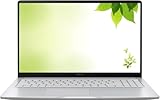
- Intel Processor Up to 2.80GHz, 4GB DDR4, 128GB Storage
- 15" FHD IPS Display, Intel UHD Graphics
- 1x USB Type C, 1 x USB Type A, 1x Headphone/Microphone Combo Jack, HDMI
- Fast WiFi and Bluetooth, Integrated Webcam
- Chrome OS, AC Charger Included, Pastel Silver
13. 14-inch MacBook Pro with M1 Pro — best used creator laptop
At $800–$1,200, this is the sustained-workload choice for video, large photo libraries and code compilation. It has stronger cooling, graphics and display hardware than the Air, but weighs more and costs more. Check cycle count, screen condition and the exact 16 GB/512 GB configuration.
14. Dell Precision 5560/5570 — best used workstation
Core i7 models with 16 or 32 GB, 512 GB SSD and professional RTX/A-series graphics cost roughly $600–$1,000. Choose one only for CAD, 3D, engineering or GPU workloads. Weight, heat, fan wear, short battery life and expensive parts make it excessive for ordinary office use.
15. Framework Laptop 13 — best repairability-oriented choice
11th-, 12th- or 13th-generation Intel and Ryzen 7040 versions commonly list around $600–$1,000. Modular ports, replaceable components and upgradeability are its advantage. Used pricing must be meaningfully below a comparable new unit; verify generation, battery, accessories and warranty transfer at Framework.
What configuration should you buy?
- Memory: 16 GB is the 2026 default. Use 8 GB only for basic browsing and documents at a low price; choose 32 GB for virtual machines, development, engineering or large creative projects.
- Storage: Prefer a 512 GB SSD; 256 GB is acceptable for light use. Avoid hard drives.
- Screen: Prefer 1920×1080 or 1920×1200. A 1366×768 panel is a poor compromise unless the laptop is exceptionally cheap.
- Processors: Intel 12th Gen, AMD Ryzen 5000/6000 and Apple M1-or-newer are the main targets. Intel 11th Gen remains good; 10th Gen is acceptable when substantially cheaper. 8th/9th Gen requires exact Windows 11 verification.
- Upgradeability: Soldered RAM is fine when it starts at 16 GB; an 8 GB sealed machine is a false economy.
Windows 11 and operating-system support
Obtain the exact processor number and machine identifier. Confirm TPM 2.0, Secure Boot and Microsoft’s supported CPU list before buying; OEM firmware and CPU variants matter. Do not treat an unsupported installation or requirement bypass as a normal purchasing strategy. Apple Silicon is a strong macOS alternative, while ChromeOS depends on the model’s remaining automatic-update-expiration date. Linux can extend the life of compatible business hardware, but verify driver, fingerprint-reader and suspend support for the exact model.
What’s actually slowing this PC down?
Pick the symptom - the matching free tool is one click away.
Used versus refurbished: what the label means
- Used: May be sold as-is with inconsistent testing and little warranty.
- Manufacturer refurbished: Restored or inspected by the maker; availability and warranty vary.
- Seller refurbished: Testing standards depend on the seller.
- Off-lease: Former corporate equipment, often excellent value but commonly showing cosmetic and battery wear.
- Open-box: Possibly near-new, but not automatically refurbished.
Favor a documented return period and warranty over a vague condition grade. Manufacturer sources include Apple Certified Refurbished, Lenovo Outlet, Dell Outlet and HP Renew. Marketplace options include Back Market, Amazon Renewed and eBay Refurbished; inspect seller-specific terms.
Also popular on Amazon
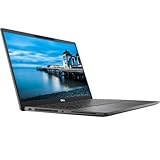
- Certified Refurbished – Tested & Certified to Work Like New – Each laptop undergoes rigorous functionality testing, thorough cleaning, detailed inspection, and professional repackaging. Comes with all essential accessories, a minimum 90-day warranty, and may arrive in a generic box for efficient delivery with secure and well-protected packaging. Only top-rated sellers meeting Amazon's strict quality standards are authorized to offer Certified Refurbished products on Amazon.com.
- Top-Tier 11th Gen Intel Core i7 Quad-core i7-1165G7 (up to 2.8GHz Turbo) delivers elite performance for professionals and power users, extended battery life paired with a stable, smooth system that runs fast and responsive for everyday tasks, multitasking, and productivity.
- High-Speed Memory & Storage: 16GB RAM ensures seamless performance, while the 512GB SSD provides ultra-fast boot-up and file access.
- Stunning 15.6-inch FHD Display: Enjoy crisp visuals with 1920x1080 resolution, a crisp, clear screen with vivid detail and rich color for an immersive viewing experience – ideal for office work, video streaming, and everyday browsing
- Enhanced Connectivity: Features Wi-Fi, Bluetooth and Webcam for versatile connectivity options, responsive keyboard ensures comfortable, accurate typing in any light. compatible charger included.
Battery health: the check that changes the price
Windows
Open Command Prompt and run powercfg /batteryreport. Read the command’s output for the HTML report location, then compare Design Capacity with Full Charge Capacity. As practical buying thresholds, about 80% or more is desirable, 60–80% requires a discount, and below 60% means budgeting for replacement or rejecting the unit.
macOS
Hold Option, choose the Apple menu, open System Information, select Power, and review cycle count and condition. Labels can vary by macOS version, so confirm the installed version and request a screenshot from the seller.
Inspection checklist before keeping the laptop
- Run the battery report and verify cycle count or condition.
- Test brightness, dead pixels, pressure marks and backlight bleed.
- Test every key, the trackpad, fingerprint reader, webcam, microphone and speakers.
- Test USB-A, USB-C charging, HDMI, headphone, SD and other advertised ports; confirm charger wattage and connector.
- Check Wi‑Fi, Bluetooth, SSD capacity and health, Windows activation and serial-number warranty status.
- Inspect hinges, screws, feet and cracks; compare the advertised RAM and SSD with actual hardware.
- Reject BIOS administrator passwords, Computrace/Absolute restrictions, Microsoft Autopilot or organization enrollment, Mac MDM and Apple Activation Lock. The seller must remove management before shipment.
- Confirm keyboard layout, cellular modem or Wi‑Fi configuration and return terms.
Price discipline and decision framework
Normalize at least three listings for RAM, SSD, display, battery, charger, warranty, shipping and tax. Treat the ranges in this article as dated targets, not promises. A “good buy” is below the middle of the range with documented battery and returns; a “fair” price is near the middle with complete specifications; “too expensive” means it approaches a newer generation or a new machine with warranty.
| Criterion | Weight |
|---|---|
| Real-world responsiveness | 20% |
| Battery life and replacement risk | 15% |
| Build, keyboard and trackpad | 15% |
| Display | 15% |
| OS support runway | 15% |
| Repairability and upgrades | 10% |
| Value and availability | 10% |
Increase price and battery weighting for students, sustained performance and display weighting for creators, and RAM, ports and Linux compatibility for developers. A new budget laptop can still be preferable when a full warranty, new battery, numeric keypad, school-program support or specialized software matters more than business-class construction.
Quick Recap
Recommendations by budget
- Under $300: Search for a T14 Gen 2 AMD, Latitude 7420 or EliteBook 840 G8, accepting cosmetic wear but not a failing battery, 8 GB soldered RAM or an HD screen.
- $300–$450: Target 16 GB/512 GB T14 Gen 2 AMD, 845 G8 or 7420; an M1 Air is attractive near the top of this band.
- $450–$650: Choose T14 Gen 3 AMD, X1 Carbon Gen 9, Latitude 7430, M2 Air or a better-condition M1 Air.
- $650–$900: Consider a higher-spec T14, Framework 13 or discounted M1 Pro MacBook Pro.
- $900 and above: Buy the 14-inch M1 Pro MacBook Pro or a Precision only when sustained creative or engineering workloads justify the weight and cost.
Common mistakes that erase the savings
- Buying by family name instead of exact CPU, panel, RAM and battery.
- Assuming “refurbished” means manufacturer-refurbished.
- Ignoring the cost of a replacement battery or charger.
- Accepting 8 GB in a sealed machine.
- Paying for an i7 badge instead of a newer generation and healthier battery.
- Trusting stock photos or failing to check regional keyboard layout.
- Buying a workstation for office work or overpaying for an old X1 Carbon.
- Using a seller with no meaningful return window.

