The Tool Desk
Outbyte PC Repair FREEClear out junk files and repair common Windows errorsFree Scan →Outbyte Driver Updater FREEScan for outdated or missing drivers - takes under a minuteDriver Scan →For a budget-conscious team that wants the camera to follow play physically and avoid a recurring platform fee, XbotGo Falcon is the stronger value candidate. XbotGo’s US product page lists Falcon at $799 and markets core recording, livestreaming, editing and 20GB of cloud storage without a subscription. A paid AI-analysis add-on is optional.
Veo Cam 3 is the better fit for a program that prioritizes fixed full-field capture and Veo’s software workflow. Veo lists the camera from $1,299 in the United States, with subscriptions starting at $117 per month. The systems are not interchangeable: Falcon moves on a motorized pan-and-tilt head, while Veo records a fixed panoramic view and creates a virtual camera by cropping that panorama in software.
As an Amazon Associate I earn from qualifying purchases.
There is no independent controlled test establishing that either camera tracks every sport or venue more accurately. Treat manufacturer comparisons as product positioning, and review sample footage from your own sport, field and lighting conditions before committing.
Do these 3 things before closing this tab:
1Clear out junk files and repair common Windows errors2Fix the driver behind crashes, sound loss and screen glitches3Repair Windows errors before they cause bigger problemsHow the two cameras capture a match
XbotGo Falcon: a moving, action-following camera
Falcon is a standalone camera with built-in AI tracking and recording. Its motorized head can rotate 360 degrees and tilt through 160 degrees, physically changing the lens direction as play moves. The practical result is an actively framed shot: the camera attempts to keep the tracked action in view rather than recording a permanent, unmoving wide shot.
#1 Best Overall

- ALL-IN-ONE AI SPORTS ACTION CAMERA: Capture every game hands-free with one complete sports recording solution combining AI tracking, 4K video recording, and live streaming. No dedicated camera operator needed—just set it up and focus on the game.
- AI-POWERED AUTO TRACKING SYSTEM: Powered by advanced AI technology with 6 TOPS AI performance and an 8-core processor, Falcon intelligently recognizes and keeps the main action centered, helping capture players and key moments automatically during soccer, basketball, football, and team sports.
- 4K DUAL-LENS SPORTS RECORDING: Capture every highlight in stunning 4K with Falcon’s dual-lens system. The dedicated recording lens delivers high-quality footage, while the AI-assisted lens enables smarter tracking performance for game reviews, coaching analysis, player development, and recruitment videos.
- LIVE STREAM & SHARE INSTANTLY: Share the excitement as it happens with built-in Wi-Fi live streaming. Easily connect with family, fans, and your community while capturing games from the sidelines, courts, or fields.
- PREMIUM PACKAGE & FLEXIBLE SETUP: Enjoy an upgraded unboxing experience with premium packaging designed for athletes, coaches, and sports families. Supports microSD card and cloud storage options, with standard 1/4” tripod mounting for flexible setup.
XbotGo describes Falcon as a true 4K camera and says its footage is not cropped. The specification page lists 4K recording and the comparison material lists 1080p at 60 frames per second; the exact resolution and frame-rate combinations available can depend on the selected mode and firmware, so confirm the current options at purchase.
Veo Cam 3: a fixed panorama with a software camera
Veo Cam 3 remains physically fixed after it is mounted. Its panoramic recording is designed to include the full playing area, and Veo’s software generates a virtual camera by selecting and cropping portions of that panorama. The hardware does not pan or tilt toward the ball.
Veo says Cam 3 combines built-in AI, action following and livestreaming to produce broadcast-style video. Because the entire panorama is captured first, the post-match editor can change the virtual viewpoint and preserve context outside the currently selected crop. That approach is different from Falcon’s real-time physical framing, not simply a higher or lower quality version of the same design.
Core differences at a glance
| Category | XbotGo Falcon | Veo Cam 3 |
|---|---|---|
| Capture architecture | Motorized camera that physically follows play | Fixed panoramic camera; software creates a virtual camera by cropping the panorama |
| Published US camera price | $799 standard price on XbotGo’s US product page | From $1,299 on Veo’s US site |
| Recurring platform fee | Core recording and livestreaming marketed without a subscription; optional paid AI-analysis add-on | Subscriptions listed from $117 per month in the United States |
| Field coverage | Action-prioritized framing from the tracked subject | Full panoramic scene captured continuously |
| Resolution claims | True 4K positioning; 1080p/60fps listed in comparison material | Cam 3 is marketed for broadcast-quality video; an equivalent resolution figure was not stated in the cited material |
| Weather rating | IPX5 | Equivalent rating was not stated in the cited material |
| Battery information | 9,600mAh; approximately four hours depending on settings | Equivalent battery figure was not stated in the cited material |
| Sports listed by the manufacturer | More than 10, including soccer, basketball, football, hockey, tennis and lacrosse | Soccer, American football, baseball, rugby, lacrosse, basketball, hockey and other sports |
What the price difference really means
Falcon’s $799 figure is a one-time US camera price. A compatible MicroSD card and a tripod are separate practical requirements. XbotGo’s pricing guide lists the NT4 tripod at $189.99 and the NT4 PRO at $249.99, so a basic Falcon-and-NT4 setup totals $988.99 before tax, memory media or any optional analysis service.
Veo lists Cam 3 from $1,299 before its subscription. At the published starting rate of $117 per month, the camera plus 12 months of service would be $2,703, assuming the monthly rate remains unchanged and no other fees apply. Two years would be $4,107, and three years would be $5,511. Those are simple projections from the advertised starting price, not a quote for every plan or region.
Rank #2

- ALL-IN-ONE AI SPORTS ACTION CAMERA: Capture every game hands-free with one complete sports recording solution combining AI tracking, 4K video recording, and live streaming. No dedicated camera operator needed—just set it up and focus on the game.
- AI-POWERED AUTO TRACKING SYSTEM: Powered by advanced AI technology with 6 TOPS AI performance and an 8-core processor, Falcon intelligently recognizes and keeps the main action centered, helping capture players and key moments automatically during soccer, basketball, football, and team sports.
- 4K DUAL-LENS SPORTS RECORDING: Capture every highlight in stunning 4K with Falcon’s dual-lens system. The dedicated recording lens delivers high-quality footage, while the AI-assisted lens enables smarter tracking performance for game reviews, coaching analysis, player development, and recruitment videos.
- LIVE STREAM & SHARE INSTANTLY: Share the excitement as it happens with built-in Wi-Fi live streaming. Easily connect with family, fans, and your community while capturing games from the sidelines, courts, or fields.
- PREMIUM PACKAGE & FLEXIBLE SETUP: Enjoy an upgraded unboxing experience with premium packaging designed for athletes, coaches, and sports families. Supports microSD card and cloud storage options, with standard 1/4” tripod mounting for flexible setup.
| Ownership period | Falcon camera only | Falcon plus NT4 tripod | Veo Cam 3 plus $117/month service |
|---|---|---|---|
| Initial purchase | $799 | $988.99 | $1,299 |
| After 12 months | $799, excluding accessories and optional services | $988.99, excluding media and optional services | $2,703 |
| After 24 months | $799, excluding accessories and optional services | $988.99, excluding media and optional services | $4,107 |
| After 36 months | $799, excluding accessories and optional services | $988.99, excluding media and optional services | $5,511 |
The comparison favors Falcon financially when a team records often over several seasons and can work with local storage and the included core workflow. Veo’s recurring charge buys access to a continuing software platform, so the decision should account for who edits, tags and shares matches—not just the first invoice.
Framing, missed action and tactical context
When Falcon’s physical movement helps
Falcon’s pan-and-tilt design is intended to keep the active play larger in the frame. That can be useful when a coach wants a conventional follow shot, when the venue is too large for a modest panoramic crop, or when the team prefers footage that is ready to watch without selecting a virtual viewpoint afterward.
PC Slower Than It Used to Be?
A free scan shows the junk files, broken settings and background clutter dragging Windows down - then fixes them in one click.Free scan · Windows 10 & 11Outdated Drivers Are Slowing You Down
One free scan finds every outdated or missing driver and matches the right update for your exact hardware.Free scan · exact hardware matchPhysical tracking also introduces a mechanical dependency: the head must turn and tilt quickly enough, and the AI must identify the relevant action. A fast transition, an occlusion by players or officials, unusual camera placement or poor lighting can affect what remains centered. The published material does not provide an independent miss-rate or sport-by-sport accuracy test.
When Veo’s panorama helps
Veo’s fixed camera records the complete panoramic scene, so the original footage retains players and field context outside the current software crop. That is valuable for reviewing off-ball movement, defensive shape, substitutions and the buildup before a scoring chance. If a virtual camera chooses the wrong area, the underlying panorama can still contain the play for a later edit.
The trade-off is that a panoramic sensor and software crop do not produce the same perspective as a lens physically aimed at the action. A distant subject may occupy fewer pixels in the source panorama, and the final view depends on the software’s crop and tracking decisions. Veo’s own comparison article makes negative claims about Falcon’s coaching reliability; those statements are vendor positioning, not a controlled head-to-head result.
Rank #3
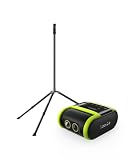
- 2-PIECE SPORTS CAMERA BUNDLE: Includes 1 XbotGo Falcon AI Sports Camera and 1 NT4 PRO 13ft Tripod with a carbon fiber center column and reinforced steel legs.
- ALL-IN-ONE AI SPORTS CAMERA: Capture games hands-free with AI auto tracking, 4K recording, and live streaming—all without a smartphone or dedicated camera operator.
- 4K DUAL-LENS SPORTS RECORDING: Dual-lens system combines AI-assisted tracking with high-quality 4K video capture for game footage, reviews, and highlights.
- UPGRADED 13FT TRIPOD: Carbon fiber center column, reinforced steel legs, reverse-folding design, and wide stance provide elevated, stable support for outdoor fields.
- BUILT FOR TEAM SPORTS: A complete elevated recording setup for soccer, football, basketball, ice hockey, and other supported team sports.
Resolution, slow motion and editing workflow
Falcon’s published video options
XbotGo positions Falcon as a true 4K camera and lists 1080p at 60fps in its comparison material. Higher resolution can preserve detail for analysis, while 60fps can make fast movement easier to inspect in compatible playback. Verify the exact mode, frame rate, storage consumption and firmware available on the unit you order; the comparison material does not establish that every combination is available simultaneously.
The XbotGo app supports recording, livestreaming, editing and highlights. Core use is marketed without a subscription, and the product page mentions 20GB of cloud storage. An optional paid AI-analysis add-on is available if the team wants additional analysis features.
Veo’s software-led workflow
Veo markets a post-match editor, automated tagging and livestreaming around Cam 3. Because the camera records a panorama, the team can create or adjust a virtual camera view after the match rather than relying only on the framing chosen during recording. The specific tools, storage allowances and tag features depend on the subscription tier; the cited material establishes the starting subscription price but does not enumerate every plan entitlement.
Hardware, power and storage requirements
| Falcon specification | Published value | What it means for a team |
|---|---|---|
| Weight | 815g | Light enough for a portable sideline kit, but the tripod must still be stable and safely weighted. |
| Dimensions | 134.2 × 116 × 71.7mm | Check the packed camera, tripod and case against your transport setup. |
| Movement | 360° rotation; 160° tilt | The camera can physically redirect around the playing area. |
| Battery | 9,600mAh; approximately four hours depending on settings | Plan charging around match length, livestreaming and weather; runtime is an approximation rather than a guarantee. |
| Charging time | Approximately three hours | Allow a full recharge between sessions rather than assuming a quick sideline top-up. |
| Wireless | Bluetooth Low Energy 5.2 and Wi-Fi 6 | Pairing and network performance still depend on the phone, venue and internet connection. |
| Weather resistance | IPX5 | Suitable for water exposure within that rating; protect the kit from conditions beyond the specification. |
| Storage | MicroSD, up to 1,024GB, UHS-I V30 or higher | A compatible card is required; use the stated speed class or better. |
Veo’s official Cam 3 material confirms the platform, AI features and livestreaming, but the cited information does not provide an equivalent battery capacity, runtime, charging time, weight, dimensions, weather rating or removable-media requirement. Do not infer that those specifications match Falcon.
Independent reader supportYour contribution helps us test, update, and keep practical guides available for everyone.Falcon setup: a practical match-day procedure
XbotGo’s documented workflow uses an NT4 tripod and the XbotGo app. Prepare the card and charge before arriving; a MicroSD card is required for recording.
Free tools Windows power users keep installed
One-click scans. No signup required.
Rank #4

- 2-PIECE SPORTS CAMERA BUNDLE: Includes 1 XbotGo Falcon AI Sports Camera and 1 NT4 PRO 13ft Tripod with a carbon fiber center column and reinforced steel legs.
- ALL-IN-ONE AI SPORTS CAMERA: Capture games hands-free with AI auto tracking, 4K recording, and live streaming—all without a smartphone or dedicated camera operator.
- 4K DUAL-LENS SPORTS RECORDING: Dual-lens system combines AI-assisted tracking with high-quality 4K video capture for game footage, reviews, and highlights.
- UPGRADED 13FT TRIPOD: Carbon fiber center column, reinforced steel legs, reverse-folding design, and wide stance provide elevated, stable support for outdoor fields.
- BUILT FOR TEAM SPORTS: A complete elevated recording setup for soccer, football, basketball, ice hockey, and other supported team sports.
- Choose a safe mounting point. Set the NT4 or NT4 PRO tripod on firm, level ground with a clear view and no risk of players colliding with it. Keep the camera high enough to see over nearby people while following venue rules.
- Install compatible storage. Insert a MicroSD card rated UHS-I V30 or higher. Falcon supports capacities up to 1,024GB. Format or initialize it through the camera’s documented process before the first match, and confirm that the available space is sufficient for the selected resolution.
- Charge and power the camera. Allow roughly three hours for a full charge. The approximately four-hour runtime varies with settings, wireless use and other conditions, so start with a full battery for a match and livestream.
- Power on and pair. Turn Falcon on and open the XbotGo app. Follow the app’s connection prompts; the documented workflow expects the camera to connect before a sport mode is selected.
- Select the sport mode. Choose the mode matching the event. Sport-specific tracking is a setting, not proof that every sport will perform identically.
- Frame the venue and start recording. Confirm that the tripod is stable, the playing area is visible and the card is recognized. Start the recording from the app or camera workflow and watch the first moments for unexpected obstructions.
- Monitor the session. Keep an eye on battery, wireless connection and remaining storage. For a livestream, test the venue’s upload connection before the official start; a camera’s Wi-Fi 6 capability does not guarantee reliable internet service at a stadium or school.
- Stop, save and back up. End recording through the normal app control, wait for the file to close, then copy important footage before formatting the card for another match.
Sport coverage and venue fit
XbotGo says Falcon supports more than 10 sports, including soccer, basketball, football, hockey, tennis and lacrosse. Veo’s official site lists soccer, American football, baseball, rugby, lacrosse, basketball, hockey and other sports. A sport appearing on a compatibility list only establishes intended support; it does not establish equal tracking quality across sports with different ball speeds, field sizes or player density.
- Soccer and lacrosse: Both products are listed for these sports. Decide whether your coaches value a physically followed attack or a panorama that preserves weak-side movement.
- Basketball and hockey: Rapid direction changes and players crossing one another make placement, lighting and sample footage especially important. The available material does not provide independent accuracy scores.
- Football and American football: A full-field view can help retain formations away from the ball, while active framing can produce a closer follow shot. Select based on the review workflow your staff actually uses.
- Tennis: Court orientation, net height and the distance between ends can influence both physical tracking and panoramic cropping. Test a representative court rather than assuming results from a different sport.
Which team should choose which camera?
Choose Falcon when these conditions describe your program
- You want the lower published camera price and do not want a mandatory monthly platform charge for core recording.
- You prefer a camera that physically follows play and produces an action-focused view during capture.
- You can supply a compatible MicroSD card and a stable tripod.
- Your staff is comfortable managing local files and using the XbotGo app for editing, highlights and livestreaming.
- Approximately four hours of battery life is sufficient for your event plan, with charging time available between sessions.
Choose Veo Cam 3 when these conditions describe your program
- You want the entire panoramic scene recorded so coaches can revisit off-ball action and change the virtual viewpoint after the match.
- Your organization prefers Veo’s editor, automated tagging and software workflow.
- You can budget for a $1,299 starting camera price plus subscriptions from $117 per month in the United States.
- A continuing platform relationship is more useful to your staff than avoiding recurring fees.
- You are willing to review the subscription tier’s exact storage, editing and sharing entitlements before ordering.
How to validate the decision before buying
Neither manufacturer’s marketing page can answer how a camera will behave at your particular venue. Ask for or record representative clips under the conditions that matter to your team:
- Use your actual sport, field or court dimensions and normal camera height.
- Include a fast transition, a crowded set piece and play at the far end of the venue.
- Check whether players remain identifiable after any software crop or physical pan.
- Review off-ball action and defensive shape, not only the moment of a goal or score.
- Test low light, glare, rain and wind if those conditions are common in your season.
- Run a complete livestream test over the venue’s real network, including audio, battery drain and upload stability.
- Confirm who owns the footage, how long it remains available, how it is exported and what happens if the subscription is paused.
- Calculate the cost over your expected ownership period rather than comparing only the two camera prices.
Decision
Falcon is the better value candidate for a team that wants physical action-following, a $799 US starting price and core recording and livestreaming without a recurring subscription. Add the required storage card and tripod to the real setup budget, and treat the optional AI analysis as a separate decision.
Veo Cam 3 is the stronger workflow choice when full panoramic capture, post-match virtual camera control and Veo’s software ecosystem justify a $1,299 camera plus a subscription beginning at $117 per month. The right answer depends on whether your coaches need a close action-following view or the ability to preserve and reframe the whole field.
Quick wins for a faster PC:
Repair Windows errors before they cause bigger problemsFix Now →Fix the driver behind crashes, sound loss and screen glitchesFind Drivers →Clear out junk files and repair common Windows errorsFree Scan →Quick Recap
Product prices and availability are accurate as of the date/time indicated and are subject to change. Any price and availability information displayed on Amazon at the time of purchase will apply.

