Free tools Windows power users keep installed
One-click scans. No signup required.
WPML is a paid WordPress plugin system for managing multiple languages and translating site content. It supports AI, in-house translation, and connected professional translation workflows, but the right plan depends on which tools your site needs—and compatibility and performance should be checked on your actual WordPress stack.
What WPML does
WPML’s required core plugin manages site languages and routes content through a translation method you choose. Its documentation covers posts, pages, custom post types, taxonomies, menus, strings, media, WooCommerce, SEO metadata, custom fields, forms, imports, and developer integrations. Add-ons extend the core for capabilities such as media and string translation, SEO, and export/import workflows. Which tools are included depends on the plan and add-ons, so confirm the requirements for your site rather than assuming every feature is included at every tier. See WPML’s documentation and its core and add-on plugin information.



As an Amazon Associate I earn from qualifying purchases.
WPML describes setup as choosing languages, configuring the site, and translating content. Its getting-started guide estimates about 30 minutes for setup; that is WPML’s estimate, not a measured time for a particular site. Actual work depends on the site’s size, configuration, and translation workflow.
Which WPML plan includes the tools you need?
WPML’s purchase page listed the following prices and plan features when checked on October 5, 2026. Prices and package terms can change, so verify the live listing before purchase. All three account types include support and updates for one year and a 30-day money-back guarantee, according to WPML.
#1 Best Overall
| Plan | Listed price | Advanced Translation Editor | AI translation allowance | String Translation |
|---|---|---|---|---|
| Multilingual Blog | €39 | Not included (WPML pricing page, checked October 5, 2026) | Not stated for this plan (WPML pricing page, checked October 5, 2026) | Not included (WPML pricing page, checked October 5, 2026) |
| Multilingual CMS | €99 | Included | 22,500 words | Included |
| Multilingual Agency | €199 | Included | 45,000 words | Included |
WPML lists unlimited standard translation controls on all three plans. Its purchase page does not state an AI-word allowance for the Blog plan in the plan details summarized here; check the current terms if AI translation is a deciding factor. The listed prices and features are from WPML’s pricing page.
How translation works
WPML presents three broad approaches: AI translation, work by the site owner or their translators, and translation through a connected professional service. They suit different needs:
Rank #2
- AI translation: Can help move large volumes of content through a workflow, but brand-critical or sensitive text should be reviewed by a qualified person. No guarantee that machine output is publication-ready is established here.
- In-house translation: Gives the site owner or assigned translators direct control over wording and review. Consider whether your team has the time and language expertise to maintain every version as the original changes.
- Professional translation service: WPML documents connected services as a workflow option. Check the service’s language coverage, costs, review process, and integration requirements before committing.
The practical choice depends on content volume, publishing cadence, terminology control, review requirements, and budget. WPML’s documentation describes its translation workflows and editor settings.
SEO and WooCommerce capabilities
WPML advertises controls for language-specific URL structures, translated SEO metadata, linked translations, and per-language sitemaps. It also describes WooCommerce support for translating products, checkout content, and automated emails, alongside multiple currencies and payment processors. These are product capabilities claimed by WPML, not confirmation that every theme, SEO plugin, payment configuration, or extension works together. Check the relevant compatibility guidance and test the precise combination your site uses.
Rank #3
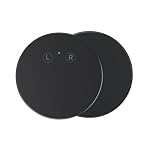
- Offering instant bidirectional voice interpretation across multiple languages, this AI-powered translation device enables smooth conversations during international travel, business meetings, and academic exchanges without requiring internet connectivity in offline .
- Equipped with high-sensitivity microphones and noise reduction technology, it speech accurately even in bustling environments like airports, train stations, or crowded halls, ensuring clear communication every .
- Featuring a compact and lightweight design, this portable fits easily into pockets or bags, making it an ideal companion for professionals, students, and who need language anywhere.
- The device a wide range of major world languages and dialects, with continuous updates to enhance vocabulary and phrasing, allowing users to themselves in various contexts.
- With a user-friendly touchscreen interface and long-lasting battery life, this multilingual simplifies navigation and extended usage for full-day trips, lectures, or negotiations, delivering exceptional for daily communication needs.
Compatibility: check the exact site stack
WPML says it works with many themes and collaborates with theme authors on compatibility. Its documentation includes recommended themes and plugins and compatibility guides, but a broad compatibility statement cannot establish that a particular site will work without issues.
Before rolling WPML out across a live site, verify the exact versions and configuration of:
Rank #4

- Over 40, 000 entries including English pronunciations given in the International Phonetic Alphabet (IPA).
- A compact guide to essential Spanish and English vocabulary.
- For ages 13 and up.
- Bi-directional: English to Spanish and Spanish to English.
- Your theme and page builder, including custom templates and dynamic content.
- Your SEO plugin and any SEO metadata fields that need translation.
- Forms, custom fields, import/export tools, and other extensions that store or display content.
- WooCommerce extensions, payment processors, checkout flows, and automated emails if you sell internationally.
- Language URLs, menus, media handling, and any custom code tied to a single language.
WPML’s documentation is the starting point for setup and compatibility guidance. For a high-stakes launch, test representative pages and transactions in a staging environment before changing the production site.
Quick wins for a faster PC:
Scan for outdated or missing drivers - takes under a minuteDriver Scan →Clear out junk files and repair common Windows errorsFree Scan →Will WPML slow down your site?
WPML says the plugin should not slow a site and presents itself as suitable for sites of different sizes. Those are vendor claims: no independent, version-specific benchmark or reproducible comparison is established here. Performance on an individual site can depend on its content, hosting, theme, other plugins, caching, configuration, and traffic. Measure performance on your own stack before and after enabling WPML, especially if page speed is critical.
Best Value
How WPML compares with alternatives
WPML’s own comparison page names Polylang, TranslatePress, Weglot, and GTranslate. Because that comparison is vendor-authored, it is useful for identifying products and comparison dimensions, not as independent proof of which option is best.
Compare candidates against the requirements of your site:
- Workflow: Do you need manual translation, AI assistance, or a connection to a professional service?
- Total cost: What will the plan and translation workflow cost at your language count and content volume?
- Review and terminology: Who approves translations, and how will you keep recurring terms consistent?
- Compatibility: Does the solution work with your theme, page builder, SEO tools, forms, and ecommerce extensions?
- International selling and SEO: Do you need particular URL structures, translated metadata, checkout content, currencies, or payment support?
WPML’s comparison of alternatives can help identify options and dimensions, but it does not independently settle the best choice for an individual site.
Recommended Free Tools
How strong is the evidence behind WPML’s claims?
WPML’s homepage claims “over 1.5 million sites” and “250K+ Users.” These are WPML’s own, undated figures, accessed October 5, 2026; they are not independently audited in the cited material, and the page does not explain how the figures relate to each other. Likewise, WPML’s statements about performance and broad compatibility should be treated as vendor claims rather than independent test results. See the WPML homepage.
Quick Recap
Product prices and availability are accurate as of the date/time indicated and are subject to change. Any price and availability information displayed on Amazon at the time of purchase will apply.




