Windows 11 can add an End task command to an app’s taskbar right-click menu. Turn it on under Settings > System > For developers; then right-click an app’s taskbar icon and choose End task. This is a quicker menu route, not a keyboard shortcut.
How to enable End task on the Windows 11 taskbar
-
Open Settings.
-
Select System, then For developers.
-
Turn on the setting that enables End task on the taskbar. The exact toggle wording may vary between Windows 11 releases; Microsoft documents the page location but does not establish one label for every build.
As an Amazon Associate I earn from qualifying purchases.
-
Right-click the app’s icon on the taskbar and select End task.
Quick wins for a faster PC:
Scan for outdated or missing drivers - takes under a minuteDriver Scan →Clear out junk files and repair common Windows errorsFree Scan →Special offer. See more information about Outbyte and uninstall instructions. Please review EULA and Privacy policy.


The command is a useful option when you want to end an app from its taskbar menu. Microsoft documents the menu action, but does not promise how unsaved work is handled or that every app will show the command. Save important work before using it.
#1 Best Overall
Why “shortcut” does not mean a keyboard shortcut
Microsoft describes a taskbar context-menu command: enable the capability in Settings, then right-click an app icon. Its instructions do not describe a key combination. The practical shortcut is avoiding another route through the interface, not pressing a dedicated keyboard shortcut.
When Microsoft added the feature
Microsoft documented the feature in its November 14, 2023 KB5032190 update notes, which list Windows 11 OS builds 22621.2715 and 22631.2715. The notes say: “You can now right-click an app on the taskbar and end the task.” Those build numbers identify the update record; they are not a complete current compatibility list for every Windows 11 edition, servicing channel, or managed PC.
Rank #2
If you cannot find the setting or command
-
Check Settings > System > For developers and confirm that the End task capability is enabled.
Outdated Drivers Are Slowing You Down
One free scan finds every outdated or missing driver and matches the right update for your exact hardware.Free scan · exact hardware matchWindows Errors? Fix Them Before They Spread
Repair common Windows errors and clear accumulated junk for a smoother, more stable PC - no reinstall needed.Free scan · no reinstallSpecial offer. See more information about Outbyte and uninstall instructions. Please review EULA and Privacy policy. -
Look for the command in the right-click menu of an app icon on the taskbar, rather than expecting a keyboard shortcut.
Rank #3
 Windows 11 Keyboard Shortcuts - New
- Windows 11 Keyboard Shortcuts - New
- New shortcuts
- new updates
- windows 11
- windows
-
Windows release labels and managed-device policies may affect what appears. Microsoft’s cited update record does not specify availability across all current Windows 11 configurations.
Microsoft’s general taskbar guide explains taskbar icons and their menus, but does not give feature-specific instructions for this toggle.
Quick Recap
Best Value
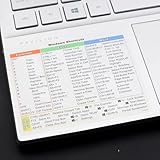
- Windows 11 Shortcut Sticker ①Size:(7.25 x 9 cm) Windows Shortcut Sticker, Windows + Word/Excel Shortcuts Sticker for Windows systems Laptop and Desktop Computer. Compatible for Windows 11 and Windows 10 systems Laptop,Desktop
- BOOST YOUR PRODUCTIVITY INSTANTLY-Stop Googling shortcuts! This visual cheat sheet puts the most essential Windows 11/10, Microsoft Word, and Excel commands directly onto your keys. Master copy/paste, formatting, navigation, and advanced functions without breaking your flow.
- TWO STYLES IN ONE PACK — MAXIMUM FLEXIBILITY-Get both Clear stickers for a sleek, invisible look AND Color-coded stickers for fast visual identification. Use the clear set for work meetings, switch to color when learning new shortcuts. It's like having two products for the price of one.
- PREMIUM QUALITY THAT LASTS-Crafted from durable matte-finish vinyl. These stickers resist fading, smudging, and peeling from daily use. The adhesive is strong enough to stay put but removes cleanly with zero sticky residue—perfect for shared or company laptops.
- UNIVERSAL FIT FOR ANY KEYBOARD-Precisely cut to fit standard US layout keyboards. Compatible with all major brands including Dell, HP, Lenovo, ASUS, Acer, and external mechanical keyboards. Easy peel-and-stick application takes under 2 minutes
Rank #4

- Windows 11 Shortcut Sticker ①Size:(7.25 x 9 cm) Windows Shortcut Sticker, Windows + Word/Excel Shortcuts Sticker for Windows systems Laptop and Desktop Computer. Compatible for Windows 11 and Windows 10 systems Laptop,Desktop
- BOOST YOUR PRODUCTIVITY INSTANTLY-Stop Googling shortcuts! This visual cheat sheet puts the most essential Windows 11/10, Microsoft Word, and Excel commands directly onto your keys. Master copy/paste, formatting, navigation, and advanced functions without breaking your flow.
- TWO STYLES IN ONE PACK — MAXIMUM FLEXIBILITY-Get both Clear stickers for a sleek, invisible look AND Color-coded stickers for fast visual identification. Use the clear set for work meetings, switch to color when learning new shortcuts. It's like having two products for the price of one.
- PREMIUM QUALITY THAT LASTS-Crafted from durable matte-finish vinyl. These stickers resist fading, smudging, and peeling from daily use. The adhesive is strong enough to stay put but removes cleanly with zero sticky residue—perfect for shared or company laptops.
- UNIVERSAL FIT FOR ANY KEYBOARD-Precisely cut to fit standard US layout keyboards. Compatible with all major brands including Dell, HP, Lenovo, ASUS, Acer, and external mechanical keyboards. Easy peel-and-stick application takes under 2 minutes.
Product prices and availability are accurate as of the date/time indicated and are subject to change. Any price and availability information displayed on Amazon at the time of purchase will apply.




