TimeSplitters 2 is the better default for most multiplayer groups. Its current PlayStation Store release is explicitly offline, supports one to four players, and is described as two-to-four-player split-screen action. Choose TimeSplitters: Future Perfect instead when you want its documented split-screen co-op and deathmatch modes, or when you are deliberately recreating its original-console network and LAN multiplayer.
Both games work for local multiplayer, but they answer different needs. TimeSplitters 2 is the simpler couch-play choice; Future Perfect has the broader historical network feature set. The network features documented for the original release should not be confused with guaranteed working matchmaking or servers today.
| # | Preview | Product | Price | |
|---|---|---|---|---|
| 1 |
|
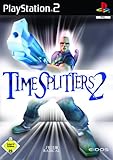
Timesplitters 2 | $58.54 | Buy on Amazon |
| 2 |

|
Time Splitters: Future Perfect - PlayStation 2 (Renewed) | $42.83 | Buy on Amazon |
| 3 |

|
Time Splitters: Future Perfect - PlayStation 2 | $34.99 | Buy on Amazon |
| 4 |

|
TimeSplitters: Future Perfect | $23.88 | Buy on Amazon |
| 5 |

|
TimeSplitters: Future Perfect | $51.99 | Buy on Amazon |
As an Amazon Associate I earn from qualifying purchases.
At a glance: which game fits your group?
| Game | Documented local multiplayer | Network evidence | Simultaneous players documented | Current release information |
|---|---|---|---|---|
| TimeSplitters 2 | GameCube multiplayer; current listing describes two-to-four-player split-screen action | The cited current listing is offline-focused; it does not establish restored online matchmaking | One to four on the current PlayStation listing | PlayStation Store listing for PS4 and PS5: offline play enabled |
| TimeSplitters: Future Perfect | GameCube split-screen co-op and deathmatch; contemporary review reports four-player split-screen | Original manual documents a NETWORK menu, an ONLINE GAME option, broadband multiplayer modes and up to eight players over a local computer network | Four-player split-screen in the contemporary review; up to eight over a local computer network in the manual | Historical original-console documentation; present-day service availability is not established |
If everyone will sit around one television, start with TimeSplitters 2. If “multiplayer” means LAN experimentation, original network hardware or the particular co-op/deathmatch implementation in Future Perfect, the third game is the more interesting choice.
Do these 3 things before closing this tab:
1Repair Windows errors before they cause bigger problems2Scan for outdated or missing drivers - takes under a minute3Clear out junk files and repair common Windows errorsWhat TimeSplitters 2 offers
Straightforward split-screen on one screen
Nintendo’s official GameCube page identifies TimeSplitters 2 as a title with a multiplayer mode. The current PlayStation Store listing is more specific: it marks the release as offline play enabled, lists one to four players, and describes “2-4 player split-screen action.” That combination makes it the clearest recommendation for a group that wants to connect controllers and start playing without planning a network.
#1 Best Overall
The practical advantage is predictability. A one-to-four-player listing gives you a firm ceiling for the current PlayStation version, while the split-screen description tells you exactly what kind of session to expect: everyone shares one display rather than joining a remote service. It is a good fit for a family room, a retro night or a tournament in which players rotate between short matches.
What the current rerelease does not prove
The PlayStation Store wording establishes local, offline multiplayer. It does not establish that the rerelease restores the online services that existed, or were advertised, around older console releases. Treat the current version as a local-multiplayer product unless a platform holder publishes separate, current networking information for the edition you own.
What Future Perfect adds
Distinctive local modes
Nintendo’s official GameCube page gives TimeSplitters: Future Perfect a release date of 25/03/2005 and specifically says players can “team up with a future or past version of yourself or play split screen in co-op or deathmatch mode with pals.” That is stronger evidence than a generic multiplayer label: co-op and deathmatch are explicitly named as split-screen activities.
Outdated Drivers Are Slowing You Down
One free scan finds every outdated or missing driver and matches the right update for your exact hardware.Free scan · exact hardware matchWindows Errors? Fix Them Before They Spread
Repair common Windows errors and clear accumulated junk for a smoother, more stable PC - no reinstall needed.Free scan · no reinstallA contemporary GameSpot review also reports four-player split-screen and argues that the online multiplayer adds substantial value. The review is useful confirmation of the four-player local experience, while Nintendo’s product copy identifies the co-op and deathmatch formats. Together, they make Future Perfect the better pick if your group cares about those particular modes rather than simply wanting any competitive match.
Original network and LAN capability
The original instruction manual contains a NETWORK menu and an ONLINE GAME option. It describes broadband multiplayer modes and states that up to eight players can play over a local computer network. This is the strongest documented network feature set between the two games in the supplied evidence.
“Online” in that manual is a description of the original release’s feature set and menu structure. It is not a promise that an official matchmaking service still accepts connections. The manual’s eight-player figure applies to a local computer network, not to split-screen on one television, and it should not be used to advertise eight players on the current PlayStation release of TimeSplitters 2.
Local multiplayer, network play and online play are different
These terms are often mixed together in old-game listings, so decide which experience you actually want:
Rank #2
- Explore hundreds of hours of gameplay in a variety of modes
- blast your way through time with dozens of weapons and gadgets
- engage in 16-player death matches or co-op play online
- Split-screen: multiple players use the same console and display. Both games document this type of play; TimeSplitters 2 has a current one-to-four-player listing, while Future Perfect explicitly names split-screen co-op and deathmatch.
- Local computer network (LAN): consoles or computers communicate over a local network rather than sharing one screen. The Future Perfect manual documents up to eight players in this arrangement.
- Internet matchmaking: players connect through a service that finds or hosts remote opponents. The evidence here does not establish a currently operating official service for every original PlayStation 2, Xbox or GameCube network path.
For a current-console purchase, the safe assumption is local play unless the store page for your exact edition says otherwise. For an original-console project, the safe assumption is that networking requires hardware, a compatible setup and a service that may no longer be maintained.
Choose by the way you will play
Choose TimeSplitters 2 for uncomplicated couch sessions
Pick TimeSplitters 2 when your priorities are a single television, up to four people and minimal setup. The current PlayStation listing supplies a clear one-to-four-player limit and labels the game offline. That makes it the strongest default for a group that does not want to troubleshoot networking.
Choose Future Perfect for co-op or deathmatch as the main event
If the exact mode matters, Future Perfect has the clearer documentation. Nintendo explicitly names split-screen co-op and deathmatch, and the contemporary review reports four-player split-screen. This is the better choice when your group already knows it wants those formats rather than choosing solely by player count.
Choose Future Perfect for an original LAN experiment
The manual’s NETWORK and ONLINE GAME sections, broadband modes and eight-player local-network statement give Future Perfect the edge for historical network experimentation. This path is for enthusiasts who are prepared to identify the correct console edition, controllers, network hardware and local configuration. It is not the same as buying a current game with guaranteed online matchmaking.
What’s actually slowing this PC down?
Pick the symptom - the matching free tool is one click away.
Choose TimeSplitters 2 when buying a current console rerelease
Among the cited current listings, TimeSplitters 2 has the clearest information: PS4/PS5, offline play enabled and one to four players. That clarity is valuable when you want to know what will work before inviting friends over. It does not make the game an online title; it makes its local scope explicit.
Choose either on original hardware only after checking the complete setup
Both titles can make sense in an original-console collection, but the game disc alone is not the whole multiplayer system. Confirm the exact console, regional edition, controller count and any required multitap, memory card or compatible network hardware. Accessories and software revisions can determine whether a planned session works, so verify compatibility before buying specifically for a four- or eight-player event.
Budgeting a multiplayer setup
The documented features do not provide a dependable current price for either game, and inventory, commissions and retailer pricing change. Avoid treating a listing title or an old review as a price guarantee. Budget around the complete setup instead of the disc alone.
Rank #3
- Explore hundreds of hours of gameplay in a variety of modes
- blast your way through time with dozens of weapons and gadgets
- engage in 16-player death matches or co-op play online
- Current-console route: the PlayStation Store edition of TimeSplitters 2 is the simplest documented purchase path for offline, one-to-four-player play. Your main checks are the exact store edition and the number of compatible controllers.
- Original-console couch route: allow for the game, a working console, four controllers and, if that system needs one, a multitap. A memory card may also be necessary for saved settings or progress on legacy hardware.
- Future Perfect LAN route: plan for compatible copies or systems, network adapters, cables and any other hardware required by the particular original platform. The manual’s eight-player figure describes a local network, so a larger player count can require multiple complete stations rather than one console with extra controllers.
Because exact prices were not established, compare the total cost of a verified, working setup with the convenience of the current offline rerelease. Paying more for unverified “online-ready” hardware does not create an active official service.
Quick wins for a faster PC:
Repair Windows errors before they cause bigger problemsFix Now →Scan for outdated or missing drivers - takes under a minuteDriver Scan →Clear out junk files and repair common Windows errorsFree Scan →How to plan a four-player split-screen session
- Identify the edition. For TimeSplitters 2, distinguish the current PS4/PS5 listing from an original GameCube or other legacy release. For Future Perfect, identify the original console version you intend to use.
- Count controllers before purchasing. A four-player plan needs four compatible inputs. On original hardware, determine whether the console accepts that many controllers directly or needs a multitap.
- Confirm the mode. In TimeSplitters 2, plan around the documented split-screen format. In Future Perfect, choose whether the group wants split-screen co-op or deathmatch, both specifically named by Nintendo.
- Prepare storage where the original platform requires it. A memory card may be needed for saved settings or progress on legacy consoles; verify the requirement for your exact system rather than assuming every rerelease behaves the same way.
- Test one match before the event. Check that every controller is recognized, the display is readable in split-screen and all players can join the selected mode. This catches accessory and regional-compatibility problems while you still have time to fix them.
This procedure keeps the two-player and four-player claims separate from the eight-player LAN claim. Eight players described in the Future Perfect manual are networked players, not eight people sharing one split-screen television.
How to approach Future Perfect network or LAN play
Use the manual as a historical capability guide, not as a current-service guarantee. Its NETWORK menu and ONLINE GAME option show that network play was part of the original design, and its wording specifies broadband modes plus up to eight players over a local computer network.
- Start with the exact original platform and manual. The network instructions apply to the release covered by that documentation. Do not assume that a different console port exposes identical menus or accessories.
- Separate LAN from internet matchmaking. The eight-player statement is explicitly about a local computer network. A local network can exist even when a public matchmaking service no longer does.
- Inventory the hardware. Check the console or consoles, network adapters, cables, controllers and any required multitaps. Confirm that every unit and game copy is compatible with the same regional and platform configuration.
- Open the game’s network controls. Look for the documented NETWORK and ONLINE GAME entries. Their presence confirms that your edition contains the historical feature, but it does not confirm that a remote server will answer.
- Test locally first. Establish whether the systems can see one another on the same local network before attempting any broader connection. If local discovery fails, an internet connection will not solve a basic hardware or configuration mismatch.
- Set expectations with the group. Tell players that this is preservation or experimentation with an original feature. Have a split-screen plan available in case a service, adapter or network path is unavailable.
Player-count reality
The numbers are not interchangeable:
- TimeSplitters 2 current PlayStation release: one to four players, with two-to-four-player split-screen action described on the store listing.
- Future Perfect local play: four-player split-screen is reported by the contemporary GameSpot review, while Nintendo’s description confirms split-screen co-op and deathmatch.
- Future Perfect original LAN: the instruction manual says up to eight players can play over a local computer network.
Do not advertise Future Perfect as an eight-player couch game, and do not infer that TimeSplitters 2 supports eight players because another game in the series has a higher historical network figure.
Which game is easier for a mixed-skill group?
For a casual gathering, the practical distinction is setup rather than a claimed difference in competitive balance. TimeSplitters 2 gives the clearest current description of an offline session, so newcomers can join without learning a network arrangement. Future Perfect is attractive when everyone has agreed on co-op or deathmatch, but its LAN feature should be treated as a project with hardware and compatibility checks.
The Tool Desk
Outbyte PC Repair FREEClear out junk files and repair common Windows errorsFree Scan →Outbyte Driver Updater FREEFix the driver behind crashes, sound loss and screen glitchesFind Drivers →If some guests may arrive late, a shared-screen format is also easier to pause, add players to and explain. If the whole group is specifically interested in preserving early network play, schedule a test session before the main event and keep four-player split-screen available as a fallback.
Common pitfalls and how to avoid them
Assuming an old online menu means live servers
An ONLINE GAME entry in a manual proves that the feature was designed and documented. It does not prove that an official service still operates across every original platform. Treat present-day availability as unresolved unless the platform holder provides a current service-status statement for your exact edition.
Rank #4
Buying the wrong version for the planned player count
A current PS4/PS5 listing and an original-console release are different products with different documentation. Read the listing for the edition you will actually use, then match controllers and accessories to that system.
Confusing a network adapter with a multitap
A multitap expands local controller connections for split-screen. Network hardware connects systems for LAN play. They solve different problems; buying one does not automatically provide the other.
Ignoring regional and accessory compatibility
Original hardware sessions can fail because of incompatible game regions, controller standards, memory cards or network adapters. Verify the complete combination before relying on it for a scheduled multiplayer night.
Using the wrong recommendation for the group
If nobody wants to configure a network, the historical feature list is less important than the current offline listing. Conversely, if the purpose is to recreate an eight-player LAN experiment, a simple four-player rerelease will not meet that goal.
Independent reader supportYour contribution helps us test, update, and keep practical guides available for everyone.Final decision
For most people asking which TimeSplitters game is best for multiplayer, buy or play TimeSplitters 2 for its straightforward local focus and clearly documented one-to-four-player PlayStation release. Select TimeSplitters: Future Perfect when its split-screen co-op or deathmatch modes are the deciding factor, or when you specifically want to explore the original release’s NETWORK, ONLINE GAME and local eight-player LAN features.
The decisive question is not which game has the larger number. It is whether your friends will share one screen or whether you are assembling an original network setup. For the first case, TimeSplitters 2 is the dependable default. For the second, Future Perfect is the historically richer project, with current service availability still requiring verification.
Frequently Asked Questions
Is TimeSplitters 2 or Future Perfect better for split-screen?
Choose TimeSplitters 2 for the simplest current couch setup: its PlayStation listing says offline play, one to four players and two-to-four-player split-screen action. Choose Future Perfect if your group specifically wants the documented split-screen co-op or deathmatch modes.
Best Value
- PlayStation 2
How many players does TimeSplitters 2 support?
The current PlayStation Store listing documents one to four players and describes two-to-four-player split-screen action. That is the clearest player limit for the current PS4/PS5 release. Do not transfer the eight-player LAN figure from Future Perfect to TimeSplitters 2.
Can I still play TimeSplitters multiplayer with friends online?
You can rely on the documented local modes, but the cited material does not establish a currently operating official matchmaking service for every original PlayStation 2, Xbox or GameCube network path. Treat original online features as historical until the exact platform holder or service publishes current confirmation.
Does Future Perfect support eight-player multiplayer?
Its original instruction manual says that up to eight players can play over a local computer network. That is a LAN arrangement, not eight people sharing one television. Nintendo’s GameCube description and a contemporary review document split-screen local play separately, including four-player split-screen.
What is the difference between a multitap and network hardware?
A multitap adds controller ports so several people can play split-screen on one console. Network adapters and cables connect separate systems for LAN play. They solve different problems, so an eight-player Future Perfect setup may require network equipment rather than only extra controllers.
Which version should I buy for a current console?
The cited current option is the PlayStation Store release of TimeSplitters 2 for PS4 and PS5. It is listed as offline play enabled with one to four players. Confirm the store page for your account and region, and do not assume that the rerelease includes the original network services.
What accessories do I need for original-console multiplayer?
For four-player split-screen, plan for four compatible controllers and, where required, a multitap. A memory card may be needed on legacy hardware. For Future Perfect LAN play, check the exact console, network adapters, cables, game copies and regional compatibility. Verify the complete setup before buying for an event.
Are prices for these games or accessories fixed?
No reliable current price is established here. Used-game inventory, console condition, controllers, multitaps, memory cards and network hardware can change the total substantially. Compare the cost of a tested original setup with the current offline TimeSplitters 2 release rather than relying on an old listing or review.
Recommended Free Tools
The Bottom Line
Best default: TimeSplitters 2 for straightforward one-screen, one-to-four-player couch multiplayer. Best specialist choice: TimeSplitters: Future Perfect for its explicitly documented split-screen co-op and deathmatch modes or an original local-network experiment supporting up to eight players. Verify the exact platform, accessories and present-day service status before spending money on a network setup.
Quick Recap
Product prices and availability are accurate as of the date/time indicated and are subject to change. Any price and availability information displayed on Amazon at the time of purchase will apply.

