After a Galaxy S21 FE software update, check which software is installed, read the update notes, and verify notifications and permissions for the apps you rely on. Then investigate any setting that appears to have changed. There is no evidence that every update resets a standard set of phone preferences.
1. Confirm the software installed on your phone
Open Settings > About phone > Software information and note the One UI version, Android version, and software information displayed. Samsung’s One UI 8 guidance also points to this area for checking the installed version. Menu labels can vary by software release, so use the equivalent labels shown on your device.
As an Amazon Associate I earn from qualifying purchases.
Samsung lists the Galaxy S21 FE in One UI 8 materials, but that does not establish that every model variant, carrier, or country has received the same build. Samsung says update availability and features can vary by model, country, carrier, and network. Check your own phone rather than assuming it has a particular version. Samsung’s update guidance and its One UI 8 information provide further context.
Recommended Free Tools
2. Read the notes for the update you received
Go to Settings > Software update and look for an entry such as Last update, update history, or a link to release notes. The available label may differ. Samsung says details in the update menu can be specific to the phone model, country, and service provider, so use the notes shown for your handset rather than relying on a generic description. Samsung’s update instructions explain where to look and include recovery guidance if an update fails.
#1 Best Overall

- Compatible with Galaxy S21 FE 5G (Only)
- Lasting antimicrobial technology helps protect case exterior against many common bacteria **It does not protect you or the screen**
- Case is infused with silver-based additive that continually blocks microbial growth
- Thin profile slips in and out of pockets with soft inner and hard outer layers absorb and deflect impacts, open access to ports and speakers
- Trusted OtterBox Quality: With OtterBox, you're not just buying a case; you're investing in peace of mind. Our limited warranty covers material and workmanship defects.
3. Check notifications for essential apps
For messaging, calendar, banking, and other important apps, confirm that notifications are allowed and that alerts appear where you expect—such as as pop-ups, badges, or on the lock screen. On many releases, start at Settings > Notifications or Settings > Apps > [app] > Notifications; follow the labels on your phone. Available notification categories and controls depend on the software release and the app.
Samsung’s notification instructions have changed between One UI versions. For example, its One UI 5.1.1 guide describes notification controls for that version; it should not be treated as a universal path for every S21 FE software release. Samsung’s One UI 5.1.1 notification guidance is a version-specific reference.
Rank #2
![Warsia for Galaxy S21 FE 5G Case, with Screen Protector [Military Grade Drop Tested] Heavy-Duty Tough Rugged Shockproof Protective Case for Samsung Galaxy S21 FE 5G, Black](https://m.media-amazon.com/images/I/41vlgAzdoDL._SL160_.jpg)
- 【Compatible Model 】Only compatible with Samsung Galaxy S21 FE 5G 6.4 inch, Not compatible with other models.Wireless charging can be supported without removing the phone case. Package includes 1pcs free HD Screen Protectors.
- 【Non-Slip Design & Great Grip】for samsung s21 fe case added the ergonomics design on the bumper, which fits the palm better, bringing a natural and comfortable hand feeling without bulky. Non-slip TPE material on the side of the case make it hard to slip out from your hand
- 【Military Grade Drop Tested】for galaxy s21 fe 5g case has been tested on Military Grade Drop Test by SGS, and cushioned corners can prevent your samsung galaxy s21 fe from accidental drops, bumps, dust and scratches.
- [2-Layer Protection] Flexible TPU + Hard PC with 4 cushioned corner bumpers and raised lips camera protection bumper, this s21 fe case guaranteed to withstand shocks and scratches.
- 【Perfect Fit】Precise clipping,easy access to all buttons,ports and features, camera and speaker,power button, charging port and volume button. You can still use all the functions of the phone perfectly.
4. Review permissions for apps that use sensitive access
For an app that needs access to sensitive information or hardware, open Settings > Apps > [app] > Permissions. Check location, camera, microphone, contacts, and photos or other media against what the app actually needs. Grant access only when it fits the app’s purpose.
Free tools Windows power users keep installed
One-click scans. No signup required.
Android may reset permissions for apps that have gone unused. If an app asks for access again, review the request rather than automatically approving it. Samsung’s Galaxy app-management guidance explains app permissions and unused-app behavior.
Rank #3

- Compatible with Galaxy S21 FE 5G (Only)
- Lasting antimicrobial technology helps protect case exterior against many common bacteria **It does not protect you or the screen**
- Thin, sleek, stylish, pocket-friendly, one-piece design, with wraparound colors and graphics add seamless style
- Durable protection shields against drops, bumps and fumbles and raised, beveled edge helps protect touchscreen
- Trusted OtterBox Quality: With OtterBox, you're not just buying a case; you're investing in peace of mind. Our limited warranty covers material and workmanship defects.
5. Investigate other settings only if something changed
If you notice a specific difference, inspect that part of Settings—such as display, sound, connectivity, biometrics, or battery—and compare the current options with what you expect. Samsung notes that screens and available features can vary by carrier, software version, model, and network connection. A navigation change between One UI releases may also make a setting appear to have moved rather than reset; Samsung’s One UI 7 guide is an example of version-specific interface guidance.
Use the labels shown on your handset. The available sources do not establish that display, sound, connectivity, biometric, or battery preferences routinely reset after an update.
Rank #4
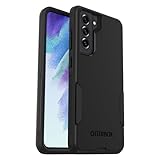
- Compatible with Samsung Galaxy S21 FE 5G (Only - Not Compatible with Galaxy S21/S21 Plus/S21 Ultra)
- Thin, pocket-friendly case slips in and out of pockets easily. Secure grip for confident handling
- Port covers block dirt, dust and lint from getting into jacks and ports. Raised edges protect camera and screen
- DROP+ | 3X as many drops as military standard (MIL-STD-810G 516.6). Wireless charging compatible
6. Don’t factory-reset the phone over a minor preference change
A factory data reset erases data on the device, so it is not a routine step for checking settings. Samsung recommends backing up important files before using a reset as part of update-failure recovery. First identify the setting that changed and use Samsung’s update troubleshooting guidance if the phone has an actual update problem.
The Tool Desk
Outbyte PC Repair FREERepair Windows errors before they cause bigger problemsFix Now →Outbyte Driver Updater FREEScan for outdated or missing drivers - takes under a minuteDriver Scan →Samsung’s rollout information also has regional limits: its India One UI schedule, last updated September 9, 2026, lists the Galaxy S21 FE 5G, while Samsung Canada’s One UI 8 page, last updated July 16, 2026, lists the S21 FE and cautions that availability and features vary. Neither listing guarantees the same release for every S21 FE worldwide. See Samsung India’s One UI software update schedule and Samsung Canada’s One UI 8 overview.
Quick Recap
Best Value
![LeYi for Galaxy S21-FE 5G Case [MagSafe Fit] Slim Matte Translucent, Black](https://m.media-amazon.com/images/I/41THQYVAh0L._SL160_.jpg)
- 𝐍𝐎𝐓 𝐅𝐈𝐓:𝐍𝐨𝐭 𝐟𝐢𝐭 𝐒𝐚𝐦𝐬𝐮𝐧𝐠 𝐒𝟐𝟏/𝐒𝟐𝟏+! 𝐍𝐨𝐭 𝐟𝐢𝐭 𝐒𝐚𝐦𝐬𝐮𝐧𝐠 𝐒𝟐𝟏/𝐒𝟐𝟏+!
- Precision Fit: This case is precisely engineered exclusively for the Samsung Galaxy S21 FE. Easy to match well with your phone of any color and express your aesthetics taste, confidence and personality
- Seamless Mag-Safe Compatibility: Built-in N52 magnets provide a strong, secure connection to all your magnetic accessories—wallets, car mounts, ring holders, and chargers. Enjoy a safer, faster, and more convenient wireless charging experience
- Luxurious Silky Feel: We're the first to use Molecular Conversion Coating for a game-changing feel. Paired with a premium matte back, this slim S21 FE case hugs your hand like a second skin—offering a silky, grippy texture that laughs off fingerprints
- Full-Coverage Protection: This case delivers military-grade protection without the bulk. With 0.5mm raised bezels to safeguard the screen and camera, plus quad-corner shock absorption and a reinforced polycarbonate frame, it survives drops from up to 10 feet
Product prices and availability are accurate as of the date/time indicated and are subject to change. Any price and availability information displayed on Amazon at the time of purchase will apply.




