The Tool Desk
Outbyte Driver Updater FREEScan for outdated or missing drivers - takes under a minuteDriver Scan →Outbyte PC Repair FREERepair Windows errors before they cause bigger problemsFix Now →Before modifying an Echo Spot, confirm its generation and firmware eligibility, preserve and verify device-specific backup files, and identify a recovery route for that exact model. A factory reset is not a documented way to reverse a bootloader unlock or restore modified firmware.
First, identify which Echo Spot you have
Do not treat “Echo Spot” as one interchangeable model. The community unlock documentation covered here is for the first-generation Echo Spot released in 2017, codename rook. Amazon has separate reset and security-support documentation for the 2024 release. The community material cited for the 2017 model does not establish that its method works on the 2024 Spot.
As an Amazon Associate I earn from qualifying purchases.
Check the model and release information shown in your device or Amazon account before choosing a guide. If you cannot confidently establish the generation, stop rather than inferring compatibility from the product name or appearance.
Do these 3 things before closing this tab:
1Clear out junk files and repair common Windows errors2Fix the driver behind crashes, sound loss and screen glitches3Repair Windows errors before they cause bigger problemsCheck whether the exact device and firmware are supported
The community-posted 2017 unlock method is model- and Fire OS version-specific. Its author points to a guide listing supported Fire OS versions, and describes a micro-USB connection. Before proceeding, read the current original instructions and compare their supported conditions with the firmware on your own device. A post announcing a method is not a guarantee that it remains available, works on every 2017 Spot, or is safe for your configuration.
#1 Best Overall
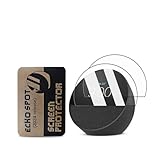
- Condition:Brand new.
- Protect your screen from breakage, dust and scratches
- Offers tough, durable, transparent surface while keeping the screen clean and unscratched
This research did not verify a corresponding jailbreak method for the 2024 release. That is not proof that no method exists; it means you should not apply the 2017 instructions to a 2024 Spot without an independently verified, model-specific guide. Amazon’s 2024 reset and security-support materials are not evidence that a community unlock is compatible.
Make backups you can actually use
Before changing a bootloader, partition, or firmware, preserve the original device-specific images and any personal data you need. A community project for the 2017 Spot describes a utility that copies boot-relevant partitions and checks the copied data against a read from the device. That is a report about a community utility, not an Amazon tool, universal backup method, or promise that restoration will succeed.
Rank #2
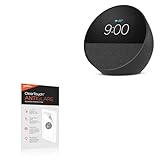
- 🌞 [ANTI-GLARE] BoxWave Screen Protector Compatible With Amazon Echo Spot (2024). Disperses light so the glare does not reflect back into your eyes. Whether you're using your device outdoors with natural lighting, or viewing indoors with overhead lights, the ClearTouch Anti-Glare REDUCES 90% UV rays, protecting your eyes. ⭐ *** PLEASE NOTE, ECHO SPOT (2024) DEVICE NOT INCLUDED ***
- 😎 [SMOOTH SURFACE] Ultra smooth matte surface gives you a FUTURISTIC high-end look and feel to your device screen. Has a paper-like surface that is comfortable to the touch, and pleasing to the eye!
- 💦 [CLEAN APPLICATION] The special GLUELESS adhesive will never leave any sticky residue that may damage your screen.
- 👔 [PERFECT DESIGN] Specifically designed for your device. These ClearTouches will fit your device screen perfectly, GUARANTEED! All ClearTouches are PRECISION-CUT to fit your device screen's exact dimensions along with any contours and cut-outs. All functionality will be fully accessible.
- ✌ [TWO-PACK] Comes with TWO (2) ClearTouch Anti-Glare screen protectors and installation accessories. Save the extra one for later, or share it with a friend! Disclaimer: ClearTouch Packaging may not be the exact one pictured on this listing.
- Use backup instructions intended for your exact model and firmware, and understand what each file contains.
- Keep the backup somewhere separate from the device and retain an untouched copy.
- Follow the tool’s verification procedure and confirm that the copies pass its checks before making changes.
- Save personal data separately; partition images should not be assumed to contain every item you care about.
Amazon’s safety and compliance guidance also places responsibility on the owner to back up data, software, and other material before service, and warns that service can result in loss or reformatting. That warning concerns service; it is not a jailbreak backup or firmware-restoration guide.
Free tools Windows power users keep installed
One-click scans. No signup required.
Decide whether the risks are acceptable
A failed or incompatible modification can leave the device unable to boot or otherwise unusable. The material available here does not establish a success rate, failure rate, or guaranteed recovery route. Consider the consequences before starting rather than assuming a boot failure will be easy to fix.
Rank #3
![[2 Pack] for Spot (2024) Smart Speaker Screen Protector,Polyethylene Terephthalate Material and 3D Curved Edge& &Full Coverage&Anti-Scratch& Bubble Free&Case Friendly.](https://m.media-amazon.com/images/I/31fLoCd5nJL._SL160_.jpg)
- Compatible Model: Compatible with Echo Spot (2024) Smart Speaker Screen Protector, NOT COMPATIBLE for other devices.
- Touch Sensitivity: Highly sensitive touch, can slide comfortably on the screen. High-response, Touch sensitive, You can enjoy the original touch of the smartwatch screen.
- Clear Picture Qualit: 99% High Transparency screen protector with ultra-thin design(Not tempered screen protector), bringing bright and colorful image quality, keeping an original visual experience for you.
- Full Coverage Protection: Completely covers smartwatch screen from edge to edge, Perfect performance on anti scratch, to maximize smart speaker protection.
- Oleophobic & Hydrophobic: Hydrophobic and oleophobic screen coating protects against sweat and oil residue from fingerprints on the smartwatch screen.
- Amazon and Alexa functions: the current post-modification feature set is not established here. Decide whether losing ordinary Amazon services or normal update behavior would make the Spot unsuitable for you.
- Recovery: identify a model-specific procedure for recovering a device that will not boot. A backup is valuable only if you have a compatible way to restore it.
- Service and warranty: Amazon says faulty service may void the warranty and directs owners to Amazon Customer Support if service is needed. The outcome for a particular modification depends on the applicable warranty terms and law; do not assume either that coverage is automatically lost or that it will remain unaffected.
- Physical handling: Amazon advises keeping the device and adapter away from liquids and using the supplied power adapter.
For the 2024 Echo Spot, Amazon UK lists security updates until at least 31 December 2030, subject to its stated purchase conditions. That is a UK-specific security-support statement, not evidence that a jailbreak exists or that updates will continue after modification.
Independent reader supportYour contribution helps us test, update, and keep practical guides available for everyone.Know what a factory reset can—and cannot—do
Amazon’s reset instructions describe stock troubleshooting and erasing device settings; they do not document reversing a bootloader unlock, restoring TWRP, reinstalling original firmware, or unbricking modified hardware. Do not start a modification on the assumption that a reset will undo it.
Rank #4

- Please be attention that screen protector is flexible plastic film, Not Tempered Glass.
- TPU material with smooth surface, keep you a high touch sensitive and fast fingerprint recognition.
- 4H Hardness can effectively resist daily scratches.
- Self-healing properties enable the film to recover from minor scratches and keep your screen brand new.
- Dust-free,bubble free,one-push super easily installation.
For ordinary problems on a stock 2024 Spot, Amazon says: “Before attempting a full device reset, try restarting the device first, as a reboot often resolves common issues.” Its 2024 guidance describes reset choices that can retain smart-home connections or erase settings. Amazon’s general on-screen-device instructions also cover Echo Spot and describe reset through device buttons or menus. These are stock-device troubleshooting options, not low-level jailbreak recovery procedures.
Quick wins for a faster PC:
Clear out junk files and repair common Windows errorsFree Scan →Fix the driver behind crashes, sound loss and screen glitchesFind Drivers →Repair Windows errors before they cause bigger problemsFix Now →Use this preflight checklist
- Confirm the generation: establish whether your device is the 2017 first-generation
rookor the 2024 release. - Match the firmware: for a 2017 Spot, check the current original community guide’s supported Fire OS conditions against your device. Do not use a guide for a different generation.
- Review the full procedure: understand each step and the required connection before changing anything. The documented community post describes micro-USB for the 2017 method; a cable alone does not reduce risk or guarantee success.
- Back up and verify: preserve the original device-specific files and important personal data, then confirm the backup checks pass.
- Confirm recovery: locate a recovery method for your exact model before modifying it, and decide what you will do if it no longer boots. Do not count a factory reset as that method.
- Accept service implications: consider Amazon’s warning about faulty service and possible loss of material, and understand that warranty outcomes depend on the applicable terms and law.
If any of those checks is unresolved—especially generation, firmware eligibility, a verified backup, or a plausible recovery route—the safer choice is to leave the device stock.
Quick Recap
Product prices and availability are accurate as of the date/time indicated and are subject to change. Any price and availability information displayed on Amazon at the time of purchase will apply.




