The Turtle Beach Command Series KB5 makes its case with a built-in touchscreen, five macro keys and a full-size layout. At $149.99 on Turtle Beach’s US product page on October 7, 2026, it is most compelling for people who will use those controls; its wired-only connection, wide footprint, fixed switches and reported touchscreen hiccups make it a less obvious fit for everyone else.
What the KB5 includes
The KB5 is a full-size mechanical gaming keyboard with a number pad, five dedicated macro keys and a 2.4-inch color touchscreen called the Command Touch Display. The screen can control profiles, macros, settings, apps and audio functions. A volume barrel, per-key RGB lighting and a detachable palm rest round out the controls. These are manufacturer-listed features; whether they improve your setup depends on how often you use them. Turtle Beach’s product page lists a US price of $149.99 as of October 7, 2026.
As an Amazon Associate I earn from qualifying purchases.
The board uses Turtle Beach Titan low-profile mechanical linear switches. The company specifies 3.1mm of total travel, a 1.2mm actuation point, 42gf actuation force and a 50-million-keystroke rating. It also lists 8,000Hz wired polling, full-key anti-ghosting and 32MB of onboard memory. These are manufacturer specifications and ratings, not independently measured performance or a guarantee of how the keyboard will feel to you. Turtle Beach lists compatibility with Windows 10 and Windows 11.
Free tools Windows power users keep installed
One-click scans. No signup required.
Size, connection and what comes in the box
The keyboard measures 477 × 175 × 27mm without its palm rest, or 477 × 257 × 27mm with it attached. Turtle Beach lists weights of 887g and 1,100g, respectively. It connects by USB-A using the included detachable 1.8m USB-A cable; there is no wireless mode listed. The box includes the keyboard, cable, detachable wrist rest, textured replacement WASD keycaps and a keycap puller. Turtle Beach’s specifications identify the cable as USB-C-to-USB-A.
#1 Best Overall

- Ultra-responsive 2.4” Command Touch Display for profiles, macros, and stats
- Launch apps, manage audio, and control streams directly
- Titan low‑profile mechanical switches
- ReacTap tech ensures rapid resets and smooth keystrokes
- True 8K polling rate with 0.125ms latency for precision
Where the built-in screen helps—and where it falls short
The screen is the KB5’s clearest distinction from a conventional keyboard. It puts several configuration and media controls on the board itself, while the dedicated macro keys give frequent shortcuts a physical home. Tom’s Guide found the touchscreen useful for customization, but reported that it sometimes froze on a page or missed taps during its review, including after a firmware update. That is one reviewer’s observation, not a measured failure rate or proof that every unit will behave that way. Tom’s Guide’s review also says polling-rate changes require Swarm II software rather than the screen.
Turtle Beach lists Windows 10/11 compatibility. Tom’s Guide reports that Swarm II customization software is Windows-only and that customizing the screen depends on the software. If you use another operating system, or want to manage every screen feature without a PC application, check current software support and the functions available on your system before buying. Tom’s Guide describes the software limitation in its review.
Rank #2

- Mini format 65% with arrow keys | TITAN II optical switches with ultra-fast linear start
- Lifecycle of 200 million keystrokes | Pre-lubricated key stabilizers for smooth and stable typing
- 30 smart keys equipped with dedicated LEDs to indicate when additional functions are active | Built-in memory up to 5 profiles
- Anodised aluminium top plate for even more durability. Cross-shaped rods compatible with other keycaps
- Vivid RGB AIMO Lighting | Removable USB-C Cable for Easy Storage and Customization
The flaws that matter most
It takes up substantial desk space
The KB5 is wide even before you account for the palm rest. TechRadar found that its width could interfere with mouse swipes, a concern for low-sensitivity players who make broad movements or anyone with a narrow desk. The actual fit depends on your desk and mouse setup, but this is not a compact board. TechRadar’s review discusses the width in use.
The switches are not hot-swappable
The KB5 does not accept simple plug-in switch replacements. Tom’s Guide reports that replacing a failed switch requires disassembling the keyboard and soldering, rather than pulling one switch and inserting another. That makes the board a poor match for buyers who want to experiment with switch types or handle switch replacement without soldering. Tom’s Guide describes the repair limitation.
Rank #3

- Hall-Effect, Magnetic Switches Rated at a 150M Click Lifestyle
- Rapid Trigger Performance for Ultra-Fast Key Response
- Adjustable, Multi-Point Actuation for Each Individual Key
- AIMO Intelligent RGB Lighting
- Advanced Customization with Swarm II Software
Typing impressions do not line up perfectly with the spec
Turtle Beach’s listed 1.2mm actuation point is a specification, but it does not determine how every person will experience the keys. TechRadar reviewer Lewis Maddison said the switches felt deeper to actuate than expected and that fast typing sometimes failed to register. This is an individual review experience, not a lab result or evidence of a general defect. TechRadar’s review gives that account.
Some reviewers questioned the materials and wrist rest
The KB5 has a plastic chassis and an aluminum top plate, according to Tom’s Hardware. TechRadar characterized the plastic and included wrist rest as cheap-feeling, while noting the brushed metal faceplate and the comfort of the wrist-rest contours. These are tactile judgments from reviewers, not objective durability findings. Tom’s Hardware lists the chassis materials; TechRadar describes its impressions of the finish and rest.
Rank #4
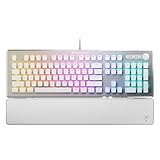
- TITAN II RED Linear Mechanical Switches with durability of 100M keystrokes
- Pre-lubed key stabilizers for smooth and stable keystrokes
- Easy-Shift[+] unlocks a second function layer
- Detachable palm rest provides support
- Dedicated media controls and push to mute volume knob
How much should you make of 8,000Hz polling?
Turtle Beach rates the KB5 for 8,000Hz wired polling and lists its ReacTap feature. Tom’s Guide discusses both positively, but says most gamers are unlikely to need 8KHz polling. The number is a manufacturer specification, not proof that every player will notice a practical advantage. If you are choosing the KB5 mainly for its polling rate, weigh that feature against the screen, macros, footprint and wired connection rather than assuming the highest listed rate makes it the better keyboard. Tom’s Guide’s review gives its perspective on who is likely to benefit.
Is the KB5 worth about $150?
The official US product page showed $149.99 on October 7, 2026. Turtle Beach’s May 21, 2026 global launch announcement listed launch pricing of $149.99, €159.99 and £139.99; those are launch prices, not a guarantee of current stock or offers. Tom’s Guide lists $149 / £139, and TechRadar lists $149.99 / £139.99 in their reviews. Prices vary by source and may change, so check the live listing for your region. Turtle Beach’s product page, launch announcement, Tom’s Guide and TechRadar give those source-specific figures.
Best Value

- Factory Pre-Lubed TITAN HS Brown Tactile 5-Pin Switches with Light Tactile Feedback
- Hot-Swappable 3-Pin and 5-Pin Mechanical Switch Compatibility for Easy Replacement
- Factory Pre-Lubed Stabilizers and Sound-Dampening Foam Deliver Refined Typing Acoustics
- ReacTap SOCD, Full N-Key Rollover (NKRO), and Anti-Ghosting for Competitive Gaming
- EASY-SHIFT Technology with Game Mode, Key Remapping, and Custom Macros
Tom’s Guide and TechRadar both considered the price high in light of the KB5’s limitations. Its value depends less on the polling-rate headline than on whether you will use the touchscreen and macro keys enough to justify paying for them. A streamer or macro-heavy user may appreciate having those controls in one full-size board. Someone who wants wireless operation, an easy route to switch customization, or more room for mouse movement is paying for features that may not solve their main problem.
For a different balance, Tom’s Guide points to the Keychron V1 Ultra 8K as an example of a wireless high-polling option, while TechRadar names the MonsGeek FUN60 Ultra as a more compact wireless keyboard with adjustable analog switches. Those are alternatives cited by the reviews, not a comprehensive or independently retested ranking; verify the exact variant, specifications and current price before comparing. Tom’s Guide and TechRadar discuss them.
Quick Recap
Who should consider it?
- Consider it if you want a full-size wired keyboard and expect to use its touchscreen, macro keys and onboard controls regularly.
- Think twice if your desk is tight, you make wide mouse movements, or you need a wireless keyboard.
- Look elsewhere if hot-swappable switches or straightforward switch repair are priorities.
- Check first if you rely on a non-Windows system for customization, or if your purchase decision rests mainly on the 8,000Hz polling specification.
Product prices and availability are accurate as of the date/time indicated and are subject to change. Any price and availability information displayed on Amazon at the time of purchase will apply.
Do these 3 things before closing this tab:
1Clear out junk files and repair common Windows errors2Fix the driver behind crashes, sound loss and screen glitches3Repair Windows errors before they cause bigger problems



