Do these 3 things before closing this tab:
1Scan for outdated or missing drivers - takes under a minute2Clear out junk files and repair common Windows errors3Fix the driver behind crashes, sound loss and screen glitchesTeams for Education privacy is managed across several control surfaces—not one switch. Administrators need to set role-based Teams policies, decide what diagnostic data supported clients send, review Education Insights collection, and protect Teams spaces with Microsoft 365 sensitivity labels. Microsoft’s settings are administrative guidance; they do not by themselves establish that a school complies with applicable law.
Start with roles and a safe policy baseline
Separate students, educators, other staff, guests, and administrators before changing settings. Their collaboration needs differ, so avoid applying a single permissive configuration to everyone.
As an Amazon Associate I earn from qualifying purchases.
Microsoft recommends using the Global (Org-wide default) policy for students so newly added users start with student-appropriate restrictions. Student policy packages are an alternative when the school’s plan calls for them. Add custom policies or packages for educators and staff where broader capabilities are appropriate. Policies can be assigned to individual users, groups, or batches through the Teams admin center or PowerShell. See Microsoft’s Step 1: Configure Microsoft Teams for Education.
What’s actually slowing this PC down?
Pick the symptom - the matching free tool is one click away.
Set student communication and collaboration boundaries
Review more than chat. Microsoft’s education baseline covers meetings, messaging, channels, calling, external access, and connected client services. It recommends restrictive student-facing defaults while allowing faculty and staff the capabilities required for their work. These are recommendations to adapt to student age, school culture, local rules, and teaching practice—not universal settings.
#1 Best Overall

- 【Instant Snap-on Magnetic Attachment】- The Patented Magnetic Privacy Screen – Protected by U.S. Patents 9,829,669 and D844,012. Simply place the privacy screen along the top of your MacBook and let the magnets attach along the top. No need for tricky placement, messy tape, or damaging adhesive. Easily remove and reattach when you need it.
- 【Filter Dimensions】: Width: 11 15/16" (304 mm), Height: 7 1/2" (190 mm), Diagonal: 14.1" (358.14 mm) - SightPro Blackout Privacy Filter is engineered to be compatible with Lenovo, HP, Dell, Acer, Asus, Samsung, and other laptop brands. Please verify your screen's width and height measurements before ordering. It's not recommended to make your selection based solely on your screen's diagonal size. [Not optimized for touchscreens.]
- 【Superior Privacy】- Our advanced multi-layered film filter blacks out your screen when viewing from the side, while maintaining a crystal clear screen straight-on. It also protects your eyes from harmful UV and blue light. [Note: It does not block visibility directly behind you, regardless of the distance.]
- 【Perfect for Travel and Open Workspaces】- The Laptop Privacy Screen Filter is the ideal solution for healthcare providers, mobile workers, commuters, students, and business travelers. Now you can stay compliant and safeguard sensitive corporate information while working in airplanes, subways, airports, and public areas.
- 【Package Contents】- Each package includes a magnetic privacy screen filter, magnetic stickers, a webcam privacy cover, a storage folder, and a cleaning cloth. Buy with confidence – located in the US, Sight Pro specializes in providing best-in-class privacy solutions to individuals, small businesses, corporations, government, and educational institutions. Our privacy screens are Section 889 and TAA compliant.
- Messaging: decide who can start or participate in private and group conversations.
- Meetings: set who can schedule meetings and who can participate or present.
- Calling: consider restricting student private calls.
- Channels: consider limiting student creation of private or shared channels and external channel sharing.
- External access: review access by consumer Microsoft accounts and federated organizations separately.
Do not treat disabling all chat as the automatic safest option. Microsoft notes that this can also prevent educators from having one-to-one or group chats with students; the appropriate choice depends on the institution’s context. Its baseline advises disabling consumer access because consumer accounts can reach tenant users and may introduce student-safety risks or distractions. See Microsoft Teams security for education.
Limit third-party storage and other sharing routes
Review third-party cloud storage integrations alongside Teams policies. Microsoft recommends disabling integrations the institution does not need, then limiting any retained service to users who require it. Students might otherwise use a third-party service to bypass other controls, while the school may have less audit visibility into that activity. Make the decision based on actual instructional workflows and oversight requirements.
Rank #2

- 【Instant Snap-on Magnetic Attachment】- The Patented Magnetic Privacy Screen – Protected by U.S. Patents 9,829,669 and D844,012. Simply place the privacy screen along the top of your MacBook and let the magnets attach along the top. No need for tricky placement, messy tape, or damaging adhesive. Easily remove and reattach when you need it.
- 【Filter Dimensions】: Width: 12 3/16" (310 mm), Height: 6 7/8" (175 mm), Diagonal: 14" (355.6 mm) - There are two different 14 inch screen sizes, please select the correct one. SightPro Blackout Privacy Filter is engineered to be compatible with Lenovo, HP, Dell, Acer, Asus, Samsung, and other laptop brands. Please verify your screen's width and height measurements before ordering. It's not recommended to make your selection based solely on your screen's diagonal size. [Not optimized for touchscreens.]
- 【Superior Privacy】- Our advanced multi-layered film filter blacks out your screen when viewing from the side, while maintaining a crystal clear screen straight-on. It also protects your eyes from harmful UV and blue light. [Note: It does not block visibility directly behind you, regardless of the distance.]
- 【Perfect for Travel and Open Workspaces】- The Laptop Privacy Screen Filter is the ideal solution for healthcare providers, mobile workers, commuters, students, and business travelers. Now you can stay compliant and safeguard sensitive corporate information while working in airplanes, subways, airports, and public areas.
- 【Package Contents】- Each package includes a magnetic privacy screen filter, magnetic stickers, a webcam privacy cover, a storage folder, and a cleaning cloth. Buy with confidence – located in the US, Sight Pro specializes in providing best-in-class privacy solutions to individuals, small businesses, corporations, government, and educational institutions. Our privacy screens are Section 889 and TAA compliant.
Choose a diagnostic-data level for supported clients
Teams diagnostic data is separate from chat messages, shared files, and other user-generated content. For supported client software, Microsoft documents three levels:
| Level | What it means |
|---|---|
| Required | Data Microsoft describes as necessary for security, updates, and expected performance. |
| Optional | Includes Required data and adds data used for product improvement and troubleshooting. |
| Neither | Disables the Required and Optional diagnostic-data levels where the control applies; it does not disable separate required service data for essential services. |
Administrators manage this setting through Office cloud policy. Users signed in with school or work credentials cannot change the level on their devices. Microsoft says diagnostic data does not include names, email addresses, or user content such as chats or shared files. Required service data for connected experiences is a separate category, and essential services still send it. The Policy control overview for Microsoft Teams explains the distinction.
Rank #3

- 【Instant Snap-on Magnetic Attachment】- The Patented Magnetic Privacy Screen – Protected by U.S. Patents 9,829,669 and D844,012. Simply place the privacy screen along the top of your MacBook and let the magnets attach along the top. No need for tricky placement, messy tape, or damaging adhesive. Easily remove and reattach when you need it.
- 【Filter Dimensions】: Width: 13.56" (344.5 mm), Height: 8.49" (215.6 mm), Diagonal: 16" (406 mm) - SightPro Blackout Privacy Filter is engineered to be compatible with Lenovo, HP, Dell, Acer, Asus, Samsung, and other laptop brands. Please verify your screen's width and height measurements before ordering. It's not recommended to make your selection based solely on your screen's diagonal size. [Not optimized for touchscreens.]
- 【Superior Privacy】- Our advanced multi-layered film filter blacks out your screen when viewing from the side, while maintaining a crystal clear screen straight-on. It also protects your eyes from harmful UV and blue light. [Note: It does not block visibility directly behind you, regardless of the distance.]
- 【Perfect for Travel and Open Workspaces】- The Laptop Privacy Screen Filter is the ideal solution for healthcare providers, mobile workers, commuters, students, and business travelers. Now you can stay compliant and safeguard sensitive corporate information while working in airplanes, subways, airports, and public areas.
- 【Package Contents】- Each package includes a magnetic privacy screen filter, magnetic stickers, a webcam privacy cover, a storage folder, and a cleaning cloth. Buy with confidence – located in the US, Sight Pro specializes in providing best-in-class privacy solutions to individuals, small businesses, corporations, government, and educational institutions. Our privacy screens are Section 889 and TAA compliant.
Review Education Insights collection, contents, and retention
Education Insights is a separate analytics surface. It uses activity from Teams and can optionally use student information system data supplied by the institution. Its listed activity categories include assignment opens, submissions, and grades; channel visits and reactions; file actions; notebook editing; meeting attendance; Reading Progress measures; and Reflect check-ins.
Microsoft says the listed channel and file categories exclude chat content and file contents, and meeting attendance is not meeting content. Attendance generally appears in Insights a few hours after class meetings and usually within 24 hours, according to Microsoft’s IT Admin Guide to Education Insights in Microsoft Teams.
Rank #4
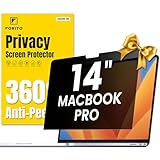
- 【Compatible Model】 This macbook pro 14 inch privacy screen is compatible with MacBook Pro 14 Inch Year 2021, 2022, 2023, 2024, 2025, M1 M2 M3 M4 M5 Pro Max chip. (Model: A2442, A2779, A2918, A2992, A3112, A3185, A3401, A3434). Please verify the back of the computer for the specific model number to avoid any compatibility issues with the model
- 【Upgraded 360°anti-peeping film】 With its innovative 360° privacy design, our privacy screen macbook pro 14 inch offers unparalleled protection for your personal information. By effectively restricting the viewing angle to only the user in front, it prevents unauthorized individuals from seeing your display from the sides or behind
- 【Prioritize Eye Health】 This macbook pro 14 privacy anti glare screen protects your eyes with anti-glare and anti-blue light technology. It reduces eye fatigue, minimizes discomfort, and prevents headaches caused by blue light and glare. Enjoy extended screen time without worrying about eye strain.
- 【Crystal Clear Display】 Our crystal clear display technology allows you to enjoy a clear and vibrant screen from the front, while preventing others from seeing your screen contents. Whether you're working on sensitive documents or simply browsing the web, our innovative technology ensures that your privacy is always protected
- 【Safeguard Your Laptop】 Featuring precise cutouts, our privacy screen for macbook pro 14 inch offers a seamless fit for your device. Moreover, its ultra-thin design ensures that your laptop can be closed without any interference, providing a hassle-free user experience
Microsoft states that Insights data remains until an administrator turns off the Education Analytics toggle or the tenant’s Office subscription ends. Turning off an individual Teams feature does not delete historical Insights data. Review the toggle and retention behavior directly in the current guide before changing collection. The guide describes deployment in Europe and the United States: data for Europe-based users is stored in Europe, data for Australian- and US-based users in the United States, and data for users elsewhere in one of Microsoft’s geographic regions. Confirm current residency information for the school’s tenant rather than assuming a region from this general description.
Protect Teams spaces with sensitivity labels
Teams policies govern collaboration behaviors; sensitivity labels can protect the collaboration spaces themselves. Microsoft’s education information-protection guidance says labels can apply to Teams, Microsoft 365 Groups, and SharePoint sites. Depending on configuration, container controls include:
Best Value

- Compatible Models: Width: 13 9/16" (13.5 inch/344 mm), Height: 7 5/8" (7.6 inch/194 mm), Diagonal: 15.6" (396.24 mm) widescreen laptops which have a 16:9 aspect ratio. Not touchscreen compatible !!! Not fit for 16:10.Do NOT rely solely on your laptop’s diagonal size when ordering. Use a ruler to measure your screen’s visible area (excluding the black bezels). If the width reads 344mm and height reads 194mm, this filter is a perfect match for your device.
- Keep Information Privacy: Effective "black out" privacy from side views outside the 60-degree viewing angle. Designed for optical clarity when viewing from the front, a person not at the front of the screen can only see the dark side of the screen, so it protects buisness secrets and personal privacy
- Eye and Screen Protection: Privacy filter does not only protect your private life but also protects your eyes by blocking 30% of blue light , blocking the harmful blue light between 380 - 495nm, it filters out the blue light and relieves eye strain. Our laptop privacy screen also helps keep your screen safe from dust and scratches
- Perfect For Open Workspaces: Great for maintaining screen privacy in high traffic areas such as open work spaces, airports, airplanes, commuter trains, coffee shops and other public places, etc
- Easy Installation: Choose between 2 simple Options; Slide-On/Off or Mounted. Not touchscreen compatible
- Public or private status
- External user access and external sharing
- Access from unmanaged devices
- Authentication contexts
- Discovery of private teams
- Invitations to shared channels
Use labels to encode the access and sharing rules appropriate to different kinds of school spaces, such as student classes or staff collaboration. See Information protection for Microsoft 365 for Education.
Turn the settings into a reviewable school decision
- Define user groups. Document how students, educators, staff, guests, and administrators are identified and which group receives each policy.
- Apply the baseline. Use a student-appropriate Global policy default, then assign narrower custom policies or packages where needed.
- Check reach and sharing. Review private communication, meetings, calls, channels, consumer and federated access, and third-party storage against school needs.
- Set data collection expectations. Decide the diagnostic-data level for supported clients and review Education Insights collection, historical data behavior, and residency.
- Protect spaces. Apply sensitivity labels and their access controls to Teams and related Microsoft 365 containers.
- Record the rationale and review it. Link each choice to local policy, student context, and applicable legal advice; revisit decisions when Microsoft changes controls or the school’s needs change.
Microsoft describes Teams features as supporting regulatory compliance, including GDPR and FERPA. That product statement is not a legal conclusion about a particular school, tenant configuration, or practice. The institution must determine its obligations with appropriate jurisdiction-specific review.
Quick Recap
Product prices and availability are accurate as of the date/time indicated and are subject to change. Any price and availability information displayed on Amazon at the time of purchase will apply.
Free tools Windows power users keep installed
One-click scans. No signup required.




