The Tool Desk
Outbyte Driver Updater FREEScan for outdated or missing drivers - takes under a minuteDriver Scan →Outbyte PC Repair FREEClear out junk files and repair common Windows errorsFree Scan →When a smartwatch won’t connect to Strava, the fix depends on where the workout was recorded and which app is supposed to send it. Check whether the activity appears in the watch’s companion app, confirm that the exact device platform is supported, then follow that platform’s Strava connection instructions. If the workout is already saved elsewhere, you may be able to export it and upload it manually.
First, identify where the workout was recorded
A watch-to-Strava connection is often a chain: the watch records a workout, its companion app receives it, and an integration transfers it to Strava. Strava also supports activities recorded in its own app, imports through certain platform integrations, and manual file uploads. These routes have different troubleshooting steps.
As an Amazon Associate I earn from qualifying purchases.
| Where the workout was recorded | Where to start | Possible transfer route |
|---|---|---|
| A third-party smartwatch or its companion app | Check whether the workout appears in the companion app, then use the watch platform’s Strava connection instructions. | Usually the platform’s integration; manual file upload may be available if the platform can export a supported workout file. |
| Apple’s native Workout app | Check the Apple Health connection and permissions in both Strava and Health. | Apple Health can sync in both directions. Importing into Strava is limited to workouts recorded with Apple Workout within the past 30 days. |
| The Strava app on an iPhone or Android phone | Check the Strava app’s upload status, network, sign-in, and phone storage. | Retry the pending upload in Strava; these mobile-app checks do not diagnose a third-party watch integration. |
Strava’s compatibility directory lists platforms including Apple Watch, Samsung Wear OS, Garmin, COROS, Polar, Suunto, WHOOP, Oura, and Withings. A platform listing does not establish identical support for every device generation or activity type. Check the exact device and its current instructions in Strava’s “What Devices and Apps Are Compatible With Strava?” directory.
Recommended Free Tools
If the workout was recorded by a watch or fitness platform
Confirm the workout reached its companion app
Open the app paired with the watch and look for the activity. If it is missing there, the issue is upstream of Strava: resolve the watch-to-companion-app recording or transfer problem using that manufacturer’s guidance. If it is present, focus on the companion app’s Strava integration rather than Strava’s phone-app upload troubleshooting.
#1 Best Overall
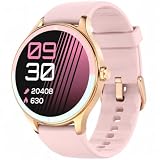
- BLUETOOTH CALLING AND SMART NOTIFICATIONS - Make and answer calls from your wrist and receive alerts for calls, texts, calendar events, and supported apps when connected to your phone. Use the voice assistant for convenient hands-free help. Compatible with iPhone and Android.
- Everyday Wellness Tracking - Track heart rate, HRV, blood oxygen and sleep stages in VeryFit, and view trends that support your daily fitness routine. Wellness data is intended for general fitness reference and is not a medical measurement.
- 100+ Sports Modes and Strava Sync - Choose from more than 100 sports modes. Walking, running, elliptical and rowing can be recognized automatically. Route tracking uses the paired smartphone's GPS; the watch does not include built-in GPS. Sync supported workout data from VeryFit to Strava.
- Women's Health and Daily Balance - Record menstrual cycle information and set related reminders with the watch and VeryFit app. Use guided breathing exercises and activity reminders to support everyday routines at home, at work or while travelling.
- Up to 7-Day Battery and Everyday Tools - Use the watch for up to 7 days on a charge. Battery life varies with use and settings. Personalize watch faces and use alarms, weather, music control, timers and other practical tools throughout the day.
Check support and authorization
Use Strava’s compatibility directory to find the platform, then follow its device-specific connection instructions. Confirm that the correct Strava account is authorized and that the relevant app permissions remain enabled. The exact setup flow varies by manufacturer; Strava says the developer managing an integration is the appropriate contact for integration-specific troubleshooting.
For example, COROS connects through the COROS app’s Settings > 3rd Party Apps flow, followed by Strava authorization. That menu path applies to COROS, not to other watch brands. COROS also provides FIT or TCX export as a fallback for activities that do not sync.
Rank #2
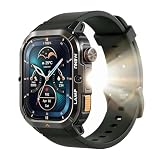
- BUILT FOR THE JOB SITE — MIL-STD-810H, 5ATM + IP68: Dropped on concrete, soaked in rain, covered in dust — the AGM Legion 3 keeps working. Military certified, dual waterproof rated, ultra-hardened scratch-resistant glass. No case needed, no babying required.
- TAKE CALLS FROM YOUR WRIST, LIGHT YOUR WAY AT NIGHT: On a loud job site or a dark trail, the Bluetooth speaker lets you answer calls without digging out your phone. The built-in LED flashlight handles night shifts, power outages, and early morning runs — hands free, every time.
- 100+ SPORT MODES + STRAVA COMPATIBLE: Track runs, hikes, cycling, and more across 100+ sport modes with heart rate tracking. Sync your workouts to Strava when you're done. The 1.95" AMOLED display stays sharp and readable in direct sunlight — on the trail or the treadmill.
- ONE CHARGE, TEN DAYS — WEAR IT AND FORGET IT: Commuters, workers, and travelers don't have time to charge every night. The AGM Legion 3 runs up to 10 days on a single charge. Pairs with iOS and Android in minutes.
- A GIFT THAT ACTUALLY GETS USED: Ultra-hardened display that needs no screen protector. Black band included. Works with any standard 22mm band — hundreds of styles to choose from. Practical, durable, and built for everyday life — the kind of gift people keep.
Check operating-system and recording-app limits
Strava supports Wear OS 3.0 and above and no longer supports its Tizen smartwatch app. On supported Wear OS devices, Strava advises against running its app and another active workout-recording app at the same time: the system supports only one exercise-tracking session at a time.
What’s actually slowing this PC down?
Pick the symptom - the matching free tool is one click away.
If you use Apple Health
Strava’s Apple Health integration can sync in both directions, but the import route into Strava is limited: the workout must have been recorded with Apple’s native Workout app and fall within the past 30 days. A workout recorded by another company’s app does not qualify for that Apple Health import route.
Rank #3

- ✔️ Smart Heart Rate Zones: Real-time LED indicators display your heart rate zone—Warm-up, Fat Burn, Aerobic, Anaerobic, or Max Effort—guiding you to optimize workout intensity with precision.
- ✔️ Advanced 4-Channel Optical Sensor: Enhanced signal processing minimizes motion artifacts, delivering accurate heart rate tracking even during high-intensity workouts. without delay or dropouts.
- ✔️ Dual Connectivity (ANT+ & Bluetooth): Seamlessly pairs with smartphones, fitness equipment, smartwatches, and bike computers for versatile, multi-device heart rate monitoring.
- ✔️ Personalized Performance Tracking: Offers tailored training plans, in-depth performance analysis, and progress metrics to help runners and athletes boost fitness and achieve goals.
- ✔️ Comfortable & Durable Design: Features a lightweight (12.2g), washable elastic strap, built for comfort and resilience in all weather, with a 30m waterproof rating.
Check the connection and access in both places: Strava’s settings and the Health app’s permissions. If the activity came from another recording app, use that app’s own Strava integration or export option if available rather than assuming Apple Health will import it into Strava.
If the activity is saved but did not transfer
Manual upload can recover an individual workout when the platform offers an export. Strava’s “How do I Get My Activities to Strava?” guidance supports GPX, TCX, and FIT files up to 25 MB, provided the file contains actual workout data.
Rank #4
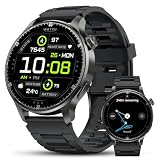
- WHY THIS SMARTWATCH IS A GAME-CHANGER: Designed for those who live an active lifestyle, this smartwatch combines advanced connectivity with powerful fitness tracking. Whether you're hitting the gym, running errands, or exploring the outdoors, this watch has you covered. Featuring built-in GPS, over 170 workout modes, wellness insights, and up to 7 days of battery life, it seamlessly integrates into your daily routine, helping you stay on track and perform your best
- ULTIMATE GPS FOR OUTDOOR ADVENTURERS: With multi-system GPS support including GPS, GLONASS, Beidou, Galileo, NAVIC, and QZSS, this smartwatch ensures you're always on course. Whether hiking in the mountains, trail running, or cycling through new routes, features like route history, smart return, compass, and altimeter keep you connected to the world around you and help you stay safe on your journey
- AMOLED DISPLAY BUILT FOR THE OUTDOORS: The 1.52-inch AMOLED display with a 466×466 resolution delivers clear, vibrant visuals even in direct sunlight. Whether checking your pace during a morning run or reading notifications on a sunny hike, the always-on screen makes sure everything is easy to see when you need it
- 170+ SPORTS MODES TO MATCH YOUR TRAINING: Track your workouts with over 170 different activity modes, including running, cycling, swimming, hiking, and strength training. Real-time tracking of distance, steps, calories, and active time helps you stay motivated and make progress, whether you're in the gym or out in nature pushing for a new personal best
- STAY CONNECTED WITH BLUETOOTH CALLS & MESSAGES: Answer calls, check messages, and view app notifications directly from your wrist with Bluetooth 5.3. The built-in microphone and speaker make it simple to take calls during your walk, commute, or workout—keeping you connected on the go
- In the watch or fitness platform’s app, find the saved activity and use its export option. Choose GPX, TCX, or FIT if offered.
- Open Strava’s activity-upload flow and select the exported file.
- Check that the file is no larger than 25 MB and contains workout data, then complete the upload.
Export options and the data included can differ by platform. Consult the platform’s instructions before assuming it can export a particular activity or that every data field will transfer. Manual upload is a recovery route for an available file; it does not by itself restore automatic syncing for future workouts.
If you recorded the activity in the Strava phone app
Use Strava’s mobile-app troubleshooting guidance only when the activity was recorded in Strava on the phone. Check the connection, retry any pending upload, sign out and back in, restart the phone, and make sure there is enough free storage. These steps are separate from troubleshooting a watch manufacturer’s integration; for integration-specific failures, Strava directs users to the integration developer.
Quick Recap
Best Value

- Health Monitoring Smartwatch: This men’s smartwatch is equipped with integrated optical sensors that continuously track your heart rate, both dynamic and static, as well as blood oxygen levels (SpO2). Additionally, the heart rate monitor effectively analyzes your sleep patterns, offering comprehensive insights into light sleep, deep sleep, and periods of wakefulness. With this watch, men can gain a better understanding of their health status, allowing for timely adjustments to their routines and promoting a healthier lifestyle.
- Fitness Tracker with 110 Sport Mode: Men's fitness watches come equipped with over 110 sports modes, including walking, running, baseball, hiking, cycling, soccer, and yoga. These running watches offer precise workout data by monitoring your steps, calories burned, and distance covered, allowing you to assess your activity levels and organize your exercise routine effectively. With an IP68 waterproof rating, these men's sports watches can withstand water exposure, making them suitable for use while washing hands, during rain, or even while surfing.
- Tough military smartwatch designed for men: This men's military watch is made from specialized metal materials and has successfully undergone tough military-grade evaluations, such as exposure to extreme temperatures, low atmospheric pressure, and dustproof challenges.Smart watch for iphone compatible features a 1.39" hd screen that provides a comfortable touch and impressive visual clarity. Additionally, it offers over 100 customizable watch faces, allowing users to customize the dial with personal photos on Android devices.
- Bluetooth Call & Message Reminder: The smart watch with text and call use advanced Bluetooth technology for quick and reliable connections to your phone. Equipped with a microphone and Hi-Fi speaker, you can easily make and receive calls straight from the pedometer watch. This smartwatch is compatible with iOS and Android devices and supports alerts from major applications such as Facebook, WhatsApp, Instagram, and Twitter. All notifications appear on your wrist with vibration alerts, so you won’t overlook any important calls or messages.
- LED Flashlight and multiple features: This men’s smartwatch comes equipped with an LED flashlight that can be easily activated using a side button, making it convenient for nighttime outings or outdoor adventures. In addition to the flashlight, it offers features such as weather forecasts, music control, camera access, alarms, a stopwatch, a phone finder, and many more practical functions. Android (iphone) smart watch display lights up whenever you raise your hand. Compatible with most Android and iOS devices (Android 5.0 and above, iOS 9.0 and above)
A practical order for troubleshooting
- Identify the setup: note the watch model, phone operating system, companion app, and app that recorded the workout.
- Locate the activity: check whether it appears in the companion app or in Strava. That tells you which part of the transfer chain needs attention.
- Verify the route: check Strava’s compatibility directory and open the platform’s own connection instructions.
- Recheck access: confirm account authorization and the permissions required by that integration. For Apple Health, also verify the recording app and 30-day import limit.
- Use an export if available: if the workout exists on the platform but will not transfer, try a supported activity file that meets Strava’s upload requirements.
- Use phone-upload checks only for phone-recorded Strava activities: retry the pending upload and check network, sign-in, restart, and storage.
Product prices and availability are accurate as of the date/time indicated and are subject to change. Any price and availability information displayed on Amazon at the time of purchase will apply.




