Samsung’s Heat Path Block (HPB) is a dedicated thermal route intended to move heat away from the die-to-die physical layer (D2D PHY), a heat-generating region in the base die of an HBM stack. Samsung says HPB reduces thermal resistance and supports stable operation as memory speed and density rise. The company has begun shipping HBM4E samples to major customers, but its public account describes HPB as under validation; customer qualification and independent HPB test results have not been disclosed.
Why HBM4E needs thermal management
High-bandwidth memory (HBM) stacks multiple memory dies and connects them closely to a processor such as a GPU. More data moving through a dense package raises system-level demands on power, heat removal, bandwidth, and latency. Samsung’s August 2026 account of FMS describes these as interconnected AI-system design constraints, rather than issues that can be solved by memory chips alone: Samsung’s FMS 2026 account.
As an Amazon Associate I earn from qualifying purchases.
Samsung identifies the D2D PHY—the interface carrying data between the HBM base die and GPU—as one of the major heat-generating regions in the base die. As throughput rises, removing heat from that area matters for maintaining operation in a high-bandwidth, high-density system.
What Samsung’s Heat Path Block is designed to do
Samsung describes HPB as a dedicated path for transferring and dissipating heat from the D2D PHY region. In principle, a defined route for heat to leave a hotspot can reduce the thermal resistance between that region and the package’s heat-dissipation structures. Samsung says HPB lowers thermal resistance and improves operational stability; the public description does not provide independent measurements, test conditions, or customer qualification results. See Samsung’s COMPUTEX 2026 account.
#1 Best Overall

- HOTEND COOLING: Dedicated cooling fan designed specifically for H2 Series 3D printer hotends to maintain optimal operating temperature
- PREVENTS CLOGS: Positioned between the TH board and extruder to prevent premature filament softening and reduce the risk of nozzle clogs
- REPLACEMENT PART: Direct replacement fan component for worn or malfunctioning hotend cooling fans in compatible 3D printer extruders
- STRATEGIC PLACEMENT: Mounts between the thermal board and extruder assembly for efficient heat dissipation from the hotend heat break area
- ESSENTIAL COMPONENT: Maintains proper thermal management to ensure consistent extrusion quality and reliable 3D printing performance
The reported goal is targeted: HPB addresses heat associated with the base-die interface. It is not described as a standalone cooler for an entire AI accelerator, nor does Samsung’s public explanation quantify how much HPB alone changes system temperature or performance.
HPB and hybrid copper bonding are different approaches
Samsung has also presented hybrid copper bonding (HCB), but it addresses the stacked dies’ bonding structure rather than the dedicated heat path HPB is intended to provide. Treating their thermal claims as interchangeable would confuse both the mechanism and the comparison baseline.
Rank #2

- FIVE FANS WITH SUPER TURBO DESIGN: With 5 Turbo cooling fans, efficiently cool down for PlayStation 4 hardware and make sure it is dustless. Keeping it cool in the hot summer and in long time games.
- TWO COOLING MODES: Normal speed to save energy; Turbo speed for heavy games and hardcore gamers to cool down your ps4 quickly. (not fit for PS4 Slim or PS4 Pro)
- TWO WORKING MODES: Switch to “ON”, the fan will work continuously. Switch to “AUTO MODE", the built-in temperature sensor will begin its smart working. The cooling fan will work automatically when your PlayStation 4 gets hot and turns down when it gets cool.
- EASY TO USE: Working voltage DC 5V from console's USB port - No extra power supply needed. Plug and play! It can also be worked with most PlayStation vertical charger stand on the market. It can be used in both the vertical and horizontal orientation
- WHAT YOU GET: 1 x Cooling Fan for PS4, 1 x USB Power Cable, 12 months warranty, and always friendly customer service.
| Approach | What it addresses | Samsung’s stated thermal claim | Publicly stated status or context |
|---|---|---|---|
| Heat Path Block (HPB) | A heat-transfer route from the D2D PHY hotspot in the HBM base die. | Samsung says it reduces thermal resistance; no numerical HPB-only result or test conditions are stated in the public account. | Samsung said HPB was being validated on HBM4E and planned for future HBM5 products. |
| Hybrid copper bonding (HCB) | A method for bonding stacked dies, rather than HPB’s dedicated D2D PHY heat path. | Samsung said HCB would reduce heat resistance by more than 20% relative to thermal compression bonding (TCB). | Samsung presented HCB in the context of next-generation HBM with 16 or more layers. |
The HCB comparison comes from Samsung’s GTC 2026 announcement. Its “more than 20%” figure uses TCB as the baseline and is not a measurement of HPB. The available claims therefore do not support a direct performance comparison between HPB and HCB.
PC Slower Than It Used to Be?
A free scan shows the junk files, broken settings and background clutter dragging Windows down - then fixes them in one click.Free scan · Windows 10 & 11Crashes, No Sound, or Screen Glitches?
Random freezes, missing sound and display glitches usually trace back to one bad driver. Find and replace yours safely.Free scan · under a minuteWhat is confirmed about HBM4E and HPB status
On May 29, 2026, Samsung announced it had begun shipping 12-layer HBM4E samples to major global customers. The company said that configuration has 48 GB capacity, stable pin speed of 14 Gbps scalable to 16 Gbps, and bandwidth of up to 3.6 TB/s per stack. Samsung characterized the product as an industry first; these specifications and that characterization are Samsung’s claims. It said mass production would follow customer schedules after sampling and optimization, so sample shipments should not be read as general availability or completed customer qualification. Details are in Samsung’s HBM4E sample announcement.
Rank #3

- Muffin fan: This EC axial fan consume very less power & better efficiency than AC equivalent
- 3 inch fan: Designed for projects that requires cooling or ventilation; or as a replacement fan for various products
- Dual-ball: Bearings have a lifespan of 67,000 hours and allows the fans to be laid flat or stand upright
- Plug not wired to the fan: The wires were not connected. Pls understand that because of projects that a fan may be used in
- Electronics Fan: 80 x 80 x 25 mm ( 3.14 x 3.14 x 1 in. ) | Rated Voltage :90V to 270V | Airflow: 43.6 CFM | Power: 2W | Speed: 2800 RPM | Noise: 31dBA; Package include: 1 Piece fan include fan grill and mounting screws & nuts; 1* AC cord with switch(about 38 inches); 1* Power Plug
Samsung also reported 16% better energy efficiency and more than 14% improvement in thermal resistance characteristics versus the previous generation. These are company-reported HBM4E comparisons, not published independent measurements of HPB’s contribution. They should not be combined with Samsung’s separate HCB-versus-TCB figure.
There is a difference in public descriptions of HPB’s implementation status. Samsung’s COMPUTEX account said HPB was being validated on HBM4E and planned for adoption in future HBM5 products. In a June 3, 2026 report, Tom’s Hardware reported that Samsung representatives said HPB had already been implemented and verified on HBM4E. The company’s own published wording is the more cautious account; the trade-publication report adds a more advanced status but does not establish publicly available test data or customer qualification.
Quick Recap
Best Value
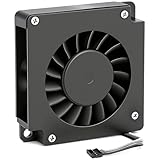
- Perfect Compatibility for Bambu Lab H2D – Designed specifically for Bambu Lab H2D printers. This hotend cooling fan matches the original mounting structure for a precise fit, secure installation, and reliable replacement performance.
- Powerful & Quiet Cooling Performance – Delivers strong airflow with low-noise operation to provide rapid heat dissipation. Helps maintain a more comfortable workspace while supporting stable extrusion during printing.
- Stable Hotend Temperature Control – Built to keep the hotend temperature consistent and prevent overheating. Supports smoother extrusion and more dependable print results across long printing sessions.
- Optimized Fan Structure with Plug-and-Play Design – Features optimized fan blades for smooth airflow, a precision mounting design, and an easy plug-in connector for quick installation without complicated wiring.
- Durable Dual Ball Bearing for Long Service Life – Equipped with dual ball bearing construction for reliable performance and extended durability. Ideal for everyday printing maintenance as part of your 3D printer accessories.
Rank #4

- 2 IN 1 USB Fan 120mm, 2 fans connect to one USB cable and work at the same time. NOTE: Power input Max 5V/1A, excess may damage the motor
- Multi-speed controller to set the fan’s speed to optimal noise and airflow levels. Suare design allows the fans to be laid flat or stand upright. perfect for cooling Receiver / AV cabint / PS4 console / PC / Laptop / TV Box / Projector / Router
- Indoor air circulation, plugged it into a wall charger and placed it on the floor vent to bedroom (after removing the lifted feet), No longer having to worry about sweating in bedroom
- Small box fan:Whether DIY as a vertical window fan, extra small window fan, register booster fan, or usb computer fan, it offers efficient cooling
- 240mm Fan: 245x125x55mm / 9.65in x 4.92in x 2.17in. | Rated Voltage :5V | Airflow: 56 CFM (x2) | Speed: 2000 RPM | Notice : The fan is not waterproof. At the lowest speed setting, the fan blades will not rotate smoothly due to insufficient starting voltage, resulting in a noise that is normal
What buyers and system designers should take from the announcement
- HPB is a package-level thermal feature. Its stated target is heat from the D2D PHY region in the HBM base die, not general-purpose cooling hardware.
- HBM4E samples are not the same as a qualified production supply. Samsung said customer sampling and optimization precede mass production, which will follow customer schedules.
- The thermal figures have different baselines. Samsung’s HBM4E generation-over-generation claims and HCB’s comparison with TCB describe separate measures and should not be added together or attributed to HPB alone.
- Public HPB evidence remains limited. Samsung describes its intended thermal path and validation status, while the reported verification does not come with disclosed independent tests, conditions, or qualification results.
Product prices and availability are accurate as of the date/time indicated and are subject to change. Any price and availability information displayed on Amazon at the time of purchase will apply.
What’s actually slowing this PC down?
Pick the symptom - the matching free tool is one click away.




