Quick wins for a faster PC:
Fix the driver behind crashes, sound loss and screen glitchesFind Drivers →Repair Windows errors before they cause bigger problemsFix Now →Choose Obsidian if you want notes stored as local files, reliable offline access, and the option to keep synced note contents unreadable to the provider. Choose Notion if your priority is a cloud-hosted workspace for shared information and collaboration. The key difference is not a feature checklist: it is where your notes live, how they are protected, and how you work with other people.
Notion vs. Obsidian at a glance
| What matters | Obsidian | Notion |
|---|---|---|
| Where notes live | In a local folder called a vault, stored as files on your device. | In a cloud-hosted workspace. |
| Offline access | Available offline because notes are local. | Obsidian’s vendor-authored comparison characterizes Notion as having no offline access; that is not an independent assessment of every workflow. Obsidian’s comparison |
| Privacy model | Local notes need not be sent to Obsidian. If you use Sync, you can choose end-to-end encryption or standard encryption, with different access and recovery trade-offs. | Notion documents encryption in transit and at rest, with limited employee access for troubleshooting or content recovery. This is not end-to-end encryption. |
| Best fit | Personal knowledge bases, offline note-taking, and people who want control of their files. | Shared team workspaces and collaboration around centrally hosted information. |
| App cost | “Free without limits,” according to Obsidian’s pricing page; Sync and Publish are optional paid services. | Free, Plus, Business, and Enterprise plans; check the current plan details on Notion’s pricing page. |
How storage and ownership differ
Obsidian keeps the vault on your device
Obsidian stores notes in a vault: a folder of files on your device. Its notes are non-proprietary plain-text files, which can make them easier to move or read with other tools than content tied to a hosted workspace. Portability still depends on you keeping the files organized and maintaining backups. Obsidian describes its file format and positioning.
As an Amazon Associate I earn from qualifying purchases.
Local storage also means the notes can be available when you are offline. You can choose whether to sync the vault between devices; using Obsidian Sync is optional.
What’s actually slowing this PC down?
Pick the symptom - the matching free tool is one click away.
Notion is built around a hosted workspace
Notion keeps workspace content in its cloud service, a model suited to information that needs to be shared and maintained centrally. That convenience means your access depends on the service and your connection in ways a local vault does not. For detailed plan limits, permissions, member counts, and administration features, compare the current options on Notion’s pricing page.
#1 Best Overall

- New and Improved Core: Features premium reusable paper, with improved pen to paper feel, spiral binding and sleekly re-designed, scratch-resistant cover. College-ruled sheets now include Smart Titles and Smart Tags to name and organize files efficiently.
- App-Enabled for Digital Organization: Scan and upload your written work directly to cloud platforms like Google Drive, Dropbox, OneNote, etc. and access your notes from anywhere. Use Smart Titles and Smart Tags to name and organize files efficiently.
- Write, Digitize, Erase, and Re-Write: Write notes with the included Pilot Frixion Pen, digitize effortlessly using the Rocketbook app, store in your preferred cloud service. When done, simply wipe the pages clean with a damp cloth and start fresh.
- Portable and Versatile Sizes: Available in two sizes—Letter (8.5 x 11 inches) and Executive (6 x 8.8 inches)—the Rocketbook Core is compact enough to fit into backpacks, purses, or briefcases. This notebook offers portability and versatility.
- Eco-Friendly Reusability: Designed with sustainability in mind, Rocketbook notebooks help reduce paper waste with a reusable alternative. Enjoy a paper-like notebook that can be used repeatedly, allowing you to save work and erase everything else.
What each privacy model means in practice
Obsidian without Sync
Obsidian says its app stores data locally, can be used without sharing personal information, does not collect telemetry, and does not sell user data. Those are the company’s statements about its app; they do not cover third-party plugins, connected cloud services, or security of the device itself. Obsidian’s pricing and privacy FAQ
Obsidian Sync: choose the encryption mode deliberately
Obsidian Sync’s default end-to-end encryption is designed so Obsidian cannot read the contents of synced notes. The encryption password is yours to keep: Obsidian says it cannot recover a lost password or the encrypted data. If you choose standard encryption instead, Obsidian manages the key and can decrypt the remote data. Obsidian Sync security details
Rank #2

- New and Improved Core: Features premium reusable paper, with improved pen to paper feel, spiral binding and sleekly re-designed, scratch-resistant cover. Grid layout pages now include Smart Titles and Smart Tags to name and organize files efficiently.Create, Digitize, Erase, Re-Create: Capture ideas with the included Pilot Frixion Pen, digitize effortlessly using the Rocketbook app, store in your preferred cloud service. When done, simply wipe the pages clean with a damp cloth and start fresh.
- App-Enabled for Digital Organization: Scan and upload your written work directly to cloud platforms like Google Drive, Dropbox, OneNote, etc. and access your notes from anywhere. Use Smart Titles and Smart Tags to name and organize files efficiently.
- Write, Digitize, Erase, and Re-Write: Write notes with the included Pilot Frixion Pen, digitize effortlessly using the Rocketbook app, store in your preferred cloud service. When done, simply wipe the pages clean with a damp cloth and start fresh.
- Portable and Versatile Sizes: Available in two sizes—Letter (8.5 x 11 inches) and Executive (6 x 8.8 inches)—the Rocketbook Core is compact enough to fit into backpacks, purses, or briefcases. This notebook offers portability and versatility.
- Reusability: Designed with sustainability in mind, Rocketbook notebooks help reduce paper waste with a reusable alternative. Enjoy a paper-like notebook that can be used repeatedly, allowing you to save work and erase everything else.
Neither mode encrypts the local vault through Obsidian itself. Obsidian also says some operational metadata—including upload or deletion timing and mappings between encrypted paths and content—is not end-to-end encrypted. Consider device security and your backup plan alongside the Sync setting.
Notion: encryption with controlled service access
Notion says customer data is encrypted at rest using AES-256 and in transit using TLS 1.2 or greater, and that its service is hosted on AWS. It describes employee access as limited to troubleshooting or restoring content. These are service-side protections with controlled internal access, not end-to-end encryption that prevents the provider from accessing content. Notion’s security practices
Rank #3

- New and Improved Core: Features premium reusable paper, with improved pen to paper feel, spiral binding and sleekly re-designed, scratch-resistant cover. College-ruled sheets now include Smart Titles and Smart Tags to name and organize files efficiently.
- App-Enabled for Digital Organization: Scan and upload your written work directly to cloud platforms like Google Drive, Dropbox, OneNote, etc. and access your notes from anywhere. Use Smart Titles and Smart Tags to name and organize files efficiently.
- Write, Digitize, Erase, and Re-Write: Write notes with the included Pilot Frixion Pen, digitize effortlessly using the Rocketbook app, store in your preferred cloud service. When done, simply wipe the pages clean with a damp cloth and start fresh.
- Portable and Versatile Sizes: Available in two sizes—Letter (8.5 x 11 inches) and Executive (6 x 8.8 inches)—the Rocketbook Core is compact enough to fit into backpacks, purses, or briefcases. This notebook offers portability and versatility.
- Eco-Friendly Reusability: Designed with sustainability in mind, Rocketbook notebooks help reduce paper waste with a reusable alternative. Enjoy a paper-like notebook that can be used repeatedly, allowing you to save work and erase everything else.
Offline work, syncing, and backups
Obsidian notes are local and therefore available offline. To use the same vault on multiple devices, you can use Obsidian Sync or alternatives such as iCloud, Syncthing, and Git. These options have different setup and reliability trade-offs: Git syncing, for example, requires manual pushes and pulls, and combining sync services can cause conflicts. Obsidian’s sync guide describes its options and setup.
Sync is not a substitute for a separate backup. Keep another copy of important notes so a sync error, conflict, lost device, or accidental deletion does not become your only copy of the data.
Rank #4

- Keep your notes and assignments in order with this hybrid NoteBinder. Five dividers organize handouts by subject, so you can find what you're looking for in a flash.
- Durable plastic covers protect pages from damage and fold back to lie flat when taking notes. Clearview cover allows you to personalize the binder with a custom cover sheet.
- TechLock rings open easily and firmly hold sheets in place with a flexible design that withstands frequent use.
- 1" rings hold up to 200 sheets of letter-size (8 1/2" x 11") paper.
- 2 NotePocket dividers offer additional space for handouts and other loose papers. 3 NoteProtector dividers make it simple to organize the binder, so documents can be found in an instant.
Obsidian’s own comparison says Notion has no offline access. Treat that as Obsidian’s characterization rather than an independent test of every Notion workflow; if offline access is essential, verify the behavior you need before moving important material. Obsidian’s Notion comparison
Free tools Windows power users keep installed
One-click scans. No signup required.
Collaboration: test your actual team workflow
Notion’s cloud-hosted workspace is oriented toward shared work. Obsidian’s vendor comparison describes team collaboration as limited. If several people need to edit the same information, do not decide based on a broad label like “collaboration”: test the specific work your team does.
Best Value
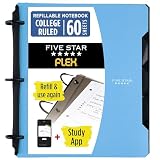
- Sheets stay put! Flexible Rings won't break or misalign.
- Acts like a notebook. Plastic cover folds back over the rings to lie flat like a notebook cover.
- Works like a binder. TechLock rings allow you to easily add or remove sheets. 1 in. rings hold up to 200 sheets.
- NoteBinder comes prefilled with 60 college ruled sheets. Also includes 2 NotePocket dividers to store loose sheets and 3 NoteProtector dividers to protect important papers.
- Customize the cover by sliding in your own photo or agenda for a personal touch. Durable clearview cover also protects your contents from damage.
- Can teammates edit shared material at the same time in the way you expect?
- Can you grant the right permissions to the right people?
- Do you need database-style views or other shared workspace features?
- How will the team manage access when members join or leave?
Compare those requirements with the live Notion plan details and Obsidian’s workflow before making a team-wide commitment.
Costs and optional services
Obsidian’s pricing page describes the app as “Free without limits.” It lists Sync at $4 USD per user per month with annual billing or $5 per user monthly. Publish is listed at $8 per site per month with annual billing or $10 per site monthly. These are prices shown on Obsidian’s official page and can change; check current Obsidian pricing before subscribing. The page also says a $50-per-user annual commercial license is encouraged for organizational use but is not required for commercial use.
Notion offers Free, Plus, Business, and Enterprise options. Its current prices and limits should be checked directly rather than inferred from older third-party comparisons. Assess the plan against your member count, permissions, storage, AI features, and administration needs: Notion pricing.
Which one should you choose?
Choose Obsidian if…
- You want a local-first vault that remains available offline.
- You value plain-text files and control over where your notes are stored.
- You are willing to manage syncing and backups, and to protect an end-to-end encryption password if you use that Sync option.
Choose Notion if…
- Your main need is a shared, cloud-hosted workspace.
- Team collaboration, permissions, or database-style workflows are central to how you organize information.
- You are comfortable with Notion’s documented service-side encryption and controlled employee access rather than a provider-blind end-to-end model.
If both profiles sound important, run a small trial using representative notes and team tasks. Check offline behavior, shared editing, permissions, export or file access, and the amount of maintenance you are willing to handle before migrating your main knowledge base.
Quick Recap
Product prices and availability are accurate as of the date/time indicated and are subject to change. Any price and availability information displayed on Amazon at the time of purchase will apply.




