Microsoft Developer Network (MSDN) was Microsoft’s developer-facing network of information, tools, and subscription resources. The name survives most visibly in the history of Visual Studio subscriptions: a Microsoft guide published in 2015 described Visual Studio standard subscriptions as “formerly known as MSDN Subscriptions.” Microsoft now presents subscription benefits under Visual Studio Subscriptions, while current developer documentation and resources are available through Microsoft Developer and Microsoft Learn.
What does MSDN stand for?
MSDN stands for Microsoft Developer Network. The term referred broadly to Microsoft’s developer-facing information and resources, and it was also used in the name of subscription offerings. It was not simply the name of one current website.
As an Amazon Associate I earn from qualifying purchases.
What happened to MSDN subscriptions?
Microsoft’s 2015 guide described Visual Studio standard subscriptions as “formerly known as MSDN Subscriptions.” Microsoft’s current documentation calls them Visual Studio Subscriptions. That establishes a connection in naming, but it does not mean every historical MSDN plan had the same terms or benefits as a current subscription.
Quick wins for a faster PC:
Scan for outdated or missing drivers - takes under a minuteDriver Scan →Clear out junk files and repair common Windows errorsFree Scan →Today, Visual Studio Subscriptions may include Visual Studio, software downloads, and other development resources. Depending on the subscription type, benefits can include Azure credits, Azure DevOps, a Microsoft 365 Developer Account, training, support, or software downloads. Check Microsoft’s current subscription benefits for the specific plan; these benefits are not universal.
#1 Best Overall

- Compact design saves desktop space and allows for close, comfortable mouse position.
- Optimized key spacing and key travel for fast, fluid typing.
- Sleek, low-profile design complements any workspace.
- Expressive input key[2] for quick access to emojis, symbols, and more.
- Connect up to 3 devices and switch seamlessly between them[1].
Where should developers look for Microsoft resources now?
- Microsoft Developer provides access to developer tools, documentation, code samples, and community resources.
- Microsoft Learn is Microsoft’s documentation and learning destination.
- Azure Developer is a current hub for Azure development resources.
These are useful current starting points, not evidence that one destination replaced every historical MSDN function.
What replaced MSDN?
There is no single established replacement for every aspect of MSDN. The subscription name is now Visual Studio Subscriptions, while current documentation and developer resources are presented separately through Microsoft Learn, Microsoft Developer, and specialist hubs such as Azure Developer. Microsoft’s published information supports those distinctions, but not a one-to-one replacement claim for the entire former network.
Quick Recap
Best Value

- [Expand Your Possibilities] – Instantly turn Surface Pro[1] into a full laptop with the Surface Pro Keyboard, giving you more ways to work, create, and stay productive anywhere.
- [Comfortable, Precise Typing] – Designed for Surface Pro 12”, this premium keyboard offers a responsive, laptop-like typing experience so you can work comfortably on the go.
- [Flexible Hinge for Any Angle] – The new dynamic hinge flexes a full 360°, letting you type, draw, or stream from virtually any position.
- [Stable on Lap or Desk] – A web-style internal structure adds support and balance, keeping your keyboard steady whether you're at a desk or on your lap.
- [Premium Feel, Built-in Convenience] – Includes a backlit keyboard and large precision touchpad for effortless typing, navigation, and control — day or night.
Rank #4
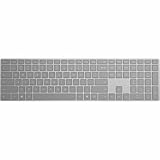
- Meticulously crafted, just like Surface
- Sleek and simple design
- Optimized feedback and return force
- Bluetooth 4.0
Rank #3

- Instant Copilot. Unlock new possibilities with the dedicated Copilot key, which gives you instant access to experiences that can enhance your productivity¹.
- Enhance your experience With the new microphone mute key and snipping key
- Full keyboard experience. Features a full mechanical keyset, backlit keys, and a large trackpad for precise navigation and control. Optimal key spacing allows fast, fluid typing.
- Slim and compact Performs like a traditional, full-size keyboard.
- Clicks in place instantly Use in combination with the Surface Pro (11th Edition), Pro 9 and Pro 8* kickstand for a perfect laptop experience anywhere.
Rank #2

- Sleek and simple design that complements your Surface device.
- Dedicated Copilot[l] key for instant access to new experiences available on Windows 11.
- Convenient shortcut keys including Call mute, Snip & Sketch, Expressive input and Widget[2] for quick and easy access.
- Comfortable and responsive typing experience.
- Seamlessly pair to your device through wireless Bluetooth 4.0 connection with a range of up to 16 feet.
Product prices and availability are accurate as of the date/time indicated and are subject to change. Any price and availability information displayed on Amazon at the time of purchase will apply.




