Recommended Free Tools
InDesign’s Book feature helps you coordinate a multi-document book without merging its chapters into one file. A separate .indb file tracks chapter order, numbering, synchronization settings, and the designated style source, while each chapter remains its own .indd document. That structure can reduce repetitive production work when chapters need shared formatting, continuous page numbers, book-wide checks, or combined output—but Adobe does not publish a measured time-saving figure.
What the Book feature manages—and what it does not
A Book file is a project-level organizer for separate InDesign documents. It keeps the documents in sequence and coordinates features such as numbering, shared formatting, preflight, and output. It does not contain or combine the chapter content: the component .indd files remain separate and must stay accessible at their managed locations. Adobe describes the feature for long or collaborative projects; teams sharing files over a server still need a process to prevent conflicting edits.

As an Amazon Associate I earn from qualifying purchases.
Use a Book when chapters need independent editing but also need coordinated numbering, styles, checks, or delivery. A single document may be simpler when the project does not need those cross-document controls. Documents from PageMaker or QuarkXPress must be converted to InDesign before they can be added to a Book, according to Adobe’s instructions for adding documents to book files.
Set up the Book and establish its structure
- Create the container. Choose File > New > Book, then save the resulting
.indbfile in the project’s managed location. - Add the chapter documents. Use the Book panel to add the separate
.inddfiles. Keep their locations stable so the Book can continue to refer to them. - Arrange the sequence. Check the document order in the Book panel; it affects the order used for book-level numbering and output.
- Choose a style source. Designate the document that holds the shared definitions you want other documents to use.
- Save structural changes. Save the Book file after changing its contents or order.
Adobe’s book-file setup guide explains that the documents remain separate while participating in shared formatting and page numbering.
#1 Best Overall

- 【InDesign Shortcuts】The Large mouse pad with professional desktop InDesign shortcuts,specifically designed for improve work efficiency, making it easy for you use InDesign.
- 【HD Printing】The extra large keyboard shortcut mousepad adopts high-tech printing process to ensure that the pattern of the mouse pad is clear and the color is bright. Ensuring users have quick and easy access to frequently used commands and functions. This is a great office accessories.
- 【Universal Fit】Mouse Pad for Desk is designed for comfort and productivity. Measuring at 31.5x11.8 inches, it provides ample space to accommodate your mouse, keyboard, and other desk essentials.
- 【Invisible Seams & Waterproof】Our large gaming mouse pad has a waterproof coating, the surface can be easily cleaned with water or a damp cloth. It also has invisible stitched process to avoid edge damage caused by long-term use. This design effectively extends the service life of the keyboard shortcut mouse pad and is suitable for computers and laptops.
- 【Easy to Clean and Maintain】 The spill-repellent surface ensures easy cleanup of daily spills or accidents, extending the lifespan of your mouse pad. Say goodbye to the hassle of dealing with spills and enjoy a pristine workspace at all times.
Synchronize shared formatting without erasing local choices
Synchronization copies selected definitions from the designated style source to other Book documents. In the Book panel, open Synchronize Options and choose only the categories the project intends to share, such as paragraph and character styles, swatches, or parent pages. Then synchronize the selected documents or the whole Book when appropriate.
Synchronization is not a neutral merge. Adobe says it replaces matching items, adds items missing from target documents, and leaves items outside the selected categories unchanged. A same-named definition in a target document can therefore be replaced by the source definition. Open documents are updated but require manual saving; closed documents update automatically. Select dependent styles needed by related style definitions so the shared system remains coherent.
Rank #2

- KEYBOARD: The keyboard works for Windows with hot keys that enable easy access to Media, My Computer, Mute, Volume up/down, and Calculator
- EASY SETUP: Experience simple installation with the USB wired connection
- VERSATILE COMPATIBILITY: This keyboard is designed to work with multiple Windows versions, including Vista, 7, 8, 10 offering broad compatibility across devices.
- SLEEK DESIGN: The elegant black color of the wired keyboard complements your tech and decor, adding a stylish and cohesive look to any setup without sacrificing function.
- FULL-SIZED CONVENIENCE: The standard QWERTY layout of this keyboard set offers a familiar typing experience, ideal for both professional tasks and personal use.
Adobe recommends synchronizing early to preserve parent-page overrides. If a document needs unique parent-page items, exclude it from synchronization or use differently named parent pages. See Adobe’s synchronization guidance for the documented behavior.
- Decide which definitions are truly shared before syncing.
- Review same-named definitions in target documents before the first synchronization.
- Keep intentional exceptions out of the shared categories, or give them distinct names.
- Save any open documents after synchronization.
Keep page numbering continuous across chapters
The Book panel can update page and section numbering across its documents. For a fixed chapter start, set the starting page number in that document’s Document Numbering Options; following documents are then renumbered accordingly. The Book’s page-numbering options can also continue a chapter on the next odd or even page, inserting a blank page when necessary.
If automatic page and section updates are disabled, use the Book panel’s Update Numbering commands after structural changes. Update all numbers or the specific numbering category affected. Adobe documents the available controls in its page and chapter number formatting guide and book page-numbering instructions.
Do not confuse page numbers with numbered lists
Figure, table, or other numbered paragraphs use a separate setup. Define a named list and enable Continue Numbers across Stories and Continue Numbers from Previous Document in Book. If those list definitions and paragraph styles must match across chapters, include the related numbered-list and paragraph-style options in synchronization. This is distinct from page numbering; Adobe explains the setup in its sequential paragraph numbering guide.
Rank #4

- All-day Comfort: The design of this standard keyboard creates a comfortable typing experience thanks to the deep-profile keys and full-size standard layout with F-keys and number pad
- Easy to Set-up and Use: Set-up couldn't be easier, you simply plug in this corded keyboard via USB on your desktop or laptop and start using right away without any software installation
- Compatibility: This full-size keyboard is compatible with Windows 7, 8, 10 or later, plus it's a reliable and durable partner for your desk at home, or at work
- Spill-proof: This durable keyboard features a spill-resistant design (1), anti-fade keys and sturdy tilt legs with adjustable height, meaning this keyboard is built to last
- Plastic parts in K120 include 51% certified post-consumer recycled plastic*
Run a book-wide preflight before delivery
Choose Preflight Book from the Book panel to check the entire Book or selected documents against a preflight profile. Adobe lists possible findings such as missing fonts, broken links, and incorrect color spaces. The panel displays status by document, and you can generate a text or PDF report.
What’s actually slowing this PC down?
Pick the symptom - the matching free tool is one click away.
Check which profile is being used: Adobe notes that opening a document later may apply a different profile and produce different reported errors. Resolve issues against the requirements for the intended output, rather than treating every profile result as universally applicable. Follow Adobe’s book preflight instructions.
Best Value
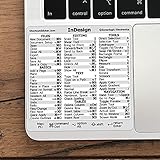
- 💻 ✔️ EVERY ESSENTIAL SHORTCUT - With the SYNERLOGIC Reference Keyboard Shortcut Sticker, you have the most important shortcuts conveniently placed right in front of you. Easily learn new shortcuts and always be able to quickly lookup commands without the need to “Google” it.
- 💻 ✔️ Work FASTER and SMARTER - Quick tips at your fingertips! This tool makes it easy to learn how to use your computer much faster and makes your workflow increase exponentially. It’s perfect for any age or skill level, students or seniors, at home, or in the office.
- 💻 ✔️ QUALITY GUARANTEE - We stand behind our product! It’s made with outstanding military-grade durable vinyl and the professional design gives our stickers an OEM appearance. Our responsive and dedicated customer service team is here to promptly respond to your messages and resolve any issues you may have.
- 💻 ✔️ From BASIC to ADVANCED - Whether you are a seasoned computer professional or a beginner, the SYNERLOGIC Sticker will save you both time and frustration, guaranteed! You can easily reach a new level of computer proficiency using our convenient and affordable sticker.
- 💻 ✔️ Cross-platform compatibility. The sticker is specially designed to work for both PC and Mac computer keyboards.
Export a PDF or package files for handoff
Export a book PDF
InDesign can export the whole Book or selected documents as one PDF using Adobe PDF (Print). For print production, Adobe identifies a PDF/X preset or the Press Quality preset as possibilities, not universal choices. Confirm the printer’s specifications before selecting settings. Review accessibility settings such as the document language and display title. Adobe PDF (Print) does not include interactive elements, so it is not the right output when those elements must be preserved. See Adobe’s book print and export guidance.
Package files and assets
Packaging is for handoff: Adobe’s workflow collects an InDesign file, linked graphics, eligible fonts, and a report in a folder. Review the preflight summary and fix problems first. Packaging options include copying linked graphics and fonts, including IDML for compatibility, and including a print PDF. Font collection is subject to Adobe Fonts and licensing restrictions.
Do not assume that packaging only the .indb file gathers every chapter and asset. Follow the application’s package workflow for the relevant documents, then inspect the resulting folder against the recipient’s requirements. Adobe’s output instructions cover book output and packaging options.
Choose the workflow controls that fit the project
| Decision | Use this approach when | Trade-off to account for |
|---|---|---|
| One document or a Book | Use a Book when chapters need independent editing alongside coordinated order, formatting, numbering, checks, or output. | A Book coordinates separate files; it does not merge their content. |
| Automatic or manual numbering updates | Automatic updates suit projects where numbering should refresh with structural changes; manual updates suit teams that want to control when updates run. | With automatic updates disabled, run the relevant Update Numbering command after changes. |
| Whole-Book or selected-document checks and export | Choose all documents for complete delivery; select documents when the task covers only part of the Book. | A partial check or export does not cover omitted documents. |
| Shared styles or local exceptions | Use one style source for definitions meant to match; retain document-specific definitions where variation is intentional. | Synchronization can replace matching definitions, so exceptions need deliberate handling. |
| Print PDF or interactive output | Use Adobe PDF (Print) for print-oriented output configured to the production provider’s specifications. | Interactive elements are excluded from Adobe PDF (Print). |
Sources and version notes
Interface labels and paths here follow Adobe’s English-language Help documentation accessed October 7, 2026. Adobe’s consulted pages were last updated June 2 or August 7, 2026; labels and paths may differ in other application versions or localizations. The article describes documented workflow capabilities, not a measured productivity result.
Quick Recap
Product prices and availability are accurate as of the date/time indicated and are subject to change. Any price and availability information displayed on Amazon at the time of purchase will apply.




