Pay more for an iPad mini only when you can name the constraint the upgrade removes. On Apple’s current U.S. listing, the 128GB iPad mini (A17 Pro) costs $599, 256GB costs $699, and 512GB costs $899. That makes the first storage increase a $100 decision and the second a $200 decision. More capacity is sensible when you keep substantial media, large apps, photos, or creative files on the tablet. It is harder to justify when the mini is mainly a browser, e-reader, streaming screen, or cloud terminal.
Storage is only one premium. Cellular connectivity, a larger iPad Air or iPad Pro, Apple Pencil support, and a protective case each solve a different problem. Evaluate those choices separately instead of assuming the most expensive configuration is automatically the best value.
As an Amazon Associate I earn from qualifying purchases.
What you are choosing in the current iPad mini lineup
The current model is the iPad mini (A17 Pro), introduced in 2024. Apple offers three capacities—128GB, 256GB, and 512GB—with Wi-Fi and Wi-Fi + Cellular configurations. The current U.S. prices below come from Apple’s store listing accessed in 2026; prices, stock, and retailer discounts can change.
Free tools Windows power users keep installed
One-click scans. No signup required.
| Capacity | Current Apple U.S. price | Increase from the previous tier | When the tier makes sense |
|---|---|---|---|
| 128GB | $599 | Starting tier | Browsing, reading, streaming, cloud documents, and a modest set of local apps and downloads |
| 256GB | $699 | $100 more than 128GB | A substantial offline library, more games and apps, regular photo storage, or creative projects kept on the tablet |
| 512GB | $899 | $200 more than 256GB | A deliberate on-device archive of large media, photos, apps, and creative files where replacing or off-loading content is inconvenient |
Check the current Apple iPad mini store listing immediately before ordering. A retailer’s price can differ from Apple’s, and a temporary discount can change the size of the effective premium without changing the product capacities.
#1 Best Overall

- WHY IPAD MINI — The full iPad experience in an ultraportable design. Featuring Apple Intelligence.* With an 8.3-inch Liquid Retina display,* ultrafast A17 Pro chip, 12MP Ultra Wide front camera with Center Stage, USB-C connectivity, superfast Wi-Fi 6E, and compatibility with Apple Pencil Pro.* Take notes, mark up documents, and edit photos and videos.
- APPLE INTELLIGENCE — Apple Intelligence is the personal intelligence system that helps you write, express yourself, and get things done effortlessly.* With groundbreaking privacy protections, it gives you peace of mind that no one else can access your data — not even Apple. (Coming fall 2024.)
- 8.3-INCH LIQUID RETINA DISPLAY — The gorgeous Liquid Retina display features advanced technologies like P3 wide color, True Tone, and ultralow reflectivity, which make everything look stunning.*
- PERFORMANCE AND STORAGE — The A17 Pro chip delivers powerful performance and ultrafast graphics. And with all-day battery life, iPad mini is always ready for any task or project.* Storage starting at 128GB for all your apps, music, movies, and more.*
- IPADOS + APPS — iPadOS makes iPad more productive, intuitive, and versatile. With iPadOS, run multiple apps at once, use Apple Pencil to write in any text field with Scribble, and edit and share photos. iPad mini comes with essential apps like Safari, Messages, and Keynote, with over a million more apps available on the App Store.
All three capacities use the same mini form factor and A17 Pro chip. Choosing more storage does not turn the tablet into a larger-screen workstation, add mobile data, or include a stylus. Those are separate decisions.
Core specifications that define the mini experience
| Specification | Apple-listed detail |
|---|---|
| Display | 8.3-inch Liquid Retina display |
| Resolution and density | 2266 × 1488 pixels at 326 pixels per inch |
| Brightness | 500 nits |
| Chip | A17 Pro |
| Weight, Wi-Fi | 293 grams (0.65 pound) |
| Weight, Wi-Fi + Cellular | 297 grams (0.66 pound) |
| Compatible styluses | Apple Pencil Pro and Apple Pencil (USB-C); both are optional purchases |
These figures are from Apple’s iPad mini (A17 Pro) technical specifications. The 8.3-inch panel and roughly 293-gram Wi-Fi weight explain the mini’s central trade-off: it is easier to carry and hold than a larger iPad, but it gives you less simultaneous screen area for documents, timelines, canvases, and split-screen work.
When paying $100 more for 256GB is rational
The 128GB-to-256GB step is the easier premium to justify because it doubles the advertised capacity for $100. That does not mean every buyer should take it. Decide how much content must remain available when you are offline, away from a fast connection, or unwilling to delete and re-download files.
Outdated Drivers Are Slowing You Down
One free scan finds every outdated or missing driver and matches the right update for your exact hardware.Free scan · exact hardware matchWindows Errors? Fix Them Before They Spread
Repair common Windows errors and clear accumulated junk for a smoother, more stable PC - no reinstall needed.Free scan · no reinstallChoose 256GB for a mixed-use tablet
- Offline media: You routinely download films, television episodes, music, podcasts, maps, or reference material for travel and commutes.
- Large or numerous apps: You expect to keep several demanding games, creative tools, and professional apps installed rather than rotating them.
- Photos and video: You import images or footage for editing, review, or temporary storage before moving finished work elsewhere.
- Creative files: You keep drawing documents, audio projects, design assets, or other working files on the iPad instead of relying on cloud storage.
- Low-maintenance ownership: You would rather pay once than repeatedly audit downloads and clear space.
Those are use-case signals, not a universal prescription. A reader who streams most content, stores photos in a cloud service, and removes completed downloads may find 128GB comfortable even after years of ordinary use.
Stay with 128GB when your files are mostly elsewhere
128GB is the logical value choice when the mini is primarily a reading and browsing device, a streaming screen, a note viewer, or a companion to a computer. Cloud-based documents and services reduce the amount that must live locally, provided you accept that access can depend on connectivity and synchronization.
Rank #2

- 7.9 inch Retina display, Wide color display (P3), True Tone display technology
- Touch ID
- FaceTime HD and iSight cameras
- Apple Pencil (1st generation) support
- Lightning connector
Do not buy 256GB merely because unused space feels reassuring. The premium is worthwhile only if it prevents a problem you can describe: deleting downloads before a trip, moving project files constantly, or running out of room for the apps and media you actually use.
When the $200 step to 512GB is justified
512GB costs $899 on Apple’s current U.S. listing—$200 above 256GB and $300 above 128GB. That is a substantial premium for a tablet whose defining advantage is compactness, so the burden of proof is higher. Select it when the iPad itself is intended to hold a large, active archive rather than a rotating selection.
What’s actually slowing this PC down?
Pick the symptom - the matching free tool is one click away.
Good reasons to choose 512GB
- You keep a broad offline media collection and do not want to curate it before every journey.
- You work with many large creative projects at once and need source files, exports, and assets together.
- You use the mini as a field or travel device where transferring files to a computer or network is impractical.
- You want one long-lived local library of photos, videos, documents, and apps and have a realistic reason to keep it on the tablet.
Reasons 512GB is probably wasteful
- Your media is streamed and your documents are cloud-synchronized.
- You use only a handful of apps and remove finished downloads.
- You already maintain a computer or external workflow for large archives.
- You are buying capacity to compensate for uncertainty rather than a known storage pattern.
Large capacity cannot solve a workflow that is limited by the mini’s screen size, keyboard setup, or connectivity. If your real frustration is cramped multitasking or extended document editing, compare a larger iPad instead of spending the entire budget on storage.
A practical storage-audit method before you buy
Use your current devices and habits rather than a generic “future-proofing” rule. The following process takes the storage question apart from the marketing tier.
- List what must be local. Write down the media, apps, photos, projects, and reference files you expect to keep available without Wi-Fi. Separate permanent files from downloads you can recreate.
- Identify your worst-case trip or work session. Consider the longest period when you may be offline or unwilling to manage files. Include a travel library, a field assignment, or a multi-day creative project if that is how you use the tablet.
- Measure your present pattern. Check used storage on your current tablet or phone and note which categories grow: apps, photos, videos, downloads, messages, or project files. A single snapshot is not a guarantee, but it reveals whether your usage is light or storage-heavy.
- Separate archive from active work. A computer, cloud service, or other backup can hold completed projects. Count only the material the mini must carry for immediate access.
- Price the inconvenience of managing space. If deleting and re-downloading is trivial, 128GB or 256GB may be adequate. If a full project must remain ready for a deadline or remote trip, the higher tier has a practical benefit.
- Compare the premium with the device’s role. Put the $100 or $200 difference beside the cost of a case, Pencil, cellular service, or a larger iPad. The best use of the budget is the upgrade that removes the most important constraint.
This audit also prevents a common mistake: treating storage capacity as a proxy for performance. All listed capacities are versions of the same iPad mini (A17 Pro); more gigabytes provide room, not a larger canvas or a mobile-data connection.
Rank #3
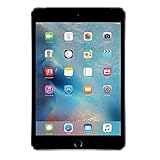
- Display: Features a 7.9-inch Retina display with 2048 x 1536 resolution for crisp, vivid visuals.
- Processor: Powered by an Apple A8 chip for fast performance and smooth multitasking.
- Camera: Includes an 8MP rear camera and 1.2MP front camera for capturing photos and videos.
- Memory: Comes with 128GB of storage for storing apps, photos, videos, and more.
- Connectivity: Supports Wi-Fi and Bluetooth for connecting to devices and the internet.
Is cellular iPad mini worth it?
Cellular is a connectivity decision, not a storage tier. Choose Wi-Fi + Cellular when the tablet needs its own mobile-data connection away from dependable Wi-Fi—for example, during travel, field work, commuting, or situations where tethering a phone is inconvenient.
Account for two costs
A cellular configuration can carry a hardware premium, and mobile data normally involves a recurring carrier plan. The current Apple listing should be checked for the exact Wi-Fi versus Wi-Fi + Cellular price difference and available configurations; that difference is not fixed here. Add the carrier’s activation, monthly data, and any usage limits to the ownership calculation.
For historical context only, Apple announced 2024 launch prices of $499 for Wi-Fi and $649 for Wi-Fi + Cellular. Those were launch figures, not today’s prices; Apple’s current store listing now starts at $599 for the mini. Do not use the 2024 numbers to estimate a 2026 purchase without checking the live configuration.
When Wi-Fi is the better value
- You usually work at home, in an office, school, hotel, or other known Wi-Fi locations.
- Your phone can provide occasional hotspot access without adding a separate line.
- You are considering cellular mainly as insurance but cannot name a regular away-from-Wi-Fi use.
When cellular earns its premium
- You need reliable access while traveling or working in places where Wi-Fi is absent or restricted.
- You want the iPad to remain connected without setting up a hotspot.
- A lost connection would interrupt navigation, field records, communication, or another important task.
Do not buy cellular to solve storage anxiety, and do not buy extra storage to solve a connectivity problem. They remove different constraints and should be evaluated independently.
Is the mini the right size, or should you move to an iPad Air or Pro?
The mini’s 8.3-inch display and 293-gram Wi-Fi weight make portability its defining advantage. It fits a compact bag and is easier to carry for reading, browsing, reference checks, and short interactions. The same dimensions limit how comfortably you can view two documents, edit a long timeline, draw across a large canvas, or keep several tools visible for hours.
Rank #4

- 7.9-Inch Retina Display with True Tone and Wide Color - A12 Bionic Chip
- 8MP Back Camera, 7MP FaceTime HD Front Camera - Stereo Speakers
- 802.11AC Wi-Fi - Lightning Connector for Charging and Accessories
- Up to 10 Hours of Battery Life/Charge - Touch ID Fingerprint Sensor
- IOS 12 with Group FaceTime, Shared Augmented Reality Experiences, and Screen Time
Stay with the mini when portability dominates
- You hold the tablet in one hand or carry it alongside other gear.
- Reading, web access, note review, travel information, and streaming are more common than long editing sessions.
- You value a small footprint enough to accept more scrolling and less simultaneous content.
- You already have a computer for intensive multitasking and want the iPad as a lighter companion.
Investigate a larger iPad when screen area dominates
- Your main work involves side-by-side documents, spreadsheets, coding references, timelines, or large canvases.
- You expect to type for long periods or use the tablet as a primary workstation.
- You draw or annotate extensively and would benefit from more room for the document and tool panels.
- You rarely carry the tablet far enough for the mini’s compactness to change your routine.
Apple’s iPad comparison page places current mini, Air, and Pro models side by side. Use it to check the exact display, performance, port, keyboard, stylus, and configuration details available when you shop. Models and specifications can change, and the information here does not constitute an independent test of those products.
Do not claim that the mini is faster, slower, or a better value than an Air or Pro without a specific, current comparison for the configurations you are considering. The relevant question is whether a larger display and the other model’s features are worth more to your workflow than the mini’s portability.
Independent reader supportYour contribution helps us test, update, and keep practical guides available for everyone.Budget for Pencil and protection separately
Apple lists support for Apple Pencil Pro and Apple Pencil (USB-C), but neither stylus is included automatically. Buy one only if handwriting, drawing, annotation, or precise control is part of your plan. A Pencil does not make a larger storage tier necessary unless your projects themselves create that need.
Apple’s October 2024 launch announcement listed the Apple Pencil Pro at $129 and the Smart Folio at $59. Those are historical launch prices; verify current prices, compatibility, and stock before treating them as part of a 2026 budget. A compatible protective case is sensible if the mini will travel, but a folio or stylus is not a requirement for using the tablet.
Recommended Free Tools
Calculate the total configuration as: iPad capacity and connectivity, plus any carrier plan, plus the stylus you will actually use, plus protection. This prevents a nominally inexpensive 512GB Wi-Fi purchase from becoming the wrong choice after accessories and service are added—or a 128GB purchase from appearing cheap only because necessary protection was omitted.
Best Value
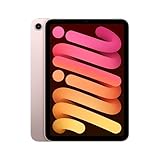
- Gorgeous 8.3-inch Liquid Retina display with True Tone - A15 Bionic chip with Neural Engine
- 12MP Wide back camera, 12MP Ultra Wide front camera with Center Stage
- Stay connected with ultrafast Wi-Fi 6 - Up to 256GB storage - Comes in 4 colors
- Up to 10 hours of battery life - Touch ID for secure authentication and Apple Pay
- USB-C connector for charging and accessories - Supports Apple Pencil (2nd generation)
Decision examples by user profile
The reader and streamer
If the mini is mostly for books, web pages, streaming services, email, and cloud documents, start with 128GB Wi-Fi. Move to 256GB only when you regularly save substantial offline content or dislike managing downloads. Cellular is optional and should be tied to a real away-from-Wi-Fi routine.
The frequent traveler
First decide whether independent mobile data is valuable enough to justify a cellular model and its recurring plan. Then choose storage based on the offline library and documents you carry. A traveler who downloads extensively may favor 256GB; someone who streams or rotates a small library may not. The mini’s low weight can matter more than another storage tier if every gram and cubic centimeter in a bag counts.
The student or professional note-taker
Choose the storage tier from the size and retention period of your notes, readings, recordings, and project files. Add a compatible Pencil only if handwriting or annotation is central. If the work involves long documents, side-by-side references, or extensive typing, compare a larger iPad before spending on 512GB.
The Tool Desk
Outbyte PC Repair FREEClear out junk files and repair common Windows errorsFree Scan →Outbyte Driver Updater FREEScan for outdated or missing drivers - takes under a minuteDriver Scan →The artist or media creator
Creative files can make local capacity valuable, especially when you need source material and working versions together. Consider 256GB or 512GB only after deciding how much of the archive truly stays on the mini. Also assess whether the 8.3-inch canvas is comfortable for your sessions; storage cannot enlarge it. Verify Pencil model compatibility and current pricing before ordering.
The household or shared tablet
A shared device accumulates more apps, accounts, downloads, and photos than a single-purpose reader. List the content each person expects to keep locally and decide whether the $100 step to 256GB prevents constant cleanup. If usage remains mostly cloud-based, capacity can still be moderate; sharing alone is not proof that 512GB is needed.
Buying pitfalls and how to avoid them
- Using an old price as today’s price: The $499 Wi-Fi and $649 cellular figures belong to the 2024 launch. Use the live Apple listing or a retailer’s current configuration price instead.
- Assuming the storage upgrade changes the form factor: 128GB, 256GB, and 512GB are all the same mini design. If you need more workspace, evaluate Air or Pro models.
- Confusing cellular with storage: Mobile data requires the appropriate hardware and a carrier plan; extra gigabytes do not provide connectivity.
- Counting accessories as included: Apple Pencil Pro, Apple Pencil (USB-C), and protective covers are separate purchases. Confirm the generation fit and current price.
- Buying maximum capacity without a file plan: Identify the files that must remain local. If you cannot name them, the premium may be paying for unused headroom.
- Ignoring configuration details: Confirm capacity, Wi-Fi or cellular, model generation, color, and stock on the order page. Retailer listings can use abbreviated names.
- Treating marketing language as a test result: In Apple’s October 15, 2024 announcement, Bob Borchers, Apple’s vice president of Worldwide Product Marketing, called it “the most ultraportable design” and said, “There is no other device in the world like iPad mini, beloved for its combination of powerful performance and versatility in our most ultraportable design.” That is an attributed manufacturer statement and promotional language, not independent comparative testing.
A final purchase checklist
- Write the constraint: storage space, mobile connectivity, screen area, or portability.
- Choose the base form: Confirm that the 8.3-inch mini is comfortable for your longest expected sessions before paying for capacity.
- Price storage: Compare $599, $699, and $899 current U.S. tiers and identify the specific local files that justify the $100 or $200 step.
- Price connectivity: Check the live Wi-Fi versus cellular difference and add the carrier’s recurring cost.
- Price the workflow: Add only the Pencil, case, keyboard, or other accessories you will actually use; historical launch prices are not current quotes.
- Check alternatives: Use Apple’s current comparison page for Air and Pro specifications when screen area, ports, keyboard support, or other features matter more than compactness.
- Confirm before checkout: Recheck generation, capacity, connectivity, compatibility, price, and stock on the live product page.
The sensible upgrade is the one that removes a recurring limitation. For many people that means 128GB Wi-Fi and the mini’s portability. For a local-media or creative workflow it may mean 256GB, and for a genuinely large on-device archive it may mean 512GB. Cellular belongs in the calculation only when mobile data is a regular need; a larger iPad belongs in it when screen area matters more than the mini’s small, light design.
Quick Recap
Product prices and availability are accurate as of the date/time indicated and are subject to change. Any price and availability information displayed on Amazon at the time of purchase will apply.




