The Intel Xeon 6780E and 6766E are both 144-core, 144-thread Sierra Forest server processors. The 6780E runs at higher listed frequencies but has a higher rated TDP: 330 W versus 250 W for the 6766E. Both share the same 108 MB cache, FCLGA4710 socket, eight-channel DDR5-6400 memory support and up to 88 PCIe 5.0 lanes. Which makes sense depends less on core count than on your workload, power and cooling budget, and server platform.
Xeon 6780E vs. 6766E: key specifications
Intel classifies both chips as Xeon 6 E-core processors based on Sierra Forest. The figures below come from Intel’s product specification pages; Intel lists Q2 2024 as each processor’s launch date.

As an Amazon Associate I earn from qualifying purchases.
| Specification | Xeon 6780E | Xeon 6766E |
|---|---|---|
| Cores / threads | 144 / 144 | 144 / 144 |
| Base / maximum turbo frequency | 2.2 / 3.0 GHz | 1.9 / 2.7 GHz |
| Cache | 108 MB | 108 MB |
| Rated TDP | 330 W | 250 W |
| Socket and scaling | FCLGA4710; supports two-socket configurations | FCLGA4710; supports two-socket configurations |
| Memory | Eight-channel DDR5-6400; maximum capacity depends on memory type | Eight-channel DDR5-6400; maximum capacity depends on memory type |
| PCIe | PCIe 5.0; up to 88 lanes | PCIe 5.0; up to 88 lanes |
| Intel-listed recommended customer price | $9,535 | $8,615 |
Intel’s listed recommended customer prices are not live retail quotes and do not establish current availability. Check Intel’s Xeon 6780E specifications and Intel’s Xeon 6766E specifications for the product-page details.
Do these 3 things before closing this tab:
1Fix the driver behind crashes, sound loss and screen glitches2Repair Windows errors before they cause bigger problems3Scan for outdated or missing drivers - takes under a minuteWhat the specification difference means
Same core count, different frequency and TDP
Both processors provide 144 cores and 144 threads, so the 6780E does not offer more parallel execution resources on paper. Its listed base and maximum turbo frequencies are higher, while its rated TDP is 80 W above the 6766E. TDP is a processor specification, not a measurement of whole-server power at the wall; chassis, memory, accelerators, workload and power settings all affect system consumption.
#1 Best Overall

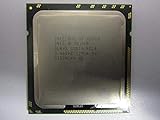
- Intel Xeon E5-2699 V4 Docosa-core (22 Core) 2.20 Ghz Processor - Socket Lga 2011-v3 - 5.50 Mb - 55 Mb Cache - 64-bit Processing - 14 Nm - 145 W
Memory and I/O are shared capabilities
The processors have the same listed eight-channel DDR5-6400 memory support and up to 88 PCIe 5.0 lanes. Maximum memory capacity depends on memory type, and the number of usable slots and lanes depends on the server implementation. Check the system’s supported DIMM population and its allocation of PCIe lanes to networking, storage and accelerators rather than assuming every configuration exposes the processor maximum.
What the independent benchmark says—and does not say
In a Linux benchmark review published June 3, 2024, Michael Larabel of Phoronix tested single- and dual-socket 6766E and 6780E systems alongside earlier Intel Xeon and AMD EPYC systems. The review described the testing as preliminary. Within the benchmark set it aggregated, the dual-socket 6780E averaged about 5% faster than the dual-socket Xeon Platinum 8592+; its average CPU power during testing was about 70% of the 8592+ system’s CPU power. These are results for that test selection and those configurations, not a universal ranking or a promise of equivalent savings in a particular server deployment. See the Phoronix Xeon 6780E and 6766E Linux review.
Rank #2
The practical takeaway is that high core density can be attractive when software can keep many cores busy, and the reported performance-per-power result is worth investigating. It does not establish how either chip will perform for a particular database, virtualization environment, compilation pipeline or application. Benchmark with your own software, representative data, compiler options and operating conditions before treating the review’s average as a forecast.
What’s actually slowing this PC down?
Pick the symptom - the matching free tool is one click away.
Which processor should you evaluate?
Consider the 6780E when
- Your workload can use many cores and benefits from the higher listed frequencies.
- Your server design can accommodate the 330 W processor rating, including its cooling and power-delivery requirements.
- You want to compare your own results with the strong dual-socket showing reported in Phoronix’s 2024 Linux test suite.
Consider the 6766E when
- You need the same 144-core count but have a tighter processor power or thermal budget.
- The 6780E’s higher listed frequencies do not justify its additional 80 W of rated TDP for your workload.
- Your representative testing shows that the 6766E meets throughput and latency requirements.
Neither choice can be made from core count alone. For parallel throughput, test how well the target software scales; for latency-sensitive work, measure the relevant response times; and for consolidation, evaluate the full system under the intended mix of workloads.
Rank #3
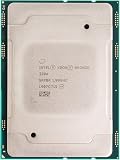
- For Intel Xeon Bronze 3204 6 Core 6 Thread 1.9 GHz (1.9 GHz Turbo) Cascade Lake Socket LGA 3647 85W (SRFBP) CD8069503956700 Tray Pack Server Processor
Check server compatibility before buying
A shared FCLGA4710 socket and two-socket capability do not by themselves prove that a processor will work in an existing server. Before purchasing a CPU or planning an upgrade, confirm all of the following with the server vendor or platform documentation:
Quick Recap
Best Value

- 3.07 Ghz
- 6.4 GT/s QPI
- 6 Cores, 12 Cores in Hyperthreading mode
- Package Weight, 2.0 pounds
Rank #4
- The exact system and motherboard CPU support list includes the chosen Xeon model.
- Required BIOS or firmware support is present, and the system can be updated safely before installation if needed.
- The chassis cooling solution and power delivery support the processor’s rated TDP, especially for the 330 W 6780E.
- Memory modules, DIMM population, capacity and speed are supported in the intended configuration.
- PCIe slot and lane allocation meets the requirements of your network, storage and accelerator devices.
- Any platform, service or warranty conditions for a processor change are acceptable.
How to make a fair deployment comparison
- Define the workload. Select the production application and representative dataset, then record the throughput, latency or job-completion target that matters.
- Match the systems. Keep memory capacity and population, storage, network, software versions, compiler settings and power policy as comparable as possible.
- Test both relevant configurations. Compare the processor options in the socket count and server configuration you actually intend to deploy; single- and dual-socket results are not interchangeable.
- Measure system-level outcomes. Record application performance and power under the same sustained workload. Do not substitute processor TDP for measured whole-server consumption.
- Check operational constraints. Verify thermal behavior, firmware, expansion capacity and support terms before committing to a fleet-wide change.
Product prices and availability are accurate as of the date/time indicated and are subject to change. Any price and availability information displayed on Amazon at the time of purchase will apply.




