IAM is an access decision: it determines who is asking, what they may do, and which resource they may do it to. In Google Cloud, a principal is the person or system, a role is a collection of permissions, and a policy binding connects that principal to a role on a resource. Keeping those pieces separate makes IAM much easier to read.
What is IAM?
Identity and Access Management (IAM) controls access to resources by deciding whether an identity is authorized to perform an action. Google Cloud describes IAM as “a tool to manage fine-grained authorization in Google Cloud” in its IAM overview.

As an Amazon Associate I earn from qualifying purchases.
A useful way to read an access grant is: Who can do what to which resource? For example, a policy might grant a named principal a role on a particular project. The role supplies the permissions; the policy binding connects the principal to that role in the resource context.
What is the difference between a user, a role, and a policy?
These terms describe different parts of an access decision. In Google Cloud, the identity receiving access is called a principal; it can represent a person or a system, not just an individual user.
#1 Best Overall
| Part | What it means | Question to ask |
|---|---|---|
| Principal | The person or system requesting access. | Who or what is acting? |
| Role | A named collection of permissions. | Which actions are included? |
| Resource | The thing the principal wants to access, such as a project or another cloud resource. | Where does the grant apply? |
| Policy binding | An association between a principal and a role on a resource. | Which principal receives which role here? |
A role is not a person, job title, or account. Despite the everyday meaning of “role,” in Google Cloud it describes permissions. A policy is not itself a role: it contains bindings that link principals to roles on resources.
How do IAM policies work?
In Google Cloud, allow policies attach to resources and contain bindings between principals and roles. The resource matters: a grant made higher in the resource hierarchy can affect its descendants. As a result, looking only at the policy attached directly to one resource may not reveal all of a principal’s effective access.
Rank #2

- Chip: TM1990A,compatible with DS1990A
- Model Number: TM1990A-F5
- Material: stainless steel,ABS plastic
- 10 x DS1990A F5 iButton I-Button ,not 1990A-F5+
- Color: Blak/ Blue//Red/
Google Cloud also documents deny policies and Principal Access Boundary policies alongside allow policies. These mechanisms mean that the simple principal-role-resource model is a starting point, not a complete explanation of every access result. Conditions and other applicable controls can also affect whether a grant works as expected. See Google’s IAM policy types documentation when investigating the fuller evaluation context.
Do these 3 things before closing this tab:
1Clear out junk files and repair common Windows errors2Fix the driver behind crashes, sound loss and screen glitches3Repair Windows errors before they cause bigger problemsWhy does IAM feel confusing?
- “Role” sounds like a job title. In Google Cloud IAM, it means a bundle of permissions, not the identity receiving them.
- Access can come from more than one resource level. Inherited grants can affect descendants, so a direct-resource view can be incomplete.
- “Policy” can refer to different mechanisms. Google Cloud distinguishes allow policies from deny and Principal Access Boundary policies; the phrase “IAM policy” alone may not say which is in play.
- Access depends on the whole decision. The principal, permissions, resource scope, inheritance, conditions, and applicable controls all matter.
How should you choose a role in Google Cloud?
Google recommends prioritizing predefined roles, which Google maintains. If none fits least-privilege needs closely enough, a custom role can be appropriate. Basic roles grant broad permissions and should generally be avoided in production when a more limited predefined or custom role is suitable. This is Google Cloud guidance, not a claim about every provider’s IAM system. Read Choose which type of role to use for Google’s role-selection guidance.
Rank #3

- FIDO2 & Passkey Ready: Business-ready and FIDO2 L1 certified. This key is supported by major management suites and is ideal for both individual and enterprise deployment. Works seamlessly with Gmail, Facebook, GitHub, Dropbox, Coinbase, and more.
- Dedicated Manager App: Use the Thetis Manager App for the initial hardware PIN setup. Setting the PIN on the device first ensures a smooth registration process. Once the PIN is configured, you can begin registering the key across your favorite FIDO2-compatible online services.
- Universal Connectivity (USB-A & NFC): The Thetis PRO-A features integrated USB Type A and NFC for a near-instant account unlock. Simply unfold the key and hold it to your smartphone’s NFC antenna to authenticate on the go.
- Enhanced MFA (FIDO2 & TOTP/HOTP): Strengthen your security with flexible options. Use the Manager App to access TOTP/HOTP features for accounts that do not yet support FIDO2.
- Check FIDO2 compatibility before purchase - Known limitations: ID Austria is not supported (requires FIDO2 Level 2). Windows Hello login only works with Windows Enterprise editions that support Entra ID. NFC is supported only through mobile authentication, Not MacOS/windows.
Predefined roles
These are maintained by Google and offer an established set of permissions for a particular use. Start here, then check whether the permissions are narrower or broader than the task requires.
Custom roles
A custom role lets an organization define a more tailored permission set when an appropriate predefined role is not available. Its flexibility comes with the responsibility to select and manage permissions carefully.
Rank #4
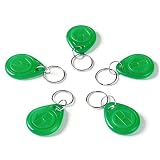
- Features T5577 Chip with High Rewritability: Utilizes a T5577 chip that supports data reading, writing, and encryption, boasting over 100,000 erase/write cycles, which is ideal for versatile application needs and repeated use.
- Operates on Global 125kHz Frequency Standard: Functions at the standard 125kHz low frequency (LF), ensuring reliable, short-range communication and broad compatibility with a wide range of existing LF readers and access control systems.
- Constructed with Durable ABS Material: Housed in a robust ABS casing, the tag is built for toughness and longevity, supporting stable operation across an extensive temperature range from -20°C to 85°C.
- Offers Practical Read Range and Compact Form Factor: Provides a practical read distance of 3-10 cm and comes in a compact size (35 * 28 * 5.5mm), making it suitable for various attachment options and easy integration into different environments.
- Designed for Diverse IoT and Security Applications: Well-suited for a multitude of applications including IoT asset tracking, product identification, equipment management, and identity authentication for access control systems.
Basic roles
Basic roles cover broad permissions. Because they can grant more access than a task needs, Google advises against using them in production when a more limited role is suitable.
Free tools Windows power users keep installed
One-click scans. No signup required.
A practical way to review an access grant
- Identify the principal. Determine which person or system is receiving access; do not confuse that identity with the role.
- Inspect the role’s permissions. Check which actions the role includes, rather than relying only on its name.
- Find the resource scope. Establish where the binding applies and whether a parent resource may pass access to descendants.
- Check the wider policy context. Look for applicable conditions, deny policies, Principal Access Boundary policies, and other controls before concluding why access succeeds or fails.
- Prefer shared administration for groups. When many principals need the same configuration, Google recommends managing access with groups rather than repeating grants for individual users. Its Use IAM securely guidance also emphasizes least privilege and careful policy management.
What to compare when two grants look similar
Compare the permissions in each role, the principals bound to it, and the resource scope of each grant. Then account for inheritance, conditions, and any applicable deny or boundary policies. Two bindings that look alike on one resource can yield different effective access if their scope or surrounding policy context differs.
Best Value

- Chip: TM1990A,compatible with DS1990A
- Model Number: TM1990A-F5
- Material: stainless steel,ABS plastic
- 10 x DS1990A F5 iButton I-Button ,not 1990A-F5+
- Color: Blak/ Blue//Red/
IAM terminology and policy evaluation are not identical across cloud providers. The concrete definitions and recommendations here use Google Cloud documentation; they should not be assumed to describe another provider’s exact model.
Quick Recap
Product prices and availability are accurate as of the date/time indicated and are subject to change. Any price and availability information displayed on Amazon at the time of purchase will apply.




