If your Galaxy A50’s touch screen is frozen or unresponsive, press and hold Power + Volume Down together for at least seven seconds. Samsung describes this as a soft reset—not a confirmed button-only shutdown. Its normal power-off menu still requires you to tap and confirm on the screen.
Use Samsung’s button hold when the screen is frozen
- Press and hold the Power and Volume Down buttons at the same time.
- Keep holding them for at least seven seconds. Samsung identifies this as a soft reset for a temporarily frozen screen or touch failure. Samsung’s A50 support instructions describe the procedure.
A soft reset is not the same as completing the normal shutdown process. Samsung’s support guidance does not establish that the phone will remain powered off after this button hold, so do not treat it as a guaranteed way to leave the A50 switched off.
As an Amazon Associate I earn from qualifying purchases.
Why the normal power-off steps need a working screen
The A50 user manual describes opening the power menu by holding Side + Volume Down, then tapping Power off and confirming when prompted. The key combination opens the menu; it does not itself finish shutting down the phone. If touch is unavailable, you cannot complete the documented taps and confirmation. Samsung Galaxy A50 user manual.
If the soft-reset buttons do not respond
- Remove any external case that could interfere with the buttons, then try again.
- Press both buttons simultaneously and hold them together. Samsung notes that pressing them at different times or holding them too long may prevent the procedure from working as expected.
- Samsung lists manuals for different software generations on its Galaxy A50 support page. Menu details may vary by market variant and installed software.
What is and is not confirmed
Samsung’s published guidance supports a soft reset for an A50 with frozen or unresponsive touch, and a separate menu-based normal shutdown. The guidance reviewed does not verify a button-only way to choose and confirm Power off when touch does not work, nor does it establish a recovery-mode shutdown sequence for every A50 variant.
Quick Recap
Best Value
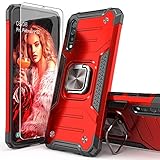
- Compatible with: The case is designed for Samsung for Galaxy A50 Case,for Galaxy A30S Case and for Galaxy A50S Case
- Metal Kickstand with Car Mount: Metal kickstand can rotate 360°,easy to rotate and Sturdy on the case
- Lightweight but Drop Test Protection: The Air-Cushion Technology for all corners,and all around protection for your device with a slim design
- Precise Cutout: All buttons and interface user-friendly design to avoid frequent disassembly. It's easy access to all features and convenient for charging your phone without take off the case
- Every case package come with 1 pieces high quality tempered glass screen protector,which give your phone a more comprehensive protection
Rank #4
![Anvzle for Samsung Galaxy A20/Galaxy A30/Galaxy A50 Case with [2 Pack] Tempered Glass Screen Protector, [Military-Grade] Protective,with Lens Protects Magnetic Kickstand Car Mount Holder Case (Black)](https://m.media-amazon.com/images/I/41m8j9bQfTL._SL160_.jpg)
- 【Compatible With】Specially designed for Samsung Galaxy A20/Galaxy A30/Galaxy A50,[Also come with 2pcs tempered glass screen protectors. Please confirm your phone model before buying, Please feel free to contact us if you have any questions. ( Attention: Not Support Wireless Charging ! !)
- 【Ugraded 360° Full Body Protection】This phone case is made of anti-scratch hard rigid PC bumper and shock resistance soft TPU, Military-Grade Protection with Air-Cushion Technology for all corners and the raised TPU bezel design, provide all around double protection of your phone from drops, scratches and bumps.
- 【360° Rotable Magnetic Kickstand】 Metal kickstand can rotate 360°, easy to rotate and sturdy on the case. Built in kickstand gives you the convenience to watch videos and movies hands-free with desired comfort and stability. Built-in metal magnetic sheet which can be directly adsorbed stably to the magnetic car mount holder. ( Not includes the magnetic car mount holder !)
- 【Unique Slide Camera Cover】The slide camera lens protects your phone camera from scratches, abrasions and shocks. It can slide smoothly left and right,perfect to hide the camera. Besides,the sliding cover is slightly locked on both sides and can not be slid at will,which will not affect the normal use of the phone lens.
- 【Tempered Glass Screen Protector】With 2 pack screen protector,HD clear scratch resistant tempered glass[9H Hardness]. No need to buy the screen protector.
Rank #3

- COMPATIBILITY: Made to fit Samsung Galaxy A50, Samsung Galaxy A50s, Samsung Galaxy A30s
- Non-Slip: The coated TPU silicone finish on this cover for Samsung Galaxy A50 provides a soft, comfortable grip and fingerprints are easily wiped away
- Durable & shockproof: Silicone rubber coating cushions and protects against shocks, falls, drops, scratches and bumps
- Easy access: Precise cutouts on phone cover enable easy access to all buttons, ports and camera
- Great color: Express yourself and personalize the look of your phone with a case in black
Rank #2

- Flexible: This soft TPU silicone case for Galaxy A50 fits your device perfectly and feels comfortable in the hand. The flexible sides ensure a secure fit, while the anti-slip cover helps provide reliable protection
- Protective Yet Stylish: This fashionable case for Galaxy A50 combines dependable protection with a sleek, modern look. The cool metallic finish gives your phone a premium and stylish appearance
- COMPATIBILITY: Made to fit Samsung Galaxy A50, Samsung Galaxy A50s, Samsung Galaxy A30s
- Enhanced Grip: This easy-grip cover for Galaxy A50 is a practical everyday accessory. All buttons and ports remain fully accessible, so you can use your phone without removing the silicone case
- Strong & Durable: Made from robust silicone, this soft case is hard-wearing, resilient, and built to withstand daily use
#1 Best Overall

- Compatibility: Compatible with Samsung Galaxy A50 only, (Please note: this case does not with screen protector)
- Precision Design:Unique Detachable Design & 3- Layer Protection;constructed from high-grade Silicone and PC polycarbonate.Rugged outer cover to combat drops,scratches,bumps and shocks.Shockproof,Dust Protection,Scratch Protection and Drop Protection.withstands scratches,bumps and shock.(14 foot height drop protection under flat ground )
- Full Protection:Drop protection,scratch and dust protection,shockproof protect your phone from drops,dirty and daily adventures.With this case,your new phone could survive from any fall.
- Screen & Camera Protection:Non-slip texture provides great grip.Raised-up edges design ensures strong and reliable protection for screen and cameras.Reinforced corner effectively absorb bumps from any angle when dropping
- Perfectly Fit:Fit well Galaxy A54,Easy access to camera,buttons,and ports,make your Galaxy A50 cool and attractive.
Product prices and availability are accurate as of the date/time indicated and are subject to change. Any price and availability information displayed on Amazon at the time of purchase will apply.
Independent reader supportYour contribution helps us test, update, and keep practical guides available for everyone.



