Write in Markdown, then create an editable Word document for free with Pandoc. Run one command to convert a file, or use Pandoc’s browser app without installing software. If you prefer to work in a document editor, LibreOffice Writer can open and save Markdown and apply styles when you paste Markdown text into a document.
Choose the workflow that fits how you write
| Need | Pandoc | LibreOffice Writer |
|---|---|---|
| Convert Markdown to DOCX | Direct conversion to Word DOCX is supported. Pandoc User’s Guide | Writer can open and save Markdown, but its help page does not document a specific one-click Markdown-to-DOCX export workflow. LibreOffice Writer Markdown help |
| How to use it | Use the command line or Pandoc’s browser app. Pandoc browser app | Use the Writer application and its documented Markdown open, save, paste, and template workflows. LibreOffice Writer Markdown help |
| Formatting | Use a reference DOCX to supply Word styles and document properties; the browser app also offers conversion settings. Pandoc User’s Guide Pandoc browser app | Writer can apply paragraph, list, and character styles when Markdown is pasted, and supports templates. LibreOffice Writer Markdown help |
| Markdown syntax | Supports multiple Markdown variants and extensions. Pandoc User’s Guide | The cited help page identifies its implementation as CommonMark. LibreOffice Writer Markdown help |
For a repeatable Markdown-first process, Pandoc is the more direct choice: it is designed to convert between document formats, including Markdown and DOCX. Writer is a reasonable fit if you already prefer an editor-led workflow and want to open or paste Markdown into a document. Pandoc’s format and customization options are described on the Pandoc project site.

As an Amazon Associate I earn from qualifying purchases.
Convert a Markdown file to DOCX with Pandoc
After installing Pandoc, open a terminal in the folder containing your Markdown file and run:
Outdated Drivers Are Slowing You Down
One free scan finds every outdated or missing driver and matches the right update for your exact hardware.Free scan · exact hardware matchPC Slower Than It Used to Be?
A free scan shows the junk files, broken settings and background clutter dragging Windows down - then fixes them in one click.Free scan · Windows 10 & 11pandoc draft.md -s -o draft.docxReplace draft.md with your input filename and draft.docx with the output name you want. The -s option creates a standalone document; Pandoc infers DOCX output from the output filename’s extension. The basic conversion pattern is also shown in Getting started with Pandoc.
#1 Best Overall
- Save your text as a Markdown file, such as
draft.md. - Run the command from that file’s folder, or provide the file’s path.
- Open the resulting DOCX in Word or another compatible word processor, then check the layout and content before sharing it.
Set Word styles with a reference document
If you want generated documents to use particular Word styles, page settings, or headers and footers, use a reference DOCX. Pandoc’s manual recommends starting with a DOCX generated by Pandoc, editing its styles, and then using that file as the reference. The reference supplies style and document-property information; Pandoc still generates the document’s content from your Markdown.
Add the reference file to the command like this:
pandoc draft.md -s -o draft.docx --reference-doc=reference.docxMake reference.docx your modified reference file. Pandoc documents how reference documents transfer styling and properties in its User’s Guide.
Rank #2

- Advanced Encryption Standard (AES) 128-Bit Encryption
- Windows shortcut keys provide easy access to commonly used functions
- Media keys for music and video control
- Up to 15 months battery life
- Battery status indicator
Convert in a browser without installing Pandoc
Pandoc’s browser app supports Markdown input and DOCX output. Choose Markdown as the input format and DOCX as the output format, adjust any relevant conversion settings, convert, and download the result. The app offers controls for features including headings, media, citations, math, templates, and reference documents.
The app states that it runs pandoc.wasm in the browser and that nothing is transmitted to its server. That is the app’s own statement, not an independent privacy or network-traffic audit. For sensitive documents, assess whether this assurance meets your requirements before using the app.
Rank #3

- Compact design saves desktop space and allows for close, comfortable mouse position.
- Optimized key spacing and key travel for fast, fluid typing.
- Sleek, low-profile design complements any workspace.
- Expressive input key[2] for quick access to emojis, symbols, and more.
- Connect up to 3 devices and switch seamlessly between them[1].
Use LibreOffice Writer for an editor-led workflow
LibreOffice Writer’s Markdown help says Writer can open and save .md files. It also documents pasting Markdown into a Writer document, where Writer applies paragraph, list, and character styles, and using a template to customize formatting. The help page identifies its Markdown implementation as CommonMark.
The cited documentation does not specify a one-click path from an opened Markdown file to a Word DOCX export. If you need a DOCX, check the resulting document and confirm that the save or export workflow in your installed Writer release produces the format you need. The current help page is labeled LibreOffice 26.8 Help, and interface details may vary by release. See the LibreOffice Markdown help.
Rank #4
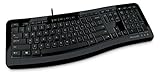
- Contour: it's familiar, yet modern - All the keys are the same size and in a familiar place, even with the contoured design.
- The slim, glossy design saves space and makes a statement on your desktop.
- Ergonomist-approved Comfort Curve design - The Microsoft Comfort Curve encourages natural wrist posture, plus it is easy to use.
- Contour key bed - Designed to provide more direct key strikes for less finger effort.
- Easy-access media keys Control your music and videos, and open the Calculator with the touch of a key.
Check the DOCX before sending it
Markdown captures document structure well, but a converter may not reproduce every formatting choice. Pandoc’s User’s Guide says it aims to preserve structural elements rather than details such as margin size, and warns that some complex tables may not fit its document model. Inspect the generated file, especially when the source has complex tables or relies on precise page layout.
Quick wins for a faster PC:
Clear out junk files and repair common Windows errorsFree Scan →Fix the driver behind crashes, sound loss and screen glitchesFind Drivers →Repair Windows errors before they cause bigger problemsFix Now →- Check that headings, lists, links, and code blocks appear as intended.
- Review tables and page breaks, and confirm margins and headers or footers if they matter.
- Verify any Markdown extensions or specialized syntax in the output; Pandoc supports multiple variants, while the cited Writer help identifies CommonMark.
For PDF rather than an editable Word file, do not assume the DOCX command also creates a PDF. Pandoc’s getting-started guide demonstrates PDF creation through a TeX installation, while its manual documents other PDF engines and their requirements.
Quick Recap
Best Value

- Microsoft Natural Ergonomic Palm Rest Comfort Keyboard for Business - Wired
- Exceptional comfort. Work all day, with reduced risk of fatigue and injury, on our Ergonomist-approved design.
- Excellent support. Improved cushion and ergonomically tested palm rest covered in premium fabric provides all-day comfort and promotes a neutral wrist posture.
- Be more productive with built-in shortcuts, including dedicated keys for office 365,* emojis, search, easy access to media controls, and more.
- Designed to last wired for reliable speed and accuracy. Crunch numbers Fast, with a dedicated integrated pad. Compatibility: Microsoft Windows 10, Limited functionality Windows 8.1/7 (Office and Emoji keys have no function)
Product prices and availability are accurate as of the date/time indicated and are subject to change. Any price and availability information displayed on Amazon at the time of purchase will apply.




