Test in layers: use responsive browser emulation to find layout problems, automate important user journeys across Chromium, WebKit and Firefox, then confirm critical mobile behavior on simulators and real devices. Choose the browser and device matrix from your audience and support commitments; no short list can prove compatibility with every configuration.
Responsive testing and cross-browser testing answer different questions
Responsive testing asks whether a page adapts as its viewport changes: for example, whether navigation, text and forms remain usable from a narrow phone width to a wide desktop. Cross-browser testing asks whether the page renders and works consistently across browser implementations and versions. The two overlap, but a layout that works at one viewport in one browser has not been shown to work across browsers.
As an Amazon Associate I earn from qualifying purchases.
Accessibility also needs distinct checks. Visual inspection and automated tests alone do not establish that a site is usable with a keyboard or screen reader.
Outdated Drivers Are Slowing You Down
One free scan finds every outdated or missing driver and matches the right update for your exact hardware.Free scan · exact hardware matchPC Slower Than It Used to Be?
A free scan shows the junk files, broken settings and background clutter dragging Windows down - then fixes them in one click.Free scan · Windows 10 & 11Build a test matrix from your audience
Start with site analytics and the browsers, operating systems and devices your product promises to support. Prioritize combinations that represent actual visitors and important customer journeys. Record browser versions: browser behavior changes, and “tested in Chrome” is less useful than identifying the browser and version used.
#1 Best Overall

- Vivid Full HD 1080P Video Quality: Experience crisp, professional video with the DICCIK 1080p webcam. Delivering 1920 x 1080 resolution at a fluid 30fps, this web camera ensures clear images for every online calling session. Whether you are streaming or recording, it is a reliable computer camera that outperforms standard laptop cameras.
- Integrated Microphone for Clear Audio: This pc webcam features a built-in noise-reducing mic. Designed as a computer camera with microphone for desktop, it captures your voice naturally while filtering background noise. Perfect for busy home offices, ensuring you are heard loud and clear on Zoom, Skype, and FaceTime.
- Instant Plug and Play USB Connection: No software or drivers required. Our usb webcam is a true plug and play solution for your PC or Mac. Simply connect the camera for pc to your USB port, and it’s ready in seconds. The flexible clip makes it an easy-to-install monitor camera or desktop camera.
- Automatic Light Correction for Dim Lighting:Look your best even in low-light environments. This computer camera for desktop automatically adjusts brightness and white balance to match your room's light. From bright offices to dim bedrooms, this streaming webcam ensures a professional look without extra ring lights.
- Wide Compatibility for Work and Play:A versatile pc camera webcam that works seamlessly with Windows 7/10/11, macOS, and Linux. This webcam for mac and webcam for laptop is fully optimized for Microsoft Teams, Google Meet, and YouTube. An essential camera for computer users across all major operating systems.
A practical matrix can include:
- Desktop browsers and operating systems that matter to your audience.
- Mobile browsers and operating systems covered by your support commitments.
- Viewport widths around the breakpoints your layout uses, including widths between named device presets.
- Critical journeys such as navigation, form submission, account access or checkout, where applicable.
- Accessibility checks with keyboard input and the screen readers relevant to your users.
For hosted testing platforms, verify their current operating-system, browser and device inventory before counting a configuration as covered. Availability depends on the provider and its current matrix.
Check responsive behavior in browser developer tools
Responsive mode is a fast way to explore layout changes locally. In Chrome, open DevTools and select the device-toolbar toggle to enter device mode; in other browsers, use their responsive or adaptive design tools. Set a narrow and a wide viewport, then resize continuously through the widths where your design changes. Preset devices are useful starting points, not substitutes for checking the actual widths your users encounter.
Look for horizontal overflow, clipped or overlapping content, unreadable text, controls too small or difficult to reach, and navigation that stops working at intermediate widths. Test scrolling and interactions as well as the static appearance. Emulation is efficient for layout work, but it does not guarantee how a real mobile browser or hardware-dependent feature will behave.
Exercise core journeys across browser engines
For each supported browser, run the site’s important journeys from start to finish. Check that links and buttons respond, forms validate and submit, focus moves sensibly, and state changes appear as expected. Use scenarios that match your site rather than assuming every site has the same flows.
Rank #2

- 【1】*** MUST see the 3rd pictures in listing that highlights the correct PCI slots to work ***. Using this kit wrongly on motherboard other PCIe port is not the reason of "Doesn't Work". Please make sure the motherboard has PCI slot before placing the order. The Large Desktop PC motherboard diagnostic card is NOT a PCIe card but a Standard PCI card. If the PC has PCIe express slots only, please see my other listing with the "V8 PCIe Diagnostic Kit" instead. ***DO NOT push the Wrong pins with excess force to avoid issue. MUST MAKE SURE PSU 4 / 6 / 8 pin power connector pins match and fit to the tester exact same 4, 6, 8 pins CORRECTLY although the PSU tester is fault tolerant and preventive.
- 【2】This starter kit comes with 1 large PCI test board and 1 small laptop test board for the old desktop PCs and old laptops diagnosis respectively. The large test board comes with【BIOS SPEAKER】to get the desktop PC motherboard Bios beep codes. The 【motherboard power switch cable】is nice to quick check the sticky or damaged PC motherboard power switch button and cable causing no power ON issue. The【the Anti Static Wrist Strap】is a plus to help discharge static during the PC repairs. The 【ATX PSU tester】in this kit is either Blue or Black Color with EXACT same features to quick test the 20/24 pins PC ATX PSUs.
- 【3】Nice starter kit for old computers no Power On / Auto Power OFF / no POST / no Display / no Boot ...etc. diagnosis. No need to swap Known Good Parts in the computer repairs. Save time and money!! All parts are packed well and stored neatly in a nice 【Portable Carrying Storage Case】. A overall great starter kit to add to our tool boxes! Great for computer class learning and old PCs quick troubleshooting needs as well.
- 【4】Please see the listing for the instruction PDFs. *****【On the listing page】, scroll down to after the "Product Information" table the "Product guides and documents" section, BOTH the pictorial "User Guide (PDF)" and the "User Manual (PDF)" are needed. *****. ***** Besides, please DO NOT discard the ITEM PACKING Included Paper Manual Note Printout since that also contains the complete Instruction folder info!!! *****
- 【5】Online Easy Guide and Pictorial Manuals to guide step by step with complete list of codes description. Downloadable manuals to stay updated. Welcome to conact if any question or need helps. Quality Genuine Computer Hardware Diagnostic Test Starter Kit with Free Lifetime Customer Service Supports from 29 years professional computer hardware work experienced seller.
Playwright documents Chromium, WebKit and Firefox, as well as branded Chrome and Edge channels and mobile and tablet device emulation. Its exact browser support follows the installed Playwright release, so keep the framework and browser builds current. Local runs are repeatable and useful for regression checks, but do not by themselves cover every branded browser, physical device or visual detail.
Automate repeatable regression checks with Playwright
Install Playwright in your project, then install the browser binaries for that release. For example, in a Node.js project:
npm init playwright@latest- When prompted, select JavaScript or TypeScript and whether to add a workflow file.
- Install or update the browsers with
npx playwright install. - Write tests for your core journeys and run them with
npx playwright test.
A minimal test can exercise the same journey on each of Playwright’s three browser engines:
import { test, expect } from '@playwright/test';

test('contact form works', async ({ page }) => {
  await page.goto('https://example.com/contact');
  await page.getByLabel('Email').fill('[email protected]');
  await page.getByLabel('Message').fill('Please contact me.');
  await page.getByRole('button', { name: 'Send' }).click();
  await expect(page.getByText('Thank you')).toBeVisible();
});
Replace the URL, labels, button name and expected confirmation with those used by your site. Configure the Playwright project list to run the test under Chromium, Firefox and WebKit; the framework’s generated configuration can provide a starting point. Add device emulation where it helps check responsive behavior. A passing automated run indicates that the tested scenario passed in that configuration; it does not prove every page, visual detail or real-device interaction is correct.
Rank #3

- BEST TEAM MEETING WEBCAM: 920Pro 120°FOV wide angle webcam specifically designed for boardroom meetings, telecommuting, or multi-person chats. Great for business video meetings in conference rooms. Built-in noise-canceling microphone specifically optimized for ultra-clear conversations in huddle rooms. The webcam for pc rotates 360 degrees for versatile positioning, and the manual focus lets you fine-tune pictures
- New Upgraded Flexible Gimbal Base: This webcam for pc captures complete panoramic scenes in bright 1080p High-Definition with zero blind spots. Web cam with 120 wide-angle advanced glass lens combined with 360 horizontal & 180 vertical rotation range create a complete 720 coverage
- PLUG & PLAY: Easy to use. easy to install web camera for desktop computer. Plug the power and USB, load up your favorite video conferencing platform, and start your meeting. No downloads or installs. Tripod-ready universal clip fits all! kinds of laptops, LCD, or monitors. Works well with most video applications: Xbox, OBS, XSplit, FaceTime, Hangouts, BlueJeans, Zoom, Skype, lifesize., Vidyo, Broadsoft. Google Talk, Nimbuzz, Line, Tango, Viber, Imo, Facebook.TokBox, WeChat, etc
- EXCELLENT IMAGE QUALITY: Stream and record vibrant, full high video and image definition 1080p webcam for pc with Full HD 8-layer coating lens will capture and provide crystal clear images. Optimized for professional-quality video calling, conferencing, recording and streaming on social gaming and entertainment sites. This pc webcam 1080p can stram at 30/frames per second, which delivers remarkably crisp. clear and detailed images in vibrant colors
- AUTOMATIC LOW LIGHT CORRECTION & MANUAL FOCUS DESIGN: Automatic low light correction makes you see clearly even in dim light. The live streaming webcam with beauty effect to perfectly preserve the facial details and makes your skin immaculately in an instant The full HD webcam has a manual focus on an area up to 10M
Use simulators and real devices for the checks they can establish
Device simulators and emulators help examine selected operating-system behaviors without requiring a physical device. They can expose interactions a viewport-only tool does not reproduce, such as virtual keyboard input. They are still simulations, so they cannot establish all real-browser or hardware behavior.
Use actual devices for critical mobile journeys, touch interactions, browser-specific issues and features that depend on hardware. Select models according to your audience and platform support rather than treating one phone as representative of every device on an operating system. When reporting a defect, include the device model, OS and browser so someone else can reproduce it.
Test accessibility as a separate layer
Check that the site can be operated by keyboard, that focus is visible and follows a usable order, and that forms and errors are understandable without relying only on visual cues. Check relevant screen-reader behavior as well. BrowserStack Live documents screen-reader tools including NVDA and VoiceOver; consult the provider’s current documentation for availability. Automated accessibility checks can help find issues, but they are not a complete accessibility evaluation.
Do these 3 things before closing this tab:
1Clear out junk files and repair common Windows errors2Fix the driver behind crashes, sound loss and screen glitches3Repair Windows errors before they cause bigger problemsCompare testing approaches by what they can prove
| Approach | Best use | Limit |
|---|---|---|
| Browser responsive emulation | Quick local layout exploration at chosen viewport sizes. | Does not guarantee behavior in a real mobile browser. |
| Device simulator or emulator | Selected device and OS integrations, including development without physical hardware. | Remains a simulation rather than an actual device check. |
| Playwright on local browser engines | Repeatable automated journeys across Chromium, WebKit and Firefox, with device emulation available. | Coverage depends on installed environments and is not equivalent to every branded browser or physical device. |
| Hosted real-device service | Interactive or automated access to a broader device and browser matrix without maintaining all hardware. | Coverage and capabilities depend on the provider and change; verify its current inventory and features. |
| Physical test devices | Direct checks on real hardware and mobile browsers. | Device selection is a trade-off; one model cannot stand in for all devices. |
When evaluating a hosted service, check the exact browser, OS and device inventory, whether access is real or emulated, whether your staging site is reachable, and whether parallel runs, logs, video and your test framework are supported. BrowserStack documents Live and hosted Playwright offerings, but its own feature and support pages are the source for its current coverage; they are not independent evidence that one provider is best. See BrowserStack Live and its supported Playwright versions, browsers and OSes. For the conceptual distinction between responsive and cross-browser testing, see BrowserStack’s comparison.
Rank #4
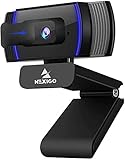
- HD Webcam 1080p AutofocusThis 1080P web camera supply crisp image and crystal clear video, great for webinars, and video conferencing. Focus range 7cm to infinity and full HD means your recorded videos are crisp and vibrantly colored, compatible with 19201080p at 30fps etc. Autofocus and facial-enhancement technology optimize the image automatically, makes you look more beautiful in the video.
- Webcam with Privacy Cover Cover overs your web camera when it is not in use and prevents web hackers from spying on you. It is perfect to provide privacy, security, and peace of mind to individuals, groups, organizations, companies, and governments. At the same time, it protecting the lens from the dirty.
- Webcam with MicrophoneClear and natural sound, computer web camera featured with noise reduction and echo-canceling technology, communication. Capture your voice from every angle, to make sure you are heard very clearly.
- USB Webcam Plug and Play USB web camera for computer, easy to set up, and no driver is needed (with 2M, 6.5ft USB power cable ). Adjustable universal clip can meet your multi-angle needs on computers, laptops, desktops, Mac, PC, LCD monitors, and even other flat surfaces
Make bug reports reproducible
Record enough detail to reproduce the problem and verify the fix:
- Page URL and whether it is production, staging or local.
- Browser name and version, OS, and device model or viewport dimensions.
- Exact steps, expected result and actual result.
- A screenshot or recording when it clarifies the issue.
Retest the fix in the environment that exposed the issue and in at least one related configuration. A result on a neighboring browser or viewport is useful additional evidence, not a substitute for repeating the failing case.
Or skip the browser setup
For screenshot checks, ScreenshotNeo can return a PNG, JPEG, WebP or PDF from one GET request. It is a screenshot API and MCP server, not a replacement for interactive browser testing, accessibility evaluation or checks on actual hardware. Its API accepts common screenshot parameter names used by other screenshot APIs, which can make switching easier.
Quick wins for a faster PC:
Fix the driver behind crashes, sound loss and screen glitchesFind Drivers →Clear out junk files and repair common Windows errorsFree Scan →Install Python’s requests package if needed, set your API key, and save the returned image:
Best Value

- 【1080P Full HD Webcam】 Experience smooth and clear video calls with this 1080P Full HD webcam, powered by a new CMOS sensor for improved clarity and color performance. Whether you're using this camera for remote work, online teaching, or virtual meetings, it delivers high-definition video that helps you communicate with confidence on your computer.
- 【Instant Auto Focus Webcam】 This webcam locks onto you instantly — whether you lean in to show a product or lean back to talk. No manual adjustments, no delay. Perfect for live streaming, product demos, or online classes, this camera ensures you stay sharp and clear throughout every call, making it a reliable choice for your computer setup.
- 【Plug-and-Play Webcam with Anti-Interference Cable】 Set up this webcam in seconds — no drivers needed. Just plug it into any USB port on your computer and you're ready to go. The included USB cable features a built-in ferrite core that reduces interference, ensuring stable video transmission for your camera during important meetings.
- 【Built-in Noise Microphones Webcam】 This webcam features Built-in Noise Cancellation mics that capture your voice naturally from different angles. Ideal for conferences, video chats, or streaming, the microphones help ensure your audio comes through clearly.
- 【Privacy Cover Webcam】 This webcam includes a privacy cover that you can slide to conceal the lens when not in use. It's a simple yet effective security feature that gives you peace of mind, especially when working from home or using this camera in shared spaces. Your computer stays protected with this thoughtful design.
import requests

r = requests.get(
    "https://api.screenshotneo.com/v1/shot",
    params={"access_key": "YOUR_API_KEY", "url": "https://example.com"},
    timeout=90,
)
open("shot.webp", "wb").write(r.content)
See the ScreenshotNeo API documentation for request options. Before capture, it accepts the cookie or consent banner as a visitor and removes more than 60 known consent platforms, newsletter popups and chat widgets; each step can be turned off. Bot checks and CAPTCHAs, blank pages, timeouts, failed loads and cache hits are not billed; responses identify the page verdict and billing status in X-Page-Verdict and X-Billed headers. Its MCP server offers take_screenshot, get_page_info and capture_pdf tools for Claude, Cursor and other MCP clients. The free plan includes 1,000 screenshots per month with no card; paid plans start at $5 for 3,000 shots.
Sign up for 1,000 free screenshots a month with no card.
Common problems and fixes
The page looks fine at preset sizes but breaks between them
Resize continuously around each breakpoint instead of checking only device presets. Test the widths at which navigation, columns or other layout rules change.
A local automation run fails before the test starts
Check that the browser binaries for the installed Playwright release are installed with npx playwright install. If the framework or browser builds have changed, update them together and rerun the test.
A test passes locally but a hosted browser shows a different result
Confirm the hosted provider’s exact browser version, OS and real-versus-emulated device status. Match those details in the defect report; similar browser names do not establish identical environments.
A mobile control works with a mouse but not touch
Repeat the journey on a simulator and, for a critical flow, a physical device. Check the target’s size, placement, scrolling context and any behavior that depends on touch or the virtual keyboard.
A visual check finds no issue, but users report access problems
Run keyboard and screen-reader checks in addition to visual inspection. Automated checks can supplement those tests but cannot establish complete accessibility by themselves.
Recommended Free Tools
Quick Recap
Further documentation
- Chrome DevTools device mode for viewport and device emulation.
- Playwright browser support and Playwright emulation.
- BrowserStack Live and supported Playwright versions, browsers and OSes for current hosted coverage details.
Product prices and availability are accurate as of the date/time indicated and are subject to change. Any price and availability information displayed on Amazon at the time of purchase will apply.




