Free tools Windows power users keep installed
One-click scans. No signup required.
If weather has disappeared from your Lenovo Smart Clock, first check the Google Home account, home address, and Assistant weather unit linked to it. Then test weather by voice, confirm Wi-Fi, and restart the clock. These steps check the settings and connection that control weather; they are not a guaranteed fix for a missing on-screen widget.
Check the Google Home account, home, and address
Google uses the selected Google Home’s address as the default location for local weather unless you ask about another place. Start by confirming that Google Home is using the account connected to your clock and that you have selected the home where the clock is installed.
As an Amazon Associate I earn from qualifying purchases.
- Open the Google Home app and verify the Google account shown.
- Select the home where the Lenovo Smart Clock is set up.
- Open Home settings and review Home address. Correct it if it is missing or inaccurate.
Google’s instructions explain how the selected home address is used for local weather: Change your Google home address.
Outdated Drivers Are Slowing You Down
One free scan finds every outdated or missing driver and matches the right update for your exact hardware.Free scan · exact hardware matchWindows Errors? Fix Them Before They Spread
Repair common Windows errors and clear accumulated junk for a smoother, more stable PC - no reinstall needed.Free scan · no reinstallCheck the Assistant’s weather unit
Review the weather unit used by Google Assistant in Google Home. Google distinguishes the Assistant’s weather preference from a unified home temperature setting: that home-wide display setting does not apply to third-party displays such as a Lenovo clock. Use Google’s guidance for choosing a weather unit for your home or voice assistant.
#1 Best Overall

- MEET ECHO SPOT - A sleek smart alarm clock with Alexa and big vibrant sound. Ready to help you wake up, wind down, and so much more.
- CUSTOMIZABLE SMART CLOCK - See time, weather, and song titles at a glance, control smart home devices, and more. Personalize your display with your favorite clock face and fun colors.
- BIG VIBRANT SOUND - Enjoy rich sound with clear vocals and deep bass. Just ask Alexa to play music, podcasts, and audiobooks. See song titles and touch to control your music.
- EASE INTO THE DAY - Set up an Alexa routine that gently wakes you with music and gradual light. Glance at the time, check reminders, or ask Alexa for weather updates.
- KEEP YOUR HOME COMFORTABLE - Control compatible smart home devices. Just ask Alexa to turn on lights or touch the screen to dim. Create routines that use motion detection to turn down the thermostat as you head out or open the blinds when you walk into a room.
Test weather by voice
Ask the clock, “Hey Google, what’s the weather?” Then ask, “Hey Google, what’s the weather in [city]?” Google recommends being specific when a speaker or display does not provide the requested weather information. If the named-city request works but the general request does not, check the home address again: the clock may be using an incorrect default location.
Google’s weather troubleshooting also calls for checking the device address and preferred weather unit: Get weather and forecast information.
Rank #2

- MEET ECHO SPOT - A sleek smart alarm clock with Alexa and big vibrant sound. Ready to help you wake up, wind down, and so much more.
- CUSTOMIZABLE SMART CLOCK - See time, weather, and song titles at a glance, control smart home devices, and more. Personalize your display with your favorite clock face and fun colors.
- BIG VIBRANT SOUND - Enjoy rich sound with clear vocals and deep bass. Just ask Alexa to play music, podcasts, and audiobooks. See song titles and touch to control your music.
- EASE INTO THE DAY - Set up an Alexa routine that gently wakes you with music and gradual light. Glance at the time, check reminders, or ask Alexa for weather updates.
- KEEP YOUR HOME COMFORTABLE - Control compatible smart home devices. Just ask Alexa to turn on lights or touch the screen to dim. Create routines that use motion detection to turn down the thermostat as you head out or open the blinds when you walk into a room.
Check Wi-Fi and restart the clock
The Lenovo Smart Clock requires an always-active Wi-Fi connection for Google Assistant features. Confirm that the clock is connected to Wi-Fi and that the internet connection is working. Then unplug the clock, reconnect its power, and give it time to start up before checking the display again.
Lenovo describes weather as a Smart Clock feature and includes it in the morning briefing; its FAQ also notes the always-active Wi-Fi requirement: Lenovo Smart Clock FAQs. Lenovo’s restart advice is from a troubleshooting guide for the related Smart Clock 2, addressing connection or Assistant-response issues rather than this exact missing-weather symptom: Lenovo Smart Clock 2 troubleshooting guide. A restart is a reasonable connection check, not a confirmed way to restore the widget.
Rank #3

- Easy to See Big Numbers: this large wooden alarm clock displays time, date and day of week, temperature on large display which is easy to read from across the room.
- 0-100% Adjustable Brightness: the display brightness of this bedroom alarm clock is 0-100% dimmable and you can set the brightness level from totally dark to very bright so it's not glaring at night but still clear during the day, nice for bedroom nightstand. The time format is 12/24Hr switchable.
- USB Charging Port: the electric alarm clock wood comes with USB port for charing your phones or other electric devices on nightstand so you don't need to go looking for other outlet, making it a handy wooden alarm clock for bedroom.
- Easy Snooze Button & Adjustable Alarm Volume: the snooze button on top of the wooden digital alarm clock is intuitive and easy to access without having to wake up to get extra 9 minutes sleep. The alarm volume for this digital wooden alarm clock is 30-90db adjustable so you can adjust the alarm volume per need.
- Stylish Wood Decor and Decent Gifts: this minimalist wooden digital clock is definitely an ideal gift for anyone in its beautiful look which is good for bedroom décor, living room decoration, bedside table or office desk. The wood clock is also very easy to set up and use. With auto DST, the wood desk clock will automatically adjsut to daylight saving time, no resetting hassle.
If voice weather works but the display is still missing it
If the clock answers weather questions but its screen still has no weather display after you have checked the account, address, unit, Wi-Fi, and restart, the available official guidance does not establish a dedicated repair sequence or a confirmed cause for the missing widget. Contact Lenovo or Google support and provide:
- The exact model: Smart Clock, Smart Clock 2, or Smart Clock Essential.
- Your region and the Google Home account/home setup.
- Whether weather works by voice and what the screen displays instead.
- Which settings and restart checks you have already tried.
Do not begin with a factory reset solely to fix the weather display. Lenovo mentions reset as a later general step for broader connectivity or Assistant-response problems on Smart Clock 2, not as a proven remedy for a missing weather widget.
Rank #4
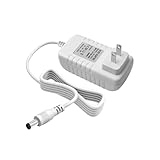
- Perfect Compatibility with Lenovo: XZGm 20V 1.5A charger is specifically designed for Lenovo Smart Clock (CD-24501F), Smart Display 7, 8, and 10. It also fits Smart Assistant (90GX) and Smart Frame (CD-3L501F). Perfect integration for your smart home setup.
- CRITICAL: Check Your Model :This 20V 1.5A (30W) adapter is NOT compatible with the 12V Lenovo PA-1300-41 charger. Please verify your device requires 20V before ordering to ensure a perfect fit.
- Exact Specs and 5.9FT Long Cord : Engineered with a 4.0x1.7mm DC plug and a generous 5.9-foot (1.8M) power cord. The extra length provides flexible routing for nightstands, kitchen counters, or living rooms without needing an extension cord.
- Multi-Protect Safety System : Built with premium pure copper wire and a thicker, durable casing that resists bending. Features advanced smart chips to protect against over-voltage, over-current, over-temperature, and short circuits for safe daily use.
- Dedicated Customer Support: Package includes a XZGm 20V Replacement Charger. If you have any questions about compatibility or experience any issues, contact us. We will reply within 24 hours to resolve your concerns.
What community reports can—and cannot—tell you
In a September 16, 2026 Google Home & Nest Help Community post, a user asked, “How do I add the outdoor temperature back to my lenovo clock?” Replies described individual cases in which changing device location and restarting, or a Home app update, coincided with weather returning. These are unverified user reports, not confirmed explanations or fixes for all Lenovo Smart Clocks: Google Home & Nest Help Community discussion.
Quick Recap
Best Value

- MEET ECHO SPOT - A sleek smart alarm clock with Alexa and big vibrant sound. Ready to help you wake up, wind down, and so much more.
- CUSTOMIZABLE SMART CLOCK - See time, weather, and song titles at a glance, control smart home devices, and more. Personalize your display with your favorite clock face and fun colors.
- BIG VIBRANT SOUND - Enjoy rich sound with clear vocals and deep bass. Just ask Alexa to play music, podcasts, and audiobooks. See song titles and touch to control your music.
- EASE INTO THE DAY - Set up an Alexa routine that gently wakes you with music and gradual light. Glance at the time, check reminders, or ask Alexa for weather updates.
- KEEP YOUR HOME COMFORTABLE - Control compatible smart home devices. Just ask Alexa to turn on lights or touch the screen to dim. Create routines that use motion detection to turn down the thermostat as you head out or open the blinds when you walk into a room.
Product prices and availability are accurate as of the date/time indicated and are subject to change. Any price and availability information displayed on Amazon at the time of purchase will apply.




