To stop Windows Server 2003 from loading the PAE kernel, add /NOPAE to the applicable operating-system entry in Boot.ini. If PAE remains active, check whether Data Execution Prevention (DEP) or hot-add memory above 4 GB is enabling it automatically.
Disable PAE with the Boot.ini switch
- Back up the file. Save a recoverable copy of the current
Boot.inibefore changing the server’s startup configuration. - Identify the correct operating-system entry. In
Boot.ini, locate the entry used to start the Windows Server 2003 installation you intend to change. - Add the disabling switch. Append
/NOPAEto that entry’s existing options, preserving its other settings. Microsoft documents/NOPAEas the switch to disable PAE in Windows Server 2003. See Microsoft’s Physical Address Extension guidance and its Boot.ini switch reference. - Save and restart. After confirming the edited entry is the one the server will use, save the file and restart so Windows starts with the changed option.
/PAE enables PAE mode; /NOPAE disables it. These are Windows Server 2003 Boot.ini settings, not modern BCDEdit commands.


If PAE still appears enabled
Microsoft documents conditions in which Windows Server 2003 can enable PAE automatically. Check the server’s DEP and memory configuration if adding /NOPAE does not produce the expected result.
Check Data Execution Prevention
On a computer that supports hardware DEP, enabling DEP can cause PAE to be enabled automatically. Microsoft documents /EXECUTE as the Windows Server 2003 switch to disable DEP. Consider this only if disabling DEP is appropriate for the server’s security and application requirements; it changes DEP behavior, not just the PAE setting. See Microsoft’s PAE and DEP documentation.
Crashes, No Sound, or Screen Glitches?
Random freezes, missing sound and display glitches usually trace back to one bad driver. Find and replace yours safely.Free scan · under a minuteWindows Errors? Fix Them Before They Spread
Repair common Windows errors and clear accumulated junk for a smoother, more stable PC - no reinstall needed.Free scan · no reinstall#1 Best Overall
Check hot-add memory configuration
PAE can also be enabled automatically when the computer is configured for hot-add memory above 4 GB. Review that configuration before changing startup options. Microsoft explains the relationship between PAE, AWE, and large-memory support in Large memory support is available in Windows Server 2003 and in Windows 2000.
Independent reader supportYour contribution helps us test, update, and keep practical guides available for everyone.What disabling PAE can affect
PAE allows supported 32-bit Windows Server editions to address physical memory beyond 4 GB. Depending on processor physical-address capabilities, Microsoft describes supported 32-bit Windows Server systems as able to use up to 64 GB or 128 GB of physical memory. Applications configured to use Address Windowing Extensions (AWE) can also rely on extended physical memory. Disabling PAE may therefore reduce the memory available to the operating system or affect applications using that capability; the actual effect depends on the Windows edition, hardware, and application configuration.
Rank #2
Before making the change on a production server, verify whether the system or its applications depend on memory above 4 GB, and retain the backup so you can restore the previous startup configuration if needed.
Quick Recap
Rank #4

- Used Book in Good Condition
Rank #3
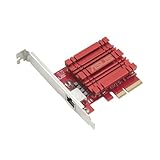
- Hyper-fast 10Gbps networking delivers up to 10X-faster data-transfer speeds for bandwidth-demanding tasks
- Full compatibility with current network standards, including 10/5/2.5/1Gbps and 100Mbps, for seamless backward compatibility
- Windows and Linux support for flexible OS integration with Windows 10/8.1/8/7 and Linux Kernel 4.4/4.2/3.6/3.2
- RJ45 port easily upgrades your desktop to 10Gbps networking using standard copper network Cables
- Prioritize your data with built-in Quality-of-Service (QoS) technology, allowing you to prioritize bandwidth and supported data packets for a smooth online experience
Product prices and availability are accurate as of the date/time indicated and are subject to change. Any price and availability information displayed on Amazon at the time of purchase will apply.




