The simplest legitimate way to play classic Street Fighter II on a modern television is Street Fighter 30th Anniversary Collection on hardware you already use with that TV. It is available for PlayStation 4, Xbox One, Nintendo Switch and Steam, and includes Street Fighter II, Street Fighter II: Champion Edition, Street Fighter II: Hyper Fighting, Super Street Fighter II and Super Street Fighter II Turbo among its 12 arcade games.
Choose the platform that is already connected to your television. A docked Switch needs its dock, AC adapter and an HDMI cable; a Switch Lite cannot output to a TV. The PS4 edition runs on PS5, although Sony notes that the newer console may require a system-software update and that some PS4 features can be missing. After you launch a game, it opens in arcade-style Attract Mode. Press the platform-specific start button to insert the virtual coin and reach character select.
| # | Preview | Product | Price | |
|---|---|---|---|---|
| 1 |

|
Street Fighter 30th Anniversary Collection (Nintendo Switch) | $25.98 | Buy on Amazon |
| 2 |
|
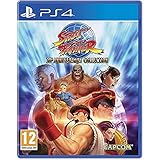
Street Fighter 30th Anniversary Collection (PS4) | $25.70 | Buy on Amazon |
| 3 |

|
Street Fighter 30th Anniversary Collection (PS4) | $29.90 | Buy on Amazon |
| 4 |

|
Street Fighter: 30th Anniversary Collection | $43.70 | Buy on Amazon |
As an Amazon Associate I earn from qualifying purchases.
The best modern way to play Street Fighter II
For most people, the 30th Anniversary Collection is the most practical choice because one purchase provides several important arcade revisions instead of requiring separate releases. Capcom lists the collection for PS4, Xbox One, Nintendo Switch and Steam. You can therefore play on a television through a console, or connect a Steam computer to a TV or monitor.
The collection is especially useful if different players remember different versions. The original Street Fighter II, Champion Edition, Hyper Fighting, Super Street Fighter II and Super Street Fighter II Turbo are not interchangeable releases: each is a distinct arcade revision. Having them together lets you select the version you actually want rather than relying on an unlabeled port or a single modern remake.
#1 Best Overall
- Celebrate 30 years of the most iconic fighting game series
- Relive the titles that made gaming history
- New gameplay options including online play
- Hadoken your way down memory lane
- Learn more about fan-favorite characters
Which Street Fighter II versions are included?
| Game in the collection | Why it matters |
|---|---|
| Street Fighter II | The base arcade release named by Capcom. |
| Street Fighter II: Champion Edition | A separate arcade revision included in the same collection. |
| Street Fighter II: Hyper Fighting | Another distinct revision, selectable from the collection. |
| Super Street Fighter II | The Super-era version listed in the package. |
| Super Street Fighter II Turbo | The later Turbo revision, also included. |
Capcom describes the package as a 12-game collection. The five entries above are the Street Fighter II revisions specifically relevant to this guide; the collection also contains other arcade Street Fighter titles.
Pick the platform that fits your TV setup
| Platform | What you need | Important limitation or note |
|---|---|---|
| Nintendo Switch | A standard Switch or Switch OLED, its dock, the dock’s AC adapter, an HDMI cable and a free HDMI input on the TV. | Switch Lite has no TV Mode and cannot send the game to a television. |
| PlayStation | The PS4 collection on a PS4, or the PS4 version played on a compatible PS5. | On PS5, update the system if prompted; some PS4 features may differ or be unavailable. |
| Xbox | The Xbox One version and an Xbox connected to the television. | Use the Xbox controller’s View button to leave Attract Mode. |
| Steam computer | The Steam version, a computer and a display connection to the TV or monitor. | Use Enter on the PC keyboard to start from Attract Mode. |
There is no need to buy another console solely for this game if one of these systems is already attached to your TV. The choice is mainly about existing hardware, the cable path to the screen and which controller you prefer.
Connect a Nintendo Switch to a modern TV
A regular Switch or Switch OLED must be docked for TV play. Nintendo’s hookup sequence is specific: power the dock with its AC adapter, run an HDMI cable from the dock’s HDMI OUT port to an HDMI input on the television, place the console in the dock and select that HDMI input on the TV.
- Place the dock near the television and a power outlet.
- Plug the Switch AC adapter into the dock’s power port and the outlet.
- Connect one end of the HDMI cable to the dock’s HDMI OUT port.
- Connect the other end to an available HDMI input on the TV.
- Seat the Switch in the dock.
- Use the TV remote to select the same HDMI input used in step 4.
- Start the collection and choose the Street Fighter II revision you want.
If the television reports “no signal,” first check that the cable is in HDMI OUT on the dock rather than another socket, that the dock has power and that the TV is set to the matching input. A Switch Lite will not produce a TV signal even when connected by a cable; Nintendo does not provide a TV Mode for that model.
Do you need an HDMI cable for Street Fighter II on Switch?
Yes. The dock sends the Switch’s video to the television through its HDMI OUT port, so an HDMI cable is part of the TV connection. The game itself does not replace that hardware requirement. If the console is handheld, no TV cable is needed; for a television, use the dock, AC adapter and HDMI connection described above.
Play the PS4 version on PS4 or PS5
Install or insert the PS4 edition on a PS4 and connect the console to the TV as usual. The same PS4 collection is playable on PS5. Sony’s compatibility guidance says the PS5 may need a system-software update, and a small number of PS4 features may not be present on the newer console.
Rank #2
- Relive the titles that made gaming history – Includes the original Street Fighter released in 1987 which introduced two of gaming’s most famous heroes, Ryu and Ken. Additionally, the iconic Street Fighter II became the first ever one-on-one video game that gave players a choice of characters, including the debut of the series’ strongest female Chun-Li. Street Fighter III continued the core numbered series and was the first game to introduce the parry attack.
- New gameplay options including online play – Players can utilize save states as they progress through the game offline. In addition, players can duke it out online in four classic titles (Street Fighter II: Hyper Fighting, Super Street Fighter II: Turbo, Street Fighter Alpha 3 and Street Fighter III: Third Strike). In addition to Ranked and Casual Match options, up to four players can join a lobby where they can play against the CPU while waiting for their match.
- Hadoken your way down memory lane – Revisit historic moments from the series and explore an interactive timeline of events that helped create one of the world’s leading fighting game series. View stunning pieces of concept art and uncover little known facts behind each game release.
- Learn more about fan-favourite characters – Scroll through character bios and learn new details about series favorites whilst enjoying sprites and key animations to see how the classic fighters have evolved over time.
- Install the collection on the PS4 or on the PS5 system running the PS4 version.
- Check for a PS5 system-software update before troubleshooting a launch or compatibility warning.
- Connect the console’s HDMI output to the TV and select that HDMI input.
- Launch the collection and select a Street Fighter II title.
- If you are on a PS4 with a DualShock 4, use the controller’s touchpad to start the arcade session from Attract Mode.
Compatibility does not mean every PS4-specific behavior is guaranteed to be identical on PS5. If a menu option or peripheral feature behaves differently, compare it with Sony’s current PS4-on-PS5 compatibility notes rather than assuming the game installation is damaged.
Free tools Windows power users keep installed
One-click scans. No signup required.
Play on Xbox or a Steam computer
Xbox One
Capcom lists an Xbox One edition. Connect the Xbox to the TV, select its HDMI input and launch the collection. When the selected arcade game sits at the attract screen, press the controller’s View button to insert the virtual coin and proceed.
Steam on a TV or monitor
The Steam edition is suitable for a computer already connected to a television or monitor. Connect the computer to the display, switch the TV to that input and launch the game through Steam. At the attract screen, press Enter on the PC keyboard. You can then move through the game’s menus and begin a match with the input device configured on the computer.
Steam is a display arrangement rather than a separate TV console: the computer performs the work and the television acts as its screen. If the image appears on the computer’s built-in display instead, change the operating system’s display-output setting or move the video cable to the output feeding the TV.
Why the game is stuck on the attract screen
Nothing is necessarily wrong. These games originated in arcades, where an idle machine played demonstrations to attract the next player. Capcom Support explains that launching one of the 12 games starts its “Attract Mode.” You must press the platform’s coin or start control before character select appears.
What’s actually slowing this PC down?
Pick the symptom - the matching free tool is one click away.
| Platform | Button to leave Attract Mode |
|---|---|
| PC (Steam) | Enter |
| PS4 DualShock 4 | Touchpad |
| Nintendo Switch | Minus (-) |
| Xbox One | View |
- Wait for the selected game’s attract demonstration to appear.
- Press the button in the table for your platform once.
- When the game accepts the input, continue through the title and character-selection screens.
- If nothing happens, confirm that the controller or keyboard is assigned to the active player and try the button again.
Do not use the console’s general Home or Guide button for this step. The collection is waiting for the arcade game’s own insert-coin input, which differs by platform.
Rank #3
- Celebrate 30 years of the most iconic fighting game series
- Relive the titles that made gaming history
- New gameplay options including online play
- Hadoken your way down memory lane
- Learn more about fan favorite characters.Remember the tunes
How to play on a smart TV
Think of the smart TV as the display, not as the game platform. The documented modern releases are for PS4, Xbox One, Nintendo Switch and Steam. To play on a smart TV, connect one of those systems to an HDMI input, select that input and run the collection on the external system.
If you already own a Switch
Use a standard Switch or Switch OLED in its dock. Follow Nintendo’s power, HDMI OUT and input-selection sequence. A Switch Lite cannot be used for this television setup because it does not support TV Mode.
If you already own a PlayStation or Xbox
Use the console version that matches your system. The PS4 edition also runs on PS5, subject to Sony’s update and feature-availability notes. An Xbox One connected to the TV runs the Xbox release directly.
If your computer is beside the TV
Install the Steam version on the computer and connect the computer’s video output to the TV. Select that HDMI input, launch the game and press Enter at Attract Mode. This is often the least expensive hardware change when a capable computer is already in the room, but the computer must remain connected while you play.
Independent reader supportYour contribution helps us test, update, and keep practical guides available for everyone.Which console has the “original” Street Fighter II?
The phrase “original Street Fighter II” can mean the base arcade game or the wider family of arcade revisions. The 30th Anniversary Collection is the clearest single modern purchase for that family because it includes the base Street Fighter II plus Champion Edition, Hyper Fighting, Super Street Fighter II and Super Street Fighter II Turbo.
You can obtain that collection on PS4, Xbox One, Nintendo Switch or Steam. If you want the base release specifically, select Street Fighter II from the collection’s game list rather than assuming the first menu item represents every revision.
Rank #4
- 5055060967096
Choosing between the available routes
Choose Switch when portability matters
A standard Switch or Switch OLED lets you move between handheld play and a docked television setup. The trade-off is that TV play requires the dock, its AC adapter and HDMI cable, and the Switch Lite is excluded from this mode.
The Tool Desk
Outbyte Driver Updater FREEScan for outdated or missing drivers - takes under a minuteDriver Scan →Outbyte PC Repair FREEClear out junk files and repair common Windows errorsFree Scan →Choose PlayStation when you already use PS4 or PS5
The PS4 release fits an existing PlayStation setup, and PS5 owners can use the PS4 version. Keep the PS5 updated and allow for the possibility that some PS4 features will not carry over exactly.
Choose Xbox when the Xbox is already under the TV
The Xbox One release avoids adding another device or changing the television’s cable arrangement. Remember that the attract-screen input is View, not the button used to open the console guide.
Choose Steam when the computer is your main game system
Steam keeps the game on the computer and can display it on a television or monitor. It is convenient when the computer already has a direct video connection to the TV, but it is less convenient if you would need to move the computer or run a long cable each time.
Troubleshooting checklist
The TV shows no picture
- Verify that the TV input matches the HDMI port used by the console or computer.
- For Switch, confirm the cable is connected to the dock’s HDMI OUT port and that the dock’s AC adapter is plugged in.
- Reseat both ends of the HDMI cable, then select the input again.
- Test another HDMI input or cable if the television still reports no signal.
The collection opens, but the game will not start
- Identify the platform and press its documented Attract Mode button: Enter on PC, touchpad on a PS4 DualShock 4, Minus on Switch or View on Xbox One.
- Make sure the intended controller is connected and assigned to the active player.
- Press the button after the game has fully reached its attract demonstration rather than while another menu is loading.
The Switch cannot display on the television
- Confirm that the console is a standard Switch or Switch OLED, not a Switch Lite.
- Use the dock and its AC adapter; a Switch Lite has no TV Mode regardless of cable.
- Check the dock’s HDMI OUT connection and the television’s selected input.
The PS5 reports a compatibility or feature difference
- Install any pending PS5 system-software update.
- Remember that this is the PS4 version running on PS5, so Sony allows for some PS4 features to be absent.
- If the game itself does not launch, verify that the collection is installed correctly before changing display cables.
The Steam image is on the wrong screen
- Check which display output the computer is using.
- Set the TV as the active or extended display in the computer’s display settings.
- Select the TV’s HDMI input and relaunch or move the game window to that screen.
A simple decision checklist
- Already have a console connected to the TV? Use that platform’s collection version first.
- Have a Switch Lite? Plan for handheld play or use another supported platform; the Lite cannot connect to a TV.
- Have a PS5? Buy or use the PS4 collection and keep the PS5 system software current.
- Have a computer beside the TV? The Steam edition can use the television as its display.
- Are you seeing an arcade demonstration? Press Enter, touchpad, Minus or View according to the platform table.
Once the correct platform is connected and the attract-screen input is understood, the 30th Anniversary Collection provides the most direct modern path to the major arcade-era Street Fighter II revisions without hunting down separate releases for each version.
Quick wins for a faster PC:
Fix the driver behind crashes, sound loss and screen glitchesFind Drivers →Repair Windows errors before they cause bigger problemsFix Now →Scan for outdated or missing drivers - takes under a minuteDriver Scan →Quick Recap
Product prices and availability are accurate as of the date/time indicated and are subject to change. Any price and availability information displayed on Amazon at the time of purchase will apply.

