To file a 1099 online through the IRS Information Returns Intake System (IRIS), obtain an IRIS Transmitter Control Code (TCC), sign in to the free Taxpayer Portal, choose the supported form and tax year, enter the payer and recipient information or upload a correctly formatted CSV, validate and submit the return, then save the confirmation and deliver the recipient copy. Start early: the IRS says a TCC application can take up to 45 days. Confirm that your 1099 type, tax year and filing deadline are supported before you begin.
IRIS is a filing channel, not a decision tool for whether a payment is reportable. Use the instructions for the particular 1099 and, when necessary, a qualified tax professional to determine what you must report.
As an Amazon Associate I earn from qualifying purchases.
What is the IRS IRIS portal?
IRIS is the IRS Information Returns Intake System. Its free, web-based Taxpayer Portal allows a business or other issuer to prepare and electronically file many information returns, including 1099 forms. The portal supports tax year 2022 and later, although the forms available depend on the processing year and the tax year selected.
The IRS also offers an Application to Application (A2A) channel. A2A is a software-based transmission method intended for organizations, service providers and developers sending large data sets rather than entering individual returns in a browser.
#1 Best Overall

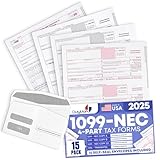
- IT IS A COMPLETE INCOME TAX FILING FORMS - Report payments FAST, RELIABLE and EASY way with our updated NEC Laser form kit! This kit has everything you need. You can report your rent, medical, royalties or contract payments. It has 9 of A, B copies. 17 of C copies, 3 of Transmittal 1096 - NEC forms.
- A GREAT VALUE KIT - We are adding EXTRA VALUE to your set of 1096 NEC forms for 2026, including in your order 3 FREE transmittal 1096 forms, offered as a UNIQUE BONUS! Get EVERYTHING you need for your tax filing needs in a tremendous value ALL-INCLUSIVE 2026 1099 NEC forms 2026
- DUAL LASER TAX FORMS SET - (4-Part state) for the year 2026 to meet the needs of 25 Individuals. It is designed in compliance with the government requirements and is valid, IRS approved form 1099 set.
- A GREAT COMPATIBILITY SET - This 2026 1099 NEC form kit is compatible with both Inkjet and Laser printers as well as Quickbooks software and it is an ALL-INCLUSIVE kit of Federal Copy A, Copy B, Copy C and 1096 NEC, everything you need for your peace of mind in reporting payments.
The Taxpayer Portal can create returns by manual entry or by CSV upload, perform basic validation, accept up to 100 returns in one submission, provide downloadable payee copies, retain filing records, process certain corrections and submit automatic extension requests. The IRS describes the service as a “free, web-based filing system.”
IRIS does not replace the separate process for filing W-2 forms with the Social Security Administration (SSA). W-2s count when determining the general electronic-filing threshold, but they are not filed through IRIS.
Can you use IRIS for your 1099?
Usually, yes, if the form and tax year appear on the IRS list for the applicable processing year and you have an IRIS TCC. For processing year 2026, the IRS list includes tax year 2025 versions of many common returns, such as Forms 1099-NEC, 1099-MISC, 1099-INT, 1099-DIV, 1099-K and 1099-R, along with other information returns. Lists change, so check the current supported-form page before preparing a file.
Do not assume that every 1099 variant is available for every tax year. A form can be supported in one processing year but not another, and the portal may display different options after you select the tax year.
Check the e-filing threshold first
For tax year 2023 and later, the general IRS rule requires electronic filing when an issuer has 10 or more information returns. The count includes W-2 returns filed with SSA, even though those W-2s do not go through IRIS. Exceptions and special rules can apply, so read the current General Instructions for Certain Information Returns.
If you have fewer than 10 information returns, IRIS can still be useful because it is free and creates an electronic filing record. Whether you are required to use it is a separate question from whether it is convenient.
What you need before starting
1. An IRIS Transmitter Control Code
An IRIS TCC is a five-character code that identifies your business or organization for electronic filing through IRIS. You must have the IRIS-specific code before you can file. A code issued for another IRS electronic-filing system should not be treated as an IRIS TCC unless the IRS explicitly confirms that it applies.
The IRS warns that processing a TCC application can take up to 45 days. Apply well before the first deadline for the returns you expect to file. A pending application does not give you permission to transmit through the portal.
2. Identity and business details
Have the legal name, address, taxpayer identification number and contact details for the payer available. You will also need the recipient’s name, address and taxpayer identification number, plus the amounts and other fields required by the specific 1099 type.
Use the payer’s information exactly as it should appear on the information return. A mismatch in a name or taxpayer identification number can create a notice or require a correction later.
Rank #2
- Premium Value Pack: This comprehensive bundle includes 10 Forms of 4-part 1099 NEC tax forms updated for 2026, along with 3 1096 transmittal forms and 10 Security self-seal envelopes for secure mailing
- IRS & US Government Standard: These 1099 NEC tax forms meet all US Government and IRS requirements and standards, allowing you to file and mail your taxes with confidence and compliance
- Works With Tax Software: These forms are compatible with Quickbooks and TaxRight Software (Formerly Known as TFP) and other accounting and tax software, with printed words and fields that automatically align with the boxes of your preferred program
- Seamless Printing: These 1099 NEC tax forms are printed on high-quality paper that feeds smoothly through your inkjet or laser printers, minimizing paper jams and ink blots during your printing operations
- Small Business Tax Solution: Keep your offices running smoothly through tax season with a reliable supply of 1099 NEC tax forms for reporting payments made to non-employees and independent contractors
3. The correct form, tax year and source records
Gather invoices, payment reports, investment records, payroll or retirement records, and any other documentation used to calculate the return. IRIS reports the information you provide; it does not calculate whether a payment meets a reporting threshold or decide which form applies.
What’s actually slowing this PC down?
Pick the symptom - the matching free tool is one click away.
4. A browser or a properly formatted CSV
You can type each return into the portal or upload a CSV file. The exact columns, field lengths, date formats and required values vary by form. Use the current Publication 5717 instructions and the IRS CSV guidance for the selected form. Do not reuse a CSV built for a different 1099 type without checking every field against the current specification.
How to get an IRIS TCC
- Open the IRS IRIS information-return filing service and start the application for an IRIS TCC.
- Provide the requested business, responsible-official and contact information. Use legal details that match your IRS records.
- Complete any identity or authorization steps shown during the application.
- Submit the application and record the confirmation or tracking information.
- Wait for the IRS decision and TCC issuance. Allow up to 45 days, and do not wait until the filing deadline is close.
When the code is issued, store it in a secure location and restrict access to people who prepare or transmit your information returns. If your organization uses a tax department and an outside preparer, decide who is responsible for the TCC account and for retaining the filing evidence.
How do I file a 1099 online with the IRS?
Step 1: Sign in to the Taxpayer Portal
Use the IRS sign-in process for IRIS and select the Taxpayer Portal, not the A2A path. Have your IRIS TCC and any account credentials or identity-verification information ready. If you are filing for more than one business, confirm that the selected payer account is the correct one before creating a return.
Step 2: Select the form and tax year
Start a new information return and choose the exact 1099 type and tax year. The available choices are controlled by the IRS-supported form list. Selecting the wrong tax year can put otherwise correct amounts on the wrong return and may require a correction.
The Tool Desk
Outbyte Driver Updater FREEFix the driver behind crashes, sound loss and screen glitchesFind Drivers →Outbyte PC Repair FREERepair Windows errors before they cause bigger problemsFix Now →Step 3: Enter payer information
Enter the payer’s legal name, address, taxpayer identification number and other requested identifying information. Review every digit before continuing. Keep the payer data consistent across returns in the same batch.
Step 4: Add each recipient
Enter the recipient’s name, mailing address, taxpayer identification number and the boxes or amounts required for that form. Follow the field instructions shown by IRIS and Publication 5717. A 1099-NEC, for example, does not use the same boxes as a 1099-INT or 1099-R.
Step 5: Choose manual entry or CSV upload
For a small number of recipients, manual entry may be simplest. For a prepared data set, use the portal’s CSV upload option. Validate the file against the current IRS format first; a spreadsheet that merely looks correct can still fail because of an invalid header, decimal format, character, date or blank required field.
Step 6: Run validation and resolve errors
Use the portal’s validation results before submission. Correct rejected rows and re-upload or edit them as directed. Treat warnings seriously even when IRIS allows you to continue: a technically accepted return can still contain an incorrect taxpayer identification number, amount or address.
Recommended Free Tools
Step 7: Review the complete batch
Compare the payer totals and recipient-level amounts with your accounting records. Check that you selected the intended tax year, form and payer. Look for duplicate recipients, misplaced decimal points, transposed identification numbers and omitted state or account information where the form requires it.
Rank #3
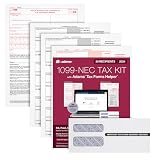
- Get the 3 up 1099 NEC forms you need to report nonemployee compensation for up to 30 recipients; includes 3-part 1099 NEC tax forms, peel and seal envelopes, 3 1096 summary reports & access to Helper
- Use Form 1099 NEC to report nonemployee compensation to the IRS and your recipients; the NEC is an IRS continuous-use form with a fill-in-the-year date field good for multiple tax years
- White 3-Part 1099 NEC forms print 3 to a page on 10 micro perforated sheets per copy with copies A, B, 1 & 2; includes scannable red ink copies required for paper filing; IRS has removed Copy-C
- Includes access to Adams Tax Forms Helper— with QuickBooks Online integration; fill forms faster, eFile and much more; share employee/recipient forms with PDF File Share; fees apply for PDF File Share
- Mail or eFile your 2024 1099-NEC to the IRS and furnish copies to your recipients by January 31, 2025; IRS eFile law! If you're filing 10 or more returns, you must eFile; easily eFile on the Helper
Step 8: Submit the return
Submit only after the review is complete. Keep the submission confirmation, transmission or receipt number, date and the final data file used. These records show what was filed and help you respond if the IRS later asks about a return.
Step 9: Download and distribute recipient copies
IRIS lets you download payee copies and maintain records of completed, filed and distributed forms. Give each recipient the applicable copy by the deadline for that form. Electronic delivery may require the recipient’s consent and additional disclosures; check the current form instructions before relying on email or an online portal.
How many 1099s can you file in IRIS?
The Taxpayer Portal supports up to 100 returns per submission. That limit applies to a portal submission, not necessarily to the total number you may file over a season; you can submit additional batches as needed, subject to the portal’s current rules.
Outdated Drivers Are Slowing You Down
One free scan finds every outdated or missing driver and matches the right update for your exact hardware.Free scan · exact hardware matchPC Slower Than It Used to Be?
A free scan shows the junk files, broken settings and background clutter dragging Windows down - then fixes them in one click.Free scan · Windows 10 & 11For substantially larger volumes, the IRS describes A2A as the software route. A2A transmissions can be up to 100 MB according to current IRS portal guidance and are intended for thousands of returns or other large data transmissions. A2A requires separate technical setup and software capable of creating and transmitting the IRS-required data.
| Consideration | Taxpayer Portal | A2A |
|---|---|---|
| Cost and setup | Free IRS web portal; requires an IRIS TCC | Requires software or a service and separate A2A setup |
| How data is entered | Manual entry or CSV upload | Software transmits return data |
| Stated scale | Up to 100 returns per submission | Designed for thousands of returns and transmissions up to 100 MB |
| Best fit | Small filers and organizations without specialized filing software | High-volume issuers, service providers and software developers |
Do not choose A2A solely because you have more than 100 recipients. If your total is modest, separate Taxpayer Portal batches may be easier than building or buying an A2A workflow. A2A becomes more attractive when recurring volume, automation and integration justify its setup.
1099 deadlines: what to verify
There is no single due date for every 1099. Two obligations often have different deadlines: furnishing the recipient’s statement and filing the information return with the IRS. The date also depends on the form, the tax year and whether an extension or special rule applies.
- Identify the exact 1099 form and tax year.
- Read that form’s current instructions for the recipient-copy deadline.
- Check the IRS Tax Calendar and the General Instructions for Certain Information Returns for the IRS filing deadline and any weekend or holiday adjustment.
- Record both dates in your compliance calendar, along with the date you actually submitted and distributed the forms.
Do not infer a deadline for one form from another. For example, the timing rules for Form 1099-NEC can differ from those for forms reporting interest, dividends, retirement distributions or miscellaneous payments.
Quick wins for a faster PC:
Fix the driver behind crashes, sound loss and screen glitchesFind Drivers →Clear out junk files and repair common Windows errorsFree Scan →How do I correct a 1099 filed through IRIS?
IRIS supports certain corrected information returns, but the correct procedure depends on the form and the error. A wrong amount, missing recipient, incorrect taxpayer identification number and duplicate filing can require different correction treatments.
- Identify exactly what was wrong in the original submission and whether the recipient copy was already furnished.
- Read the correction section of the current General Instructions for Certain Information Returns and the instructions for the particular 1099.
- Use the correction function or workflow described in Publication 5717 and IRIS. Do not simply submit a second original return unless the instructions say that is the remedy.
- Correct the recipient copy as required and keep the original receipt, correction receipt and an explanation of the change.
If the error involves a taxpayer identification number, a form type or a reportability question, obtain professional advice before transmitting a correction. An incorrect correction can create a second mismatch.
Independent reader supportYour contribution helps us test, update, and keep practical guides available for everyone.Can IRIS request an extension?
The portal supports automatic extension requests. An extension may change the time allowed to file with the IRS, but it does not automatically extend the deadline for furnishing recipient copies, and it does not erase penalties for an ineligible or late request. Read the current instructions for the form and extension procedure, then save the request confirmation.
Rank #4

- Premium Value Pack - Get more value for your money! This premium bundle includes 10 sets of 4-part 1099 NEC tax forms updated for 2026 . We've also included matching 10 standard self-seal envelopes.
- IRS & US Government Standard: Our 1099 NEC tax forms meet all US Government and IRS requirements and standards, allowing you to file and mail your taxes with ease and peace of mind
- Works With Tax Software: These forms are compatible with Quickbooks and TaxRight (Formerly TFP) accounting and tax software, with printed words and fields that automatically align with the boxes of your preferred program
- Seamless Printing: Our 1099 NEC tax forms are printed on high-quality paper that feeds smoothly through your inkjet or laser printers, preventing paper jams and ink blots from interrupting your operations
- Essential For Small Businesses: Keep your offices running smoothly through tax season with a reliable supply of our 1099 NEC tax forms for payments made to non-employees and independent contractors
What happens if a CSV upload fails?
Invalid headers or column order
Download or consult the current CSV specification for the exact form and tax year. Header names and order are not interchangeable between 1099 types.
Free tools Windows power users keep installed
One-click scans. No signup required.
Missing required data
Find the row and field identified by the validation message. Do not fill an unknown value with a random placeholder; obtain the correct payer or recipient information from your records.
Number or date formatting errors
Remove currency symbols, thousands separators or unsupported date formats when the IRS specification disallows them. Preserve leading zeroes in taxpayer identification numbers where required.
Duplicate records
Compare the file with previously submitted batches. A corrected file can accidentally resend an original return, so maintain a batch register with recipient, form, tax year and submission status.
Unsupported form or tax year
Return to the supported-form list and verify the processing year. If the combination is not available in IRIS, follow the IRS-approved filing method for that return rather than forcing it into another form.
How to keep defensible filing records
Retain the source calculations, final CSV or manual-entry report, validation messages, submission confirmation, downloaded recipient copies, distribution evidence and any correction or extension receipts. Organize records by payer, tax year and form so that a future notice can be matched to the exact transmission.
Access controls matter when files contain taxpayer identification numbers. Store them in a restricted location, use the organization’s retention policy and avoid sending unencrypted files through ordinary email.
IRIS and the 2026 FIRE transition
The IRS says FIRE users must move to IRIS for tax year 2026 information returns during the 2027 filing season. An IRS notice dated August 24, 2026, lists these FIRE dates:
| Date | FIRE milestone |
|---|---|
| November 1, 2026 | Last day for test returns in the FIRE Trading Partner Test System |
| November 9, 2026 | Last day to change IR Application TCC records |
| November 19, 2026, at 3 p.m. Eastern Time | Last day to file through FIRE |
Transition schedules can change. If you currently use FIRE, check the latest IRS transition notice, confirm whether your software supports IRIS or A2A, and apply for an IRIS TCC before the migration deadline rather than waiting for filing season.
Do these 3 things before closing this tab:
1Scan for outdated or missing drivers - takes under a minute2Clear out junk files and repair common Windows errors3Fix the driver behind crashes, sound loss and screen glitchesCommon mistakes to avoid
- Waiting to apply for a TCC until the week a return is due.
- Assuming a FIRE or other IRS system code is automatically an IRIS TCC.
- Using a CSV template from a prior tax year without comparing it with the current Publication 5717 guidance.
- Counting only 1099s when deciding whether the 10-return e-file threshold applies; W-2s filed with SSA count too.
- Submitting a second original return to fix an error instead of following the correction instructions.
- Assuming an extension for IRS filing also extends the recipient-copy deadline.
- Failing to download the receipt and recipient copies after submission.
- Trying to decide reportability from the portal alone instead of reading the form instructions.
When the free portal is the right choice
The Taxpayer Portal is generally the practical option when you file a small or moderate number of returns, can prepare the data without specialized software and want to avoid a paid filing service. Its 100-return submission limit, manual-entry option and CSV support cover many small-business workflows.
Consider A2A or another IRS-compatible software workflow when you transmit thousands of returns, need repeatable integration with accounting or payroll systems, or must automate large files. Evaluate the technical setup, testing, security and support requirements before committing; A2A is not a quicker version of the browser form.
Quick Recap
Final filing checklist
- Confirm the 1099 form and tax year are supported by IRIS.
- Obtain and securely record the five-character IRIS TCC.
- Check whether the 10-or-more information-return rule requires electronic filing.
- Reconcile payer and recipient data to your source records.
- Use the current form-specific CSV specification, if uploading.
- Run validation and resolve every error.
- Review totals, tax year, form type and taxpayer identification numbers.
- Submit and save the confirmation or receipt.
- Download and furnish recipient copies by the applicable deadline.
- Retain filing, distribution, correction and extension records.
Product prices and availability are accurate as of the date/time indicated and are subject to change. Any price and availability information displayed on Amazon at the time of purchase will apply.




