What’s actually slowing this PC down?
Pick the symptom - the matching free tool is one click away.
You can let customers pay on your website and then reach their purchase in your iOS app—but the app cannot be “already logged in” before it is installed and opened. The reliable design is to save the purchase to the customer’s account, route installed users with a Universal Link, and have the app authenticate that account and fetch its entitlements. For people who still need to install the app, provide a separate recovery path; a plain Universal Link does not preserve the journey through installation.
What the Web2App funnel can—and cannot—do
There are three separate jobs: accept a permitted web payment, associate the resulting access with a durable account, and get the app to the right screen after installation. Treating all three as a single “deep link” problem is the source of many broken handoffs.
As an Amazon Associate I earn from qualifying purchases.
- Payment: the website completes checkout where the product and the customer’s storefront rules allow it.
- Entitlement: your backend records what the customer bought and which account owns that access.
- Routing and sign-in: an installed app can open to a relevant destination, but the app must establish a valid account session and obtain current access from your service.
A link can carry a destination or non-sensitive continuation context. It should not act as proof of payment or contain a password, payment credentials, or bearer authorization token. The app should grant access based on the authenticated account’s server-side entitlement, not on the fact that someone tapped a URL.
Free tools Windows power users keep installed
One-click scans. No signup required.
Build the flow around the account, not the installation
- Complete checkout on the website. After successful payment, persist the purchase against the customer account in your backend. Make clear which account owns it and what was purchased. Use this route only when the product category and relevant storefront rules permit web payment; Apple’s App Review Guidelines distinguish digital purchases, physical goods and services, cross-platform access, and other cases.
- Offer an app route after purchase. If the app is installed, send the customer to a Universal Link for an appropriate destination, such as the purchased content or account screen. The app must be configured for the website’s associated domain and must handle the incoming URL. Apple describes Universal Links as a way for one HTTPS link to open app content when the app is installed while leaving a web destination available otherwise: Allowing apps and websites to link to your content and Supporting associated domains.
- Keep the website useful when the app is absent. Offer an App Store destination and explain what the customer should do after installing: open the app, sign in to the same account used at checkout, and refresh access. Do not promise that an ordinary Universal Link will remember the exact checkout destination after an App Store install.
- Authenticate and refresh on first open. The app signs in the customer, requests the account’s current entitlements from your backend, and then opens the relevant content if access is active. If the customer chooses a different sign-in method or account from the one used at checkout, provide a deliberate account-recovery or account-linking route rather than silently creating duplicate accounts.
Apple’s Sign in with Apple guidance addresses cross-platform authentication and calls out the decision to ask new account creators whether they have an existing account to link: Authenticating users with Sign in with Apple.
#1 Best Overall

- [Complete Starter Kit] - CareSens N Plus Bluetooth Diabetes Testing Kit includes 1 blood glucose meter, 100 blood sugar test trips, 1 lancing device, 100 lancets, and a traveling case to provide you with the most affordable and convenient way for blood sugar testing.
- [Small Sample Size] - CareSens N Plus Bluetooth Blood Sugar Monitor requires only a small blood sample size of 0.5 μL, making finger pricking easy and painless. CareSens N Plus Bluetooth Diabetes Test Strip is auto coded and automatically recognizes the batch code encrypted on CareSens N Plus Bluetooth Blood Glucose Test Strip.
- [Large Rounded Display] – The blood glucose meter features a large LCD display with a slightly rounded surface, designed for easy readability and a modern ergonomic look.
- [Pre-Installed Batteries] – The device comes with batteries already securely installed in compliance with UL4200A safety standards, so customers do not need to insert or worry about missing batteries.
- [Fast Results] - CareSens N Plus Bluetooth Blood Glucose Meter provides fast results in just 5 seconds, making blood sugar testing fast and convenient. Our Glucometer Kit comes with a handy traveling case that can hold all your diabetes testing kit so that you can measure your blood sugar at the comfort of your home or anywhere else.
Use Universal Links for installed-app routing
A Universal Link is an HTTPS URL associated with both your website and your app. When the association is configured correctly and the app handles the destination, an installed-app user can be routed into the app; a user without the app can remain on the website. Apple’s documentation says the system can direct a tapped Universal Link to the app without first routing through the browser or website: Apple’s Universal Links overview.
Keep the URL’s job narrow. It can identify a destination or a non-sensitive continuation request, while the app’s authenticated session and backend determine the customer’s identity and access. This separation lets the same account retrieve its purchase from a fresh installation, a later device, or a session restored after sign-out.
Rank #2
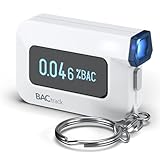
- ESTIMATE YOUR ALCOHOL LEVEL WITH PRO-GRADE ACCURACY - Powered by BACtrack's patented BluFire Fuel Cell Sensor, the C6 utilizes the same professional-grade technology trusted by hospitals, clinics, and even law enforcement.
- KNOW WHEN YOUR BAC WILL RETURN TO 0.00% - BACtrack's innovative ZeroLine technology estimates the time until your blood alcohol content is 0.00%, allowing you to quickly and easily know where you stand.
- SMALL & PORTABLE DESIGN - This mini handheld breathalyzer measures fits easily in a purse, pocket, or on your keychain, so you can always have it when you need it.
- OPTIONAL WIRELESS CONNECTIVITY - Use the BACtrack C6 with or without your smartphone. "Standalone Mode" delivers your BAC results directly to your C6. "App Mode" wirelessly delivers your BAC results to the BACtrack App on your smartphone. Easily switch between modes.
- ONE-YEAR WARRANTY - If your BACtrack ceases to function properly during the first year of operation, we will repair or replace the defective device.
Account for Safari’s same-domain behavior
If a customer is browsing your site in Safari and taps a Universal Link on that same domain, Safari may continue in the browser rather than opening the app. Apple’s TN3155: Debugging universal links describes this behavior and recommends a different associated subdomain for scenarios such as a login action intended to open the app. Test the actual domain and checkout browser; support and behavior can vary in third-party browsers and in-app web views.
Do these 3 things before closing this tab:
1Scan for outdated or missing drivers - takes under a minute2Clear out junk files and repair common Windows errors3Fix the driver behind crashes, sound loss and screen glitchesPlan a separate path for customers who install after checkout
Universal Links solve routing when the app is installed; they are not, by themselves, a deferred-deep-link system. Google Firebase’s migration guidance says App Links and Universal Links do not themselves route a user to the correct store and continue the journey after download, installation, and first open: Migrate from Dynamic Links to App Links & Universal Links.
Rank #3

- Universal USB-Powered Setup - Enjoy immediate plug-and-play functionality. Simply connect to any USB power source, attach the click head or screen clip, and experience automatic finger simulation that instantly frees your hands.
- Silent Auto Clicker - Innovative spatial mapping technology ensures completely mute operation with zero noise. The non-mechanical design prevents screen damage while delivering precise, responsive clicking performance. Perfect for noise-sensitive environments.
- 108-Speed Precision Control - Tailor your tapping with incredible flexibility. Choose from 108 speed settings ranging from lightning-fast 99 clicks/second to a deliberate 1 click/9 seconds, with saved preferences for consistent performance.
- Smart LED Digital Display - Monitor your clicking activity with the built-in LED display. Control and convenient operation.
- Use tips:1. It is not recommended to click too quickly at the beginning, first set the number to 5. 2. It is not recommended to install a phone case for use, as a thick case can affect the contact surface and prevent normal use.
For a customer who buys first and installs later, use the durable account as the recovery mechanism: tell the customer to sign in with the checkout account, then retrieve current access. If you also need to restore a specific destination or campaign context on first open, select and test a separate continuation mechanism for that exact requirement. Firebase documents Smart App Banners as one option for sending users toward the App Store or into an installed app, with an optional parameter; that description does not establish that arbitrary checkout state will survive installation.
| Path | What it covers | What it does not establish |
|---|---|---|
| Universal Link to an installed app | Routes an installed app to a handled destination; the website can serve as the fallback. | Does not itself authenticate the customer or prove a purchase. |
| Website and account recovery | Lets an uninstalled-app customer keep using the web journey, install later, sign in, and retrieve account entitlements. | Does not automatically restore a particular screen or attribution context. |
| Smart App Banner | Firebase documents store routing for uninstalled users and app routing for installed users, with an optional parameter. | The cited guidance does not guarantee arbitrary post-install checkout-state recovery. |
Check Apple’s purchase rules for the exact product and storefront
Do not infer that because a customer can pay on the web, every iOS app may direct that customer to an external checkout for digital content. Apple’s current App Review Guidelines generally require In-App Purchase for digital purchases in apps, while describing categories, storefront exceptions, and entitlements. They also distinguish physical goods or services consumed outside the app and certain cross-platform access cases.
Before choosing checkout placement, identify the product category, the storefront where the app is distributed, where purchase occurs, and whether a specific entitlement applies. Reader apps have separate eligibility limits and terms; consult Apple’s Distributing reader apps with a link to your website page rather than treating its External Link Account Entitlement as a general permission. The page also describes a dated rule for EU-distributed reader apps beginning October 1, 2026; verify its live requirements and applicability to the specific app before relying on it.
Rank #4

- Used Book in Good Condition
Test the handoff as separate failure cases
- Purchase succeeds, app installed: confirm the post-purchase destination reaches the app where expected, then confirm the app signs in and retrieves access.
- Purchase succeeds, app not installed: confirm the customer can remain on the web, reach the store, and later recover access by signing in to the checkout account.
- Safari checkout: test the exact same-domain or alternate-subdomain link behavior described in Apple’s TN3155.
- Third-party browser or in-app web view: test the specific browser used in the checkout journey rather than assuming identical Universal Link behavior.
- Wrong or duplicate account: test what happens when the purchaser signs in with another address or provider, including whether the app offers a safe recovery or account-linking choice.
- Expired, refunded, or changed access: ensure the app refreshes server-side entitlement state instead of trusting stale link context.
Measure checkout completion, app opens, sign-ins, and entitlement retrieval as distinct events if those are useful to your product. A deep-link open does not itself prove that a purchase occurred or that attribution survived an install; no comparative vendor analytics performance is established by the platform guidance cited here.
Quick Recap
Best Value

- Compatible test strips: this meter uses KetoBM ketone test strips (50 count) and KetoBM glucose test strips (100 count), sold separately. Check listing images for compatible strip packaging.
- 2-in-1 Ketone & Glucose Testing: One smart meter for both blood ketone and blood glucose testing. Perfect for anyone following a ketogenic diet who also wants to track blood glucose. No need for two devices, one complete kit.
- Free Bluetooth App: Syncs wirelessly to our free iPhone and Android app. Log readings, view trends and export your data — no subscriptions, no hidden fees, ever.
- Complete Starter Kit & Glucometer: Includes 10 ketone test strips, 10 glucose test strips, 20 lancets, lancing device, and carrying case. A complete system ready to use out of the box.
- FDA-Cleared: Delivers consistent blood glucose and ketone readings for at-home testing.
Product prices and availability are accurate as of the date/time indicated and are subject to change. Any price and availability information displayed on Amazon at the time of purchase will apply.




