Crashes, No Sound, or Screen Glitches?
Random freezes, missing sound and display glitches usually trace back to one bad driver. Find and replace yours safely.Free scan · under a minuteWindows Errors? Fix Them Before They Spread
Repair common Windows errors and clear accumulated junk for a smoother, more stable PC - no reinstall needed.Free scan · no reinstallThe Nintendo Switch 2 edition of Cult of the Lamb is scheduled for October 22, 2026. Owners of the Nintendo Switch version can claim the Switch 2 upgrade at no charge through the eShop, then move an existing save with Nintendo’s individual save-transfer tool. The direct save transfer is separate from a full console migration and from cloud backup.
When the free upgrade is available and who qualifies
Release timing
Massive Monster announced that Cult of the Lamb comes to Nintendo Switch 2 on October 22, 2026. If you are checking the eShop before that date, the Switch 2 version and its upgrade entitlement may not yet be available. After release, availability can still depend on the storefront region and the account currently signed in.
| # | Preview | Product | Price | |
|---|---|---|---|---|
| 1 |
|
Cult of the Lamb Standard Edition – Nintendo Switch | $19.93 | Buy on Amazon |
| 2 |

|
Cult of the Lamb - Definitive Edition - Nintendo Switch | $59.99 | Buy on Amazon |
| 3 |

|
Cult of the Lamb | $39.35 | Buy on Amazon |
| 4 |
|
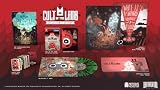
Cult of the Lamb Collector's Edition - Nintendo Switch | $149.99 | Buy on Amazon |
| 5 |
![Cult of the Lamb Standard - Nintendo Switch [Digital Code]](https://m.media-amazon.com/images/I/51W3aHdPZiL._SL160_.jpg)
|
Cult of the Lamb Standard - Nintendo Switch [Digital Code] | $24.99 | Buy on Amazon |
As an Amazon Associate I earn from qualifying purchases.
Eligibility is tied to ownership of the Switch version
The developer’s announcement says that people who already own Cult of the Lamb on the original Nintendo Switch can upgrade for free, while people who do not own it must purchase the game. Use the Nintendo Account that owns the Switch version when opening the listing on Switch 2. Nintendo’s store listing identifies Massive Monster as the developer and Devolver Digital as the publisher, supports Nintendo Switch 2, and lists Save Data Cloud support.
The eShop may not use one universal button label in every country or storefront state. Look for the free upgrade or download entitlement shown for the owning account rather than relying on an exact phrase.
#1 Best Overall
- Start your own cult in a land of false prophets
- Venture out into diverse and mysterious regions to build a loyal community of woodland Followers
- Repay your debt by building a loyal following
- Spread your Word to become the one true cult!
How to claim the Switch 2 upgrade
- Wait until the Switch 2 edition is released on October 22, 2026, or later.
- Connect the Switch 2 to the internet and open Nintendo eShop.
- Sign in with the Nintendo Account that owns the Nintendo Switch version of Cult of the Lamb.
- Open the game’s Nintendo eShop listing.
- Select the free upgrade or download option presented for that account. The wording can vary by region and by whether the storefront has already recognized the entitlement.
- Allow the Switch 2 version to download and install before launching it.
If the listing does not show a free upgrade
- Check that the console is online and that the signed-in account is the one that owns the original Switch version.
- Confirm that the calendar date is on or after the announced release date.
- Reopen the listing after changing to the correct user account; a different account will not necessarily display the entitlement.
- Do not assume that a missing button means the game is unavailable everywhere. Nintendo can display different labels by region and storefront state.
- If the account still is not recognized as an owner, Nintendo’s listing and the developer announcement do not establish a different universal redemption process; resolve the ownership or account issue before attempting the save transfer.
What you need before moving the save
Nintendo’s individual save-transfer process is the safest choice when you want to move only Cult of the Lamb rather than rebuild an entire Switch setup. Prepare both consoles first:
- The original Nintendo Switch containing the save (the source console).
- The Nintendo Switch 2 that will receive the save (the target console).
- Both consoles connected to the internet.
- Both consoles kept near each other during the transfer.
- A user on each console linked to the same Nintendo Account.
- The Switch 2 version installed, or ready to launch after the transfer completes.
Using the same account-linked user matters because Nintendo associates the save with that user. Select the matching user rather than moving a different profile’s save by mistake.
Step-by-step: transfer the existing save with Nintendo’s individual tool
- Update both consoles and connect them to the internet.
- Keep the old Switch and Switch 2 close together.
- On the old Switch, open
System Settings > Data Management > Transfer Your Save Data > Send Save Data to Another Console. - Select the user whose Cult of the Lamb save you want to move.
- On Switch 2, open
System Settings > Data Management > Transfer Your Save Data > Receive Save Data. - Confirm the transfer on the consoles when prompted and wait for Nintendo’s process to finish.
- Launch the Switch 2 version of Cult of the Lamb and check that the expected user and save appear.
Protect a save already on Switch 2
If the target console already contains Cult of the Lamb save data, Nintendo gives you a choice to cancel or overwrite it. Overwriting permanently deletes the target save, and Nintendo says overwritten save data cannot be recovered. Before confirming, verify the target user, decide whether the target save has anything you need, and choose cancel if you are not certain.
Quick wins for a faster PC:
Fix the driver behind crashes, sound loss and screen glitchesFind Drivers →Clear out junk files and repair common Windows errorsFree Scan →Scan for outdated or missing drivers - takes under a minuteDriver Scan →Rank #2
- Build your flock: Collect and use resources to build new structures, perform dark rituals to appease the gods, and give sermons to reinforce the faith of your flock.
- Destroy the non-believers: Explore a sprawling, randomly generated world, fight off hordes of enemies and defeat rival cult leaders in order to absorb their power and assert your cult's dominance.
- Spread the word: Train your flock and embark on a quest to explore and discover the secrets of five mysterious regions. Cleanse the non-believers, spread enlightenment and perform mystical rituals on the journey to become the mighty lamb god.
Why this method is preferable for a single game
The individual tool is designed for moving one title’s save instead of migrating every compatible piece of software and save data. It avoids the broader consequences of a system transfer and lets you keep the operation focused on Cult of the Lamb. The transfer itself requires the consoles to be online and nearby, but it does not depend on a cloud subscription.
Do you need Nintendo Switch Online?
| Task | Nintendo Switch Online required? | What the available guidance establishes |
|---|---|---|
| Nearby individual save transfer | No | The old Switch sends the selected save directly to a nearby Switch 2; both consoles must be online and use matching Nintendo Account-linked users. |
| Save Data Cloud restoration | Yes | The game listing supports Save Data Cloud, but restoring a cloud save requires Nintendo Switch Online. |
| Full system transfer during Switch 2 setup | Not stated | Nintendo requires the same Nintendo Account and offers local and server transfer choices. The cited instructions do not establish a separate Nintendo Switch Online requirement. |
For the direct, nearby procedure above, do not purchase Nintendo Switch Online solely to move the Cult of the Lamb save. A subscription is relevant when you choose cloud restoration instead.
Choosing between the available transfer methods
| Method | Best use | Main requirements | Important limitation |
|---|---|---|---|
| Individual save transfer | Move only Cult of the Lamb | Both consoles online, close together, and using the same Nintendo Account-linked user | Any existing target save for the software may be overwritten permanently. |
| System Transfer during Switch 2 setup | Move a broader console setup and compatible data | Run it during initial Switch 2 setup and use the same Nintendo Account | It is broader than a single-game move; source-data handling depends on the transfer type. |
| Local system transfer | Keep the two consoles together while migrating compatible data | Both consoles are present during Switch 2 setup | Use it only when you intend to migrate the wider setup, not merely one save. |
| Server system transfer | Transfer through Nintendo’s server-based setup path | Follow the setup instructions and use the same Nintendo Account | Nintendo warns that the source console can be initialized, so the original system may no longer retain its data. |
| Save Data Cloud | Restore a supported save from Nintendo’s cloud service | Nintendo Switch Online and a supported title/account | It is a cloud restoration route, not the nearby direct transfer described above. |
Using a full system transfer instead
Nintendo offers System Transfer while you set up a new Switch 2. It can move compatible software and save data, making it appropriate when the goal is to migrate the whole console experience rather than just Cult of the Lamb.
Rank #3
- BUILD YOUR FLOCK - Collect and use resources to build new structures, perform dark rituals to appease the gods, and give sermons to reinforce the faith of your flock
- DESTROY THE NON-BELIEVERS - Explore a sprawling, randomly generated world, fight off hordes of enemies and defeat rival cult leaders in order to absorb their power and assert your cult's dominance
- SPREAD YOUR WORD - Train your flock and embark on a quest to explore and discover the secrets
Local system transfer
The local option keeps the consoles together and moves the compatible data during setup. Choose it when you are intentionally replacing or migrating the old console’s broader contents. It is unnecessary for a single-game save and can involve more data than you want to move.
Free tools Windows power users keep installed
One-click scans. No signup required.
Server system transfer
The server option uploads data before the Switch 2 receives it. Nintendo warns that this method can initialize the source console. Because the source may be reset as part of the process, use server transfer only when that outcome is intended and you no longer need the old console in its current state.
Account and deletion considerations
The same Nintendo Account is required for the source and target consoles. Nintendo also states that what is deleted from the source depends on the transfer type. Read each on-screen warning during setup and select the individual save-transfer route instead if preserving the old system’s broader setup is important.
Rank #4
- Build your flock: Collect and use resources to build new structures, perform dark rituals to appease the gods, and give sermons to reinforce the faith of your flock.
- Destroy the non-believers: Explore a sprawling, randomly generated world, fight off hordes of enemies and defeat rival cult leaders in order to absorb their power and assert your cult's dominance.
- Spread the word: Train your flock and embark on a quest to explore and discover the secrets of five mysterious regions. Cleanse the non-believers, spread enlightenment and perform mystical rituals on the journey to become the mighty lamb god.
- Cult of the Lamb: Definitive Edition, Heretic Pack, Sinful Pack, Pilgrim Pack, Woolhaven DLC
- Oracle Deck, Exclusive Hardcover Artbook, Exclusive Collectible 7" Vinyl, Exclusive Double-sided ICONART metal poster, Exclusive SteelBook, The Pilgrim Comic Book, Premium Collector´s Outer Box
Troubleshooting the upgrade and save move
The upgrade is not free
Check the release timing and the signed-in Nintendo Account first. The announced free entitlement applies to existing owners of the Switch version. A user account that does not own the original version can be shown a purchase price instead.
The send or receive menu is missing
Install the latest available system updates, connect both consoles to the internet, and verify that you are using the documented paths under System Settings > Data Management > Transfer Your Save Data. Keep the consoles near each other and make sure the selected users are linked to the same Nintendo Account.
The Tool Desk
Outbyte Driver Updater FREEScan for outdated or missing drivers - takes under a minuteDriver Scan →Outbyte PC Repair FREERepair Windows errors before they cause bigger problemsFix Now →The target asks whether to overwrite data
Stop and inspect the target user and existing save before continuing. Choose cancel if you need to preserve that target save. Confirm overwrite only when you accept that Nintendo’s warning is permanent and the overwritten data cannot be recovered.
Best Value
- SPREAD YOUR WORD
- Train your flock and embark on a quest to explore and discover the secrets of five mysterious regions. Cleanse the non-believers, spread enlightenment and perform mystical rituals on the journey to become the mighty lamb god.A Nintendo Switch Online membership may be required for online play. Please check the game detail page on Nintendo.com for membership requirements. Copyright Massive Monster 2022. All Rights Reserved.
You are tempted to use System Transfer for one game
Use the individual save-transfer procedure instead unless you are deliberately moving the complete console setup. System Transfer is designed for a wider migration and, with the server route, can initialize the source console.
The save does not appear after installation
Close the game, confirm that you launched the Switch 2 edition under the user selected during transfer, and check that the transfer completed on both consoles. If you chose a different user or overwrote the wrong target save, do not assume the data can be restored; Nintendo specifically says overwritten target save data cannot be recovered.
Quick Recap
Final checklist
- Wait for the October 22, 2026 Switch 2 release date.
- Use the Nintendo Account that owns the original Switch version to claim the free eShop upgrade.
- Install the Switch 2 version before launching it.
- For a single-game move, use the individual save-transfer menus rather than full System Transfer.
- Keep both consoles online and nearby, with matching Nintendo Account-linked users.
- Review the target console’s existing save before accepting an overwrite.
- Choose full System Transfer only when you want the broader migration, and understand that the server route can initialize the source.
- Use Save Data Cloud only with the understanding that cloud restoration requires Nintendo Switch Online.
Product prices and availability are accurate as of the date/time indicated and are subject to change. Any price and availability information displayed on Amazon at the time of purchase will apply.

