Crashes, No Sound, or Screen Glitches?
Random freezes, missing sound and display glitches usually trace back to one bad driver. Find and replace yours safely.Free scan · under a minutePC Slower Than It Used to Be?
A free scan shows the junk files, broken settings and background clutter dragging Windows down - then fixes them in one click.Free scan · Windows 10 & 11Start with Secretlab’s recommendation bands, not the upholstery or promotional edition. Choose Small if you are 169 cm (5 ft 6 in) or shorter and under 90 kg (200 lb); Regular if you are 170–189 cm (5 ft 7 in–6 ft 2 in) and under 100 kg (220 lb); and XL if you are 181–205 cm (5 ft 11 in–6 ft 9 in) and 80–180 kg (175–395 lb). Because Regular and XL overlap in height, weight and the chair’s actual dimensions decide many borderline cases.
The figures are guidance rather than a promise of personal comfort. Check the seat depth, usable seat width, armrest span and seat-height range against a chair you already find comfortable, and make sure the larger chair fits your desk and room.
As an Amazon Associate I earn from qualifying purchases.
Secretlab TITAN Evo size recommendations at a glance
Use both your current height and your current body weight. Do not select a size from height alone, especially if you are near the Regular/XL overlap.
Recommended Free Tools
| Size | Secretlab height guidance | Recommended user weight | Maximum supported weight listed in the FAQ | Best starting point |
|---|---|---|---|---|
| Small (S) | Up to 169 cm (up to 5 ft 6 in) | Under 90 kg (under 200 lb) | 130 kg (285 lb) | Shorter users who need the shallowest seat and lowest overall proportions |
| Regular (R) | 170–189 cm (5 ft 7 in–6 ft 2 in) | Under 100 kg (under 220 lb) | 130 kg (285 lb) | Most users in the middle height range who fall below the XL weight threshold |
| XL | 181–205 cm (5 ft 11 in–6 ft 9 in) | 80–180 kg (175–395 lb) | 180 kg (395 lb) | Taller or heavier users, and anyone whose weight makes Regular unsuitable |
The recommendation bands and maximum loads are different measures. A maximum supported weight is a structural limit published in the FAQ; it is not a statement that the seat will feel correctly proportioned at that weight. Secretlab’s size guide explains the design logic directly: “We’re all built differently, which is why your chair shouldn’t come in just one size.” That guide is dated June 6, 2026.
#1 Best Overall

- ALL-DAY COMFORT FOR WORK & PLAY - PC chair made of cold-cure foam for ideal posture, comes with memory foam magnetic head pillow that can be adjusted over a wide range and snaps into place on your backrest while providing enhanced neck support and pressure relief
How to decide when your measurements do not line up
1. Apply the weight requirement first
If your weight is at or above the Regular recommendation, treat XL as the starting point even when your height sits inside Regular’s range. XL is the only size with a recommended range extending to 180 kg, and it has the higher listed maximum load. Weight affects how much of the seat you occupy and how much load the base and mechanism must support, so do not choose Regular simply because your height fits it.
2. Resolve the 181–189 cm height overlap
Regular and XL both cover 181–189 cm. In that band, a user below 100 kg can reasonably compare both sizes. Use your existing chair as the reference: measure the seat depth and usable seat width, then compare those measurements with the table below. Choose the size that gives your thighs support without pressing behind your knees and leaves enough room to change posture without losing back support.
3. Treat a height-only XL match as a comparison, not an automatic upgrade
If you are 190 cm or taller, XL is the only size whose stated height range reaches you. If you are 181–189 cm but weigh less than 80 kg, XL is still available, but the larger seat may feel unnecessarily spacious. Compare the seat depth, seat height and armrest span with your current chair rather than assuming “bigger” means more comfortable.
Do these 3 things before closing this tab:
1Clear out junk files and repair common Windows errors2Fix the driver behind crashes, sound loss and screen glitches3Repair Windows errors before they cause bigger problems4. Use the more restrictive boundary when you are exactly on it
Secretlab describes the bands with “under” wording for the Small and Regular weight recommendations. If your scale reading is exactly 90 kg or 100 kg, do not round down to qualify. Check XL, then verify dimensions and your desk clearance. Body weight fluctuates during the day, so use a normal current measurement rather than a best-case reading.
What changes between Small, Regular and XL
The following dimensions come from Secretlab’s 2024 technical specification. “Seatbase width including sides” includes the bolstered side sections; “usable seatbase width” is the space available for your hips and legs.
| Dimension | Small | Regular | XL |
|---|---|---|---|
| Seat depth | 48 cm (18.9 in) | 49 cm (19.3 in) | 50 cm (19.7 in) |
| Seatbase width including sides | 53 cm (20.9 in) | 56 cm (22.0 in) | 58 cm (22.8 in) |
| Usable seatbase width | 45 cm (17.7 in) | 47 cm (18.5 in) | 49 cm (19.3 in) |
| Armrest-to-armrest span | 62–70 cm | 66–74 cm | 69.5–77.5 cm |
| Floor-to-seatbase height | 45–52 cm | 45–52 cm | 46–55.5 cm |
| Wheelbase diameter | 70 cm | 70 cm | 80 cm |
| Backrest length | 82 cm | 85 cm | 89 cm |
Seat depth: the key measurement for leg support
The seat should support most of your thighs while allowing a small gap between the front edge and the backs of your knees. A seat that is too deep can push you forward, making it harder to keep your back against the backrest; one that is too shallow can leave your thighs unsupported. The differences between sizes are only a few centimetres, so your leg length and preferred sitting position matter more than the label.
Usable width versus outside width
Use usable seatbase width when estimating whether you can sit naturally. Include the side sections when checking whether the chair will pass through a doorway or fit beside another piece of furniture. A person who sits cross-legged, shifts frequently or uses a wider posture may need the extra usable width of XL even when their weight alone does not require it.
Armrest span and desk clearance
Measure the distance between the inside edges of your desk legs, keyboard tray or armrests on a neighboring chair. XL can occupy more lateral space than its seat alone suggests because its armrest-to-armrest span reaches 77.5 cm at maximum adjustment. Confirm that the armrests can slide under or alongside your desk before ordering.
Rank #2
- ALL-DAY COMFORT FOR WORK & PLAY - PC chair made of cold-cure foam for ideal posture, comes with memory foam magnetic head pillow that can be adjusted over a wide range and snaps into place on your backrest while providing enhanced neck support and pressure relief
Seat height and foot contact
Floor-to-seatbase ranges are listed above; your actual sitting height also depends on cushion compression and footwear. Set the chair so your feet rest flat and your knees are approximately level with your hips. If the correct backrest and desk position leave your feet dangling, solve that problem with a footrest rather than raising the seat further.
Backrest length and shoulder support
The longer XL backrest can better accommodate a long torso, while Small’s shorter backrest keeps the upper support closer to a shorter user’s shoulders. Torso length is not identical to height: two people of the same height can need different backrest proportions. Compare the backrest of your current comfortable chair from the seat surface to its top edge.
Wheelbase diameter and floor area
XL’s 80 cm wheelbase needs more clear floor space than the 70 cm bases on Small and Regular. Check the distance to walls, a radiator, a bed or a fixed monitor stand, and make sure the casters will not sit on a raised threshold.
Practical choices for common body-size scenarios
Shorter than 170 cm and under 90 kg
Small is the direct recommendation. Its shorter backrest, slightly shallower seat and lower overall footprint reduce the chance that the seat will extend too far behind your knees or that the backrest will sit above your shoulders. Regular can still be considered if you have unusually long legs or a broad frame, but compare the dimensions with your existing chair first.
170–180 cm and under 100 kg
Regular is the normal starting point. At the lower end of this range, focus on seat height and foot contact; at the upper end, check that the 49 cm seat depth and 85 cm backrest match your leg and torso length. XL is not necessary solely because you prefer a roomy seat.
181–189 cm and under 100 kg
This is the true comparison zone. Regular offers a slightly smaller footprint; XL provides more usable width, a longer backrest and a larger wheelbase. Choose Regular if its seat depth and backrest already match your current chair and your desk is compact. Choose XL if you need more lateral room, have a long torso or find Regular seats narrow.
181 cm or taller and 100 kg or more
Start with XL. The overlap in height does not override the weight recommendation. Verify that the XL’s maximum seat height works with your desk and that its 80 cm wheelbase fits your floor plan.
What’s actually slowing this PC down?
Pick the symptom - the matching free tool is one click away.
190–205 cm
XL is the only listed size whose height guidance reaches this range. Measure your current backrest and seat depth carefully, and check monitor height and desk clearance after accounting for the higher possible seat setting.
Rank #3
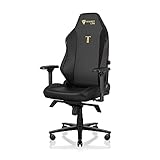
- ALL-DAY COMFORT FOR WORK & PLAY - PC chair made of cold-cure foam for ideal posture, comes with memory foam magnetic head pillow that can be adjusted over a wide range and snaps into place on your backrest while providing enhanced neck support and pressure relief
Below 80 kg but tall enough for XL
A tall, lighter user may choose XL for torso length or seat width, but should not assume the largest model is automatically better. If your thighs are short relative to your height, the extra seat depth can make it harder to sit fully back. Compare the seat edge-to-backrest distance with your current chair and consider a footrest if the higher seat setting affects foot contact.
How to measure your current chair before ordering
Secretlab’s size guide recommends comparing a chair you already use successfully when you do not fit neatly into one band. Use a rigid tape measure, keep the chair in its normal upright position and record measurements in centimetres or inches consistently.
- Seat depth: Measure from the front edge of the sitting surface to the point where the backrest begins. Do not include a removable cushion that you would not use on the new chair.
- Usable seat width: Measure the clear sitting area between the side bolsters at their narrowest practical point. Sit normally and note whether your hips touch either side.
- Seat height: Measure from the floor to the top of the compressed sitting surface while seated. Compare this with your desk’s underside and your foot position, not just the unloaded chair specification.
- Backrest length: Measure from the seat surface to the top of the backrest. Also note where the shoulder support and lumbar area sit relative to your body.
- Armrest span: Measure the outside width from one armrest to the other at the adjustment you use. Then measure your desk opening so the chair can be positioned close enough for keyboard and mouse use.
- Clearance: Mark the wheelbase diameter on the floor with removable tape. Roll the chair through its full working area to identify collisions with walls, drawers and cable channels.
Do not compare only the outside seat width. A chair can look wider while offering little additional sitting space if its side sections are thick.
Quick wins for a faster PC:
Scan for outdated or missing drivers - takes under a minuteDriver Scan →Repair Windows errors before they cause bigger problemsFix Now →Desk setup and ergonomic checks after choosing a size
Size selection is only successful when the chair can be adjusted around your workstation. Assemble and adjust it in this order:
- Set seat height for your feet: Lower or raise the seat until both feet are supported and your knees are not forced upward by the desk.
- Set seat depth and posture: Sit fully back with your pelvis supported. Confirm that the front edge does not press into the backs of your knees.
- Position the backrest: Adjust recline and lumbar support so you can work without leaning forward to reach the monitor.
- Set armrests: Keep shoulders relaxed and elbows close to your sides. Ensure the armrests do not hit the desk frame when you pull in.
- Check movement: Roll, recline and rotate through your normal range. A chair that technically fits can still be impractical if its wheelbase or armrests strike nearby objects.
TITAN Evo versus TITAN Evo Lite sizing
The TITAN Evo Lite is offered only in Regular and XL. If you need Small, the flagship TITAN Evo is the relevant model line. Do not assume that an “Lite” edition creates an additional smaller shell; the available size choices are different.
Apply the same height, weight and dimension checks to the available Lite size. If your measurements point to Small, changing editions will not solve the mismatch; choose a Small TITAN Evo instead.
Independent reader supportYour contribution helps us test, update, and keep practical guides available for everyone.Accessories that can correct a residual fit issue
Footrest for short users
Secretlab lists footrests as TITAN Evo add-ons. A footrest is useful when the seat is correctly positioned for your knees and desk but your feet still do not sit flat. It supports the feet without forcing you to lower the chair and lose a comfortable arm and desk position.
Free tools Windows power users keep installed
One-click scans. No signup required.
Casters and chair height
Secretlab’s caster guidance states that default XL polyurethane casters are supplied with TITAN Evo chairs. Premium Extra Small Casters are intended to produce a slightly lower chair height. That option may help a shorter user, but recheck desk clearance and foot contact after installation.
Rank #4
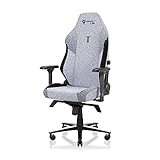
- ALL-DAY COMFORT FOR WORK & PLAY - PC chair made of cold-cure foam for ideal posture, comes with memory foam magnetic head pillow that can be adjusted over a wide range and snaps into place on your backrest while providing enhanced neck support and pressure relief
Soft Rollerblade Casters are designed to roll smoothly over carpet. Their product specification lists compatibility with TITAN Evo Small and Regular, a 100 kg (220 lb) maximum user weight and a 24.5 mm increase in chair height. That weight limit is for the caster product, so it should not be treated as the chair’s own load rating. They are not listed as compatible with XL in that specification.
Common mistakes and how to avoid them
Choosing by height while ignoring weight
Height is easy to compare, but it cannot override the weight recommendation. A Regular-height user whose weight falls outside Regular’s recommended band should begin with XL and then confirm the physical fit.
Confusing maximum load with a recommended fit
The 130 kg and 180 kg figures describe maximum supported weight in the FAQ. They do not mean every user below those limits will find the seat width, depth or height appropriate.
The Tool Desk
Outbyte Driver Updater FREEScan for outdated or missing drivers - takes under a minuteDriver Scan →Outbyte PC Repair FREEClear out junk files and repair common Windows errorsFree Scan →Measuring the cushion instead of the sitting area
Include only the area that remains available when you sit normally. Side bolsters reduce usable width, and a soft cushion can compress enough to change the effective seat height.
Forgetting the desk and doorway
XL’s larger wheelbase and armrest span can create problems even when the seat itself feels right. Measure the route into the room, the desk opening and the chair’s operating area before purchase.
Assuming a footrest fixes every mismatch
A footrest can address dangling feet, but it cannot shorten an overly deep seat or add backrest support for a long torso. Use accessories after selecting the shell size, not as a substitute for the correct size.
Relying on a single day’s weight
Use a representative current measurement and treat boundary values conservatively. If you regularly fluctuate around a recommendation cutoff, select the size that remains appropriate across that range.
A quick decision checklist
- Record your height without shoes and your current body weight.
- Match both measurements to the Small, Regular or XL recommendation band.
- If you fall in the 181–189 cm overlap, compare usable width, seat depth, backrest length and seat height.
- If weight points to XL, do not downgrade to Regular solely because your height fits Regular.
- Confirm the wheelbase diameter and armrest span fit your room and desk.
- Compare the new dimensions with a chair you already find comfortable.
- Check whether you are considering TITAN Evo Lite; Small is not offered in that edition.
- Plan a footrest or compatible caster only after the chair size is settled, and verify each accessory’s own compatibility and weight limit.
Bottom line
Small is the right starting point for users up to 169 cm and under 90 kg; Regular suits 170–189 cm users under 100 kg; XL is the choice when height, weight or required seat room exceeds those bands. For the 181–189 cm overlap, let weight set the initial direction, then use seat dimensions, torso and leg length, desk clearance and your current chair as the tie-breakers. That approach is more reliable than choosing the biggest model by default.
Quick Recap
Product prices and availability are accurate as of the date/time indicated and are subject to change. Any price and availability information displayed on Amazon at the time of purchase will apply.

