What’s actually slowing this PC down?
Pick the symptom - the matching free tool is one click away.
For a first umbrella in Blender, model the canopy and shaft as the main forms, then add ribs and stretchers only as needed for the detail and motion you want. A static prop can stop at modeling and materials; an opening-and-closing umbrella needs frame controls, tested poses, and—if the fabric should flex—a separate deformation setup.
Choose the level of detail before you model
Decide whether you need a finished open umbrella or an animated prop that folds. That choice affects how much frame geometry and rigging to build. Start with a stylized or low-poly design: it is easier to read, easier to animate, and less likely to hide problems in intersections.
As an Amazon Associate I earn from qualifying purchases.
- Static prop: Make the shaft and canopy, then add visible ribs if they contribute to the silhouette.
- Mechanical animation: Add ribs and stretchers as separate rigid parts so they can move with controls.
- Flexible fabric: Plan for a deforming canopy and extra shaping work, rather than expecting rigid-part controls alone to create convincing cloth motion.
Blender 5.2 LTS is identified on the Blender manual landing page as the current long-term-support release in the cited documentation. Blender is a free, open-source 3D creation suite with modeling and animation/rigging tools.
Do these 3 things before closing this tab:
1Fix the driver behind crashes, sound loss and screen glitches2Clear out junk files and repair common Windows errors3Scan for outdated or missing drivers - takes under a minuteBlock out the shaft and canopy
Establish the silhouette
- Create a central shaft and a simple canopy shape. Keep the canopy centered on the shaft so the hub and the directions of the ribs share a clear center.
- Build the canopy as radial sections or as a repeated wedge arranged around the center. A faceted low-poly surface is a useful first pass; add more shape only when the silhouette calls for it.
- Check the umbrella from above and from the side. From above, the canopy should read as a coherent radial shape; from the side, its depth and relation to the shaft should be clear.
- Keep the canopy and shaft as distinct objects while blocking out the design. This simple breakdown also appears in Anton Khalembakov’s 2014 beach-umbrella tutorial, which identifies the canopy and shaft as its two objects.
The radial construction above is a practical modeling approach, not a prescribed mesh recipe. There is no single required rib count or standard topology for an umbrella.
#1 Best Overall

- Battery-Free Pen: StarG640 drawing tablet is the perfect replacement for a traditional mouse! The XPPen advanced Battery-free PN01 stylus does not require charging, allowing for constant uninterrupted Draw and Play, making lines flow quicker and smoother, enhancing overall performance
- Ideal for Online Education: XPPen G640 graphics tablet is designed for digital drawing, painting, sketching, E-signatures, online teaching, remote work, photo editing, it's compatible with Microsoft Office apps like Word, PowerPoint, OneNote, Zoom, Xsplit etc. Works perfect than a mouse, visually present your handwritten notes, signatures precisely
- Compact and Portable: The G640 art tablet is only 2 mm thick, it's as slim as all primary level graphic tablets, allowing you to carry it with you on the go
- Chromebook Supported: XPPen G640 digital drawing tablet is ready to work seamlessly with Chromebook devices now, so you can create information-rich content and collaborate with teachers and classmates on Google Jamboard’s whiteboard; Take notes quickly and conveniently with Google Keep, and effortlessly sketch diagrams with the Google Canvas
- Multipurpose Use: Designed for playing OSU! Game, digital drawing, painting, sketch, sign documents digitally, this writing tablet also compatible with Microsoft Office programs like Word, PowerPoint, OneNote and more. Create mind-maps, draw diagrams or take notes as replacement for mouse
Add frame parts only where they help
For a static umbrella, ribs can be suggested with thin geometry or visible lines on the canopy. For an animated mechanical frame, model ribs and stretchers as separate parts so their movement can be controlled without bending the entire assembly accidentally.
Build a repeatable frame
- Make one rib that runs from the central hub toward the canopy edge, then arrange matching ribs around the shaft.
- Add stretchers between the moving frame and the ribs if the mechanism needs them to read clearly in close shots.
- Inspect the parts from several angles. Make sure they meet at plausible pivots and do not begin deeply intersecting the shaft or canopy.
- Keep repeated parts organized and named consistently. This makes it easier to assign controls and find a part that needs adjustment.
Curves, thin meshes, or simple lines can all serve for frame details; choose based on the final camera distance and whether the part must cast a visible silhouette. A close-up asset needs more convincing geometry than a small background prop.
Rank #2

- Working Area Configuration - HUION art tablet equips with a 10 x 6.25 inches working area, providing the user with the most comfortable size to work; the 10mm slim structure and minimalist design of appearance make the drawing tablet more attractive.
- Tilt Function Battery-free Stylus: This computer graphics tablet come with a battery-free stylus PW100, no need to charge, allowing for constant uninterrupted drawing. ±60° tilt support enables imitation of lines input with diverse drawing gestures, with accuracy ensured.
- Press Keys:12 programmable press keys plus 16 programmable soft keys, you can set shortcut keys on drawing tablet's driver based on your preferences, such as erase, zoom in/out, scroll up and down, and so on.
- Compatibility: HUION graphics tablet supports Windows 7 or later/ macOS 10.12 or later/ Android 6.0 or later/ Linux (Ubuntu). A USB adapter is required to connect to a Mac computer. H1060P supports various mainstream design and drawing software, including PS, SAI, AI, CDR, etc. (Please note: The H1060P is compatible with Ubuntu, but it requires the use of the Xorg display server. Wayland is not supported.)
- NOTE: You can easily connect your phone to the art tablet via the OTG connector; while iPhone and iPad are NOT at the moment. The cursor will not show up in the SAMSUNG Galaxy S series at present. If you are not sure whether the product is compatible with your Phone or any help, please contact us.
Choose a rig that matches the motion
Blender armatures organize bones into hierarchies; pose bones can use constraints and offsets from their rest pose. Blender also documents automatic skinning, weight painting, constraints, drivers, and shape keys as rigging and animation tools. Those are general capabilities, not an umbrella-specific standard rig: the sources do not establish one correct umbrella bone layout.
| Approach | Best fit | Trade-off |
|---|---|---|
| Parented parts with controlled rotations | A simple mechanical prop with mostly rigid ribs and stretchers. | Easy to understand, but coordinated motion across many pieces can become cumbersome. |
| Armature with a bone hierarchy and constraints | A frame that needs organized pose controls and related moving parts. | Offers a structured rig, but pivots, hierarchy, and any fabric weights require careful setup. |
| Armature plus canopy deformation | An umbrella whose fabric must change shape as it closes. | Can produce a more flexible result, but deformation weights and shaping controls need refinement. |
| Geometry Nodes extension | A procedural setup that needs to read armature pose or rest information. | More advanced; Blender 5.1 introduced Bone Info, and its release information warns that some arrangements can create dependency cycles. |
This is a workflow comparison based on Blender’s documented tools, not a tested ranking. Keep the rig simpler if the umbrella only needs a clear open/closed change. Add more control only when the intended motion or shot demands it.
Rank #3

- 【Broad Compatibility】XOPPOX upgraded drawing tablet is compatible with Windows XP/7/8/10/11, Android 4.4 and above, and macOS 11 or later (not compatible with iPhone, iPad, or Chromebook). Note: For Mac users, permissions for Accessibility, Input Monitoring, and Full Disk Access are required in Security & Privacy after installation
- 【No-Battery Pen】The digital drawing tablet comes with a battery-free pen featuring 8192 levels of pressure sensitivity, making lines smoother and more natural. This pen does not need to be charged, so you don’t have to worry about battery power. The package includes 20 replacement nibs
- 【Convenient Shortcut Keys】Designed with 12 customizable shortcut keys and 10 multimedia keys (only compatible with Windows), this drawing pad for pc provides greater convenience and helps improve productivity and efficiency by allowing you to set shortcuts for many different software in the driver settings
- 【Easy to Install】When connecting the graphics tablet to the computer, you can find the installation driver on the removable disk of your computer and install it. Note: After installation, you need to perform some settings and restart your computer before use. If you have any questions about the drawing tablet for pc, please reach out to us directly via "Get Product Support" on the Amazon order page or after-sales email
- 【Wide Range of Use】XOPPOX drawing tablet is compatible with office software such as Microsoft Word, Excel, PowerPoint. It is ideal for online teaching, online classes, remote work, web conferences, presentations, and so on. The art tablet is also compatible with most major software, including Photoshop, SAI, FlipaClip, MediBang, Adobe Illustrator, Lightroom, and more
Set up and test the opening control
For rigid parts, a straightforward starting point is to parent each moving part to an appropriate control or bone, then animate the controls between open and closed poses. Keep the pivot logic consistent: ribs should move around their hub attachments, and the shaft should remain the stable reference unless the design calls for it to move.
- Place pivots deliberately. Align each rib’s pivot with its attachment at the hub. Arrange controls so their rotation produces the intended folding direction rather than an unexpected swing.
- Make an open pose. Position the ribs and stretchers to match the canopy’s open silhouette. Check that the parts meet cleanly at the hub.
- Make a closed pose. Move the controls so the frame gathers toward the shaft. Adjust the result until ribs and stretchers do not pass through one another in distracting ways.
- Animate between the poses. Key the control transforms at the two states and play the motion. If you use an armature, pose bones provide the controls; Blender’s rigging tools also include constraints and drivers for more coordinated behavior.
- Inspect from more than one view. Check the motion from above and from the side, and scrub through the transition. Look for pivot drift, frame intersections, parts that lag behind, and canopy deformation that breaks the silhouette.
- Refine only the failure points. Correct pivot placement or control relationships for rigid parts. If the canopy must flex, refine its weights or add shaping controls rather than trying to solve fabric behavior by moving rigid frame pieces alone.
Do not assume a single control will produce believable fabric automatically. A rigid frame can be easy to animate while a collapsing canopy still needs its own deformation solution.
Rank #4
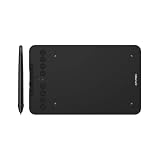
- Wired and Wireless Connection: Our wireless technology allow the XPPen wireless drawing tablet to connect your PC or laptop by simply plugging the included USB dongle into your computer, the Bluetooth 5.0 technology allows you to create with both speed and freedom
- Battery-Free Pen: The stylus pen in our product is battery-free and offers 16384 levels of pressure sensitivity. It also has tilt-response capabilities and provides smooth tracking without delays, ensuring uninterrupted work for increased efficiency
- 8 Customized Press Keys: The Deco mini7W Wireless Graphics Drawing Tablet features 8 customizable press keys, making it user-friendly and enabling a seamless creative process. Personalize these shortcut keys to enhance your workflow and tailor the experience to your preferences
- Easy Connection: The Deco mini7W supports a USB-C to USB-C connection (with the included adapter), allowing you to connect the tablet to various computing devices depending on your own need
- Wide Compatibility: XPPen Deco mini7W Wireless Graphics Drawing Tablet is compatible with Windows 7 and above, Mac OS X 10.10 (and higher), Android 6.0 (and higher)and mobile phones, Chrome OS 88.0.4324.109 or above
Assign materials and finish the presentation
For striped fabric, alternate material assignments across canopy sections or panels. A simple material treatment can make the radial construction easier to read without adding more geometry. The 2014 beach-umbrella tutorial discusses material nodes, normal mapping, canopy strip masks, translucency, lighting, shadows, and presentation effects. Its Blend4Web-specific node details are legacy material and should not be copied uncritically into a current Blender scene.
Quick wins for a faster PC:
Scan for outdated or missing drivers - takes under a minuteDriver Scan →Repair Windows errors before they cause bigger problemsFix Now →Fix the driver behind crashes, sound loss and screen glitchesFind Drivers →For a rendered presentation, set lighting and shadows so the canopy shape and frame remain legible. The older tutorial also explores ambient lighting, a procedural sky, god rays, bloom, and camera movement limits; treat those as presentation ideas rather than requirements for modeling or rigging the umbrella.
Best Value

- Ultra-Portable with Revolutionary X-Dial Wheels: Weighing only 1.58 lb with an 11.9" portable screen, XP Pen drawing tablet features dual X-Dial wheels that instantly adjust brush size and canvas zoom, saving 40% operation time. The 33% narrower bezels provide more drawing area, while 8 customizable keys prevent misoperations. Perfect for digital artists sketching in cafes or students carrying this tablet with pen between classes
- Eye-Care Paper-Feel Display: AG etched glass provides paper-like texture, reducing 85% glare and resisting fingerprints. Full lamination technology ensures the pen tip closely follows the cursor with nearly zero parallax. Ideal for architects detailing blueprints or illustrators working long hours - your eyes stay comfortable even after 8-hour sessions with this professional graphic tablet
- Magnetic X4 Pen with 16K Precision: The X4 chip drawing pen features 16,384 pressure levels and 60-degree tilt support, with 2g initial pressure perfect for feather-detail illustrations on your drawing tablet. 50% faster response speed and 200% steadier nibs prevent wobble during precise inking. Includes 10 replacement nibs and magnetic attachment to prevent loss. Enjoy professional drawing experience with smooth, natural strokes that respond to your every movement
- Pro Color Accuracy with Factory Calibration: This drawing tablet with screen delivers 1920x1080 Full HD resolution with 99% sRGB and ΔE<1.5 color accuracy displaying 16.7 million colors. Factory pre-calibrated with OSD menu adjustment ensures perfect color matching for professional photography retouching or brand design projects where color precision is critical
- Certified Universal Compatibility: This art tablet guarantees flawless performance across all major platforms: Windows 7 or later, macOS 10.13 or later, Android 10.0 or later, ChromeOS 88 or later, Linux, and Windows ARM. It is rigorously tested with top software including Photoshop, Clip Studio Paint, and Krita, ensuring a stable and hassle-free experience for freelancers and students collaborating across different ecosystems
Optional: connect an armature to Geometry Nodes
If you want a procedural extension, Blender 5.1 introduced the Bone Info Geometry Nodes node, which reads pose and rest data from an armature bone. It can support setups that need bone information in Geometry Nodes, but it is an advanced option rather than a prerequisite for an opening umbrella. The Blender release information cautions that dependency cycles may occur in some arrangements, so keep the node setup simple and check for evaluation problems when connecting it to a rig.
Where to continue learning
Blender’s support page points learners to the manual, community tutorials, and Blender Studio for production knowledge and assets. For this project, use the manual to understand the specific modeling, armature, constraint, or Geometry Nodes tools you choose; umbrella-specific tutorials can offer visual ideas, but the available beach-umbrella example dates to 2014 and focuses on materials and presentation rather than a current full rigging walkthrough.
Quick Recap
Product prices and availability are accurate as of the date/time indicated and are subject to change. Any price and availability information displayed on Amazon at the time of purchase will apply.




