Assemble the Secretlab TITAN Evo in the manufacturer’s sequence: install the casters and wheelbase, add the piston, attach the tilt mechanism and seatbase, secure the backrest, fit the side covers and levers, then press on the magnetic armrest tops. After the chair is upright, set height, tilt lock, tilt tension and recline before fine-tuning lumbar support, armrests and the head pillow.
The current Secretlab FAQ says most people need about 20 minutes. Set aside a clean floor, identify left and right parts, and use the supplied toolkit rather than improvising with mismatched drivers.
As an Amazon Associate I earn from qualifying purchases.
What comes in the box
Before tightening anything, spread the components out and match them with the assembly guide. The chair is shipped unassembled and includes an assembly guide and video. The official manual is versioned 2024-09-12.
Do these 3 things before closing this tab:
1Clear out junk files and repair common Windows errors2Fix the driver behind crashes, sound loss and screen glitches3Repair Windows errors before they cause bigger problems| Part or tool | What it is used for |
|---|---|
| Backrest | Attaches to the side brackets on the seatbase mechanism. |
| Seatbase | Supports the seat cushion and receives the multi-functional tilt mechanism. |
| Multi-functional tilt mechanism | Connects the seatbase to the piston and provides tilt, tilt lock and tension control. |
| Class 4 hydraulic piston and hydraulic sleeve | Join the seatbase mechanism to the wheelbase and provide height adjustment. |
| Wheelbase and casters | Form the rolling foundation of the chair. |
| Height-adjustment and tilt-lock handles | Operate the mechanism once the chair is assembled. |
| Magnetic side covers | Hide the backrest-mounting hardware. |
| CloudSwap armrest tops | Magnetically attach to the armrest structures. |
| Long Allen key | Tightens the supplied M8 screws. |
| Magnetic screwdriver handle and reversible Phillips/hex bit | Handles the remaining screws and hardware. |
Keep the left and right brackets oriented as shown in the guide. Start every screw by hand for several turns; cross-threading can damage the threads before the screw is fully seated. Do not drag the seatbase across a hard floor, and have another person steady the backrest if you cannot support it safely by yourself.
#1 Best Overall

- ALL-DAY COMFORT FOR WORK & PLAY - PC chair made of cold-cure foam for ideal posture, comes with memory foam magnetic head pillow that can be adjusted over a wide range and snaps into place on your backrest while providing enhanced neck support and pressure relief
Assemble the TITAN Evo in the official order
- Install the casters. Push each caster stem firmly into a socket in the wheelbase. Check that every caster is fully seated and that the wheelbase is not missing a socket or retaining clip.
- Insert the piston and sleeve. Place the Class 4 hydraulic piston in the centre of the wheelbase, then slide the hydraulic sleeve over it as shown in the guide. Keep the piston vertical so it drops straight into the base.
- Attach the tilt mechanism to the seatbase. Position the multi-functional tilt mechanism on the underside of the seatbase with its levers facing the correct sides. Support the seatbase while you start all supplied M8 screws, then tighten them evenly with the long Allen key. An unevenly started screw can make the remaining holes appear misaligned.
- Secure the backrest. Stand the backrest upright and support its weight. Align both side brackets with the mounting points on the seatbase mechanism. Install the backrest screws evenly, alternating sides so the brackets stay aligned, and tighten them only after every screw has caught its thread.
- Fit the magnetic side covers. Place each cover over the exposed bracket hardware. The magnets should pull the cover into position without force. If a cover will not sit flush, stop and check bracket alignment rather than pressing harder.
- Remove the red safety screw. Take out the red safety screw from the recline mechanism only after the backrest is fully secured. Keep the screw for future transport if the manual instructs; it protects the recline mechanism when the chair is moved.
- Install the lever handles. Fit the height-adjustment and tilt-lock lever handles to the mechanism. Confirm that each handle moves through its intended range before placing the chair upright.
- Attach the armrest tops. Press each CloudSwap armrest top onto its magnetic mount. Check the seating of both tops by lifting gently at an edge; a top that rocks or lifts easily is not correctly aligned.
- Perform the initial roll and function check. Set the chair upright, roll it a short distance on a clear floor, and test the height lever, tilt lock, tilt tension and recline lever. Verify that the backrest stays secure and that no caster, cover or armrest top is loose.
Secretlab’s support guidance says, “We strongly recommend that you watch the assembly video before attempting to assemble your Secretlab gaming chair as it contains vital safety information and tips that will make your assembly process smoother.” Watch it before starting, particularly if you are assembling the chair alone.
Set the basic sitting position first
Do the four mechanism adjustments below before changing lumbar support or armrest geometry. Sit in your normal working position, with your feet on the floor and the desk at its usual height. That gives the later adjustments a consistent reference.
Chair height
Use the height lever while seated for a controlled lowering movement, or while unweighted when raising the chair. Release the lever at the desired height. Aim for feet supported on the floor, knees roughly level with the hips and enough clearance for the desk underside. If the desk is fixed, adjust the chair to the desk rather than forcing your shoulders upward to reach the keyboard.
Windows Errors? Fix Them Before They Spread
Repair common Windows errors and clear accumulated junk for a smoother, more stable PC - no reinstall needed.Free scan · no reinstallCrashes, No Sound, or Screen Glitches?
Random freezes, missing sound and display glitches usually trace back to one bad driver. Find and replace yours safely.Free scan · under a minuteTilt lock
Move the tilt-lock lever to lock or release the multi-tilt range. A locked position keeps the seat at a fixed angle; a released position allows the chair to move with you. Test both states with light pressure first so you know which direction of the lever corresponds to locked and unlocked on your chair.
Tilt tension
Turn the tension knob under the seat until the resistance matches your body weight and preferred posture. If the chair reclines too easily, increase resistance gradually. If it fights every movement, reduce resistance in small turns. Make changes while seated and supported, then test the full tilt range again.
Backrest recline
Operate the recline lever and set the backrest to a comfortable angle. Change the angle while your back is supported, not by pulling abruptly on the top of the backrest. The recline angle and the multi-tilt setting are separate: recline changes the backrest relative to the seat, while tilt changes the chair’s overall movement relative to the floor.
Adjust the L-ADAPT lumbar support
The L-ADAPT system has separate controls for vertical position and inward/outward curvature. Start near neutral, sit fully back against the backrest, and make one small change at a time. Your lower back should meet the support without a hard pressure point.
- Set the backrest recline and overall tilt to the position you use most often.
- Use the side controls to move the lumbar support up or down until it follows the natural curve of your lower back.
- Use the inward/outward control to change how prominently the support projects. Move it inward only until it fills the curve; excessive projection can push your pelvis forward.
- Lean back for several breaths, then reassess. If the support feels high, lower it slightly; if the lower back is unsupported, raise it in small increments.
Make adjustments with your back supported and avoid turning both controls repeatedly without sitting back down. The correct setting depends on body size, posture and recline angle, so a setting that feels right at one desk may need a small change at another.
Position the four-dimensional armrests
The armrests provide four independent movements: height, angle, front/back position and side-to-side position. Adjust them after the seat and backrest are set.
Rank #2
- ALL-DAY COMFORT FOR WORK & PLAY - PC chair made of cold-cure foam for ideal posture, comes with memory foam magnetic head pillow that can be adjusted over a wide range and snaps into place on your backrest while providing enhanced neck support and pressure relief
Use the armrest controls
- Height: Raise or lower the armrest so your shoulders remain relaxed while your forearms reach the desk.
- Angle: Rotate the top to follow the direction of your keyboard, mouse or controller.
- Front/back: Slide the top to support your forearms without forcing your elbows behind your torso.
- Side-to-side: Move the top toward or away from your body to match your shoulder width.
Secretlab’s support guidance states, “You can move the armrests closer to you by pressing the black button on the inner edge of the armrest and sliding the armrest top inward.” Use that button for normal day-to-day spacing changes.
Change the armrests’ structural width
If the entire armrest remains too far out even at the end of its adjustment travel, change the mounting plate position:
Quick wins for a faster PC:
Clear out junk files and repair common Windows errorsFree Scan →Scan for outdated or missing drivers - takes under a minuteDriver Scan →- Remove the armrest adjustment handle as directed by the manual so you can reach the fasteners underneath.
- Support the armrest and loosen the three M8 screws under it. Do not remove more hardware than necessary.
- Slide the metal plate inward or outward to set the base spacing.
- Retighten all three screws evenly, reinstall the handle, and test the armrest in every direction.
The right armrest can be mounted slightly farther out when needed to clear the recline mechanism. Judge left-to-right symmetry by how the armrests look and support you relative to the chair, not by assuming the two metal plates must occupy identical positions.
Set the magnetic head pillow
Move the magnetic memory-foam head pillow up or down until it supports the back of your head without pushing your head forward. Set the recline angle first, then position the pillow. If the pillow contacts only the neck or forces your chin toward your chest, move it rather than increasing recline tension.
Choose compatible variants and accessories
The TITAN Evo is sold in Small, Regular and XL body-size variants. Use the size appropriate to your body and the manufacturer’s fit guidance; the adjustment procedure is the same, but the available seating area and armrest relationship differ between sizes.
For replacement and maintenance, Secretlab says its SKINS covers are precision-mapped to TITAN Evo models. The Ergonomic Recliner Add-On is designed for TITAN Evo and Classics Series chairs. CloudSwap armrest tops, replacement casters, footrests, the Lumbar Pillow Pro and the OTTO Adjustable Legrest are separate accessories, not required for assembly. Confirm that an accessory is specified for your exact TITAN Evo variant before ordering.
Recommended Free Tools
Compare configurations before buying accessories
When deciding between TITAN Evo variants or add-ons, compare the features that affect your actual setup rather than choosing by appearance alone. The useful comparison points are the available lumbar adjustment, recline and armrest range; compatibility with Small, Regular or XL sizing; how easily a component can be replaced; maintenance requirements; installation complexity; and whether an accessory is also compatible with another Secretlab model.
For example, SKINS are precision-mapped to TITAN Evo models, so the correct model designation matters when ordering a cover. The Ergonomic Recliner Add-On is intended for TITAN Evo and Classics Series chairs, while CloudSwap tops, casters, footrests, the Lumbar Pillow Pro and OTTO Adjustable Legrest should be checked against the exact chair variant. These products are optional and do not replace any part required for the initial build.
The add-on recliner is described by Secretlab as transforming a compatible chair into a full-fledged recliner in under three minutes. That is a separate installation from the initial TITAN Evo assembly, so finish and test the chair first before adding it. If you need a replacement rather than an upgrade, identify the failed component and contact support instead of assuming that a part from another chair will fit.
Rank #3
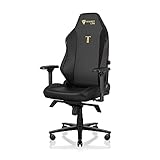
- ALL-DAY COMFORT FOR WORK & PLAY - PC chair made of cold-cure foam for ideal posture, comes with memory foam magnetic head pillow that can be adjusted over a wide range and snaps into place on your backrest while providing enhanced neck support and pressure relief
Check the chair after adjustments
Once the chair has been adjusted, sit through each position you intend to use. Confirm that the height remains where you set it, that the tilt lock holds when engaged, and that the tension setting allows controlled movement. Move the backrest through its normal recline range while keeping your back supported. Then check that the lumbar controls still move freely and that the armrests remain at the desired spacing after you change posture.
Free tools Windows power users keep installed
One-click scans. No signup required.
For shared workspaces, record the preferred height, recline, lumbar and armrest positions for each user. Reconfigure the chair in the same order—basic mechanism first, then lumbar, armrests and pillow—rather than trying to correct every setting at once. Body size, desk height and personal preference all change the correct final position.
Independent reader supportYour contribution helps us test, update, and keep practical guides available for everyone.Troubleshoot before using force
A screw will not start
Back the screw out, realign the parts and start again by hand. Check that you are using the correct M8 screw and that the bracket is not under sideways load. Never use the Allen key to force a screw into a partially aligned hole.
A side cover will not sit flush
Remove it and inspect the bracket, screw heads and magnet alignment. The cover should attach magnetically after the backrest hardware is correctly tightened. Forcing it can crack the cover or conceal a loose bracket.
A lever or recline control does not move
Stop forcing the control. Check that the backrest screws are aligned and secure, that the red safety screw was removed only after backrest installation, and that the side covers are seated correctly. If movement remains blocked, consult the manual or Secretlab support.
The armrests look uneven
First use the four-dimensional controls to match their height, angle, front/back position and side-to-side spacing. If the whole base is still misplaced, repeat the three-M8-screw structural-width adjustment. Compare the armrests visually to the chair and to your seated posture, not solely to the position of the underlying plates.
The chair rolls or rocks unexpectedly
Check that every caster is fully pressed into the wheelbase and that the piston and sleeve are seated centrally. Roll-test on a level, clear floor. Recheck the tilt lock if the movement is coming from the chair mechanism rather than the casters.
A part is damaged, defective or missing
Do not substitute hardware or continue assembly with a compromised structural part. Secretlab directs owners to contact support with photos and the order number so the correct component can be identified.
Magnet and handling safety
The magnetic pillow, CloudSwap armrest tops and side covers contain magnets. Secretlab warns that magnets can interfere with medical devices; consult a doctor or the device manufacturer before using the chair if you or someone nearby has an implanted or wearable medical device. Keep the magnetic pillow and armrests at least 30 cm (12 inches) from a medical device, and keep small magnetic parts away from children and pets because they are choking hazards.
The Tool Desk
Outbyte PC Repair FREEClear out junk files and repair common Windows errorsFree Scan →Outbyte Driver Updater FREEScan for outdated or missing drivers - takes under a minuteDriver Scan →Rank #4
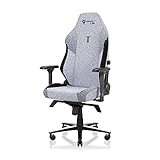
- ALL-DAY COMFORT FOR WORK & PLAY - PC chair made of cold-cure foam for ideal posture, comes with memory foam magnetic head pillow that can be adjusted over a wide range and snaps into place on your backrest while providing enhanced neck support and pressure relief
Retain the packaging and the red safety screw if you may transport the chair. Before each move, secure the backrest as instructed by the manual rather than carrying the chair by the armrests or pillow.
Final setup checklist
- All casters are fully seated and roll freely.
- The piston, sleeve and wheelbase are centred and stable.
- All seatbase and backrest M8 screws are started correctly and tightened evenly.
- The side covers sit flush, and the red safety screw has been removed only after the backrest was secured.
- Height, tilt lock, tilt tension and recline each operate through their intended ranges.
- Both armrest tops are magnetically seated, and the armrests support your forearms without raised shoulders.
- Lumbar support follows your lower-back curve without forcing your pelvis forward.
- The head pillow supports your head without pushing it forward.
- No part is damaged, loose or substituted with unapproved hardware.
Frequently Asked Questions
How long does TITAN Evo assembly take?
Secretlab’s current FAQ says most users take about 20 minutes. Allow extra time if you are assembling alone or need to recheck screw alignment.
What tools are included with the chair?
The toolkit includes a long Allen key, M8 screws, a magnetic screwdriver handle and a reversible Phillips/hex bit.
When should I remove the red safety screw?
Remove it only after the backrest is fully secured. Retain it for future transport if the manual instructs.
Why are my armrests too far apart?
First press the black button on the inner edge and slide each top inward. If the whole armrest is still too far out, loosen the three M8 screws underneath, reposition the metal plate and retighten them evenly.
How do I adjust the L-ADAPT lumbar support?
Sit fully back, then use the side controls for small vertical and inward/outward changes. Set the height to your lower-back curve and the depth only far enough to fill that curve.
What is the difference between recline and tilt?
Recline changes the backrest angle relative to the seat. Tilt changes the chair’s overall movement relative to the floor and is controlled by the tilt lock and tension settings.
Can I use accessories from another Secretlab chair?
Check the model designation first. SKINS are precision-mapped to TITAN Evo models, and the Ergonomic Recliner Add-On is designed for TITAN Evo and Classics Series chairs. Other accessories may require exact variant compatibility.
What’s actually slowing this PC down?
Pick the symptom - the matching free tool is one click away.
What should I do if a part is missing or damaged?
Stop assembly and contact Secretlab support with photographs and your order number. Do not substitute unapproved hardware or a compromised structural part.
Are the magnetic components safe around medical devices?
Magnets can interfere with medical devices. Consult a doctor or device manufacturer, and keep the magnetic pillow and armrests at least 30 cm (12 inches) from a medical device.
The Bottom Line
Build the TITAN Evo in sequence, remove the safety screw only after the backrest is secure, and test every mechanism before use. Set height, tilt and recline first; then make small lumbar, armrest and pillow adjustments for your body and desk.
Quick Recap
Product prices and availability are accurate as of the date/time indicated and are subject to change. Any price and availability information displayed on Amazon at the time of purchase will apply.

