A one-key gateway should keep callers on a single credential while it checks each upstream response, retries only transient failures within a strict budget, and switches routes only when the alternate route is suitable. For sales-call actions that change state, it must also prevent duplicate execution and surface outcomes that are uncertain. Rate-limit meaning, quota scope, retry behavior, and fallback support depend on the actual provider and endpoint; Google Cloud’s guidance is useful for its products, not a universal API contract.
What a one-key gateway should do
A one-key design gives your application one credential and one stable entry point. The gateway authenticates that credential, applies your own access and traffic controls, and keeps any upstream credentials private. It can then route a request to an eligible service or endpoint. This does not make the upstream services share a quota or behave alike: each has its own limits, error details, availability, and terms for retries and fallback.
As an Amazon Associate I earn from qualifying purchases.
For a sales-call workflow, distinguish two kinds of requests:
The Tool Desk
Outbyte PC Repair FREEClear out junk files and repair common Windows errorsFree Scan →Outbyte Driver Updater FREEFix the driver behind crashes, sound loss and screen glitchesFind Drivers →- Read or preparation work: Requests that do not create or change an external record may be candidates for a bounded retry or alternate route, subject to the provider’s contract.
- Actions with side effects: Requests that place a call, schedule one, update a record, or trigger another consequential operation need duplicate protection and outcome reconciliation before automatic retries or route changes.
A practical request path is: authenticate the caller; validate and identify the intended action; select an eligible route; classify the response; retry or fail over only under an explicit policy; and record whether the action completed, failed before execution, or has an unknown outcome.
#1 Best Overall
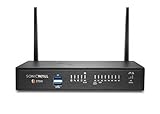
- The latest SonicWall TZ270W series, are the first desktop form factor nextgeneration firewalls (NGFW) with 10 or 5 Gigabit Ethernet interfaces. The series consist of a wide range of products to suit a variety of use cases.
- Reduce complexity and get the business running without relying on IT personnel with easy onboarding using SonicExpress App and Zero-Touch Deployment, and easy management through a single pane of glass
- Drive business growth by investing in next-gen appliances with multi-gigabit and advanced security features, to future-proof against the changing network and security landscape.
- SonicWall 24x7 support provides chat, email, web, and telephone support for technical assistance | Dynamic Support is designed for customers who need continued protection through ongoing firmware updates and advanced technical support
- Hardware: Operating system: SonicOS 7.0 | Interfaces: 8x1GbE, 2 USB 3.0, 1 Console | Management: Network Security Manager, CLI, SSH, Web UI, GMS, REST APIs | VLAN Interfaces: 64 | Access points supported (maximum): 16
How to interpret a 429 before responding
Do not treat HTTP 429 as a universal instruction to wait and resend. In its Vertex AI inference API error guidance, Google Cloud says 429 RESOURCE_EXHAUSTED can represent quota excess, shared server overload, or a daily limit. Those causes call for different responses: a transient capacity problem may ease after a delay, while a quota or daily limit may persist until usage changes, capacity is adjusted, or the limit resets.
Inspect the status and provider-specific error details, then check the applicable quota model. Establish whether the limit is scoped to a project, consumer, model, endpoint, account, or shared capacity pool; do not assume one service’s scope applies to another. The gateway should distinguish at least:
- Transient overload: Consider a bounded delayed retry if the provider’s guidance permits it.
- Quota exhaustion: Reduce or queue traffic, use an eligible capacity option, or fail clearly. Repeating the same request immediately does not create quota.
- Non-retryable client errors: Invalid credentials or malformed input should be corrected rather than retried. Google Cloud’s retry-strategy guidance distinguishes transient 429 and 5xx responses from other 4xx errors.
Also check whether the provider documents Retry-After for the specific endpoint and response. Do not assume it is present or interpret it identically across providers.
Do these 3 things before closing this tab:
1Clear out junk files and repair common Windows errors2Fix the driver behind crashes, sound loss and screen glitches3Repair Windows errors before they cause bigger problemsHow to bound retries without creating a retry storm
Retries should be finite, delayed, and limited to failures that may recover. If callers, the gateway, and an upstream SDK all retry independently, their attempts can multiply. Verify automatic retry behavior for the SDK and version in use before adding a gateway retry layer.
Vertex AI’s published retry guidance
Google Cloud’s Vertex AI inference API error page recommends retrying no more than two times, with a minimum one-second initial delay and exponentially increasing waits afterward. That is Vertex AI-specific guidance, not a general rule for other providers or a guarantee that retries will succeed. Google Cloud’s March 2026 resilience article separately recommends exponential backoff with jitter for temporary 429 or 503 responses.
A gateway retry policy
- Classify first. Retry only a response that the actual provider documents, or that your tested integration policy identifies, as transient. Do not retry validation or authentication errors.
- Set a finite attempt budget. Define a maximum number of attempts across the whole request path, accounting for SDK retries. For Vertex AI, the cited recommendation is no more than two retries.
- Wait before resending. Use an increasing delay for successive attempts. Add jitter where appropriate to avoid synchronized clients retrying together, as Google Cloud recommends for temporary overload.
- Cap the waiting time and overall deadline. Choose limits that fit the caller’s latency budget and the action’s urgency. These are gateway design choices; the cited Vertex AI retry page specifies no general maximum delay.
- Stop when the budget is spent. Return a clear failure or queue the work for a deliberately managed later attempt instead of retrying indefinitely.
Google Cloud warns that traffic spikes can increase overload risk. Smooth incoming work with admission control or a queue where the workflow allows it, and use a circuit breaker when continued calls to a failing route would waste capacity or delay recovery.
When to retry and when to route elsewhere
Retrying and failing over solve different problems. A retry asks the same route to handle the request later; a fallback sends it somewhere else. Route changes should be based on known eligibility, not merely on the presence of an error. The alternate may have its own quota, regional availability, latency, data-handling constraints, and behavior.
Rank #2
- The latest SonicWall TZ270W series, are the first desktop form factor nextgeneration firewalls (NGFW) with 10 or 5 Gigabit Ethernet interfaces. The series consist of a wide range of products to suit a variety of use cases.
- Reduce complexity and get the business running without relying on IT personnel with easy onboarding using SonicExpress App and Zero-Touch Deployment, and easy management through a single pane of glass
- Drive business growth by investing in next-gen appliances with multi-gigabit and advanced security features, to future-proof against the changing network and security landscape.
- SonicWall 8x5 Support provides chat, email, web, and telephone support for technical assistance | Dynamic Support is designed for customers who need continued protection through ongoing firmware updates and advanced technical support
- Hardware: Operating system: SonicOS 7.0 | Interfaces: 8x1GbE, 2 USB 3.0, 1 Console | Management: Network Security Manager, CLI, SSH, Web UI, GMS, REST APIs | VLAN Interfaces: 64 | Access points supported (maximum): 20
| Option | What the cited Google Cloud guidance establishes | Decision to make |
|---|---|---|
| Vertex AI pay-as-you-go | Google lists global endpoint use where possible, truncated exponential backoff, quota-increase requests, traffic smoothing, and Provisioned Throughput among mitigations. (Google Cloud, Vertex AI throughput documentation.) | Check endpoint availability, geographic and data requirements, quota state, and whether reserved capacity fits the workload. |
| Vertex AI global endpoint | Google describes global routing as an option that can reduce dependence on a single regional capacity pool. Availability and behavior depend on the service and configuration. | Confirm that global routing is allowed for the request’s geography and data requirements before enabling it. |
| Vertex AI Provisioned Throughput | Google documents it as a reserved-capacity option with distinct handling for usage within the reserved amount and excess usage. | Read the current service terms for how traffic beyond the reserved amount is handled; do not assume it behaves like pay-as-you-go. |
| Cloud Endpoints quota enforcement | Cloud Endpoints tracks calls per consumer Google Cloud project and supports multiple named quotas with different configured rates. Google says its enforcement has a 30% error margin because the proxy aggregates and batches quota calls. | Apply this precision caveat only to Cloud Endpoints; it is not a margin to assume for another gateway or provider. |
Google Cloud’s resilience guidance also identifies Apigee circuit breaking as an option for traffic distribution and graceful failure handling. A gateway implementation should define what it means for a route to be open, when limited test traffic may resume, and what signals count as recovery. Those are design decisions for your system, not sales-call behavior prescribed by the cited documentation.
Independent reader supportYour contribution helps us test, update, and keep practical guides available for everyone.How to protect sales-call actions from duplicate execution
The hardest failure case is not a clear rejection. It is a timeout after the downstream service may already have accepted the action. If the gateway sends that action again—especially through a second route—the call or record change could happen twice. The Vertex AI and Cloud Endpoints sources do not establish the idempotency guarantees of any sales-call action API.
Require a duplicate-action strategy
- Use a provider-supported idempotency key if the specific action endpoint documents one. Reuse the same key for retries of the same logical action, and confirm the provider’s retention period and key scope.
- Otherwise, deduplicate in the application. Assign a stable action identity before dispatch and persist the action’s state so repeated gateway requests can be recognized. Define how long identities remain valid and how concurrent requests are handled.
- Do not treat a timeout as proof of failure. Keep an “outcome unknown” state until you can reconcile it using a documented status lookup, callback, or operational review.
- Do not fail over consequential actions blindly. Before sending the same action to another provider, determine whether the first route accepted it. If that cannot be established, pause for reconciliation or return an uncertain result rather than risking a duplicate.
Make the distinction visible to callers: “failed before dispatch,” “rejected,” “completed,” and “outcome unknown” are materially different results. A generic failure response that invites an immediate client retry can undo the gateway’s duplicate safeguards.
What to verify before enabling a fallback
Document the contract for every route that can handle the action. A fallback is safe only when the gateway knows what changes with the route and how to interpret its result.
Outdated Drivers Are Slowing You Down
One free scan finds every outdated or missing driver and matches the right update for your exact hardware.Free scan · exact hardware matchPC Slower Than It Used to Be?
A free scan shows the junk files, broken settings and background clutter dragging Windows down - then fixes them in one click.Free scan · Windows 10 & 11- Quota and limits: Identify quota scope, reset behavior if documented, concurrency constraints, and whether limits are shared across regions or models.
- Error signals: Record the status codes and structured error details that indicate transient overload, exhausted quota, or a permanent request problem.
- Retry semantics: Confirm allowed retry conditions, maximum attempts, backoff recommendations, SDK behavior, and any documented handling for
Retry-After. - Fallback eligibility: Check geography, data handling, endpoint support, account tier, and whether the alternate route accepts the same request and action semantics.
- Action safety: Verify idempotency support or implement deduplication and reconciliation before enabling automatic retries or failover.
- Operational trade-offs: Compare latency, availability, capacity, cost, and the possibility that different routes produce different outputs.
Test these cases in a non-production environment where possible: a transient 429, a quota-exhaustion response, a timeout after dispatch, a route that becomes unavailable, and a recovery after circuit breaking. Confirm that the gateway stops within its attempt and deadline budgets, does not retry permanent client errors, and never silently reports an uncertain action as failed or completed.
What this guidance does—and does not—establish
The cited Google Cloud sources explain behavior and options for Vertex AI, Cloud Endpoints, and Apigee. They do not define a universal gateway policy, a cross-provider fallback contract, or the duplicate-action guarantees of a sales-call API. Before implementation, verify current documentation for the actual provider, model, region, endpoint, SDK version, and account tier. If the action API does not document safe idempotency or a way to reconcile an uncertain request, automatic failover for consequential actions is not established as safe.
Quick Recap
Product prices and availability are accurate as of the date/time indicated and are subject to change. Any price and availability information displayed on Amazon at the time of purchase will apply.




