Windows Errors? Fix Them Before They Spread
Repair common Windows errors and clear accumulated junk for a smoother, more stable PC - no reinstall needed.Free scan · no reinstallOutdated Drivers Are Slowing You Down
One free scan finds every outdated or missing driver and matches the right update for your exact hardware.Free scan · exact hardware matchIn a co-op survival game, the person who starts a session is not always the owner of the world, and a character’s progress is not always tied to that world. A host-run peer-to-peer session usually exists only while the host’s game is running. A dedicated server keeps the world online independently, with its own password, visibility, save, backup, and network settings. Cross-play and progression are separate decisions: a game may let players on several platforms join while still storing bosses, buildings, recipes, or NPCs in one particular world. Valheim, Enshrouded, and Palworld show the main patterns.
What “shared world” means in a survival game
A shared world is the persistent save that contains the environment and the changes your group makes to it. Depending on the game, that can include discovered biomes, defeated bosses, buildings, crafting stations, NPCs, recipes, towers, map exploration, and other unlocks. Your character is a separate layer that may hold equipment, inventory, levels, skills, or personal discoveries.
As an Amazon Associate I earn from qualifying purchases.
The distinction matters because three questions that sound similar have different answers:
- Can friends connect when I am offline? This depends on whether the world is hosted by your game client or by a dedicated server.
- Will our base and boss progress remain? Usually, yes, if everyone keeps joining the same world save. A new world has its own terrain and unlock state.
- Can my character move to another server? Only to the extent the game supports character persistence. World-bound unlocks commonly stay behind.
Think of the world as the shared campaign and the character as a player profile. Some games put most progression in the campaign, some let characters carry substantial progress between worlds, and many split it between both.
#1 Best Overall
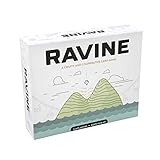
- A unique, cooperative party game
- Includes 193 casino-quality cards
- Comes with 36 screen printed wood health tokens, and 1 large fire token
- Easy to learn and jump right into
- For 3-6 people - AGES 12+
Host-run sessions: simple, but dependent on the host
How peer-to-peer hosting works
In a host-run peer-to-peer session, one player launches the game and creates a public or private session. That player’s game client runs the world simulation and sends the current state to connected friends. When the host quits, loses connection, or closes the game, the session normally ends for everyone else.
Valheim’s official FAQ describes this model as a “p2p-based play session” that can be public or private. It is convenient for a small group because there is no separate server application to install or maintain. The trade-off is scheduling: the group’s world is available when the host is available.
When this model is a good fit
- Two or three friends normally play at the same time.
- Everyone is comfortable waiting for the host to start the session.
- You do not need an always-on world, automated backups, or administrative controls.
- You want the lowest setup overhead and do not want to manage ports or a server process.
Common limitations
- The host’s hardware and connection affect simulation and latency.
- The host must keep the game client running while others play.
- Scheduled sessions can become awkward when players live in different time zones.
- A host’s local save is a single point of failure unless you copy or back it up.
Dedicated servers: an independent home for the world
What changes with a dedicated server
A dedicated server is a separate server process that loads and saves the world without running the full game client. Friends can connect while the owner is away, provided the process is online and the world is accessible. The machine may be a computer you operate or a rented server managed by a hosting provider.
Palworld’s official server documentation makes the distinction explicit: a dedicated server hosts without the game client, so “the host does not need to keep the game client running at all times.” Players connect with an IP address and port. The same documentation says the number of people who can join is large, but it does not establish one universal capacity number; capacity depends on the server configuration and the game’s current version.
Enshrouded’s official FAQ says dedicated servers are intended for groups that do not want the world owner to be online every time friends play. It also identifies GPortal as an in-game rental partner. Rental availability, regions, pricing, and controls can change, so check the current in-game listing before committing.
Rank #2

- THRILLING ADVENTURE: Dive into the excitement of Forbidden Desert, where players work together to uncover a legendary flying machine; enhances strategic thinking and cooperation.
- CHALLENGING STRATEGY: This game offers a unique gameplay experience with its cooperative mechanics; perfect for enhancing teamwork skills among friends and family.
- FAMILY FUN: Designed for ages 10 and up, it's ideal for family game nights; 45-minute playtime fits perfectly into any gathering.
- VIBRANT DESIGN: Featuring multi-colored components, it captures the imagination; a visually appealing addition to any board game collection.
- EASY TO LEARN: Comes with clear instructions to get players started quickly; ensures a smooth and enjoyable gaming experience for all levels of players.
Controls you should expect
Valheim’s dedicated-server guide documents the settings that turn a save into an administered service:
- World name: identifies which save the process loads.
- Password: restricts access; use a non-obvious value and share it privately.
- Visibility: controls whether the server is listed publicly or kept private.
- Save directory: determines where world files live, which matters for migration and backup.
- Save interval: controls how often progress is written to disk.
- Automatic backups: provide recovery points after corruption, mistakes, or unwanted changes.
Those controls are the operational difference between “someone’s game session” and “a shared service.” Before inviting a group, decide who owns the files, who knows the password, who applies updates, and how a rollback will be performed.
Network access and the Valheim backends
Valheim supports different connection backends. Its official guide says the Crossplay backend, enabled with the -crossplay argument, does not require router port forwarding. The same guide says that Crossplay lets users from any platform join, while the Steam backend limits visibility and joining to Steam users.
When Crossplay is enabled, a host or dedicated server can expose a join code from the pause menu. A friend pastes that code under Join Game. Xbox players cannot host a dedicated server, but they can join one when cross-play is enabled. These details apply to Valheim’s documented setup; other games use different backends, ports, and invitation systems.
Cross-play is a platform matrix, not a universal feature
Cross-play means players on specified platforms can enter the same session. It does not automatically mean every edition, storefront, console generation, or server type is compatible. Always check the game’s current platform documentation.
Rank #3
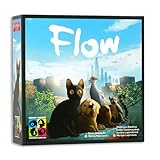
- OFFICIAL GAME OF THE HIT ANIMATED FILM: Immerse yourself in the emotional story and beautiful world of Flow
- REAL TIME COOPERATIVE GAMEPLAY: Work together under pressure where players must make quick decisions to survive the flood and rescue allies.
- PLAYABLE SOLO OR WITH FRIENDS: Designed for 1–6 players, Perfect for game nights with siblings, parents, or friends.
- DYNAMIC GAME BOARD AND RISING WATER MECHANIC: Navigate a modular map that shifts and floods over time, creating new challenges and forcing adaptive strategies.
- ENDLESS REPLAYABILITY: With a variety of tiles and 11 unique scenario cards to shape your next game. Flow is easy to get into but deep as an ocean.
| Game | Documented cross-play behavior | Important limitation |
|---|---|---|
| Valheim | The Crossplay backend allows users from any platform to join; join codes are available from the pause menu. | Xbox cannot host a dedicated server, although it can join one with cross-play enabled. The Steam backend is limited to Steam users. |
| Palworld | Version 0.5.0 documentation says cross-play is enabled by default for Steam, Xbox Series, Windows PC from the Microsoft Store, and macOS. | PS5 cross-play is currently unavailable in that documentation. Recheck the version 0.5.0 guidance because platform support can change. |
| Enshrouded | The cited FAQ confirms dedicated-server support and up to 16 co-op players. | The supplied FAQ does not provide a complete platform-by-platform cross-play matrix. |
For a mixed-platform group, verify four things separately: whether the game editions can cross-play, whether the chosen backend supports those editions, whether a console can host or only join, and whether the server’s version matches every client.
Quick wins for a faster PC:
Clear out junk files and repair common Windows errorsFree Scan →Scan for outdated or missing drivers - takes under a minuteDriver Scan →Repair Windows errors before they cause bigger problemsFix Now →Player caps and what they mean for your group
| Game | Documented capacity | How to interpret it |
|---|---|---|
| Valheim | 10 players | Iron Gate Studio’s official FAQ documents a 10-player server cap. |
| Enshrouded | Up to 16 co-op players | Keen Games’ official FAQ describes support for up to 16 players. |
| Palworld | No single universal number stated in the cited server page | The official guide describes large dedicated-server capacity; actual limits depend on the server setup and current software. |
A cap is not a performance guarantee. More players create more simultaneous construction, combat, storage, and world-simulation activity. Leave headroom rather than planning a server around the maximum number alone.
World progression and character progression are different
World-bound progression
World progression belongs to the save that everyone enters. It can include explored territory, defeated bosses, built structures, NPC availability, crafting stations, recipes, and other global unlocks. If you move to a fresh world, those unlocks may need to be earned again even if your character is experienced.
Valheim’s progression is organized by biome. Each biome has its own difficulty and resources; defeating its corresponding Forsaken One provides items and skills needed to advance. That makes the world’s boss state central to the group’s campaign. Valheim also warns that fixed world content added by updates appears only in previously unexplored areas. To encounter new content without disturbing existing builds, a group may need to travel beyond explored territory or begin a new world.
Character-bound progression
Character progression can include levels, skills, equipment, inventory, personal map data, or discoveries. Whether these travel between servers is game-specific and sometimes depends on the transfer method.
Rank #4

- The beloved classic computer game goes lo-fi in this survival card game
- Fantastic 8-bit art lets you die of gruesome diseases in a retro way
- Cooperative gameplay with a fun, cheeky humor allows even dysentery to be funny
- Can your wagon party work together to survive the Trail?
- For 2-6 players, ages 12 and up
Enshrouded gives a detailed example. Its FAQ says a character moved between servers retains:
- Entire equipment and inventory.
- Levels and unlocked skills.
- Map memory.
- Personal crafting recipes.
- Collected Shroud roots.
- Found lore.
- Towers that player personally found.
The same FAQ says most crafting recipes, available NPCs, and towers found by other players do not transfer because those are unlocked in the destination world. In practical terms, your adventurer can arrive prepared, but the new world still controls its own settlements, services, and shared unlock state.
A practical transfer checklist
- Confirm whether the game supports character transfer at all.
- Separate items and skills from world unlocks in the game’s documentation.
- Back up the source world before moving a character or changing server settings.
- Record the destination world’s version and server rules.
- Expect to redo world-bound NPC, recipe, tower, or boss progression unless the game explicitly says otherwise.
How to choose a hosting model
| Question | Host-run session | Dedicated server |
|---|---|---|
| Must the owner be playing? | Normally yes; the host’s client runs the world. | No; the server process can run independently. |
| Setup effort | Low: create a session and invite friends. | Higher: install or rent server software and configure access. |
| Availability | Limited to the host’s play schedule. | Available whenever the server is online. |
| Administration | Usually limited to in-game session options. | Passwords, visibility, save paths, intervals, backups, updates, and access management. |
| Best for | Small groups with synchronized schedules. | Groups that play at different times or want a persistent campaign. |
Choose host-run play when simplicity matters more than uptime. Choose a dedicated server when friends need to build, explore, or progress without waiting for one person. If nobody wants to maintain a machine, a rental service can reduce administration but adds a recurring cost and a provider dependency.
Independent reader supportYour contribution helps us test, update, and keep practical guides available for everyone.Dedicated-server setup and maintenance checklist
Before anyone joins
- Pick the game version and confirm every player can use that version.
- Choose a world name and decide whether the server is public or private.
- Set a strong password and share it through a private channel.
- Choose the correct cross-play backend for the group’s platforms.
- Locate the save directory and make a manual backup before opening access.
- Set a save interval and verify that automatic backups are being created.
- Write down the server address, port, or join-code procedure.
While the world is active
- Keep the server software and clients on compatible versions.
- Watch storage space and confirm that saves continue to update.
- Do not expose a private world publicly without changing its password and visibility settings.
- Back up before major updates, migrations, or experiments with new server settings.
- Tell players when maintenance will interrupt access.
When something goes wrong
- Friends cannot see the server: verify the backend, visibility, version, platform support, and whether the process is running.
- A player cannot connect by address: check the IP and port, firewall rules, and whether the server expects a join code instead.
- Only some platforms can join: confirm that the selected backend supports every platform; Valheim’s Steam backend, for example, is Steam-only.
- Recent progress disappeared: stop making changes, identify the most recent valid save or backup, and restore only after copying the current files.
- New update content is missing: in Valheim, travel into unexplored territory or use a new world, because fixed content may not be added to explored areas.
Answers to the questions players ask most
Can friends play when I am offline?
Yes, if the world runs on a dedicated server that remains online. No, in the normal host-run model, because the host’s client is running the world.
Recommended Free Tools
Do we keep the same world and base?
Yes, when everyone connects to the same world save. A different world has separate terrain and world-bound progression, even if a character brings transferable items or skills.
Best Value

- TENSE TEAMWORK – Work together to defend Castle Bravehold as monsters attack from all sides; trade cards, coordinate plans, and keep at least one tower standing to survive the siege as a united team.
- EDGE-OF-YOUR-SEAT EXPERIENCE – Face plagues, boulders, and boss monsters that disrupt your plans and force strategic choices; each turn adds suspense for both new and experienced players.
- CHOOSE YOUR CHALLENGE – Enjoy four modes: Co-op, Solo, Master Slayer competitive mode, and Overlord where one player controls the monsters; each option offers unique tension and replay value.
- TOWER DEFENSE THRILLS – Featuring 3D towers, vibrant monster tokens, and an illustrated board, this 45-minute adventure blends accessibility with satisfying strategic depth for 1–6 players.
- HEARTHSIDE HARMONY – Bring friends and family together with an easy-to-learn game that blends teamwork, excitement, and warm table energy; ideal for mixed-experience groups and repeat play.
What is the difference between hosting and a dedicated server?
Hosting a peer-to-peer session means your game client is the host. A dedicated server is a separate process that runs the world independently of the owner’s game client.
Which co-op survival games support cross-play?
Valheim supports broad platform joining through its Crossplay backend, while its Steam backend is limited to Steam. Palworld version 0.5.0 documents cross-play for Steam, Xbox Series, Windows PC from the Microsoft Store, and macOS, with PS5 cross-play unavailable in that documentation. Enshrouded’s cited FAQ confirms dedicated servers but does not provide a full platform matrix.
Does character progression carry to another server?
It depends on the game and the type of progression. Enshrouded allows a transferred character to retain equipment, inventory, levels, skills, map memory, personal recipes, Shroud roots, lore, and personally found towers, while many NPC, recipe, and shared tower unlocks remain in the destination world. Never assume another game uses the same split.
The Tool Desk
Outbyte PC Repair FREEClear out junk files and repair common Windows errorsFree Scan →Outbyte Driver Updater FREEScan for outdated or missing drivers - takes under a minuteDriver Scan →How many players can join?
Valheim documents 10 players, Enshrouded up to 16, and Palworld’s cited server guide describes large dedicated-server capacity without stating one universal number. Check the current server documentation and configuration for the version you run.
Bottom line: decide what must persist
Start by deciding whether the world must exist when its owner is away. If yes, use a dedicated server and plan for passwords, backups, updates, and platform compatibility. If no, a host-run session is simpler. Then verify cross-play for the exact platforms and backend, and separate world unlocks from character data before promising that progress will follow a player. The durable base, boss state, and shared unlocks live in the world save; portable equipment and skills exist only where the game explicitly supports them.
Quick Recap
Product prices and availability are accurate as of the date/time indicated and are subject to change. Any price and availability information displayed on Amazon at the time of purchase will apply.

