To stop someone from seeing your location, end the share with that person in the app or account that created it. On iPhone, check Find My and Messages; on Android, check Google Maps and Google Location Sharing in Settings. These person-directed sharing controls are separate from app location permissions and the device’s overall Location Services setting.
First, identify what kind of sharing you want to stop
Location sharing is not one universal switch. A person-directed share lets selected people see your location; pausing updates, removing a recipient, stopping a temporary trip share, and disabling device location access have different effects.
As an Amazon Associate I earn from qualifying purchases.
- End a share with one person: use that recipient’s Stop Sharing or Stop control in the service that created the share.
- Hide your location temporarily: use the service’s pause or overall sharing switch, knowing that existing recipients may regain access when sharing resumes.
- Restrict an app’s access or turn off Location Services: these are broader device controls, not a reliable substitute for ending each person-directed share.
Start with the app or feature that created the share. Google Location Sharing can be used by Maps, Messages, Find Hub, Family Link, and Personal Safety, so checking Maps alone may not cover every active share.
Free tools Windows power users keep installed
One-click scans. No signup required.
Turn off location sharing on iPhone
Apple supports ongoing sharing through Find My and Messages. A Find My share can be set for one hour, until the end of the day, or indefinitely. Recipients may see your location in Find My, Maps, Contacts, and a Messages conversation; they can also set arrival or departure notifications. Everyone in a group conversation can see a location shared with that group.
#1 Best Overall
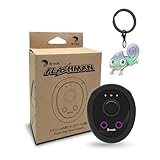
- 【Save & Return to Key Spots】Double-press FN button to store a location; long-press to instantly teleport back—perfect for item zones, quest points, or patrol areas.
- 【Share & Receive Coordinates】Mouse Function Button sends or receives locations for team sync; short-press for mouse mode to navigate menus or tap in-game elements.
- 【Smart Roaming & Manual Control】Auto-move along preset routes or switch to precise joystick control for targeted navigation.
- 【Adjustable Speeds】Toggle High Speed (up to 100 km) for fast travel or Low Speed (up to 10 km) for fine control in resource zones.
- 【Package Includes】Flashman × 1, Brook Keychain × 1, Wrist Strap × 1, Type-C Charging Cable × 1, Quick Start Guide (Card) × 1.
Stop sharing with one person
- Open Find My and tap People.
- Select the person, scroll down, and tap Stop Sharing My Location.
Alternatively, open the relevant Messages conversation, tap the person’s name or the group name at the top, then tap Stop Sharing. Apple says stopping with someone in one app stops sharing across apps, and the person is not notified.
Temporarily hide your location from everyone
In Find My, tap Me and turn off Share My Location. This is a pause, not a removal of recipients: Apple says people you previously shared with can see your location again when you turn sharing back on.
Rank #2
![UGREEN FineTrack Air Tracker Tags (iOS Only) 2 Pack, 2-Year Replaceable Battery Bluetooth Tracker Compatible with Apple Find My, Item Finder Smart Tag for Keys, Luggage - [Apple Find My Certified]](https://m.media-amazon.com/images/I/31cD0SQJyRL._SL160_.jpg)
- Easy Find & Family Sharing with Apple Find My: Quickly pair the FineTrack tag with your iPhone or iPad in just one tap. Using the pre-installed Find My app, add the Air Tracker tag to the Items tab to instantly locate and track your keys, wallet, and other valuables. With iOS 17 or later, you can also share your tracker’s location with family members, so everyone can help keep items safe. (Note: Compatible with iOS devices only, not for Android.)
- Smart Tracking Made Easy: Whether Bluetooth Air Tracker Tag is nearby or far away, locate it easily with the Find My app. When within Bluetooth range, play a sound to quickly find the item tracker tag; when out of range, the Apple Find My network uses its vast ecosystem of Apple devices to provide the item finder’s latest location. Enjoy global tracking with Apple’s Find My network without any subscription fees.
- Lost Item Alerts & Lost Mode: When your Air Tracker Tag moves out of range, the Apple Find My app sends an instant lost alert with the last known location. If your item is confirmed lost, you can activate Lost Mode and leave your contact information so nearby Apple devices can remotely access it and help locate your tracker, making recovery quick and easy.
- 2-Year Battery Life & Child-Safe Certified: The UGREEN 4-pack Bluetooth tracker tags feature a replaceable battery that lasts up to 2 years, outperforming standard 1-year trackers. You can check the tracker’s battery anytime in the app and replace it when needed, keeping your valuables always protected. Item finder tags are also UL4200A certified, preventing children from accidentally swallowing the battery.
- Your Privacy, Fully Protected: Certified by Apple MFi, this Bluetooth Air Tracker Tag uses end-to-end encryption to keep your location data private and secure. All communications are anonymous and encrypted, and no location data is stored on the device. Even if your item is lost, your information remains protected and cannot be accessed without your permission — not by Apple, the manufacturer, or any third party.
If personal safety is at risk
Apple’s Safety Check can help you quickly stop sharing information, including location, and review sharing with individual people and apps. Use the controls in the relevant sharing service rather than relying on deleting Find My: Apple says people already receiving your location can still see it after the app is deleted. Reinstall Find My if needed to access its controls.
The Tool Desk
Outbyte PC Repair FREEClear out junk files and repair common Windows errorsFree Scan →Outbyte Driver Updater FREEScan for outdated or missing drivers - takes under a minuteDriver Scan →Turn off location sharing on Android
Google Location Sharing is tied to a Google account and a particular device. If you use the same account on more than one device, Google says to change the setting on each device separately. Depending on the service and context, people you share with may see your name, profile picture, real-time location, and battery status; shared information can also include recent locations or travel mode. Maps may show a nearby point of interest or address instead of a precise point, and location can be inaccurate in busy places.
Rank #3

- 【Save & Return to Key Spots】Double-press FN button to store a location; long-press to instantly teleport back—perfect for item zones, quest points, or patrol areas.
- 【Share & Receive Coordinates】Mouse Function Button sends or receives locations for team sync; short-press for mouse mode to navigate menus or tap in-game elements.
- 【Smart Roaming & Manual Control】Auto-move along preset routes or switch to precise joystick control for targeted navigation.
- 【Adjustable Speeds】Toggle High Speed (up to 100 km) for fast travel or Low Speed (up to 10 km) for fine control in resource zones.
- 【Package Includes】Flashman × 1, Wrist Strap × 1, Type-C Charging Cable × 1, Quick Start Guide (Card) × 1.
Stop a Google Maps share with a person
- On the Android phone, open Google Maps.
- Tap your profile picture or initial, then Location sharing.
- Choose the recipient and tap Stop.
Stop or pause sharing from Android Settings
- Open Settings > Location > Location services > Google Location Sharing. Menu names may vary by device and Android version.
- To end an individual share, select the person and tap Stop.
- To pause updates, turn off Use Location Sharing.
Turning off Use Location Sharing pauses real-time updates but does not stop existing shares. Other location services, such as Maps, can still be used while that sharing setting is off.
Stop Google Maps trip progress sharing
Trip-progress sharing is separate from a standing location share. While navigating, open the trip information card and tap Stop sharing. It also ends when navigation stops or you reach the destination.
Rank #4

- ✔ [Apple Find My Integration]: Seamlessly connect to Apple’s Find My network to locate your bicycle anytime, anywhere. iCloud sync between your iOS devices
- ✔ [Enhanced Security]: Comes with specialized security bolts and a unique tool, ensuring firm attachment to your bike frame and deterring theft
- ✔ [Versatile Placement]: Attach directly to the bottle cage mount, or fit it below your bottle cage for convenience and discretion
- ✔ [Track your bike worlwide] with the help of hundreds of millions of Apple devices in the Find My network on you iPhone, iPad, Mac, iWatch
- ✔ [Long Battery Life]: Enjoy up to 3 years of tracking with a replaceable battery, minimizing maintenance needs
Check link and emergency sharing separately
Location links
Google Maps can create a real-time location-sharing link for someone without a Google Account. Google says the link may provide access for up to 24 hours. If you shared by link, check the link-sharing control in Maps rather than assuming a recipient-list change covers it.
Emergency sharing and Safety Check
Emergency sharing in Google’s Safety app is distinct from routine Maps sharing. To end an active emergency share, open Emergency sharing > Stop > Stop sharing in the Safety app. Google says emergency sharing automatically ends after 24 hours. A Safety Check is a timed check-in; if you do not mark yourself safe when prompted, it can initiate sharing.
Which control should you use?
| What you want to do | Where to go | Effect |
|---|---|---|
| End a share with one iPhone recipient | Find My > People, or the Messages conversation | Stops sharing with that person across Apple apps. |
| Hide location from all existing iPhone recipients for now | Find My > Me > Share My Location off | Pauses visibility; prior recipients can see your location again if you turn it back on. |
| End a Google share with one recipient | Google Maps > profile picture or initial > Location sharing, or Android Settings > Location > Location services > Google Location Sharing | Stops the selected person’s share. |
| Pause Google Location Sharing updates | Android Settings > Location > Location services > Google Location Sharing > Use Location Sharing off | Pauses updates but leaves existing shares in place. |
| End a Maps trip share | Trip information card during navigation | Stops trip progress sharing; it also ends when navigation stops or the destination is reached. |
| End an active Google emergency share | Safety app > Emergency sharing > Stop > Stop sharing | Stops that emergency share; Google says it also ends automatically after 24 hours. |
These paths describe Apple and Google controls; labels and availability can vary with operating-system version, device maker, account supervision, Workspace policy, and region. If your goal is to end someone’s access, use the recipient-specific stop control in the relevant service rather than changing an unrelated app permission.
Quick Recap
Product prices and availability are accurate as of the date/time indicated and are subject to change. Any price and availability information displayed on Amazon at the time of purchase will apply.




