A “buddy code” is not one universal co-op feature. Depending on the game, it may mean a free trial unlocked by an in-game friend invite, a platform-store Friend’s Pass download, or a room code that lets someone join your team. The host’s ownership, the guest’s download, platform subscriptions, and the game’s own invite screen determine what happens. Use the game-specific procedure below rather than assuming you should copy a code into a store.
What a buddy code actually means
Publishers use terms such as buddy pass, Friend’s Pass, team code, invite code and trial access for different systems. In current official examples, they fall into three distinct patterns.
| # | Preview | Product | Price | |
|---|---|---|---|---|
| 1 |

|
Minecraft - Nintendo Switch | $29.82 | Buy on Amazon |
| 2 |
|
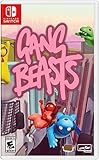
Gang Beasts - Nintendo Switch | $24.90 | Buy on Amazon |
| 3 |

|
Bluey: The Videogame- Nintendo Switch | $19.93 | Buy on Amazon |
As an Amazon Associate I earn from qualifying purchases.
Free trial plus an in-game invitation
Wolfenstein: Youngblood uses a Buddy Pass attached to the host’s Deluxe Edition. The guest installs the free Trial, creates a character and waits for the host to invite them from the game. Bethesda Support explicitly says, “Buddy Pass does not require the use of any codes and there is no code to send.” In this model, looking for a redemption box or sending a text string to your friend is the wrong approach.
What’s actually slowing this PC down?
Pick the symptom - the matching free tool is one click away.
Store download plus an in-game Friend’s Pass invite
It Takes Two uses Friend’s Pass. The guest downloads the free Friend’s Pass edition from the digital store for the relevant platform, then the owner sends an invitation from the game’s main menu. One player must own the full game for the pair to play the entire campaign. If neither player owns it, Friend’s Pass allows only the First Chapter in local or online co-op.
#1 Best Overall
- Minecraft is a game about placing blocks and going on adventures
- Explore randomly generated worlds and build amazing things from the simplest of homes to the grandest of castles
- Play in creative mode with unlimited resources or mine deep into the world in survival mode, crafting weapons and armor to fend off the dangerous mobs
- Play on the go in handheld or tabletop modes
- Includes Super Mario Mash-Up, Natural Texture Pack, Biome Settlers Skin Pack, Battle & Beasts Skin Pack, Campfire Tales Skin Pack; Compatible with Nintendo Switch only
Room, team or lobby code
Brawl Stars uses a Team Code, QR code or shareable link to put a player into a team. The invitation joins a room; it does not grant ownership of a paid campaign or unlock a separate game edition. The host creates the team, shares one of the displayed invitation methods, and the guest joins through the plus control.
Compare the three systems before you redeem anything
| System | What the host needs | What the guest installs or uses | How the guest joins | Access granted |
|---|---|---|---|---|
| Wolfenstein: Youngblood Buddy Pass | Deluxe Edition | Free Trial; launch it and create a character | Host selects the friend in Host Game | Co-op progression through the game; console guests do not receive achievements or trophies |
| It Takes Two Friend’s Pass | Full game for the entire campaign | Friend’s Pass from the platform’s digital store | Host sends an invite from the main menu | Entire game when one player owns it; First Chapter only when neither owns it |
| Brawl Stars team invitation | Normal account and a created team | No separate paid-game entitlement stated | Guest taps a plus icon, chooses Join, then enters the code or follows the QR code/link | Membership in the shared team or room, not a paid campaign pass |
When a different game offers a similarly named feature, check five questions: who must own the game, what the guest is entitled to play, where the guest downloads anything, whether the invitation is a code or an account-to-account invite, and what limits apply. Also check whether both players must use the same platform, whether cross-play is supported, whether a console online subscription is required, how many guests can be active, and whether the offer has an expiry date. The examples below do not establish a universal expiry policy; dates and offers can vary by platform.
How to use It Takes Two Friend’s Pass
Friend’s Pass is designed so one owner can play with a friend who does not buy the full game. The guest still needs the separate Friend’s Pass download for the chosen platform.
Free tools Windows power users keep installed
One-click scans. No signup required.
What each player needs
- The host owns It Takes Two.
- The guest has the Friend’s Pass edition installed from the Nintendo eShop, PlayStation Store, Microsoft Store, Steam Store or EA app, as applicable to the players’ platform.
- Both players use compatible online or local co-op setups supported by that platform. Store availability and platform offers can change, so search for the current Friend’s Pass listing rather than downloading an unrelated trial.
Redeem and start the session
- Have the guest search for It Takes Two in the digital store on the chosen platform.
- Download and install Friend’s Pass. The guest does not need to purchase the full game merely to install this edition.
- Have the host launch the full game and open the main menu.
- Choose the game’s invite option and select the friend who installed Friend’s Pass.
- Accept the invitation on the guest account and start co-op.
Electronic Arts presents the sequence as: Own It Takes Two; Friend Downloads Friend’s Pass On Chosen Platform; Send Invite To A Friend; Play The Entire Game Together. When the host owns the full game, the guest can play the entire campaign through the pass. If neither player owns the full game, the pass permits the First Chapter in local or online co-op, not the complete story.
If the guest cannot find Friend’s Pass
- Search the exact game title in the platform’s own store, then look for a free Friend’s Pass listing instead of the paid edition.
- Confirm that the guest is signed into the account and region intended for play; store catalogs can differ by platform and location.
- Make sure the host is launching the full game, not the guest-only listing.
- Check the game’s current official support information if the store no longer shows the pass, because availability and offers can change.
How to use the Wolfenstein: Youngblood Buddy Pass
Youngblood’s Buddy Pass is tied to the Deluxe Edition. The friend does not redeem a numeric code. Instead, the friend installs the Trial, prepares a character, and receives an account-level invitation from the host.
Prepare the guest account
- Have the guest download and install the free Trial on the same supported platform family as the host where the game requires it.
- Launch the Trial.
- Create a character before attempting to join. A guest who has only installed the Trial but has not completed character creation may not appear in the host’s friend list.
Invite on PC
- Launch Wolfenstein: Youngblood.
- Select Play Game or Continue Game.
- Choose Host Game.
- Select Use Buddy Pass.
- Choose the friend and select Start Game.
Invite on Xbox, PlayStation or Nintendo Switch
- Launch the game.
- Select Play Game or Continue Game.
- Choose Host Game.
- Select Invite, then choose the friend.
- Select Start Game.
Limits to understand
Both players need the applicable PlayStation Plus, Xbox Game Pass or Nintendo Switch Online membership for online play. The Buddy Pass player can progress through the game in co-op, but Bethesda says console guests do not receive achievements or trophies. Only one friend can play with the host at a time. The pass can be used to invite different friends at different times, but it is not a way to bring multiple guests into one simultaneous session.
Rank #2
- Gang Beasts is a silly multiplayer party game set in the mean streets of Beef City with surly gelatinous characters, brutal slapstick fight sequences, and absurd hazardous environments
- Customize your characters with hundreds of colorful costumes
- Experience hilarious and gelatinous ragdoll physics
- Play locally or online with up to 8 players
- Experience Local Wireless Multiplayer, exclusively on Nintendo Switch
How to join a Brawl Stars team with a code, QR code or link
Brawl Stars’ invitation is a team-joining mechanism. Treat it like a room invite, not like a pass that unlocks a paid campaign.
Do these 3 things before closing this tab:
1Repair Windows errors before they cause bigger problems2Scan for outdated or missing drivers - takes under a minute3Clear out junk files and repair common Windows errorsHost: create and share the invitation
- Open the team controls beside a Brawler.
- Tap Create.
- Use the displayed Team Code, QR code or shareable link.
- Send one of those invitation methods to the intended teammate through a channel you trust.
Guest: accept the invitation
- Open the team interface.
- Tap either plus icon.
- Choose Join.
- Enter the Team Code, scan the QR code or follow the shared link.
If the code no longer works, ask the host to create or share the current team invitation again. A room code can stop being useful when the team closes, changes or reaches its participation limit; the supplied support instructions do not establish a universal duration.
How to decide whether you need a code, a download or an invite
Start with the guest’s entitlement rather than the word “buddy.” Use this decision path:
- The game says the pass is tied to a trial. Install the trial, complete any setup such as character creation, and wait for an in-game or friends-list invite. Youngblood follows this path.
- The game lists a Friend’s Pass in a digital store. Download that store edition first, then have the owner invite you from inside the game. It Takes Two follows this path.
- The game displays a Team Code, QR code or link after creating a room. Join from the room or team controls. Brawl Stars follows this path.
- The instructions ask for a redemption field. Only then should you paste a code into a store or account page. None of the three examples above requires a conventional store code.
Do not assume a friend can play simply because they received a message. The message may contain an invitation to a room, while the guest still needs a trial or Friend’s Pass download. Conversely, a guest may have the correct download but remain unable to play because the host does not own the full edition.
Ownership, platform and subscription checks
Ownership rules
Write down which account owns the game before troubleshooting. Youngblood requires the host’s Deluxe Edition for Buddy Pass access. It Takes Two requires one full-game owner for the entire campaign. Brawl Stars’ Team Code joins a team and does not replace normal account access.
Quick wins for a faster PC:
Fix the driver behind crashes, sound loss and screen glitchesFind Drivers →Clear out junk files and repair common Windows errorsFree Scan →Scan for outdated or missing drivers - takes under a minuteDriver Scan →Platform rules
Use the platform-specific store and invitation method shown by the game. A Nintendo eShop download is not interchangeable with a Steam installation, and a console friend list may not expose a PC account. Confirm same-platform requirements and cross-play support in the game’s current official documentation; the examples here do not promise cross-play across every combination.
Rank #3
- Play time - Play as Bluey and her family including Chilli, Bingo and Bandit.
- Co-op play - Play with your family and friends in a variety of exciting games and challenges.
- Explore - Recreate iconic moments from the TV series and immerse yourself in Bluey’s world
- Play a brand-new story set across 4 interactive adventures.
- Explore iconic locations and play your favourite games from the TV show, including Keepy Uppy, Chattermax Chase, and more!
Online subscriptions
For Youngblood, both players need the applicable PlayStation Plus, Xbox Game Pass or Nintendo Switch Online membership. A store download alone does not provide the console network entitlement. Check the current platform policy for other games, because subscription requirements are platform-specific and can change.
Privacy and account settings
Friends-list invitations depend on visibility settings. A private profile, blocked account, parental restriction or offline status can prevent the host from seeing the guest even when the guest installed the right edition. Temporarily use a mutually accepted friends setting, then restore stricter privacy controls after the session if needed.
Independent reader supportYour contribution helps us test, update, and keep practical guides available for everyone.Troubleshoot a friend who cannot join
The friend is not listed
- For Youngblood, verify that the guest launched the Trial and created a character.
- Confirm both accounts are friends on the relevant platform or service.
- Check that the host is using the Deluxe Edition and has entered Host Game.
- Review privacy settings and make sure neither account is set to Private in a way that blocks invitations.
- Confirm that both players are on the same required platform family.
The guest downloaded the wrong edition
A paid game, a trial and a Friend’s Pass can appear as separate store listings. In It Takes Two, the guest needs Friend’s Pass; in Youngblood, the guest needs the free Trial. Remove confusion by checking the listing name and the account that installed it, then launch that guest edition before the host sends an invite.
The invite arrives but will not launch
- Close and reopen the game on both accounts after installing the pass or trial.
- Confirm the host has started a compatible save or selected Play Game or Continue Game before inviting.
- Check that the guest has completed the required first-run setup.
- Verify the required console online subscription and an active network connection.
- Check the game’s current support page for platform-specific outages, changed button names or offer restrictions.
The code says invalid or expired
First identify the type of code. A Brawl Stars Team Code is a live room invitation, not a Friend’s Pass entitlement. A Youngblood Buddy Pass has no code to enter. If a Brawl Stars code fails, ask the host to display and share a newly created team invitation. If a supposed Youngblood code is being requested, return to the in-game Host Game procedure instead of using an unofficial redemption site.
The guest can join but cannot access the full game
Check ownership. It Takes Two permits only the First Chapter when neither player owns the full game. A Brawl Stars team invitation does not unlock a paid campaign, and Youngblood’s guest access is governed by the host’s Deluxe Edition and the game’s Buddy Pass rules.
The guest has no console achievements or trophies
This is expected for the Youngblood Buddy Pass on consoles according to Bethesda’s support information. Co-op progression can still be available, but the pass does not grant those console awards to the guest.
Safe ways to share an invitation
Use the game’s built-in share control or the platform’s friend system whenever possible. Treat a Team Code, QR code and link as temporary access credentials: send them only to the intended players, avoid posting them publicly, and regenerate the team invitation if it has been exposed. Never install a “buddy code generator” or provide account credentials to a site claiming to unlock a pass. A legitimate pass is delivered through the game, the platform store or the publisher’s account system, not through a third-party key form.
Quick Recap
What to verify before starting co-op
- Identify whether the feature is a trial invite, a Friend’s Pass download or a room code.
- Confirm who owns the full game or Deluxe Edition.
- Install the exact guest edition and complete first-run setup.
- Check platform compatibility, cross-play rules and any required console subscription.
- Use the correct in-game menu: Host Game, the main-menu invite, or the team’s plus-and-Join controls.
- Know the entitlement limit: entire campaign, First Chapter, co-op progression without console awards, or room membership.
- Check the current official support page for changed offers, dates and platform availability.
Product prices and availability are accurate as of the date/time indicated and are subject to change. Any price and availability information displayed on Amazon at the time of purchase will apply.

