Windows Errors? Fix Them Before They Spread
Repair common Windows errors and clear accumulated junk for a smoother, more stable PC - no reinstall needed.Free scan · no reinstallOutdated Drivers Are Slowing You Down
One free scan finds every outdated or missing driver and matches the right update for your exact hardware.Free scan · exact hardware matchAI agents can help with chip-design work such as drafting RTL, preparing testbenches, running regressions, and investigating failures—but their output must be treated as a candidate, not proof that a chip is correct. Safe use depends on limiting what an agent can access and change, checking its work with established EDA tools, and keeping qualified engineers responsible for requirements and sign-off.
What an EDA agent does—and what it does not do
Electronic design automation (EDA) software supports the work of designing, simulating, and verifying semiconductor designs. These tools and artifacts fit together across a workflow; a chip is not made safe by generating RTL in one step. EDA software is also developed in collaboration with foundry process-design kits (PDKs), which connect design work to the requirements of a particular manufacturing process, as the OECD explains in its 2025 overview of EDA.


As an Amazon Associate I earn from qualifying purchases.
An AI agent can use connected tools to propose changes, launch tasks, inspect results, and coordinate work across parts of that workflow. The EDA engines still produce the engineering evidence: for example, simulation results, formal-analysis counterexamples, coverage data, or physical-verification reports. An agent’s explanation or confidence statement is not a correctness result, and passing one check does not prove every relevant property.
What’s actually slowing this PC down?
Pick the symptom - the matching free tool is one click away.
How an agent-assisted chip workflow can work
A practical workflow makes each proposed change traceable to the approved inputs, tool run, result, and reviewer. The exact sequence and available automation depend on the design, connected tools, and project process.
#1 Best Overall
- Start with approved inputs. Give the agent the relevant specification, repository context, and task boundaries. Establish which files and project data it may read before asking it to make a proposal.
- Generate or modify candidate artifacts. The agent may help draft RTL, a test plan, a testbench, or a script. Review the resulting changes rather than treating generated files as approved design content.
- Run basic design checks. Use the project’s EDA tools for syntax, elaboration, lint, and other applicable design checks. Examine errors and warnings; do not infer correctness from successful code generation.
- Test behavior. Run simulation and regression against the intended scenarios. Review failures and coverage, and use formal analysis where it is appropriate to the design and properties being checked.
- Investigate and reproduce issues. An agent can help interpret logs or propose a fix, but rerun the relevant checks on the changed design and preserve enough run information for an engineer to inspect or reproduce the result.
- Continue through implementation and sign-off. Place-and-route and physical verification belong to the controlled project workflow. Require the project’s designated reviewers and sign-off evidence before advancing artifacts into release stages.
SystemVerilog, standardized in IEEE Std 1800-2023, includes constructs used for hardware descriptions and verification, including assertions, coverage, and constrained-random testbench features. The standard defines the language; it does not endorse AI-generated RTL or certify a chip-design process.
Controls that make agent use safer
Protect design data and intellectual property
Treat RTL, netlists, constraints, floorplans, verification environments, foundry information, tool logs, and agent prompts or traces as potentially sensitive. Before using an agent, determine what information may be sent to a hosted model, where run artifacts are stored, and whether the deployment and model configuration satisfy the organization’s confidentiality, licensing, and retention requirements. IEEE P4102 is an active guide project addressing topics that include privacy, intellectual-property rights, information security, and AI workflow practices; it is a project, not an approved standard.
Give the agent limited authority
Scope an agent to the repository, files, commands, compute resources, and design data needed for its assigned task. Where practical, separate read access from permission to write files or execute tools, and apply the project’s network and external-resource policies. Keep logs of tool calls and preserve run outputs.
Use human checkpoints before destructive changes, changes to constraints, jobs with significant resource cost, and transitions into controlled sign-off stages. Siemens describes role-based access controls, audit trails, human checkpoints, and support for air-gapped compute in its Fuse EDA AI Agent offering; confirm the controls available in the specific deployment rather than assuming every configuration includes them.
Rank #2
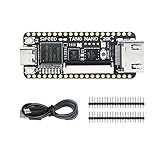
- Package: Tang Nano 20K*1 + Pin Headers*2 + Type-C Cabble*1
Make engineering checks independent of the agent
Choose checks according to the design and the property at stake: simulation, regression, formal analysis where appropriate, coverage review, lint or elaboration, and physical verification are examples. Inspect the actual outputs—such as failures, counterexamples, logs, coverage, timing or power reports, and sign-off evidence. Siemens describes its approach as continuously validating decisions with deterministic EDA engines; that is a vendor description, not a guarantee that all relevant correctness properties are checked.
Keep accountability with qualified engineers
Engineers should review the specification interpretation, assumptions, generated changes, verification intent, results, exceptions, and sign-off decisions. The appropriate amount of autonomy depends on how consequential and reversible a task is. Bounded, repetitive work may be suitable for more automation; deciding whether requirements are adequately met and whether a design is ready for release remains an engineering responsibility.
Plan for agent-specific failure modes
A survey of agentic digital EDA identifies hallucinations, data scarcity, and black-box tools as open challenges, alongside privacy and security concerns. In practice, ground proposed actions in approved design artifacts and real tool feedback, retain provenance, and make runs inspectable and reproducible. An agent that cannot explain a result reliably should not be allowed to turn that explanation into an unreviewed design change.
Recommended Free Tools
What announced EDA agent offerings cover
Vendor descriptions indicate different workflow scopes; they are not independent evaluations of correctness, safety, or productivity.
| Offering | Vendor-described scope | Qualification |
|---|---|---|
| Siemens Fuse EDA AI Agent | Siemens describes coordination from architectural exploration and RTL coding through verification, place-and-route, physical sign-off, and manufacturing readiness. Its announcement names tools including Catapult, Questa One, Aprisa, Solido, Veloce, Calibre, Innovator3D IC, Xpedition, HyperLynx, and Tessent. | This is Siemens’ product description. Confirm the tools, controls, and workflow stages available in the deployment being considered. |
| Cadence ChipStack | Cadence describes a front-end design and verification agent system for specification understanding, RTL generation, test-plan and testbench work, regression orchestration, simulation, formal analysis, debug, and design convergence, built around Cadence EDA tools. | Cadence announced additional autonomy capabilities for expected early access in the second half of 2026. As of October 4, 2026, the announcement alone does not establish their current availability or suitability for a particular project. |
Cadence’s launch announcement claimed “up to 10X productivity improvements” across activities including coding designs and testbenches, creating test plans, orchestrating regression, debugging, and automatically fixing issues. In the same announcement, Altera senior director of engineering Arvind Vidyarthi said ChipStack had reduced verification effort “in some areas by approximately 10X.” Both are vendor-published claims, not an independently established benchmark; neither figure should be generalized to other teams, designs, tasks, or products. Siemens’ statements about autonomous agents validating decisions with engineering tools are likewise vendor claims, not independent evaluations.
How to evaluate an agent for your design environment
Compare a product in the environment where it would actually be used, using representative designs and the project’s normal review and verification process. Ask:
- Workflow scope: Which design stages and tasks are supported in the offered configuration?
- Tool integration: Which EDA tools, formats, command interfaces, and project systems can it use?
- Validation evidence: Which deterministic checks run, what outputs are retained, and can engineers inspect failures and intermediate actions?
- Permissions and governance: Can access, execution, network use, audit trails, and human approvals be configured to match project policy?
- Deployment and data handling: What model choices and on-premises, cloud, or air-gapped options are available, and what information leaves the environment?
- Recovery and reproducibility: Can a reviewer understand what the agent changed, reproduce the relevant runs, and recover from a failed or unwanted change?
- Quality of evidence: Separate independently evaluated results from vendor claims, customer anecdotes, and autonomy labels.
Neither a broad workflow description nor a label such as “Level-5” autonomy establishes that generated designs are safe or correct. Evaluation should establish whether the specific integration produces reviewable changes and useful evidence on the tasks the organization intends to delegate.
Quick wins for a faster PC:
Fix the driver behind crashes, sound loss and screen glitchesFind Drivers →Repair Windows errors before they cause bigger problemsFix Now →Scan for outdated or missing drivers - takes under a minuteDriver Scan →Quick Recap
Product prices and availability are accurate as of the date/time indicated and are subject to change. Any price and availability information displayed on Amazon at the time of purchase will apply.




