Do these 3 things before closing this tab:
1Repair Windows errors before they cause bigger problems2Scan for outdated or missing drivers - takes under a minute3Clear out junk files and repair common Windows errorsGoogle says Google Sheets is now faster for demanding workbooks, with improvements aimed especially at files containing more than 1 million cells. The April 2026 update claims opening speeds of up to 30% faster, while filtering and applying conditional formatting can be up to 60% faster. These are maximum figures from Google, not guarantees for every spreadsheet.
What changed in Google Sheets
Google announced the performance improvements on April 22, 2026. The company says they are enabled by default for people using personal Google accounts and for Google Workspace customers. End users do not need to turn on a setting, install an update, or change their account.
As an Amazon Associate I earn from qualifying purchases.
Google’s announcement described the improvements as applying to Sheets of all sizes, while specifically highlighting large spreadsheets with more than 1 million cells.
What’s actually slowing this PC down?
Pick the symptom - the matching free tool is one click away.
| Action | Google’s claimed improvement | Important qualification |
|---|---|---|
| Opening a spreadsheet and becoming ready to work | Up to 30% faster | Framed around large spreadsheets; the maximum will not apply to every file. |
| Filtering data | Up to 60% faster | Actual results depend on the spreadsheet and usage conditions. |
| Applying conditional formatting | Up to 60% faster | Google did not publish a distribution of results or a universal guarantee. |
Is Google Sheets faster now?
According to Google, yes. The changes are automatic and were announced as available by default on both personal accounts and Workspace accounts. Google’s official statement says: “End users: No action is needed; you’ll automatically experience faster speeds when using Sheets of all sizes.”
#1 Best Overall

- EXCEL SHORTCUTS. ZERO SEARCHING. – Our bestselling reference mat puts an extensive collection of commonly used commands, formulas and helpful tricks directly beneath your fingertips so you can find answers fast, work smarter and stay in the flow.
- YOUR DESK. SMARTER. – Clearly organized sections for navigation, selection, formatting, data and functions make it easy to find the right Excel command exactly when you need it.
- LEARN, WORK & RESET – Built-in desk-exercise diagrams give you 10 quick ways to stretch, recharge and return to work feeling sharper.
- ROOM TO WORK & CREATE – The extended 31.5 x 11.8-inch Pixiecube desk mat fits a laptop or keyboard and mouse, while the soft 2 mm surface adds comfort and protects your desktop.
- BUILT FOR REAL-WORLD WORKDAYS – A rugged stitched edge helps prevent fraying, and the water-resistant, stain-resistant surface protects against scratches, spills and everyday wear—because smarter desks should work harder.
However, the percentages should be read as “up to” claims. Google did not disclose the test devices, network conditions, spreadsheet designs, browser setup, or the percentage of files that reached each maximum. They therefore cannot be treated as an independently reproduced benchmark or a promise that your particular workbook will open 30% faster.
Google Sheets now supports 20 million cells
The same April announcement introduced a beta that doubled the previous 10-million-cell limit to 20 million cells. That beta is no longer the current status. On September 10, 2026, Google announced that the 20-million-cell limit was generally available.
Rank #2
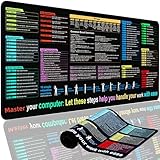
- XL Workspace Design - 300x800mm surface fits keyboard+mouse, 3mm thickness ideal for office/gaming ergonomics.
- Excel Shortcut Mastery - 9 categorized guides with FN key tips accelerate spreadsheet efficiency.
- Toxic-Free HD Printing - Odorless eco-inks ensure crisp graphics that resist fading after repeated cleaning.
- Stain-Proof Fabric Surface - Water-repellent micro-texture enables smooth gliding and easy spill cleanup.
- Lifetime Durability Guaranteed - Double-stitched edges + non-slip rubber base with 3-year warranty against peeling/slippage.
The 20-million-cell capacity applies to new, existing, and imported spreadsheets. Google says there is no administrator control or end-user setting to change. The rollout is automatic but gradual:
Recommended Free Tools
- Rapid Release domains began receiving the change on September 10, 2026.
- Scheduled Release domains were scheduled to begin receiving it on September 28, 2026.
A higher capacity limit does not mean every 20-million-cell workbook will feel fast. Large formula networks, repeated calculations, and extensive formatting can still make editing or opening slow.
Rank #3

- EXCEL CHEAT SHEET DESK PAD:This Excel shortcuts mouse pad is a reliable desk companion, showcasing key shortcuts for Excel, Word, PowerPoint, and Windows. It includes practical information and shortcut keys to help you work more efficiently on your daily tasks.
- LARGE AND PRACTICAL SIZE: Measuring 27.6 x 11.8 inches (700x300x2mm), this Excel mouse pad serves as both a mouse pad and desk mat, offering generous space for your computer, keyboard, and mouse. Ideal for use in the office or at home.
- CLEARLY ORGANIZED AND EASY TO USE:Excel, Word, PowerPoint, and Windows shortcut keys are grouped and organized for easy reference, making this desk pad a helpful tool for both beginners and experienced users.
- SMOOTH AND ACCURATE CONTROL:The smooth fabric top ensures accurate mouse movements, while the non-slip base keeps the pad securely in place, delivering a stable and comfortable user experience.
- LONG-LASTING AND HIGH-QUALITY DESIGN:This mouse pad features premium fade-resistant printing, ensuring that shortcut details remain clear and detailed over time. The reinforced stitched edges add durability for extended use.
Why a large spreadsheet may still feel slow
Google’s performance guidance explains that editing a cell can trigger recalculation of that cell and its dependents. The amount of dependent work, rather than the raw cell count alone, can determine how long an edit takes.
Repeated formula work
If many formulas repeat the same expensive subexpression, calculate that value once in a helper cell and reference the result. This can reduce duplicate work across the workbook.
Rank #4

- Compact & Portable Design: This Small Excel Cheat Sheet Mouse Pad measures 11.8" x 9.8", offering a portable mouse pad. Its compact size fits in bags or laptop cases, making it convenient for professionals, students, or those on the go.
- Practical Excel Shortcut Guide:Includes essential Excel shortcut keys, formulas, and functions. Offers a quick-access layout intended to support task efficiency and ease of use during spreadsheet work.
- Smooth & Precise Surface: The finely-textured surface ensures precise mouse control, allowing for smooth and accurate movement during work or gaming sessions.
- Durable & Non-Slip Design: This Excel Shortcut Mouse Pad features stitched edges to reduce fraying. The non-slip rubber base helps keep it securely in place, and the water-resistant fabric allows for easier maintenance.
- Clear Print Quality: Displays high-resolution printing intended to remain legible through regular use and cleaning.
Volatile functions
Use TODAY, NOW, and RAND sparingly. Google identifies these as volatile functions that may be reevaluated after edits, creating extra calculation work.
Conditional-formatting ranges
Conditional formatting applied to very broad ranges can require more evaluations as data grows. Limit each rule to the rows and columns that actually need it, rather than formatting entire columns or large unused areas.
Best Value
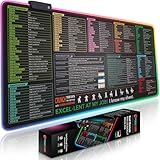
- EXCEL SHORTCUTS. INSTANTLY ILLUMINATED. – Keep frequently used commands, formulas and helpful tricks directly beneath your fingertips so you can work faster without breaking focus. Grouped into frequently used operations such as navigation, selection, formatting, data/functions and featuring 10 desk exercise diagrams to reset and recharge.
- YOUR DESK. SMARTER. BRIGHTER. – Seven vibrant RGB lighting modes glow around all four edges, adding energy and style to work, study or gaming at the touch of a button.
- EXTRA-LARGE SPACE TO WORK & PLAY – The 31.5 x 13.8-inch surface fits a laptop or keyboard and mouse, while the cushioned 3 mm design creates a comfortable, organized workspace.
- PRECISION IN EVERY MOVE – The densely woven Pixiecube fabric surface supports fast, accurate mouse tracking, while the heavy-duty natural rubber base grips the desk to prevent slipping and shifting.
- BUILT FOR REAL-WORLD WORKDAYS – A rugged stitched edge helps prevent fraying, and the water-resistant, stain-resistant surface protects against scratches, spills and everyday wear—because smarter desks should work harder.
Formula dependencies
Long chains of dependent formulas can make a small edit propagate through many cells. Reviewing those dependencies and simplifying unnecessary links can help when a workbook remains sluggish after the automatic update.
Independent reader supportYour contribution helps us test, update, and keep practical guides available for everyone.How the 2026 changes differ from Google’s 2025 update
Google announced a separate set of everyday-action improvements on February 3, 2025. That announcement said pasting between spreadsheets and setting filter conditions were up to 50% faster, and that loading existing data was up to 30% faster.
Those figures describe the 2025 announcement and should not be combined with the April 2026 claims. They are separate updates, not competing settings or plans.
| Announcement | What changed | Status or scope |
|---|---|---|
| February 3, 2025 | Pasting between spreadsheets and setting filter conditions: up to 50% faster; loading existing data: up to 30% faster. | Earlier everyday-action improvements. |
| April 22, 2026 | Opening: up to 30% faster; filtering and conditional formatting: up to 60% faster. | Automatic performance improvements, especially highlighted for files over 1 million cells. |
| September 10, 2026 | Cell capacity increased from 10 million to 20 million. | Generally available, with gradual rollout by release track. |
What you need to do
- Keep using Sheets normally; Google says the performance changes require no action.
- If your organization uses Scheduled Release, allow for the gradual 20-million-cell rollout that began on September 28, 2026.
- If a workbook is still slow, inspect repeated formulas, volatile functions, dependency chains, and oversized conditional-formatting ranges.
- Do not assume that reaching the new cell limit or receiving the speed update removes the need to optimize a complex workbook.
What Google has not established
Google has not published enough methodology in the April announcement to show how the maximum percentages translate to a typical user’s device, browser, network, or workbook. The claims are useful indications of the intended improvement, but they are not individual performance guarantees.
The practical takeaway is straightforward: Sheets now has automatic performance improvements and a current 20-million-cell limit, while workbook design still matters when calculations and formatting become complex.
Quick Recap
Product prices and availability are accurate as of the date/time indicated and are subject to change. Any price and availability information displayed on Amazon at the time of purchase will apply.




